Many photographers run for years on quotations, WhatsApp messages and the occasional handwritten receipt. Then a corporate client asks for a GST invoice, or your accountant asks for a list of every invoice issued last quarter, or a couple disputes what they paid — and suddenly paperwork matters.
Invoices and receipts are not glamorous, but they are what makes your business look established, keeps your accounts clean and gets you paid faster. This guide explains the difference between a quotation, an invoice and a receipt, what a photography invoice should include, how GST shows up on your documents, how to number and time invoices, and how online invoices with UPI details shorten the time between "invoice sent" and "payment received". It also shows how it all works in CaptureBee.
Note: This guide covers good practice for photography businesses. Tax rules change and depend on your situation, so confirm GST registration, rates and invoice requirements with your accountant.
Quotation, invoice, receipt: what's the difference?
Three documents, three jobs:
| Document | When | What it says | Who needs it |
|---|---|---|---|
| Quotation | Before booking | "This is what we'll do and what it will cost" | The client, to decide |
| Invoice | When payment is requested | "This is what you owe, by this date" | The client to pay; you and your accountant for records and GST |
| Receipt | When payment is received | "We received this much; this is what's left" | The client, as proof of payment |
A quotation is a proposal. An invoice is a demand for payment and, if you are GST-registered, a tax document. A receipt is a thank-you with numbers. Mixing them up — for example, treating a quotation as an invoice — is where most paperwork confusion starts.
When should a photographer raise an invoice?
There is no single right moment. Choose one approach and use it consistently:
- One invoice at booking for the full amount, with payments recorded against it over time. Simple, and the invoice status shows exactly what's left.
- One invoice per instalment — advance, second payment, balance. Useful when clients pay from different accounts or need separate documents.
- One invoice after the event for the full amount, with the advance shown as already paid. Common for corporate clients who pay on invoice.
Most personal clients — couples, families — are happy with a quotation and receipts until the end, then a final invoice for their records. Corporate clients almost always want an invoice before they pay.
What to put on a photography invoice
A clear, professional invoice includes:
About you
- Your business or legal name, address, phone and email
- Your logo
- Your GSTIN, if you are GST-registered
About the invoice
- A unique invoice number in a consistent series (for example INV-2026-0003)
- Issue date and due date
About the client
- Name, phone, email and address
- For companies: the company name — and their GSTIN or purchase order number if they ask for it
About the work
- Each item with a description, quantity, rate and amount
- Subtotal, discount, tax rate and tax amount, and the total
- Amount already paid and the balance due
About paying
- UPI ID and QR code, bank details
- Payment terms and any notes
GST invoices: what your accountant may also ask for
Formal GST tax invoices have specific requirements — a consecutive serial number, recipient details, the tax rate and amount, and for some businesses details such as the SAC code, place of supply and the split between CGST and SGST (or IGST for inter-state clients). Ask your accountant exactly what your filings need.
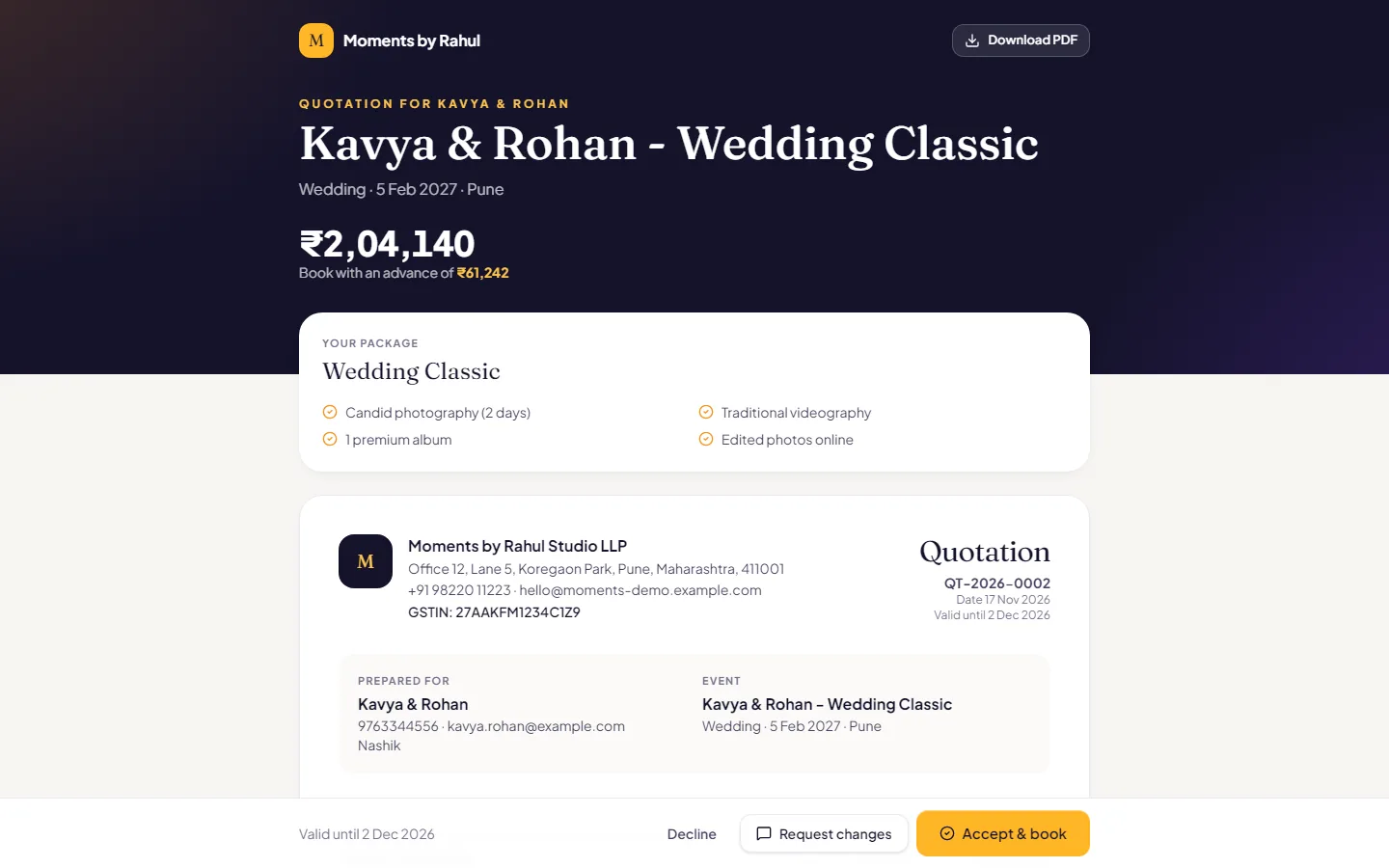
CaptureBee prints your legal name, address and GSTIN, uses a consecutive invoice number series, and shows one GST line at the rate you set (for example "GST (18%)") on every quotation and invoice. It does not split CGST and SGST or add SAC codes, so if your accountant needs those on the invoice itself, agree with them how to handle it.
GST basics for photographers
A few points most photographers ask about (again, confirm the details for your case with your accountant):
- Registration threshold. Service providers generally need to register for GST once their annual turnover crosses ₹20 lakh (₹10 lakh in some special-category states). You can also register voluntarily — corporate clients often prefer GST-registered vendors.
- Rate. Photography and videography services are generally taxed at 18% GST.
- Charge it on the quotation too. If you are registered, show GST from the first quotation so the total the client agrees to is the total they pay.
- Keep records. Every invoice, payment and expense should be easy to list by month for your returns.
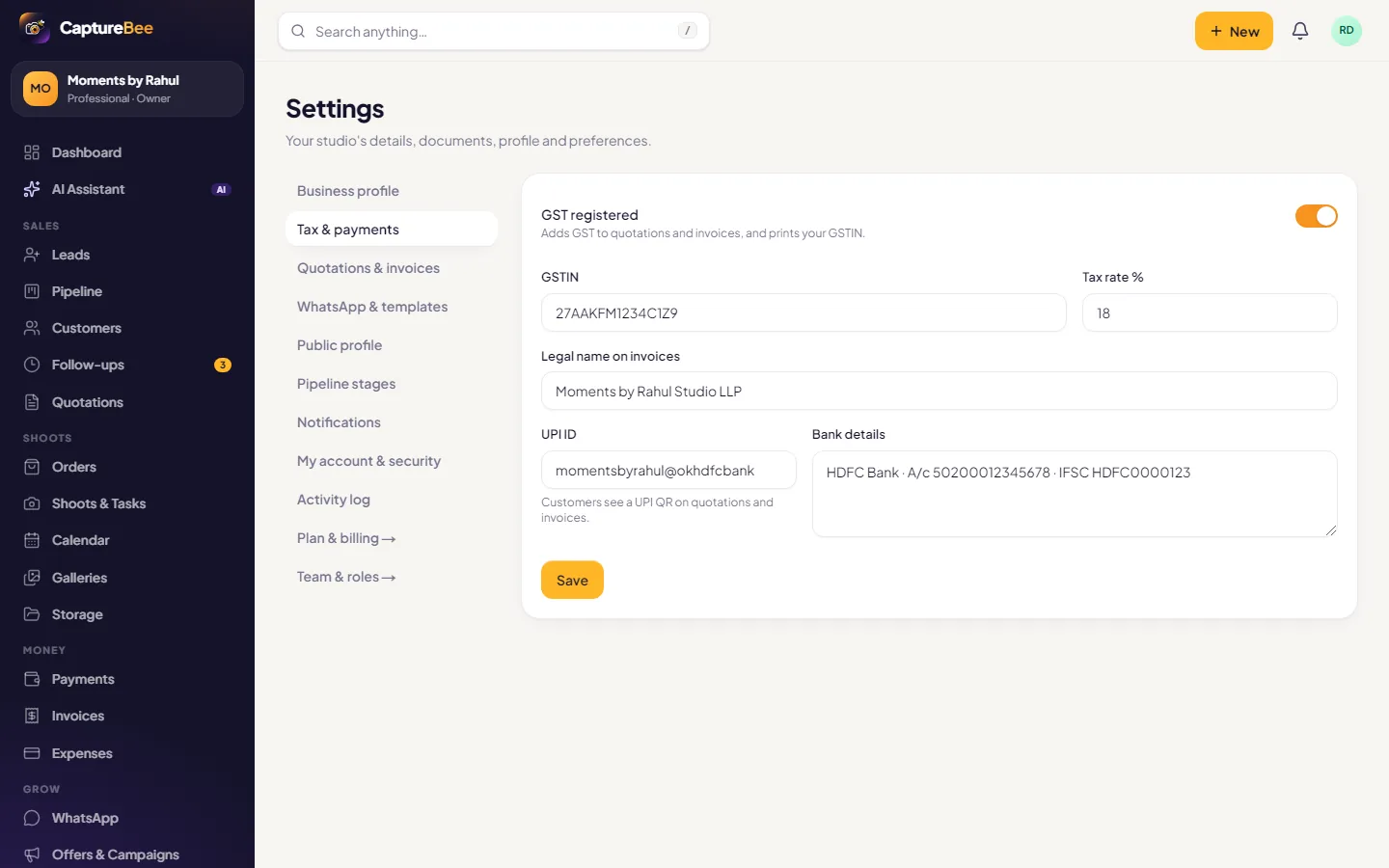
In CaptureBee, turn on GST registered in Settings → Tax & payments, enter your GSTIN, the tax rate and the legal name to print on invoices. Quotations and invoices then show the GST line and your GSTIN automatically. If you are not registered, leave it off and no tax line is shown.
Invoice numbers and due dates
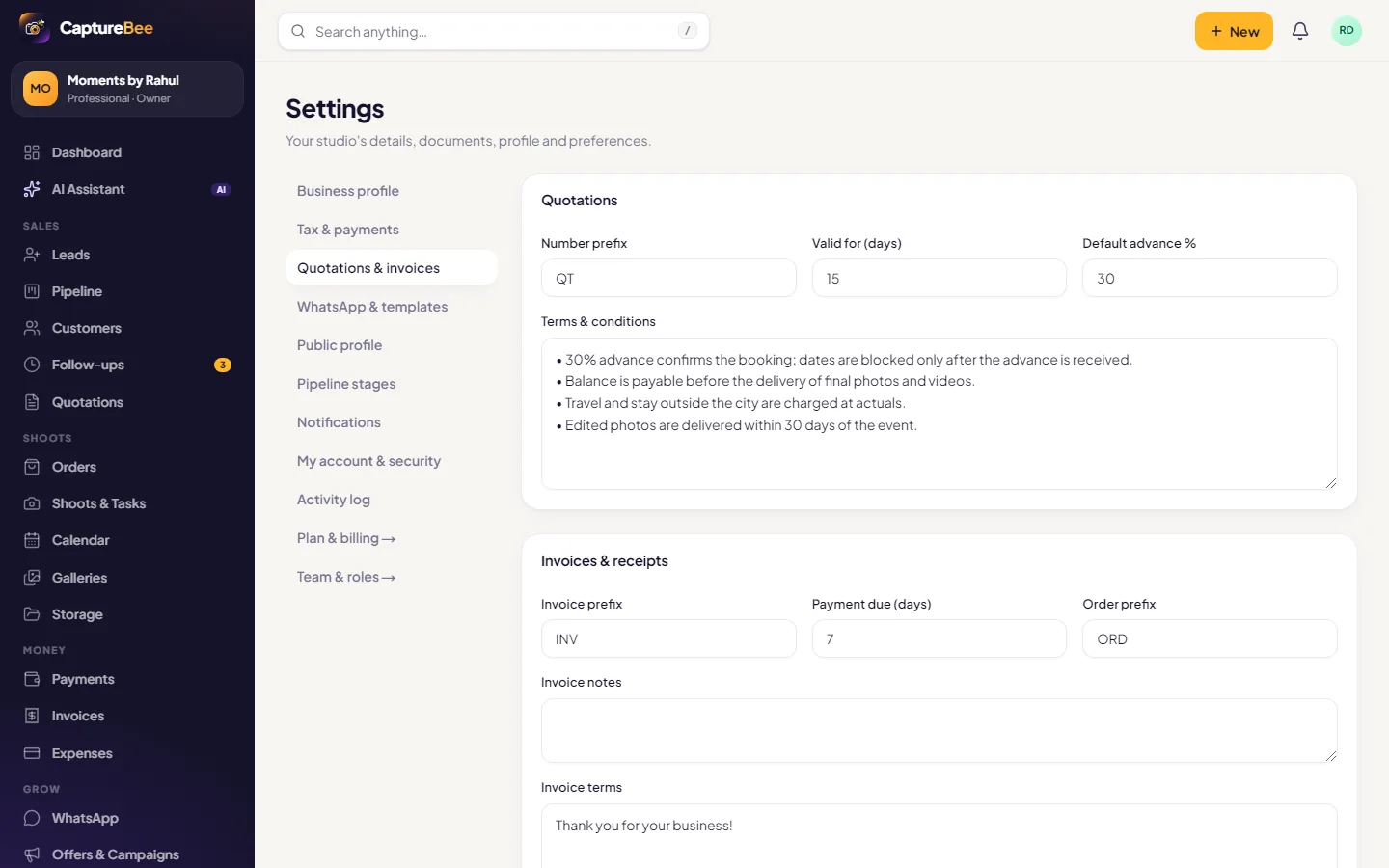
Numbering. Invoices need a unique number in a consistent series — never skipped, never reused. CaptureBee numbers invoices automatically with your prefix and the year (INV-2026-0001, INV-2026-0002…). You can change the prefix in Settings → Quotations & invoices. Quotations, orders and receipts have their own series (QT, ORD, RCPT).
Due dates. Every invoice should say when it must be paid. The default in CaptureBee is 7 days after the issue date, and you can change the default or set a due date on each invoice. Once the date passes, an unpaid invoice shows as overdue.
Notes and terms. Add standard invoice notes and terms once — "Thank you for your business!", bank charges, late payment terms — and they appear on every invoice.
Online invoices get paid faster
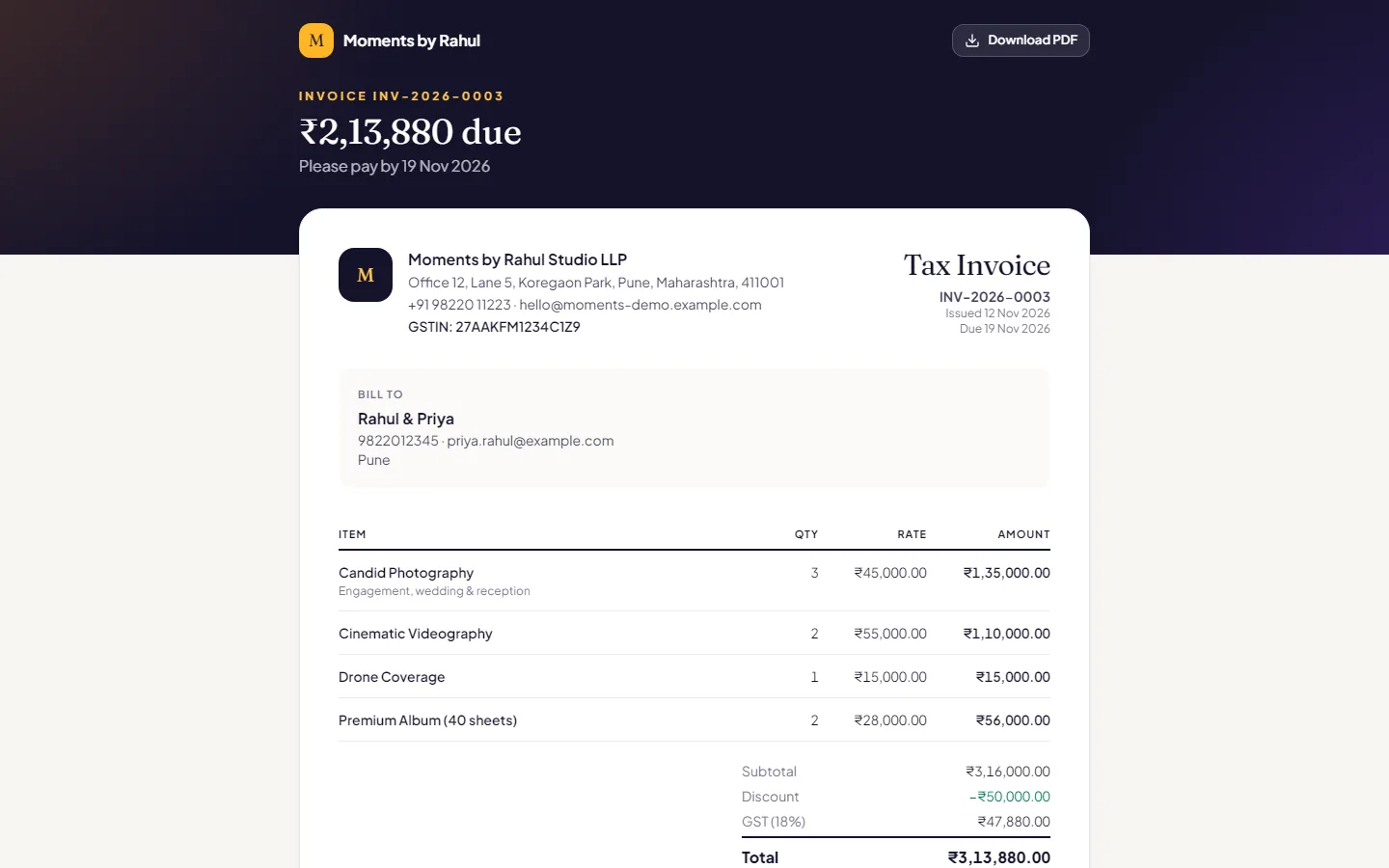
A PDF invoice in an email is fine for accountants. For most clients, an online invoice opened from WhatsApp gets paid much faster, because paying is one scan away.
Every CaptureBee invoice has its own private link. The client sees the amount due and the due date at the top, the full tax invoice below, and at the bottom a Pay this invoice section with your UPI QR code, UPI ID and bank details. They can download a PDF for their records.
After paying, the client fills in Already paid? Let us know with the amount, method and UTR. You get a payment to confirm; one tap and it is recorded against the invoice, which moves to part-paid or paid. More on this in collecting advances and tracking dues.
Send the invoice with the Share invoice WhatsApp template:
Hi {{customer_name}}, please find your invoice {{invoice_number}} for {{invoice_amount}} from {{business_name}}: {{invoice_link}}
Receipts: one for every payment
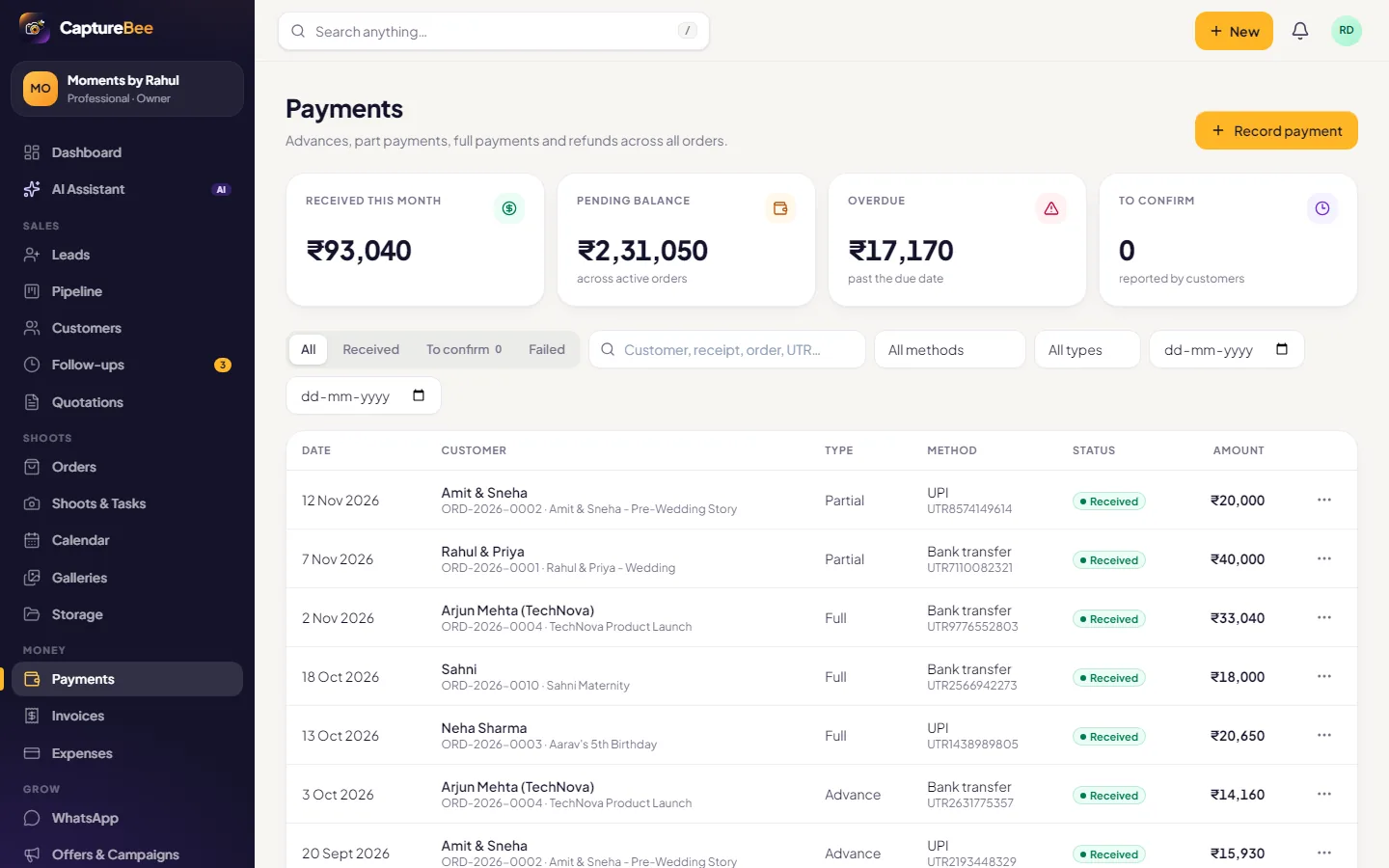
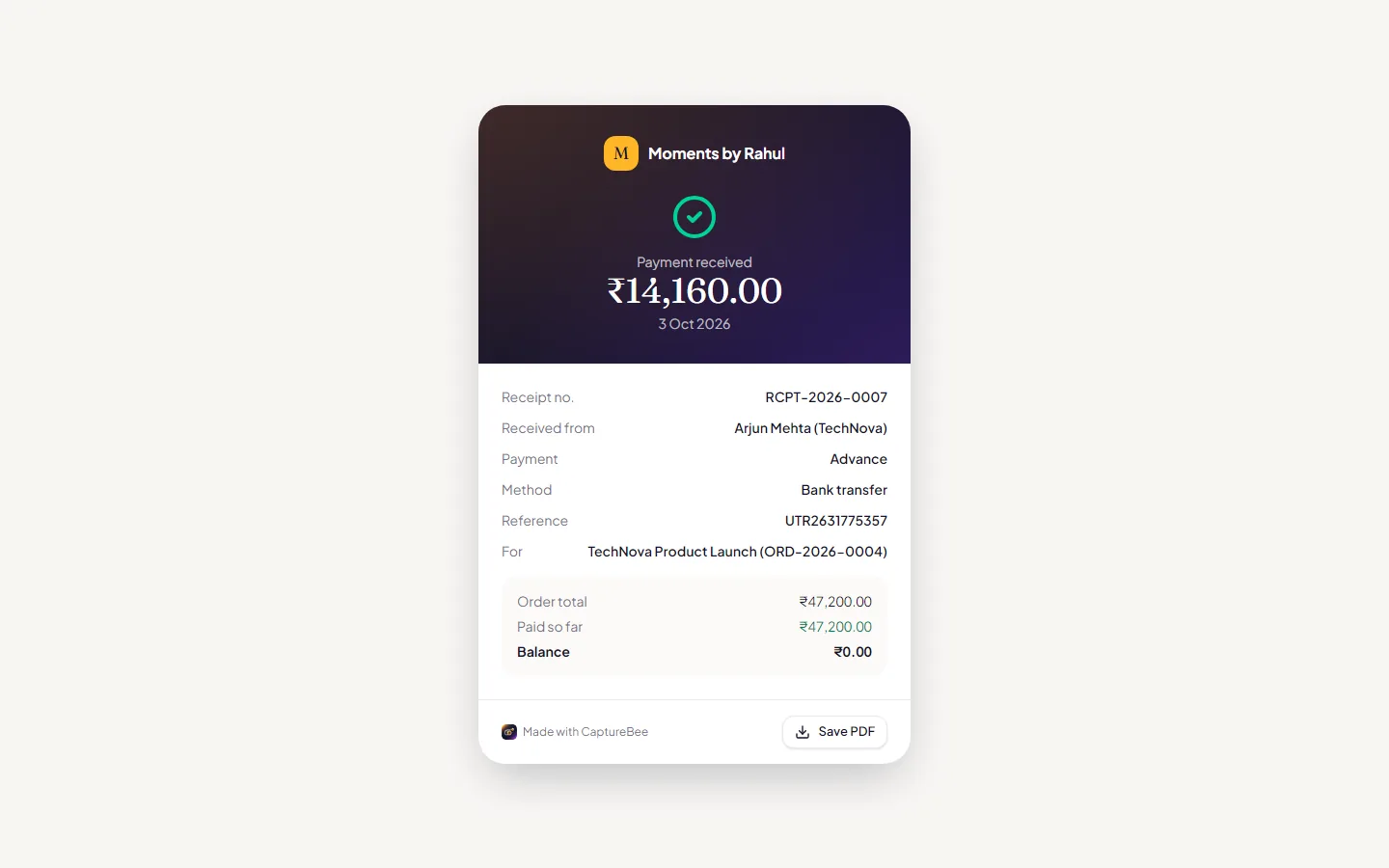
Every payment you confirm in CaptureBee gets a receipt with its own number (RCPT-2026-0007) and link: who paid, how much, the type and method, the reference, which order it was for, the order total, the amount paid so far and the balance. Clients can save it as a PDF. Send it the moment you confirm a payment — it takes one tap and it saves you from "did you get my payment?" messages.
Tracking invoices
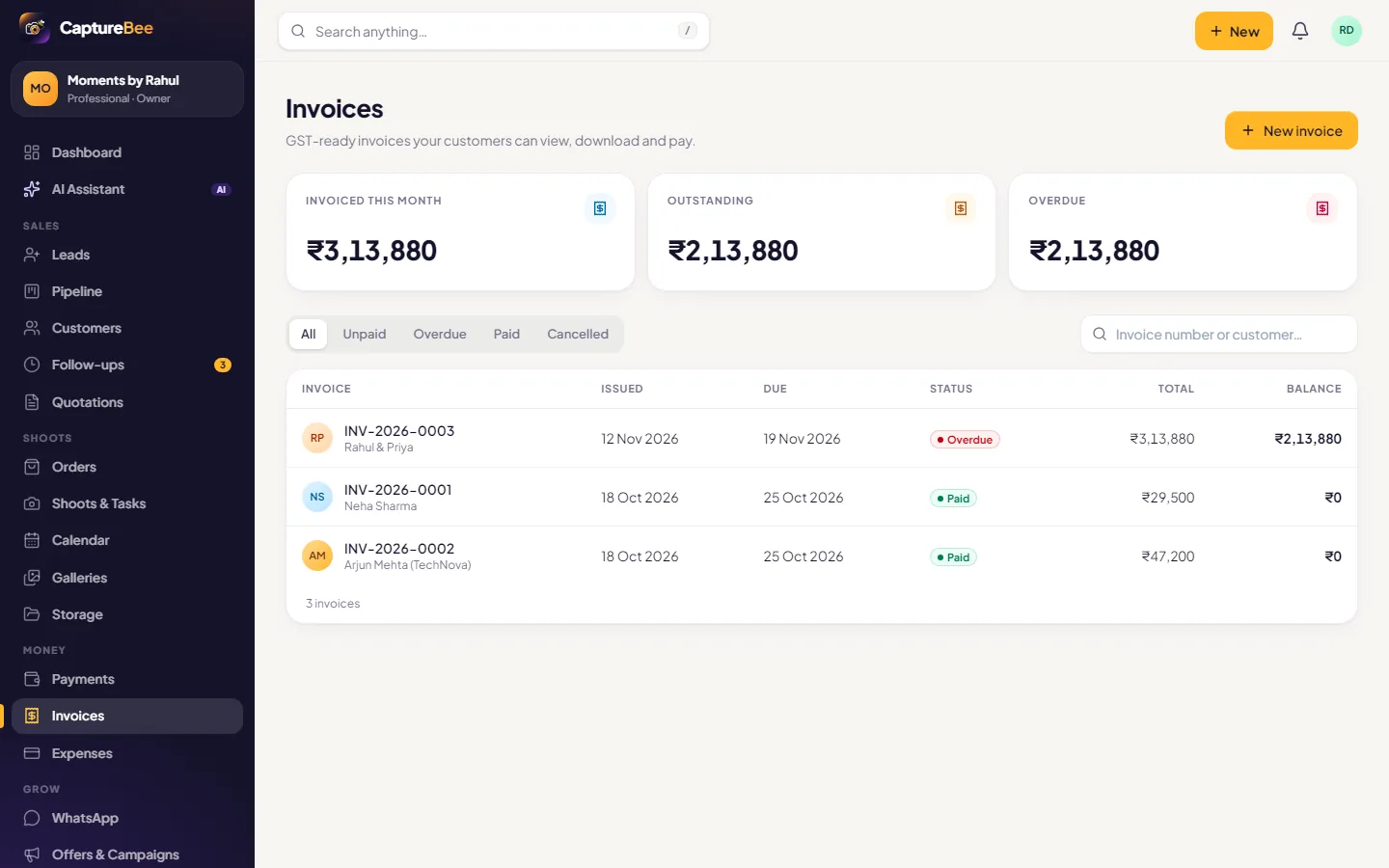
The invoices page shows what you invoiced this month, what is outstanding and what is overdue, with every invoice's status:
- Issued — sent, nothing paid yet
- Part paid — some payment received
- Paid — fully settled
- Overdue — past the due date and not fully paid
- Cancelled — no longer valid
Cancelling instead of deleting
Never delete an invoice — it breaks your number series and your records. If an invoice was wrong, cancel it and issue a new one. CaptureBee only lets you cancel an invoice that has no payments; if payments were recorded, refund or move them first, so your accounts always add up.
Corporate clients: a few extras
Corporate photography clients usually work differently from couples:
- They pay on invoice, often 15–30 days later, so agree the due date upfront.
- They may need a purchase order (PO) number or their GSTIN mentioned on the invoice — add these in the invoice notes.
- Their accounts team, not your contact, makes the payment — the online invoice link with bank details makes their job easy.
- They value speed: send the invoice the day after the event, along with the delivery.
Expenses: the other half of the story
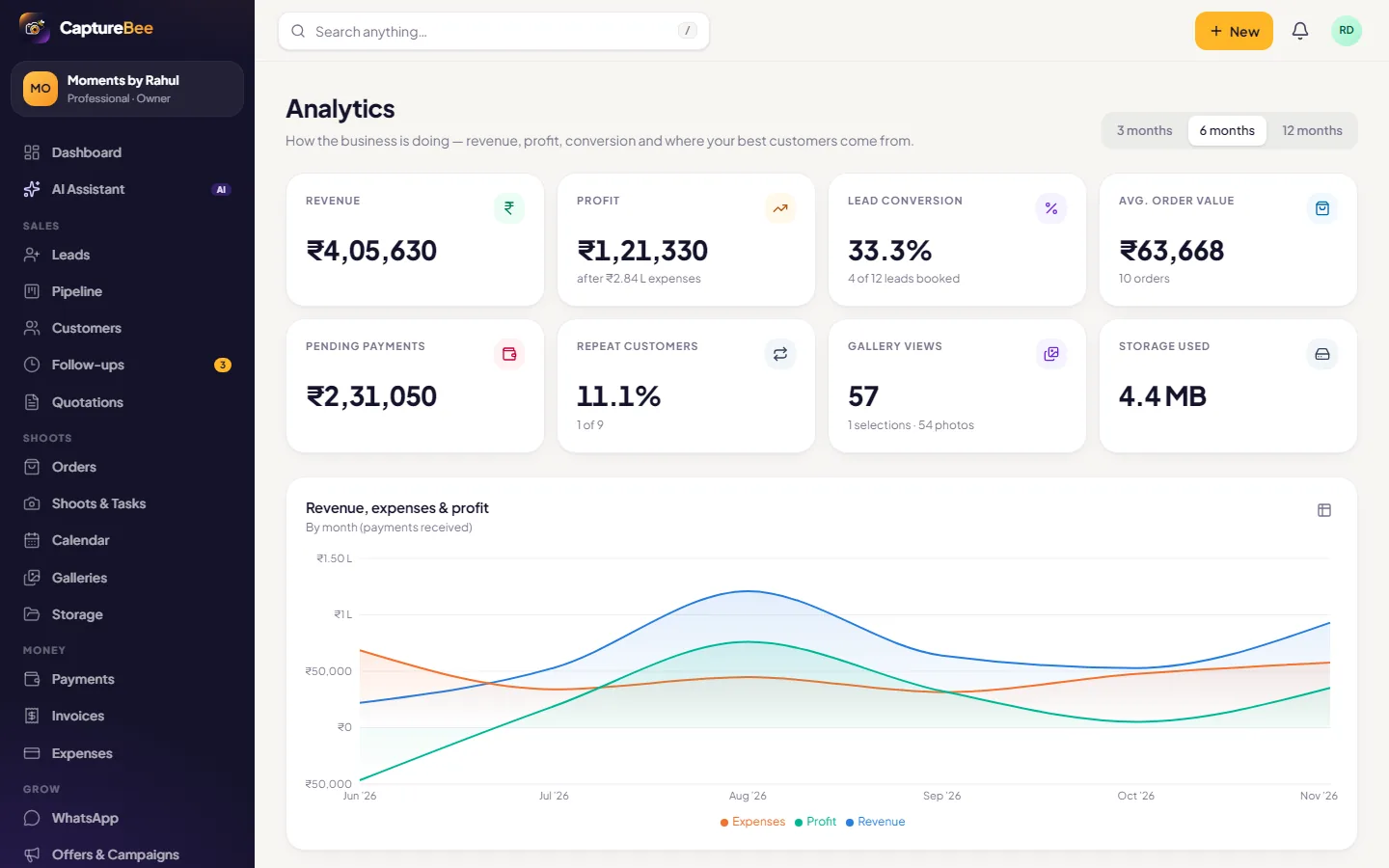
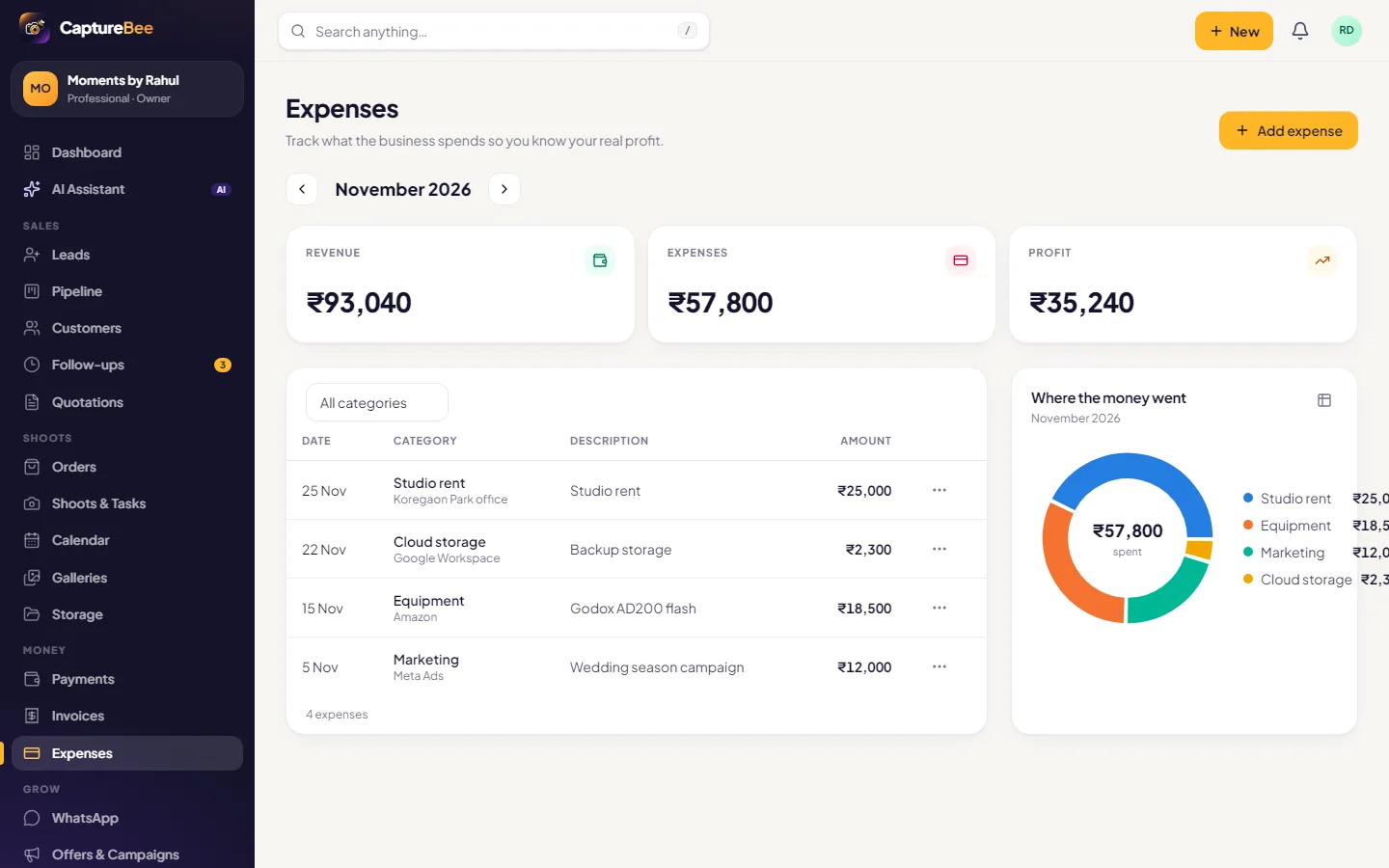
Invoices tell you what you earned. To know what you kept, record expenses too — freelancers, travel, albums and printing, equipment, marketing, studio rent, software, cloud storage. Link an expense to its order when it belongs to one. Revenue minus expenses is your real profit, month by month. See know your numbers: revenue, expenses and profit for photographers.
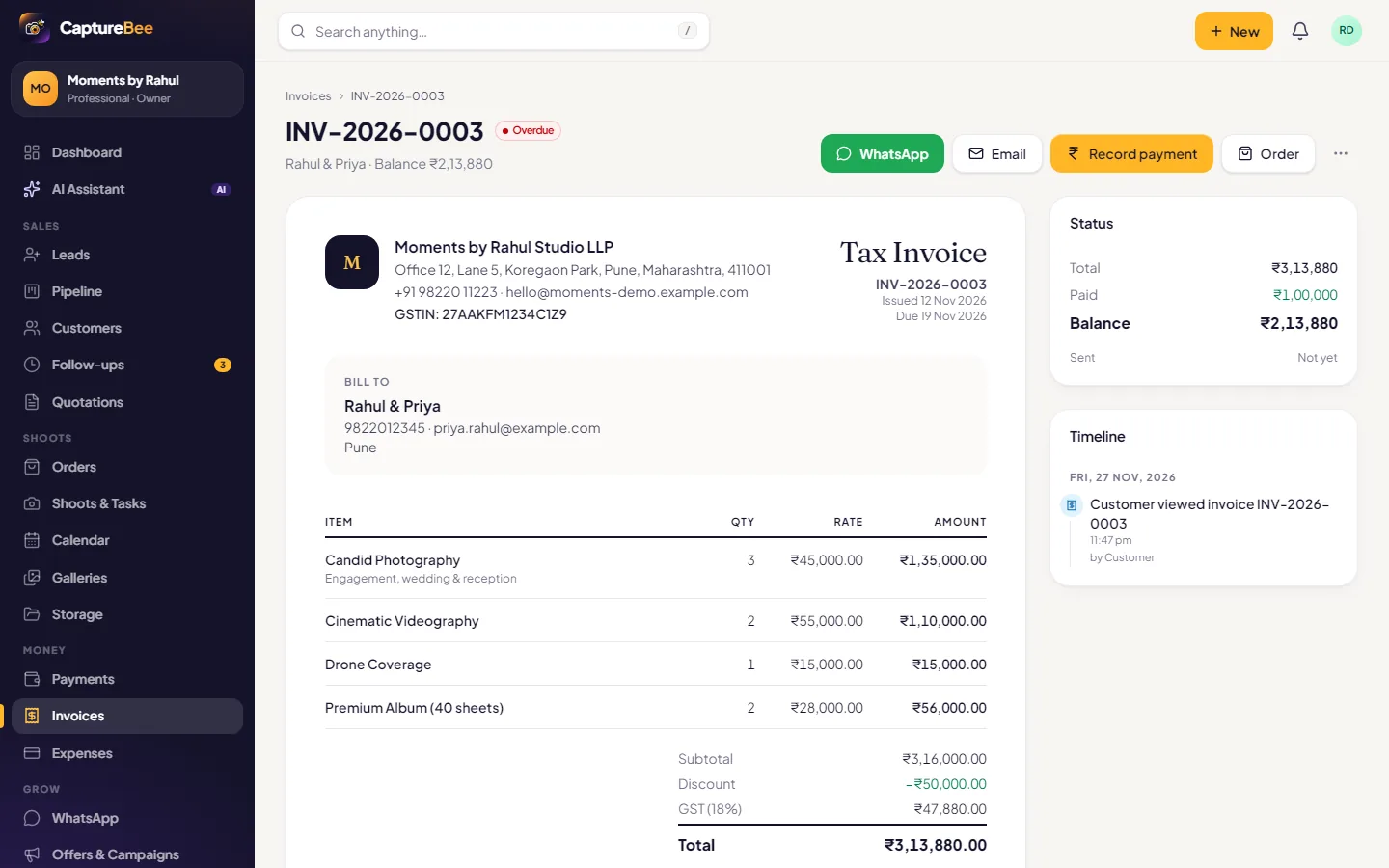
A worked example: an invoice when the advance is already paid
A common situation: the couple paid an advance months ago, the wedding is done, and you're raising one invoice for the full amount. Here's how it reads.
Invoice INV-2026-0003 · Issued 12 Nov 2026 · Due 19 Nov 2026 Bill to: Rahul & Priya, Pune
| Item | Qty | Rate | Amount |
|---|---|---|---|
| Candid photography (engagement, wedding & reception) | 3 | ₹45,000 | ₹1,35,000 |
| Cinematic videography | 2 | ₹55,000 | ₹1,10,000 |
| Drone coverage | 1 | ₹15,000 | ₹15,000 |
| Premium album (40 sheets) | 2 | ₹28,000 | ₹56,000 |
| Subtotal | ₹3,16,000 | ||
| Discount | −₹50,000 | ||
| GST (18%) | ₹47,880 | ||
| Total | ₹3,13,880 | ||
| Paid | ₹1,00,000 | ||
| Balance due | ₹2,13,880 |
Notice three things:
- The invoice is for the full value of the work, not just the remaining balance — so your records show the true value of the booking, and the GST is on the full taxable amount.
- Payments already received are shown as paid, and the balance is what the client owes now.
- The status is "part paid" until the balance arrives, then "paid" — or "overdue" after 19 November.
Because the invoice is generated from the order, the items, discount and tax match exactly what the client agreed on the quotation. No retyping, no mismatched totals.
A month-end routine for your accounts
Twenty minutes at the end of each month saves hours at tax time — and makes your accountant's life much easier.
- Confirm every payment. Clear the To confirm list; check that every UPI credit and cash payment this month is recorded against an order.
- Raise any missing invoices. Corporate jobs done this month, and personal clients who asked for one.
- Check overdue invoices. Send reminders; call anyone more than a week overdue.
- Record all expenses. Freelancers, travel, albums, software, rent — with the right category, linked to orders where they belong.
- Look at the month. Revenue, expenses and profit on the Expenses page and in analytics.
- Export or share with your accountant. Plans with report exports can download CSV reports; or give your accountant their own login with the Accountant role.
What your accountant will ask for
If you work with a chartered accountant, they'll usually want the same things every month or quarter. Having them ready makes filing quicker and cheaper:
- A list of invoices issued, with numbers, dates, clients, taxable amounts and GST
- A list of payments received, with dates, methods and references
- Expenses with bills, by category
- Refunds and cancelled invoices, with reasons
- TDS certificates from corporate clients who deducted tax
- Your bank statement to reconcile against
The first four come straight out of your records if every invoice, payment and expense was entered when it happened. Keep bills and TDS certificates in one folder per month, or upload them to the order's Documents folder when they belong to a specific booking.
Writing invoice notes and terms
The notes and terms at the bottom of an invoice are small, but they do real work. Good examples:
Notes
- "Thank you for choosing us for your wedding — it was a joy to be part of it!"
- "Please mention the invoice number INV-2026-0003 in your payment reference."
- For companies: "PO number: 4500123987 · Client GSTIN: 27AAACT1234A1Z5"
Terms
- "Payment due within 7 days of the invoice date."
- "Final photos and films are delivered once the balance is received."
- "Bank charges, if any, are to be borne by the payer."
Set standard notes and terms in Settings → Quotations & invoices, and change them on a single invoice when needed.
Invoicing different kinds of jobs
The same tool, three different rhythms.
Weddings paid in instalments. Most studios send the quotation, record the advance and instalments with receipts, and raise one invoice for the full value near delivery — or at booking, if the family wants one early. Payments recorded on the order count towards the invoice, so its status moves from part paid to paid on its own.
Corporate events. Raise the invoice the day after the event (or with the same-day highlights), with a due date agreed upfront — often 15 or 30 days. Put the PO number and the company's GSTIN in the notes. Expect the payment by bank transfer, sometimes with TDS deducted; record the amount actually received and keep the TDS certificate.
Small shoots — portraits, birthdays, maternity. Often 50% at booking and the rest on the day or at delivery. Many clients never need an invoice; send receipts for each payment, and raise an invoice only if someone asks for one.
Retainers and repeat corporate work. For a client you shoot for every month, raise one invoice per month for that month's work, listing each shoot as an item. A quick invoice without an order — just the customer and the items — works well here.
Payment terms that reduce late payments
Most late payments aren't bad intent — they're forgetfulness, unclear terms or friction. Terms that help:
- A specific due date, not "on receipt". "Due 19 Nov 2026" is concrete.
- Short timelines for personal clients — 7 days is reasonable.
- Payment details on the invoice itself — UPI QR, UPI ID and bank details — so paying takes one minute.
- Delivery tied to payment, stated upfront: "Final files are delivered once the balance is received."
- A reminder before the due date, and a polite one the day after.
- An easy way to say "I've paid", so you don't need to chase confirmation.
Late-payment fees exist, but most photographers find that clarity and reminders work better than penalties — and keep the relationship warm for the next booking and the referral.
Credit notes, refunds and corrections
Mistakes happen: a wrong amount, a client who changed the scope, a cancellation after invoicing. The clean way to handle them:
- Invoice not paid yet and wrong? Cancel it and issue a corrected invoice. The cancelled one stays in your records with its number.
- Invoice paid and the client gets money back? Record a refund against the order. Discuss with your accountant whether you also need a formal credit note for GST.
- Scope changed before invoicing? Update the order's items first, then generate the invoice so everything matches.
Never edit a sent invoice silently. Records that change without a trace are exactly what makes accounts — and clients — uneasy.
Step by step in CaptureBee
- Settings → Tax & payments: GST registered, GSTIN, rate, legal name, UPI ID, bank details.
- Settings → Quotations & invoices: invoice prefix, payment due days, notes and terms.
- Open an order and press Generate under Invoices. The items, discount and tax come from the order; the bill-to comes from the customer.
- Check the dates, notes and terms.
- Send it on WhatsApp or email.
- Confirm payments as they come in — the invoice status updates itself.
- Send a receipt for each payment.
- Watch the overdue list and remind clients before and after the due date.
You can also create an invoice without an order — for a quick job — by choosing the customer and adding items.
Mistakes to avoid
- Treating the quotation as the invoice. They are different documents with different purposes.
- Gaps or duplicates in invoice numbers. Let the system number them.
- Deleting wrong invoices. Cancel and reissue instead.
- No due date. "Pay whenever" means paid last.
- Leaving out GST until the end. If you are registered, show it on the quotation too.
- No receipts. A receipt avoids almost every "but we paid" dispute.
- Waiting weeks to invoice corporate clients. Their payment clock only starts when the invoice arrives.
A checklist before you send any invoice
Thirty seconds of checking prevents most invoice problems:
- Right client, right name — the name the client wants on the invoice (a couple, a parent, or a company's registered name).
- Address — complete, especially for companies.
- Company details — GSTIN and PO number in the notes, if they asked.
- Items match the agreement — the same items, quantities and rates as the accepted quotation or the updated order.
- Discount — shown, and the same as agreed.
- GST — the right rate, and your GSTIN printed (if registered).
- Payments already received — all recorded, so the balance is right.
- Dates — issue date and due date make sense.
- Payment details — UPI ID and bank details correct.
- Notes and terms — appropriate for this client.
Generating the invoice from the order handles most of this automatically — the items, discount, tax and payments all come from the same record the client already agreed to. Your job is to check the few things only you know.
Keeping quotation, order and invoice consistent
The most common invoice dispute is "this isn't what we agreed". It happens when the quotation, the booking and the invoice are three separate documents typed at three different times.
Keep them as one chain instead:
- The quotation is what the client accepted — with their name and the date of acceptance on record.
- The order is created from it, with the same items and totals.
- Changes — an added function, a dropped drone — are made on the order, ideally after a revised quotation the client accepted.
- The invoice is generated from the order, so it matches what was agreed, including all changes.
- Payments and receipts are recorded against the order and count towards the invoice.
When a client asks "why is it this amount?", you can open the order and show the accepted quotation, every change and every payment — in one place.
How long to keep invoices and records
GST and income-tax rules require you to keep invoices, receipts and expense records for several years — ask your accountant for the exact period that applies to you. In practice:
- Keep every invoice, cancelled ones included, with their numbers intact.
- Keep expense bills, organised by month.
- Keep TDS certificates from corporate clients.
- Don't delete customers or orders that have invoices — archive them instead.
Records kept as they happen are easy to keep for years; records rebuilt at tax time rarely are.
Frequently asked questions
Do photographers need to charge GST?
If you are GST-registered, yes. Service providers generally must register once annual turnover crosses ₹20 lakh (₹10 lakh in some states), and many register voluntarily. Confirm your situation with your accountant.
What is the GST rate on photography services?
Photography and videography services are generally taxed at 18%. Check with your accountant for your specific services.
Can I create GST invoices in CaptureBee?
Yes. Turn on GST in settings and add your GSTIN and rate. Invoices print your legal name, address and GSTIN, and show the GST rate and amount on every invoice. CaptureBee uses a single GST line; it does not split CGST/SGST or add SAC codes.
What's the difference between an invoice and a receipt?
An invoice asks for payment; a receipt confirms a payment was received. Send both: the invoice when payment is due, a receipt each time money arrives.
Can my client pay the invoice online?
The invoice shows your UPI QR code and bank details, so clients pay directly from any UPI app or by bank transfer and then report the payment for you to confirm. A built-in payment gateway for clients is coming soon.
Can my accountant access invoices?
Yes. Invite them with the Accountant role, which covers payments, invoices, expenses and reports — without access to galleries or settings. See managing a photography team.
Paperwork that works for you
Good invoicing is three habits: GST and payment details set up once, an invoice and a receipt for every payment with a clear due date, and a weekly look at what's overdue. Get those right and your accountant, your corporate clients and your bank balance will all be happier.
Start a free CaptureBee trial and send your first online invoice today. See all payment and invoice features, or read collecting advances and tracking dues.