The quotation is the moment an enquiry becomes a decision. Up to that point the couple has been browsing — looking at your Instagram, comparing a few studios, asking around. When your quotation lands, they sit down with family and decide. A clear, professional quotation that is easy to say yes to wins bookings that a price typed into WhatsApp never will.
Yet most wedding photographers still make quotations the slow way: a Word template edited for every couple, a PDF sent into a chat, totals worked out on a phone calculator, and no idea whether the couple even opened it. This guide covers what a winning wedding photography quotation contains, how to structure prices, advances and validity, how GST fits in, and how online acceptance turns a "yes" into a confirmed booking without any back-and-forth.
What couples actually look for in a quotation
Put yourself in the couple's place. They have three or four quotations open, often on a phone, often being forwarded to parents. They are trying to answer four questions:
- What exactly do we get? Which functions, how many photographers, video or not, how many edited photos, what album, by when.
- What does it cost in total? Including tax, travel and anything extra.
- What do we pay now, and later? The advance to confirm, and when the rest is due.
- Can we trust them? Does this look professional? Is it clear? Are the terms fair?
A quotation that answers all four on one screen wins against a cheaper one that leaves them guessing. Ambiguity feels like risk, and couples avoid risk on their wedding.
The anatomy of a wedding photography quotation
Every good quotation has the same parts. Here is what each one does:
| Part | What to include | Why it matters |
|---|---|---|
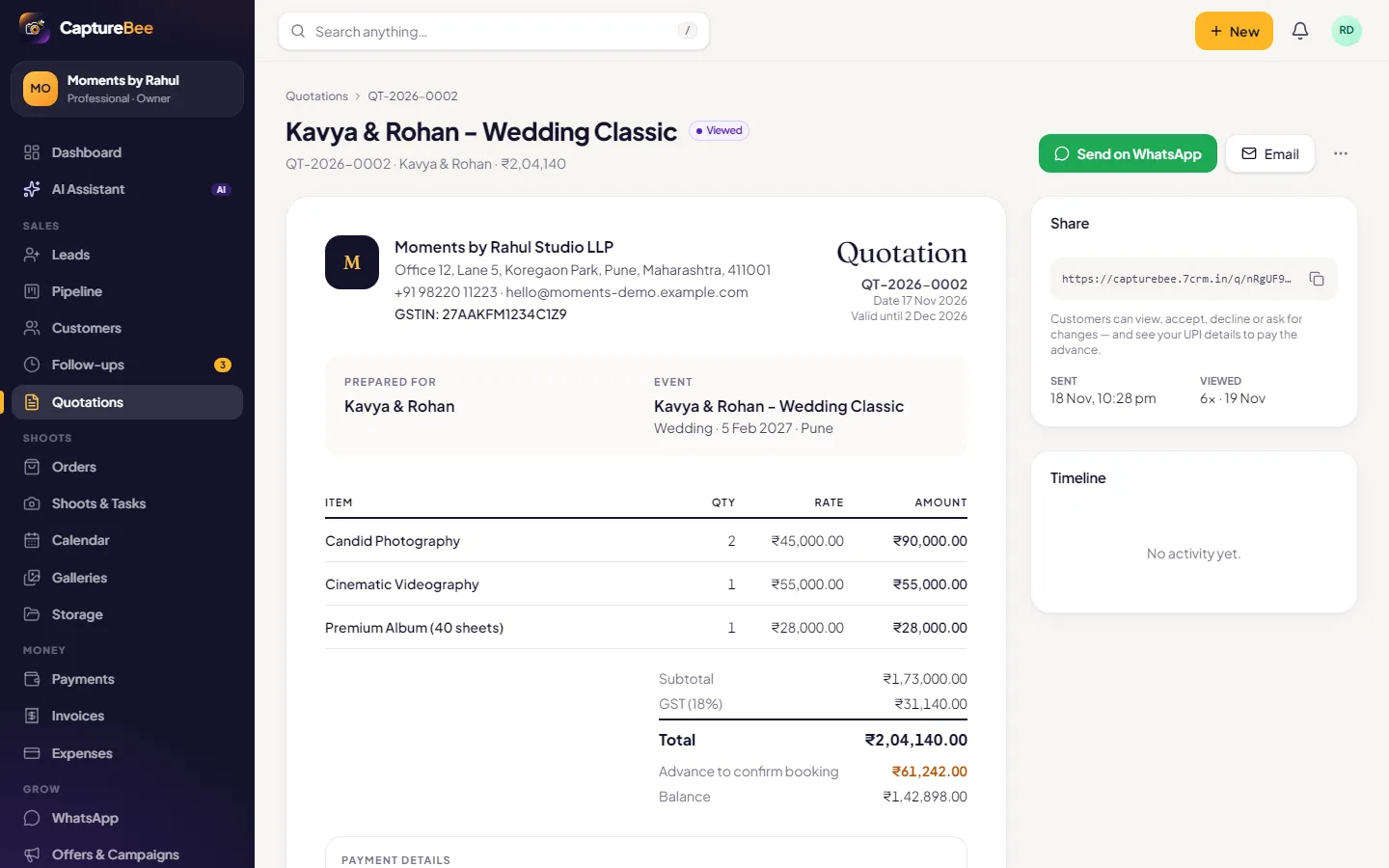
| Title | "Kavya & Rohan — Wedding Classic" | Personal, easy to find in a forwarded chat |
| Your details | Logo, studio name, address, phone, email, GSTIN if registered | Looks established; needed for GST |
| Prepared for | Client name, phone, email, city | Confirms who the agreement is with |
| Event | Event type, date(s), venue/city | Ties the quote to specific dates |
| Package | Name and what's included | Lets them compare like with like |
| Items | Each service with quantity, rate and amount | Shows value; makes changes easy |
| Discount | As ₹ or %, clearly shown | Visible discounts feel like a gift; hidden ones feel like haggling room |
| Tax | GST line, if you charge it | No surprises at invoice time |
| Total | The grand total | The number they will remember |
| Advance and balance | Amount to confirm, and what remains | Sets payment expectations early |
| Payment details | UPI ID, QR code, bank account | Makes paying the advance easy |
| Validity | "Valid until 2 Dec 2026" | Creates gentle urgency; protects your peak dates |
| Terms | Advance, balance timing, travel, delivery timeline | Prevents disputes later |
Package or itemised? Both.
There are two ways to price wedding photography, and the best quotations combine them.
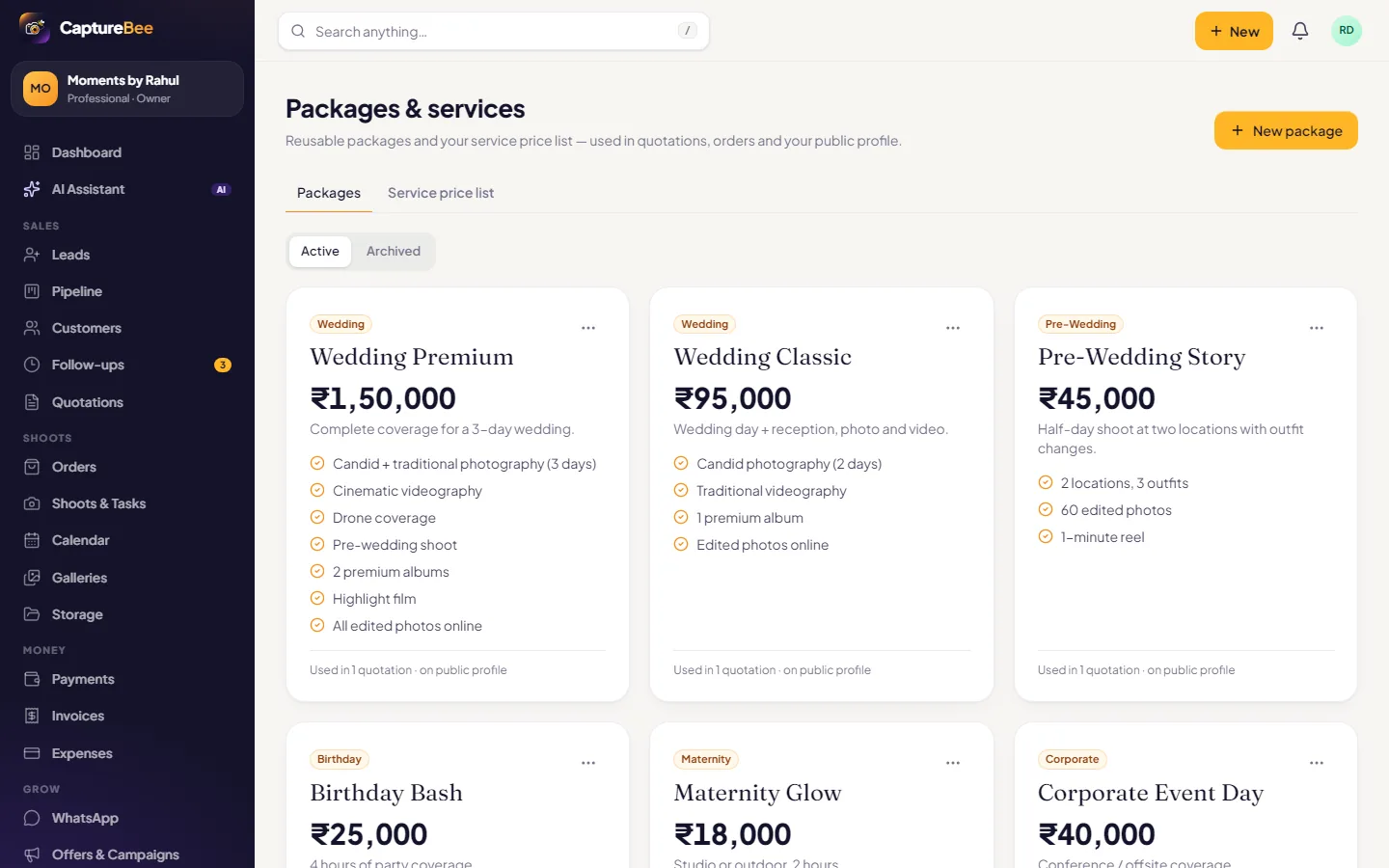
Packages ("Wedding Classic — ₹95,000") are easy to compare and easy to say yes to. They work because most couples want someone to tell them what they need.
Itemised pricing (candid photography × 2 days, cinematic videography × 1 day, premium album × 1) shows exactly where the money goes and makes changes easy: "Can we drop the drone?" becomes a line removed, not a renegotiation.
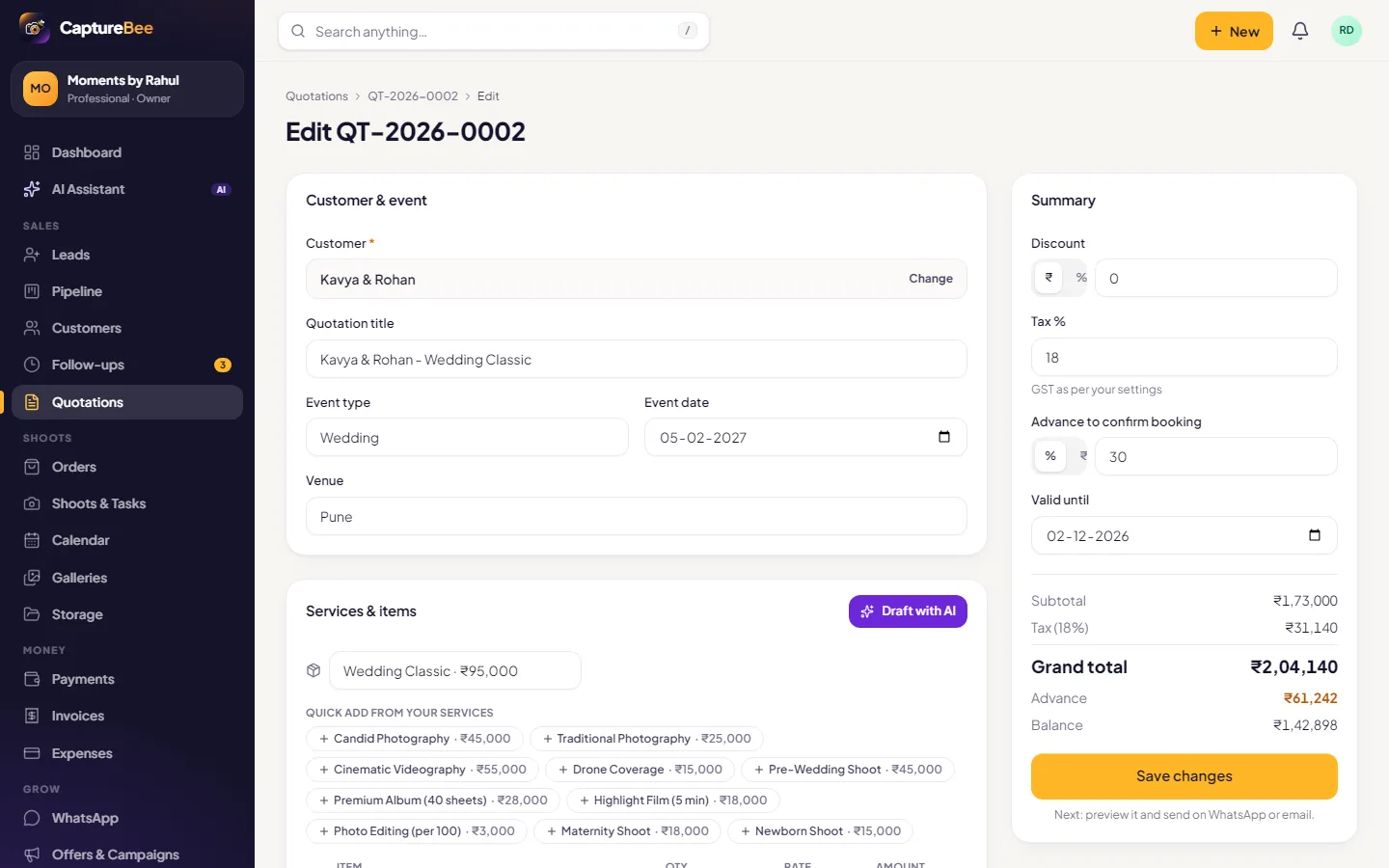
The approach that works: start from a package, show its items. The couple sees a familiar package name and a clear breakdown. In CaptureBee you pick a package on the quotation and it fills in the items; you can then adjust quantities and rates, quick-add services from your price list, or add custom items. If you have not set up packages yet, read how to build photography packages and pricing that sell.
Spell out the deliverables
The most common source of wedding disputes is not price — it is expectations. Write down what is delivered:
- Number of photographers and videographers per function
- Hours of coverage per function
- Approximate number of edited photos
- Album: number of sheets, size, type
- Video: highlight film length, full-length film, reels
- Pre-wedding shoot: locations, outfits, edited photos
- Delivery timeline: e.g. edited photos within 30 days, album after selection
Put these in the package description and in each item's description, so they appear on the quotation itself.
Advances, balances and validity
The advance
An advance confirms the date and protects you from last-minute cancellations. Most Indian wedding photographers ask for 25–50% to block a date. CaptureBee's default is 30%, and you can set the advance per quotation as a percentage or a fixed amount. The quotation shows the advance and the balance separately, so the couple knows exactly what to pay now.
The balance
Decide when the balance is due and say it on every quotation. Common choices:
- Balance before the wedding day
- A second instalment after the wedding, the rest before album delivery
- Balance before delivery of final photos and videos
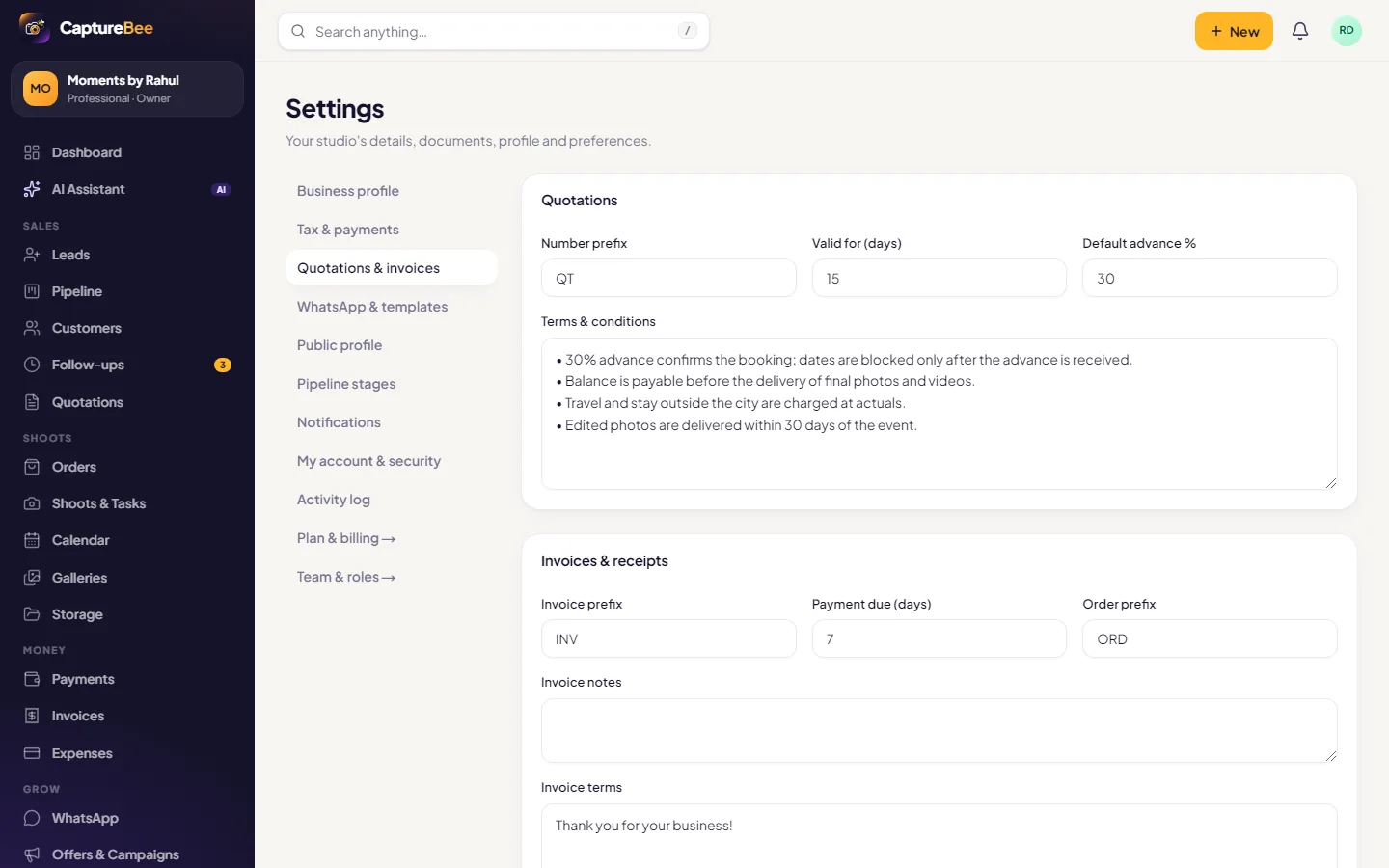
The default terms in CaptureBee say: 30% advance confirms the booking; dates are blocked only after the advance is received. Balance is payable before the delivery of final photos and videos. Travel and stay outside the city are charged at actuals. Edited photos are delivered within 30 days of the event. Edit them to match your policy in Settings → Quotations & invoices.
Validity
A quotation without an expiry date can be accepted a year later at last season's price. A validity of 10–15 days is normal; CaptureBee defaults to 15 days. It also gives your follow-ups a natural reason: "Your quotation is valid until Friday — shall I block the date for you?"
Discounts without devaluing your work
Discounts are part of the Indian wedding market. Handled well, they close bookings; handled badly, they train clients to haggle.
- Show the discount explicitly — as a line with the amount or percentage — rather than quietly lowering prices. The couple sees the value of what they are getting.
- Prefer scope over price. Instead of 20% off, offer a smaller package or drop a function. Your rate stays intact.
- Make discounts conditional. "₹10,000 off if the advance is paid this week" closes faster than an open-ended discount.
- Add value instead. A free pre-wedding reel or extra album sheets often costs you less than a cash discount.
GST on your quotation
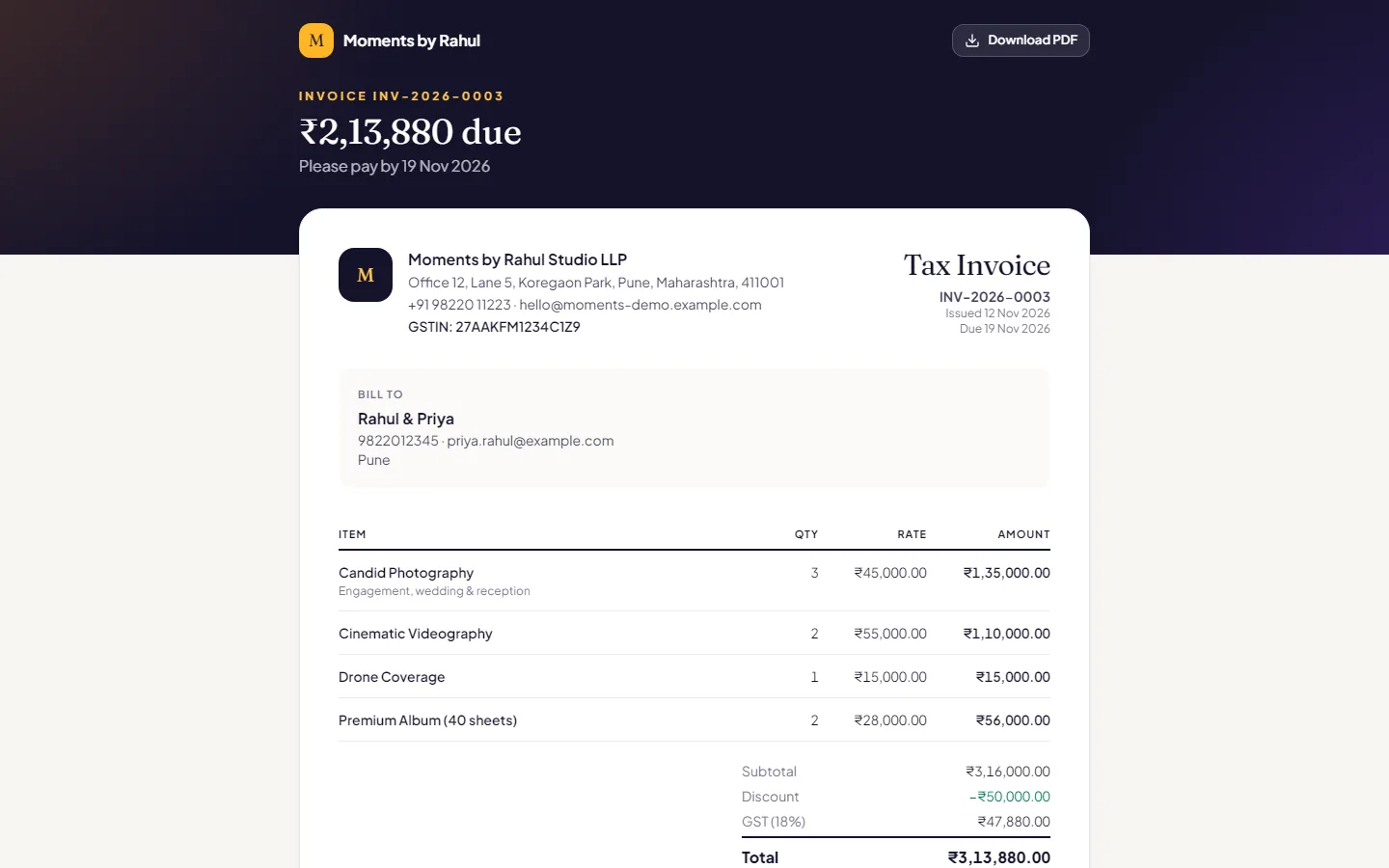
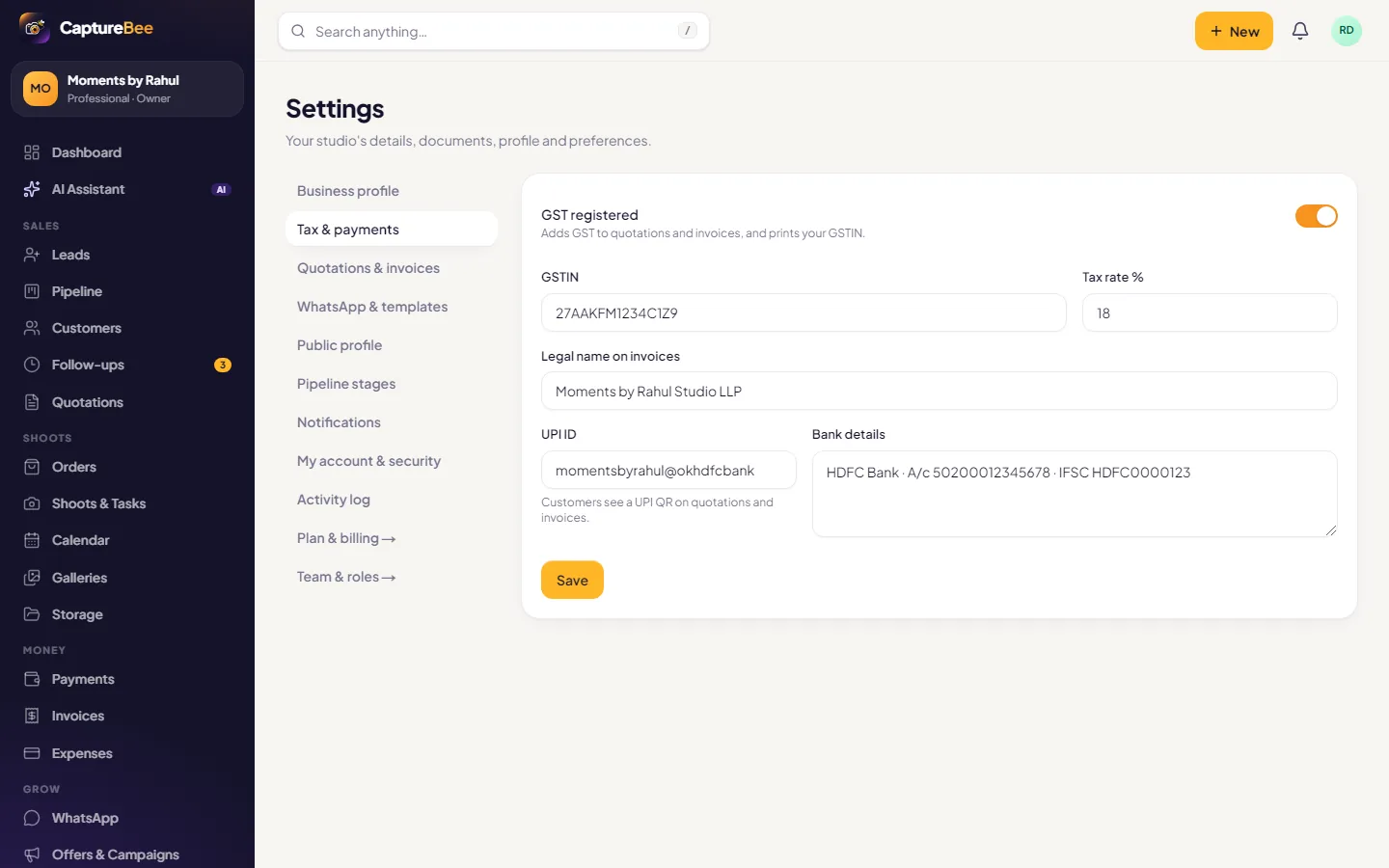
If you are GST-registered, show the tax on the quotation — not just on the final invoice. Couples compare totals; a quotation that leaves out 18% GST looks cheaper but creates a nasty surprise later. Photography services are generally taxed at 18% GST, but confirm what applies to you with your accountant.
In CaptureBee, turn on GST registered in Settings → Tax & payments, enter your GSTIN, legal name and rate. Quotations then show the tax line (for example "GST (18%)") and print your GSTIN, and invoices follow the same settings. More in invoices and receipts for photographers.
A worked example
Here is a real-looking quotation for a two-day wedding:
| Item | Qty | Rate | Amount |
|---|---|---|---|
| Candid photography (per day) | 2 | ₹45,000 | ₹90,000 |
| Cinematic videography (per day) | 1 | ₹55,000 | ₹55,000 |
| Premium album (40 sheets) | 1 | ₹28,000 | ₹28,000 |
| Subtotal | ₹1,73,000 | ||
| GST (18%) | ₹31,140 | ||
| Total | ₹2,04,140 | ||
| Advance to confirm booking (30%) | ₹61,242 | ||
| Balance | ₹1,42,898 |
Notice what this does for the couple: they see three clear items, the GST, one total, and exactly what to pay to confirm. Nothing to work out, nothing hidden.
Send a link, not just a PDF
A PDF in a chat has three problems: it is hard to read on a phone, it gets lost in the conversation, and you have no idea whether anyone opened it. An online quotation fixes all three.
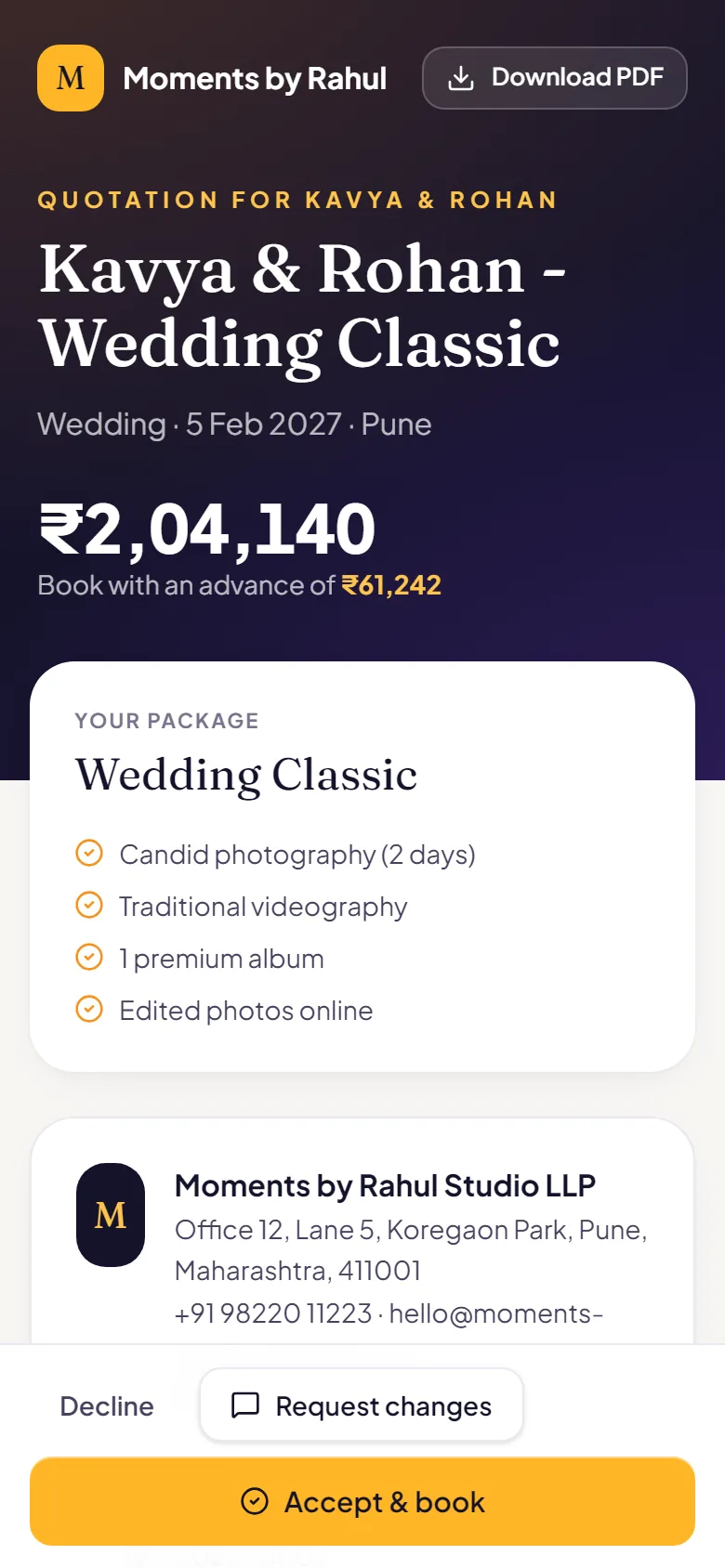
In CaptureBee, every quotation has its own private link. Send it with the quotation template — "Hi Kavya & Rohan, here is your quotation from Moments by Rahul for ₹2,04,140. View the full details and accept it online: [link]" — on WhatsApp or by email. The client opens a clean page on their phone with your logo, the package, the items, the totals, your payment details and terms.
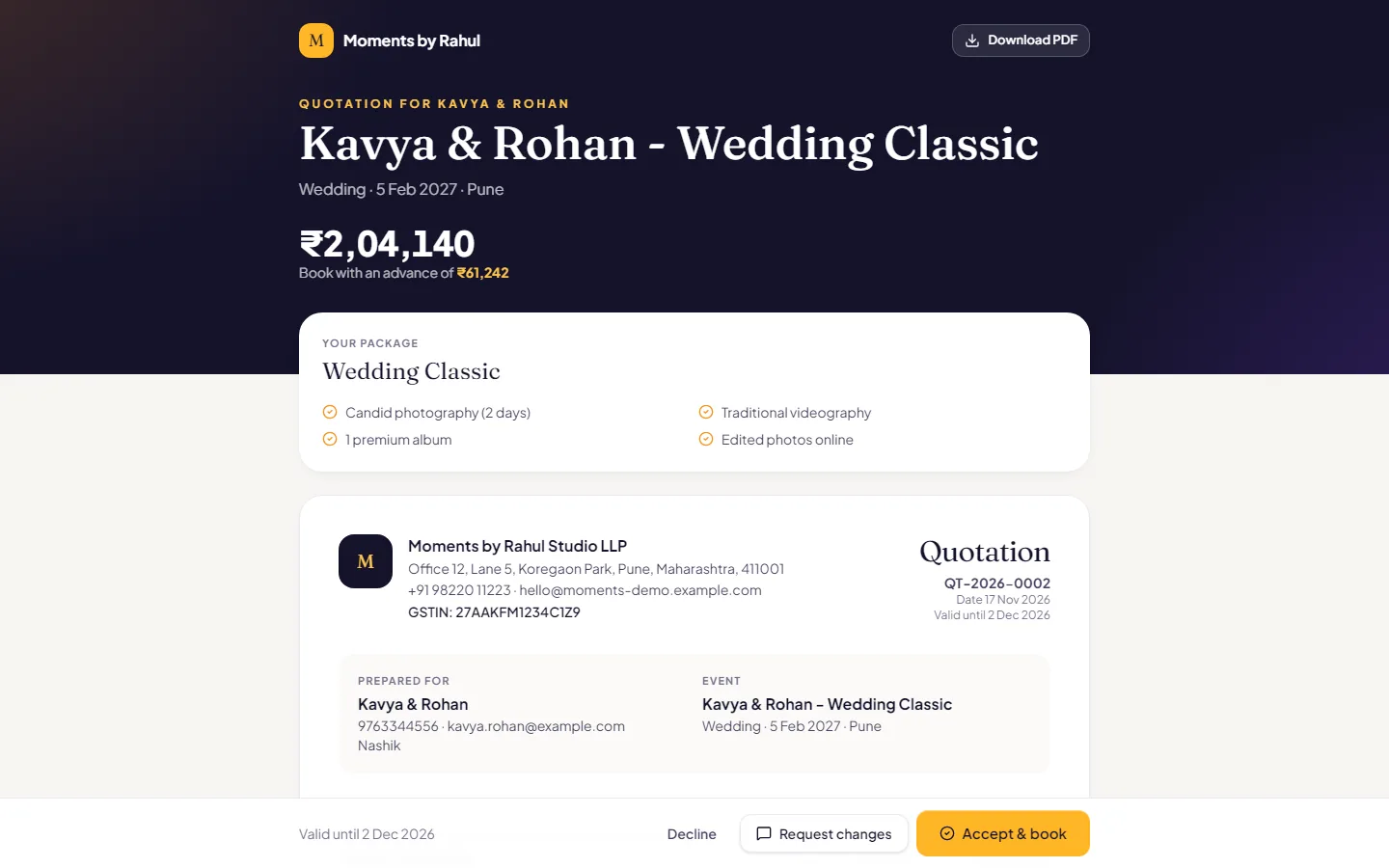
They can still download a PDF if a parent wants one, but the link is what does the work.
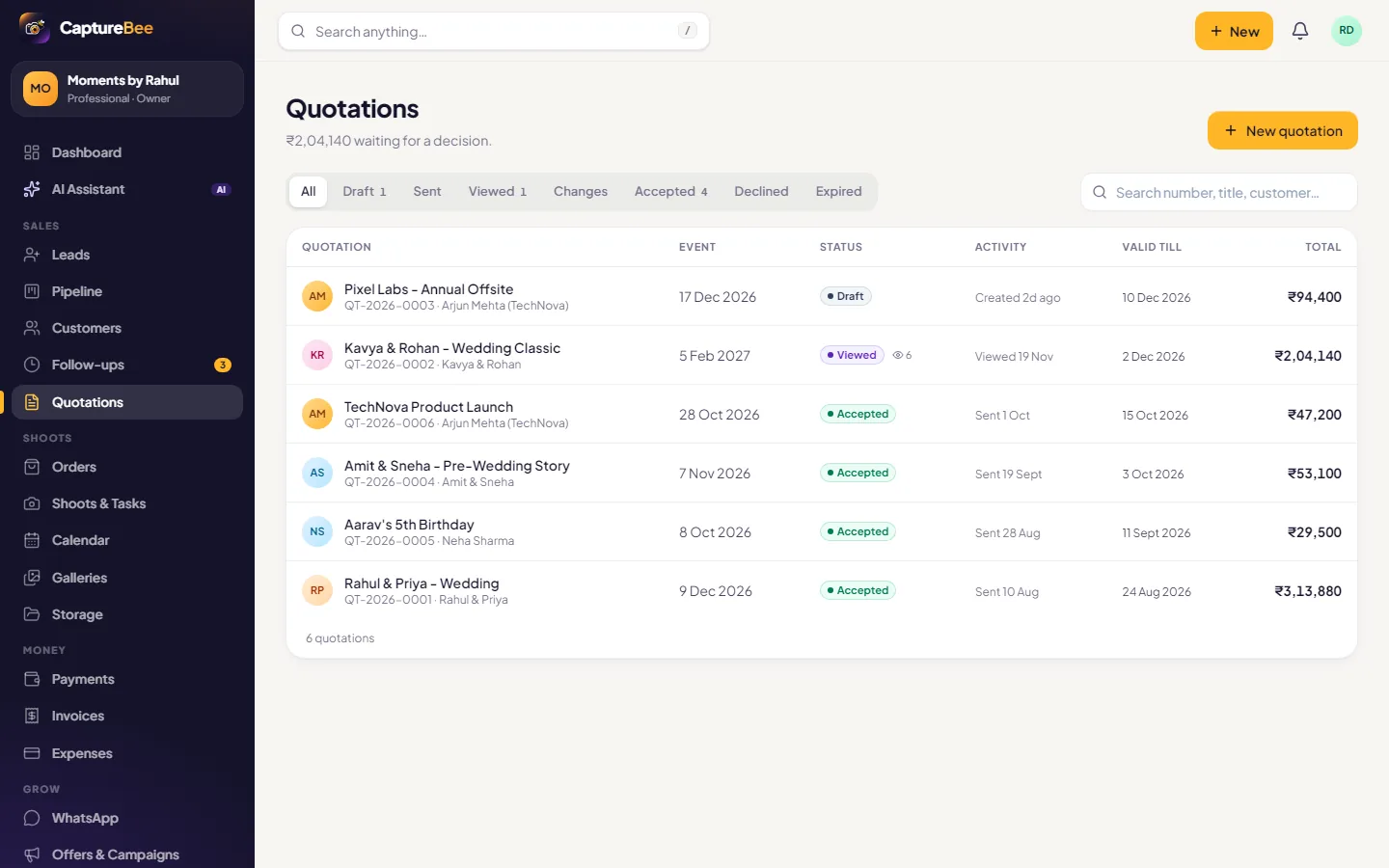
You see when it's opened
The quotation list shows the status of every quotation — draft, sent, viewed, changes requested, accepted, declined or expired — and how many times it was viewed. A quotation opened six times in two days means the family is discussing it: a perfect moment for a friendly call.
Online acceptance: from "yes" to booked in one tap
The most powerful part of an online quotation is the button at the bottom: Accept & book. When the couple is ready, they tap it, type their name as confirmation and add an optional message. That's it.
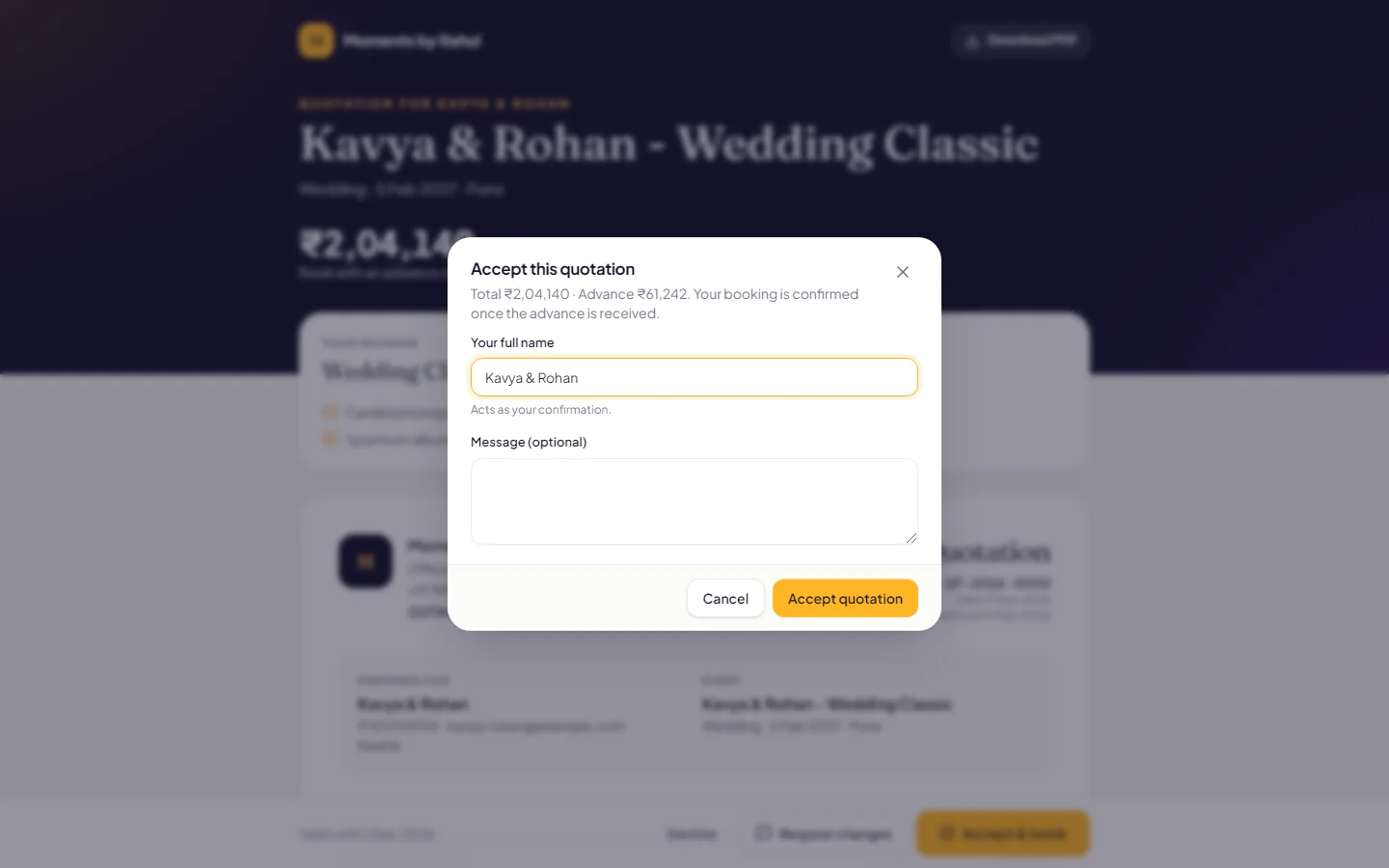
The moment they accept, CaptureBee:
- Marks the quotation Accepted, with who accepted and when
- Creates the order with the event, items and totals
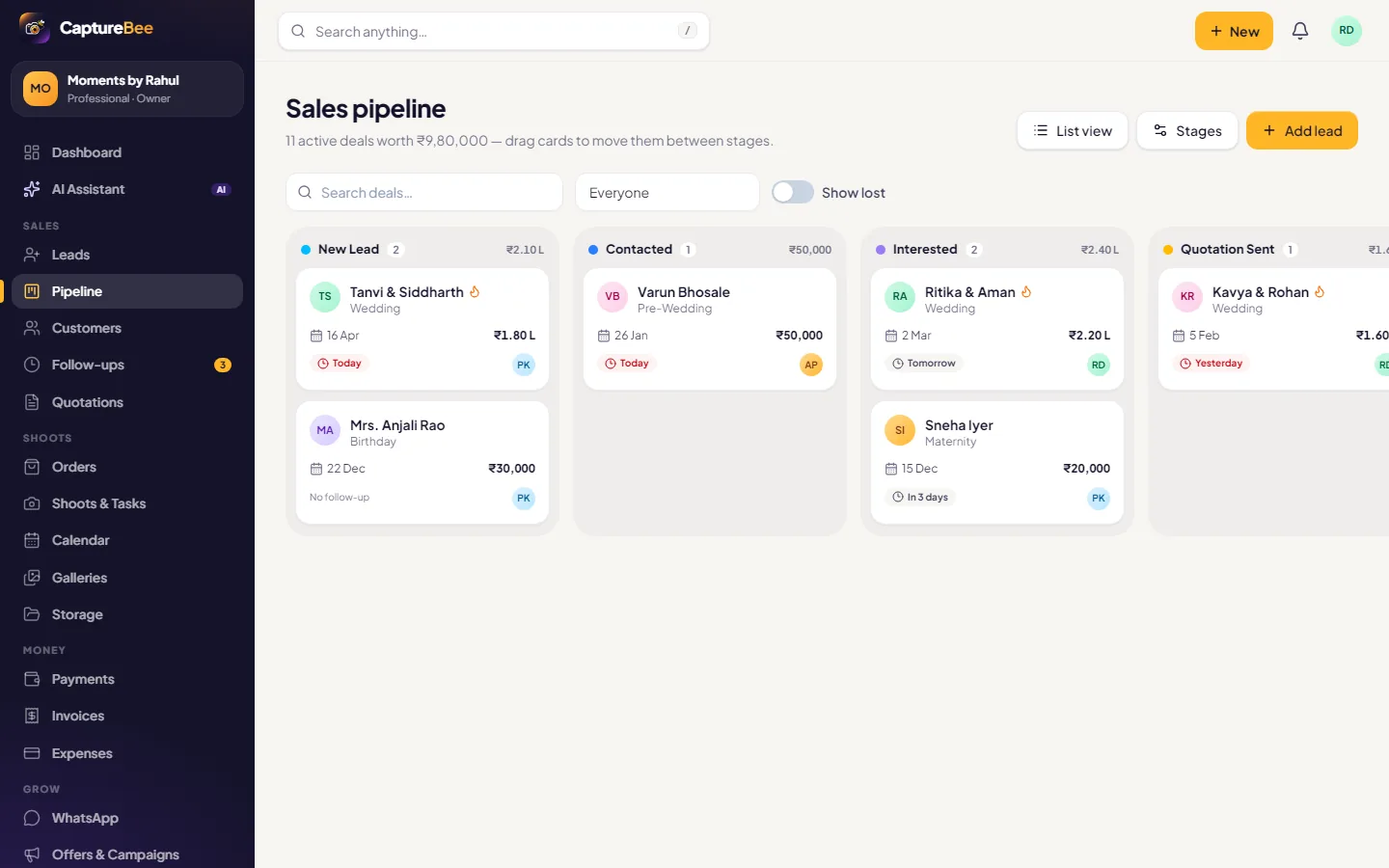
- Moves the lead to Booked on the pipeline
- Notifies you (and emails you) so you can send the booking confirmation
There is no "please confirm on WhatsApp", no retyping into a booking register, and you have a written record of what was agreed.
If they are not ready to accept, they can tap Request changes and write what they would like — "Can we add drone for the reception?" — or Decline. Their note lands on the quotation, you revise it, and send it again.
Collecting the advance
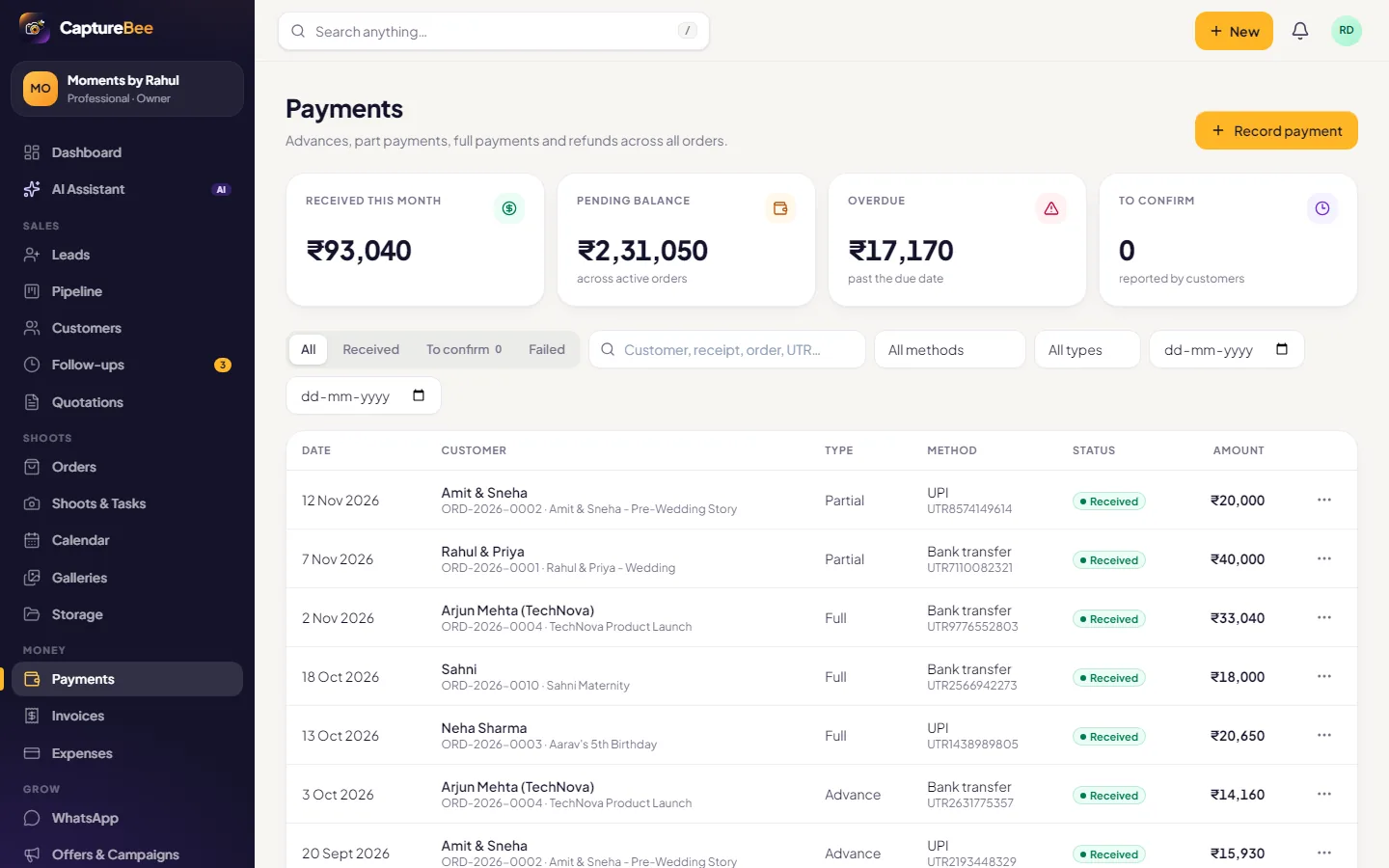
The quotation shows your UPI ID as a QR code and your bank details, so paying the advance is easy. After paying, the couple can tell you the amount and UTR right from the page, and you confirm it in one tap. The details are in collecting advances and tracking dues.
Follow up on every open quotation
A sent quotation is not the end of the sale; it is the middle. Most couples need a nudge. Good follow-ups after a quotation:
- Day 2: "Did you get a chance to go through the quotation? Happy to adjust anything."
- Day 5: Share something relevant — a highlight film from a similar wedding, or a sample album.
- Two days before it expires: "Your quotation is valid until Friday. Shall I block 5 February for you?"
You don't have to remember these. CaptureBee's default automation creates a follow-up task two days after a quotation is sent and not answered. More on writing follow-ups in how to manage photography enquiries.
Step by step: creating a quotation in CaptureBee
- Open the lead and press Quotation — the client and event are filled in. (Or start from Quotations → New quotation and pick a customer.)
- Title it with the couple's names and event: "Kavya & Rohan — Wedding Classic".
- Pick a package to fill in the items, or quick-add services from your price list.
- Adjust quantities and rates, add custom items, and describe deliverables.
- Set the discount (₹ or %), check the tax % and the advance.
- Check validity — the default comes from your settings.
- Save and look at the preview.
- Send on WhatsApp or email; the message includes the link.
- Watch the status: viewed, changes requested, accepted.
- When it's accepted, open the order and send the booking confirmation.
Tip: Doing many similar events? Use Duplicate on a past quotation, change the client and date, and send. Or describe the event to the AI quotation drafter — "2-day wedding in Pune, candid + video + drone" — and it drafts one from your own services and packages for you to review.
Handling negotiation without losing your margin
Negotiation is normal in Indian weddings, and families often see it as part of the process. The goal isn't to refuse — it's to negotiate on scope, not on the value of your work.
When a couple says "it's a bit over our budget", try these in order:
- Ask what matters most. "Which parts are most important to you?" Often the answer is "the candid photos and the film" — and the album or the second photographer on the mehendi can change.
- Offer a different package. Moving from Premium to Classic keeps your rates intact.
- Adjust coverage. One photographer for a small haldi instead of two. Four hours on the reception instead of six.
- Change deliverables. A 30-sheet album instead of 40; a highlight film without the full-length film.
- Only then, a conditional discount. "If we confirm with the advance by Sunday, I can take ₹10,000 off."
When you revise, don't edit the old quotation silently — send a new version. In CaptureBee, duplicate the quotation, make the changes and send it; both versions stay on record, so there's never confusion about what was offered.
If the couple asked for changes through the online quotation, their note is on the quotation itself. Reply to the note with the revised link, and the conversation stays in one place.
Example: Kavya & Rohan asked for drone coverage at the reception, but within the same budget. Instead of a discount, the studio swapped the 40-sheet album for a 30-sheet album and added drone for the reception. Same total, both sides happy — and no precedent of cutting prices.
Quotations for other kinds of shoots
The same structure works for every event. Only the items and terms change.
Pre-wedding shoot
| Item | Qty | Rate | Amount |
|---|---|---|---|
| Pre-wedding shoot (half day, 2 locations) | 1 | ₹45,000 | ₹45,000 |
| Cinematic reel (1 minute) | 1 | ₹8,000 | ₹8,000 |
| Subtotal | ₹53,000 |
Terms worth adding: who pays location fees, permits and travel; how many outfit changes; what happens if it rains (a free reschedule is a kind gesture that costs little).
Birthday or family event
| Item | Qty | Rate | Amount |
|---|---|---|---|
| Birthday party coverage (4 hours) | 1 | ₹25,000 | ₹25,000 |
| Extra hour | 1 | ₹4,000 | ₹4,000 |
| Subtotal | ₹29,000 |
For smaller shoots, ask for 50% to confirm and the rest on the day, and keep the delivery promise short ("edited photos in 10 days").
Corporate event
| Item | Qty | Rate | Amount |
|---|---|---|---|
| Event photography (8 hours) | 1 | ₹40,000 | ₹40,000 |
| Same-day highlights (30 photos) | 1 | ₹6,000 | ₹6,000 |
| Subtotal | ₹46,000 | ||
| GST (18%) | ₹8,280 | ||
| Total | ₹54,280 |
Corporate clients care about GST, the invoice process, delivery speed and usage rights. State them clearly, and expect payment on invoice rather than an advance. See invoices and receipts for photographers.
Terms worth putting on every quotation
Terms protect both sides, and they're far easier to agree before the wedding than to argue about after it. Keep them short and in plain language. Topics worth covering:
- Advance and balance — how much confirms the booking, when the balance is due, and that dates are blocked only after the advance.
- Cancellation and postponement — whether the advance is refundable, and what happens if the date moves.
- Travel and stay — for events outside your city.
- Coverage hours — what's included, and the rate for extra hours.
- Delivery timelines — edited photos, films and albums, and that album timelines start after the selection is final.
- Selection — how many photos go in the album, and the price of extra sheets.
- Raw files — whether you provide unedited files (most photographers don't).
- Usage — that you may use some photos in your portfolio, unless the client asks you not to.
- Data and backups — how long you keep the files after delivery.
Set your standard terms once in Settings, and they'll be on every quotation; edit them on a single quotation when a client needs something different.
After the yes: your booking checklist
Acceptance is the beginning of a relationship, not the end of the sale. In the first week after a quotation is accepted:
- Confirm the advance as soon as it arrives, and send the receipt.
- Send the booking confirmation with the order number and date.
- Thank them personally — a short voice note or call goes a long way.
- Note the key contacts — the couple, the parent who's managing things, the wedding planner.
- Set the balance due date on the order, so reminders happen on time.
- Add the functions as shoots, even if timings are still provisional — it blocks the date for your crew and shows on the calendar.
- Book your freelancers for those dates straight away.
- Schedule a planning call two to three weeks before the wedding to collect timings, venues and family contacts. See planning multi-day wedding shoots.
A couple who hears from you clearly in the week after booking stops worrying about whether they chose well — and starts telling friends they found a great photographer.
Mistakes that lose bookings
- Price without scope. "₹1.5 lakh" means nothing without functions, hours, photographers and deliverables.
- Hidden extras. Travel, stay, extra hours, raw files — say upfront what is extra.
- No validity date. Old prices stay open forever.
- Leaving out GST. The total jumps at invoice time and trust drops.
- Ten packages. Too much choice stalls decisions. Three to five is plenty.
- No follow-up. Most quotations need at least one nudge.
- Accepting on WhatsApp only. "Done, go ahead!" is not a record of what was agreed.
Making the quotation look premium
Couples judge your work by everything they see — including the quotation. A few details make it feel premium:
- Your logo and legal name at the top, from your business profile.
- A personal title with the couple's names and the package: "Kavya & Rohan — Wedding Classic".
- Clean item names — "Cinematic videography (per day)" rather than "Video 1 day".
- Short descriptions under items, listing what's included.
- Round, confident prices — ₹45,000, not ₹44,999.
- Visible value — show the discount as its own line if you give one.
- Readable terms — five or six short bullet points, not a wall of legal text.
- A thank-you note at the bottom: "Thank you for considering us for your special day."
On a phone, the online quotation shows the package, total and advance at the top with Accept & book always visible — so even a parent who only glances at it knows what it costs and what to do next.
Numbers and versions
Quotations get forwarded, discussed and revised. Clear numbering stops confusion:
- Every quotation has its own number — QT-2026-0002 — so "the second quotation" is never ambiguous.
- Revisions are new quotations. Duplicate, change, send; the old one stays on record as it was.
- Put the version in the title if there are several: "Kavya & Rohan — Wedding Classic (revised)".
- Let old versions expire. Validity dates mean an outdated version can't be accepted by mistake.
When the family accepts, the accepted quotation is the one the order is built from — with the client's name and the acceptance date on record.
Quick checklist
- Built from a package, with clear items and deliverables
- Discount shown as its own line, if any
- GST shown from the first quotation, if you're registered
- Advance, balance timing and validity stated
- Payment details and terms included
- Sent as a link the couple can accept online
- Followed up two days later, and again before it expires
- Revisions sent as new versions
- Booking checklist done in the week after acceptance
Frequently asked questions
What should a wedding photography quotation include?
Your studio details, the client and event, the package and itemised services with quantities and rates, any discount, GST if applicable, the total, the advance to confirm and the balance, payment details, a validity date and your terms — including delivery timelines and what is extra.
How much advance should a wedding photographer ask for?
Most ask for 25–50% to block the date, with the balance before or soon after the wedding and in any case before final delivery. Whatever you choose, put it on every quotation.
How long should a quotation be valid?
Ten to fifteen days is common. It protects your peak-season dates and gives your follow-ups a natural deadline.
Can clients accept a quotation without an account?
Yes. They open the link, review it and tap Accept & book with their name. No app or sign-up is needed.
Can I still send a PDF?
Yes. The quotation page has a Download PDF button, and you can download it from the app as well.
What happens after the client accepts?
The quotation is marked accepted, an order is created with the items and totals, the lead moves to Booked, and you are notified. You then record the advance when it arrives and send the booking confirmation.
Make your next quotation the easy yes
A great quotation is not about clever wording or lower prices. It is about clarity: what they get, what it costs, what to pay now, and one button to say yes. Build it from packages, show GST and the advance, set a validity date, send a link, and follow up.
Start a free CaptureBee trial and send your next quotation as a link the couple can accept online. See the full quotations feature, or continue with building packages and pricing that sell.