Ask any photographer what they dislike most about the business side, and "chasing payments" will be near the top. The advance is late. The balance is "coming next week". Someone paid ₹40,000 by bank transfer but you can't remember which order it was for. A couple insists they paid the second instalment; your notebook says otherwise. And when the album is ready, the conversation about the balance feels awkward for everyone.
Most of this is not about difficult clients. It is about a missing system: no clear payment terms, no easy way to pay, no record of what came in, and no reminder before money is due. This guide covers how to structure advances and balances, how to make paying effortless, how to record and confirm every payment, how to send receipts and reminders, and how to see at a glance who owes you what — with CaptureBee payments or with your own process.
Why payment tracking breaks down
Payments in a photography business are spread out over months. A wedding booked in July might see an advance in July, a second payment in December before the wedding, and the balance in February before album delivery — by UPI, bank transfer and cash, sometimes from the bride's father and sometimes from the groom.
Without a system, three things happen:
- Payments get lost. A UPI credit arrives with a name you don't recognise. Which order was that?
- Balances drift. Nobody remembers whether the ₹20,000 cash at the reception was recorded.
- Reminders are awkward or late. You only notice the balance when the album is ready, so the conversation happens at the worst possible moment.
The fix has four parts: clear terms, easy payment, a record against every order, and reminders before the due date.
Choose a payment structure — and put it in writing
The most important payment decision happens before the booking: what you ask for, and when. Common structures for Indian photography businesses:
| Structure | How it works | Good for |
|---|---|---|
| 30% / 70% | 30% to confirm, balance before delivery | Most weddings |
| 30% / 40% / 30% | Advance, second instalment before the wedding, balance before delivery | Large, multi-day weddings |
| 50% / 50% | Half to confirm, half before delivery | Pre-weddings, smaller events |
| 50% / 50% on the day | Half to confirm, half on the event day | Birthdays, corporate events |
| 100% upfront | Full payment to confirm | Mini-sessions, studio shoots |
Whatever you choose, state it on every quotation and invoice. CaptureBee's default terms say: 30% advance confirms the booking; dates are blocked only after the advance is received. Balance is payable before the delivery of final photos and videos. That one line prevents most payment arguments, because the conversation happened before anyone was emotional about their wedding photos.
Important: "Dates are blocked only after the advance is received" is not just a policy — it is your protection. A verbal "yes" without an advance has cost many photographers a peak-season date.
Make paying effortless
The easier you make it to pay, the faster you get paid. In India that means UPI first, with bank details as a backup.
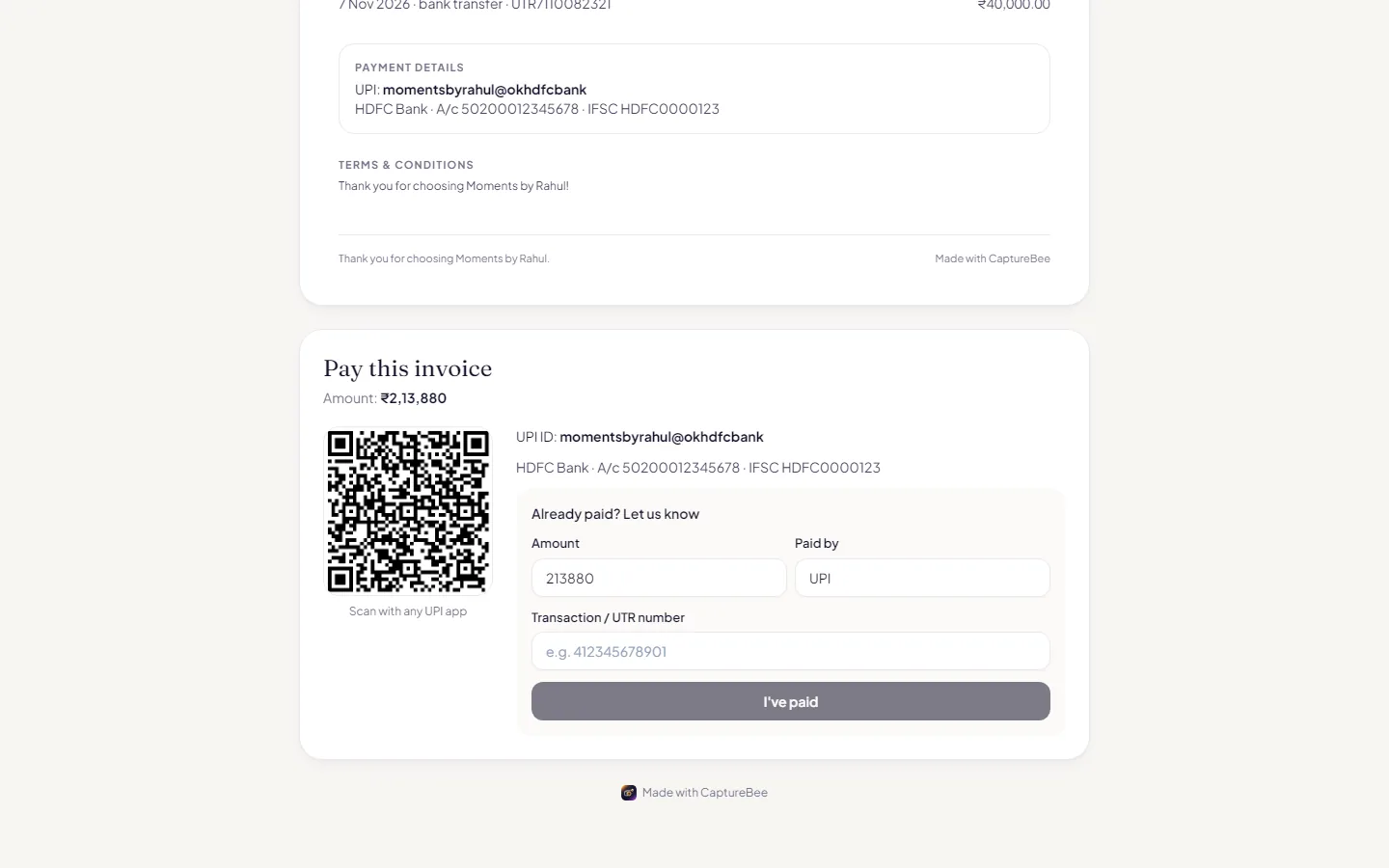
- Put your UPI ID and a QR code on every quotation and invoice. The client scans and pays from any UPI app — no typing account numbers.
- Include bank details (account name, number, IFSC) for larger amounts and for parents who prefer NEFT.
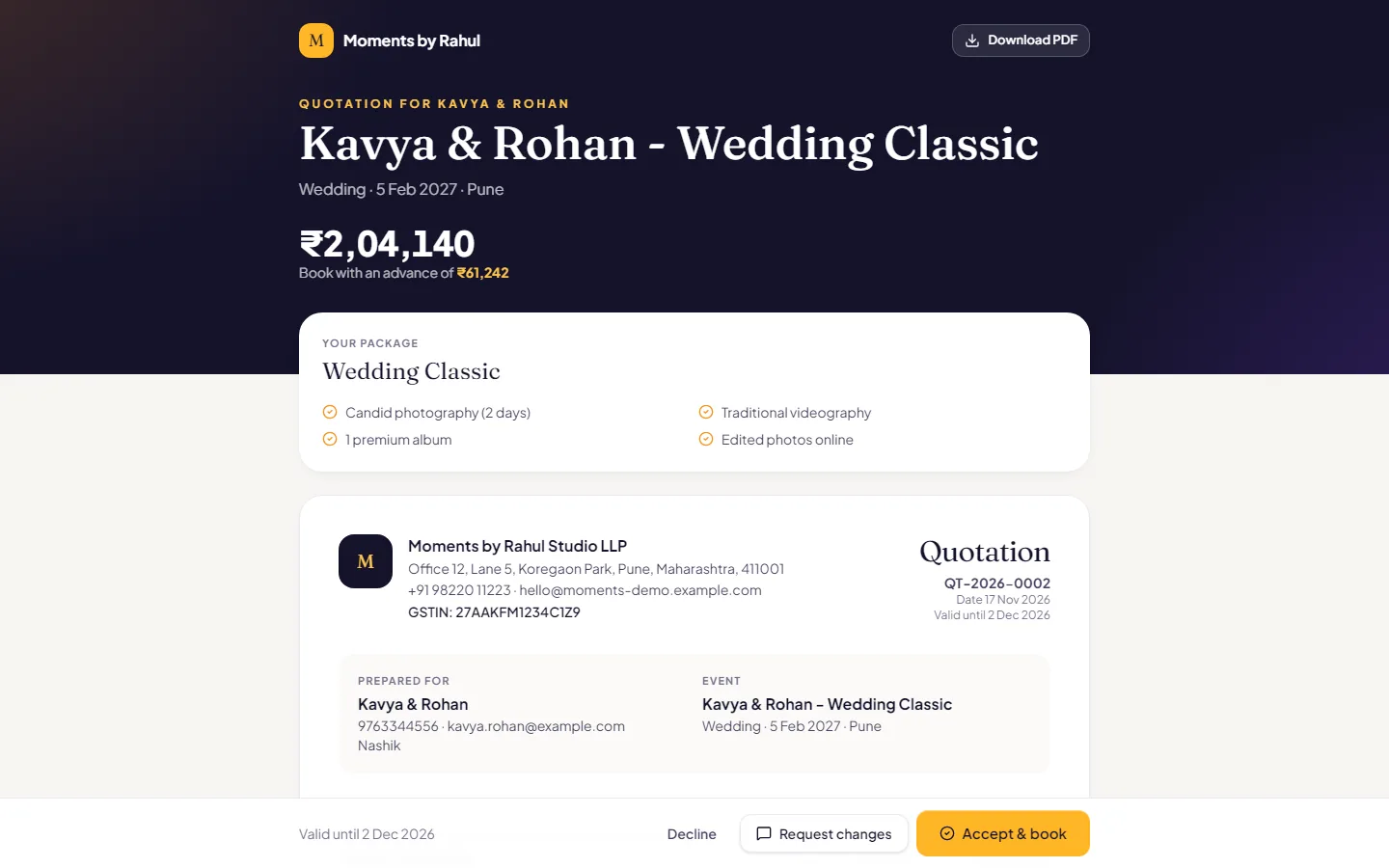
- Say how much to pay. "Advance to confirm: ₹61,242" is easier than "30%".
In CaptureBee, add your UPI ID and bank details once in Settings → Tax & payments. Every quotation and invoice then shows them, with the UPI QR generated automatically.
Let clients tell you when they've paid
The most annoying part of UPI payments is matching them. A credit of ₹20,000 arrives from "SNEHA I" with a reference number — which order is it for?
CaptureBee solves this with customer-reported payments. Below the QR code on a quotation or invoice there is an Already paid? Let us know form. The client enters the amount, how they paid and the transaction or UTR number, and taps I've paid. You get a notification and a payment to confirm, already linked to the right order. Check it against your bank, and confirm in one tap.
No matching, no guessing, and the client feels looked after because they told you and got an answer.
Record every payment against an order
Every payment — advance, part payment, full payment or refund — should be recorded against the order it belongs to. In CaptureBee each payment has:
- Type: advance, partial, full or refund
- Amount
- Method: UPI, bank transfer, cash, card, cheque or online payment
- Reference: the UTR, cheque number or a note
- Date paid
- Notes
The order's total, paid and balance update immediately, and you cannot accidentally record more than what's due or refund more than what was paid.
Cash deserves a special mention. Cash at the event is the payment most often forgotten. Record it the same day, from your phone, before you leave the venue.
Set a due date for the balance
Every order with a balance should have a balance due date. It drives three things: the reminder before it is due, the "overdue" list after it passes, and the calendar entry so you can see payments coming up next to your shoots.
Send a receipt for every payment
A receipt is a small thing that builds a lot of trust. It confirms the amount, shows what is still due, and gives the client something to forward to whoever is paying.
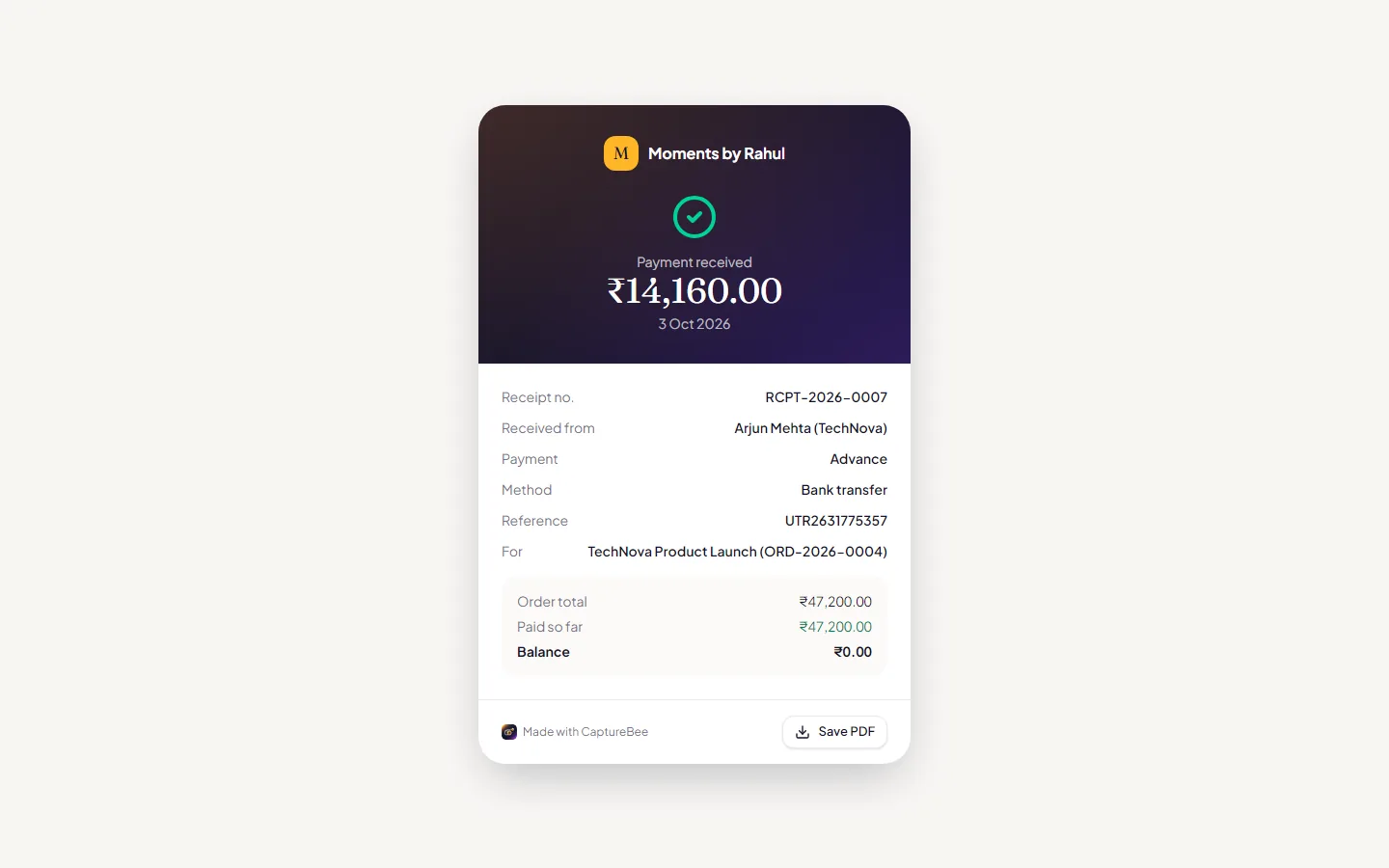
When you confirm a payment in CaptureBee, a receipt is created with its own link — receipt number, who paid, the type, method and reference, which order it was for, the order total, the amount paid so far and the balance. Send it on WhatsApp with the Payment received template:
Hi {{customer_name}}, we've received your payment of {{payment_amount}}. Thank you! Balance due: {{balance_amount}}. Receipt: {{receipt_link}}
Remind before the money is due, not after
The best payment reminder arrives before the due date, is polite, and makes paying easy. The worst arrives after the album is ready and feels like a ransom note.
A good reminder includes the client's name, the amount, the order and how to pay. CaptureBee's payment reminder template:
Hi {{customer_name}}, a gentle reminder that a balance of {{balance_amount}} is due for your order {{order_number}} with {{business_name}}. {{payment_details}} Thank you!
The {{payment_details}} variable fills in your UPI ID and bank details, so the client can pay straight from the message.
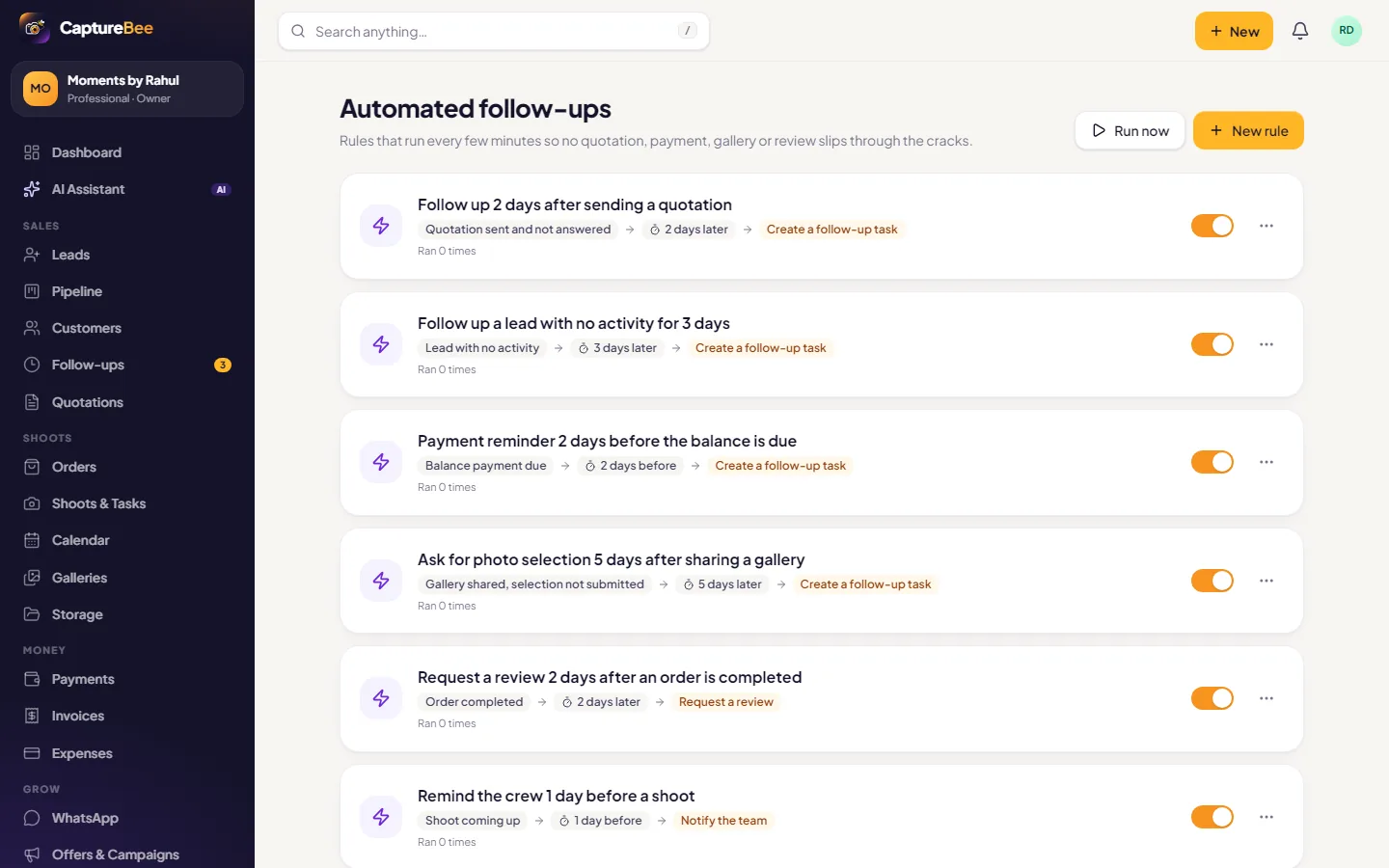
You don't have to remember when to send it. The default automation Payment reminder 2 days before the balance is due creates a follow-up for you two days ahead. Press Message, check the text, and send it from your own WhatsApp.
When a payment is overdue
Even with good reminders, some payments slip. A calm approach works best:
- Day 1 overdue: a friendly message — they may simply have forgotten.
- Day 5: a call. Ask if anything is wrong with the work or if they need a different schedule.
- Day 10: agree on a date in writing.
- Before delivery: hold final delivery until the balance is clear, as your terms say — politely, and without surprise, because it was on the quotation from day one.
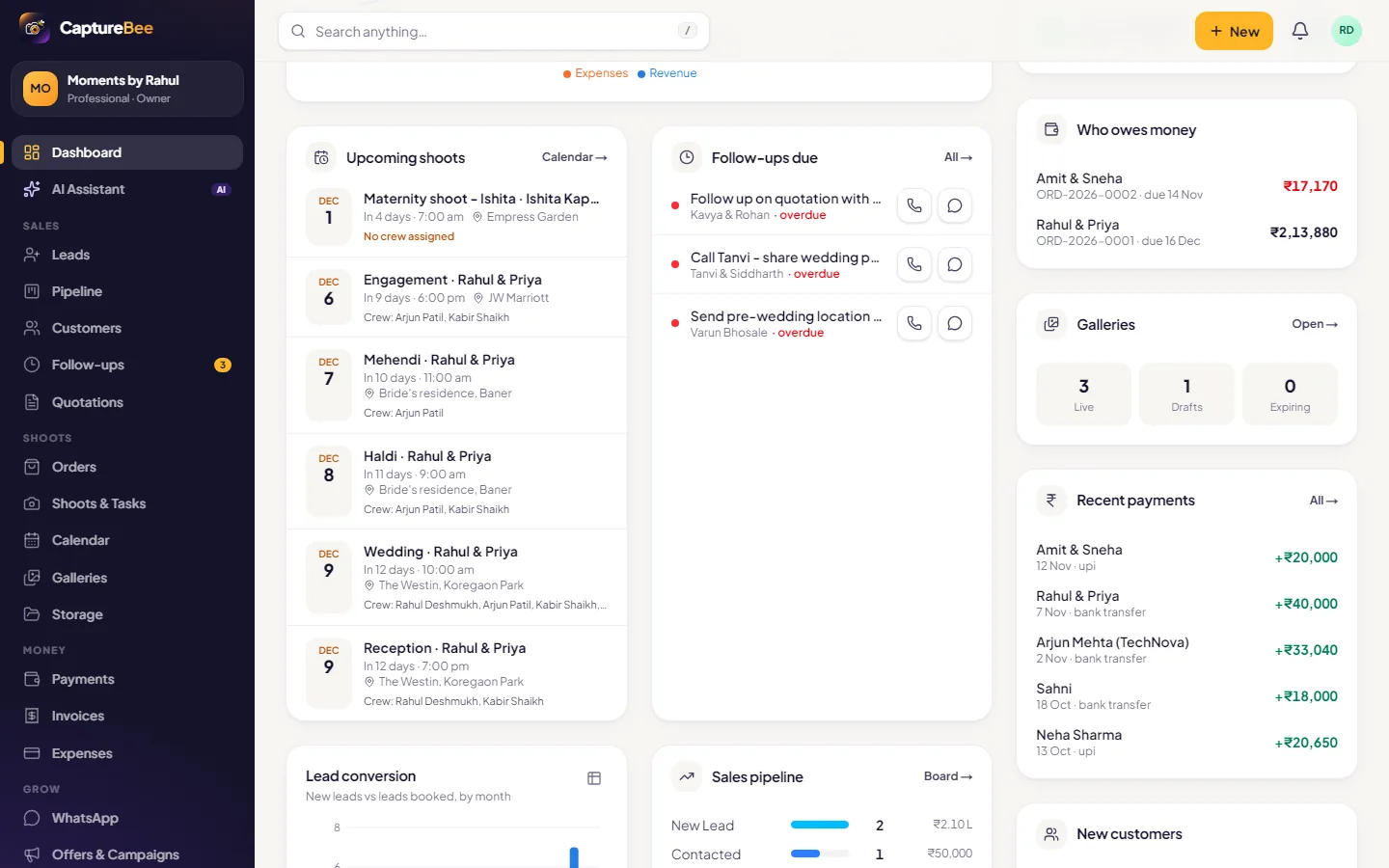
The overdue list on the payments page, and the Who owes money card on the dashboard, show exactly who to contact today.
Refunds and cancellations
Cancellations happen — postponed weddings, family emergencies, change of plans. Decide your policy in advance and include it in your terms:
- Is the advance refundable? Partly? Only if you rebook the date?
- Can the booking be moved to a new date instead?
- What happens if you have to cancel?
When you do refund, record it as a refund against the order so your revenue and the order's balance stay correct. CaptureBee won't let you refund more than was paid on the order.
Invoices: when and why
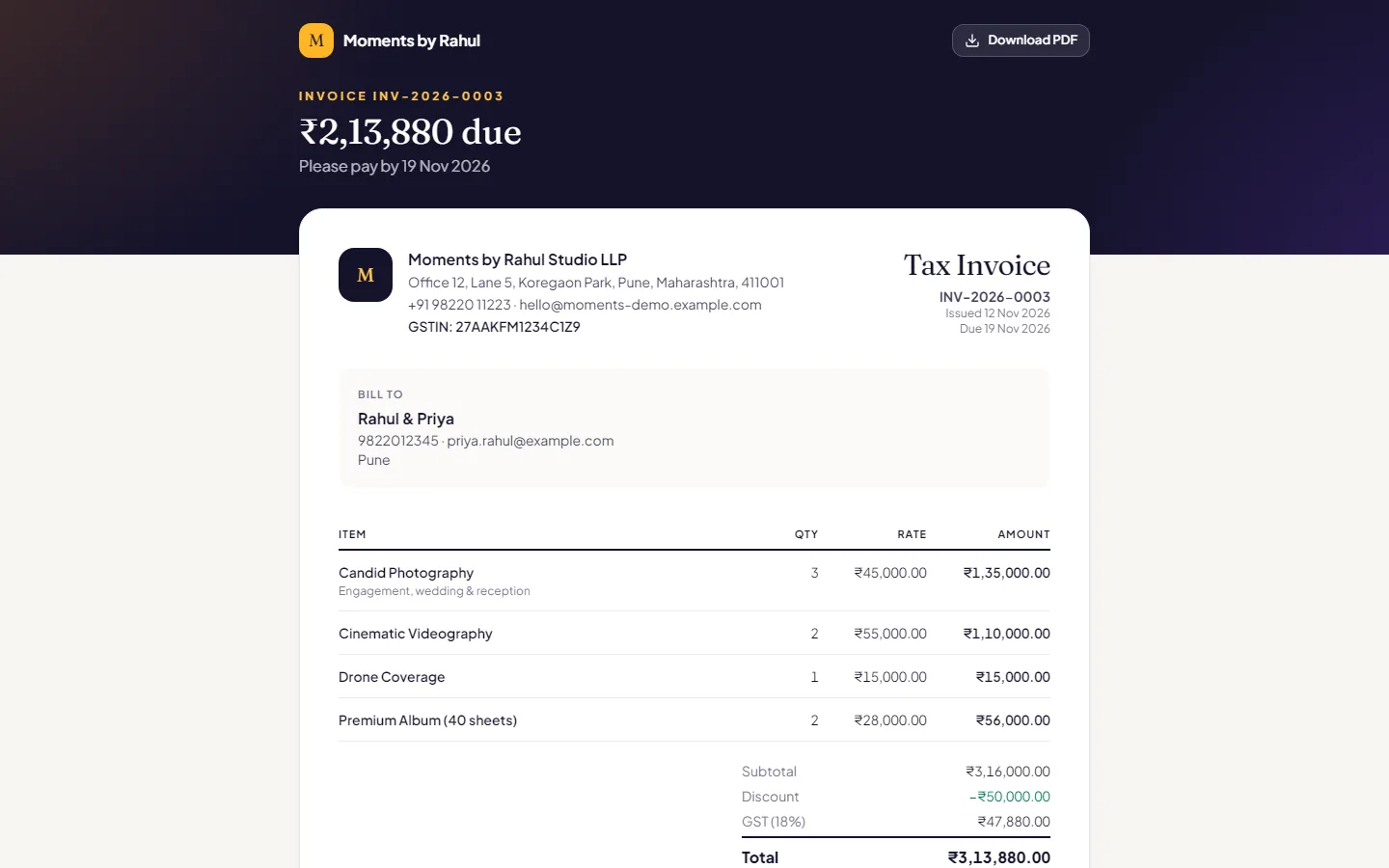
For many personal clients, the quotation and receipts are enough. Corporate clients, and anyone who needs a GST invoice, will want a proper invoice. Generate it from the order with your GSTIN and the client's details, share the link, and payments recorded against it update its status — unpaid, part paid, paid or overdue. The full guide is in invoices and receipts for photographers.
Seeing the big picture
Once every payment is recorded, the numbers come for free:
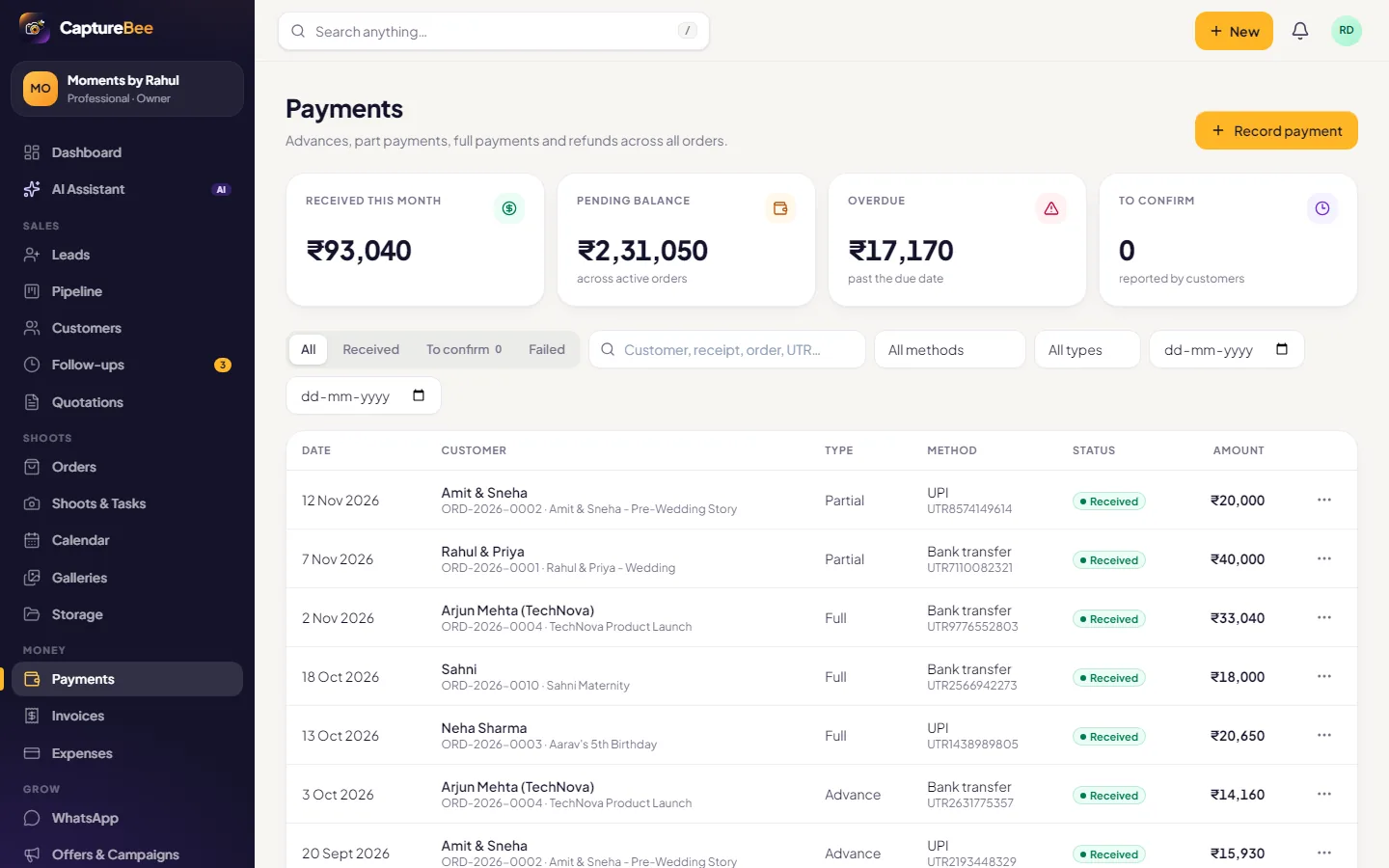
- Received this month — your cash in
- Pending balance — money still to come across active orders
- Overdue — balances past their due date
- To confirm — payments clients have reported
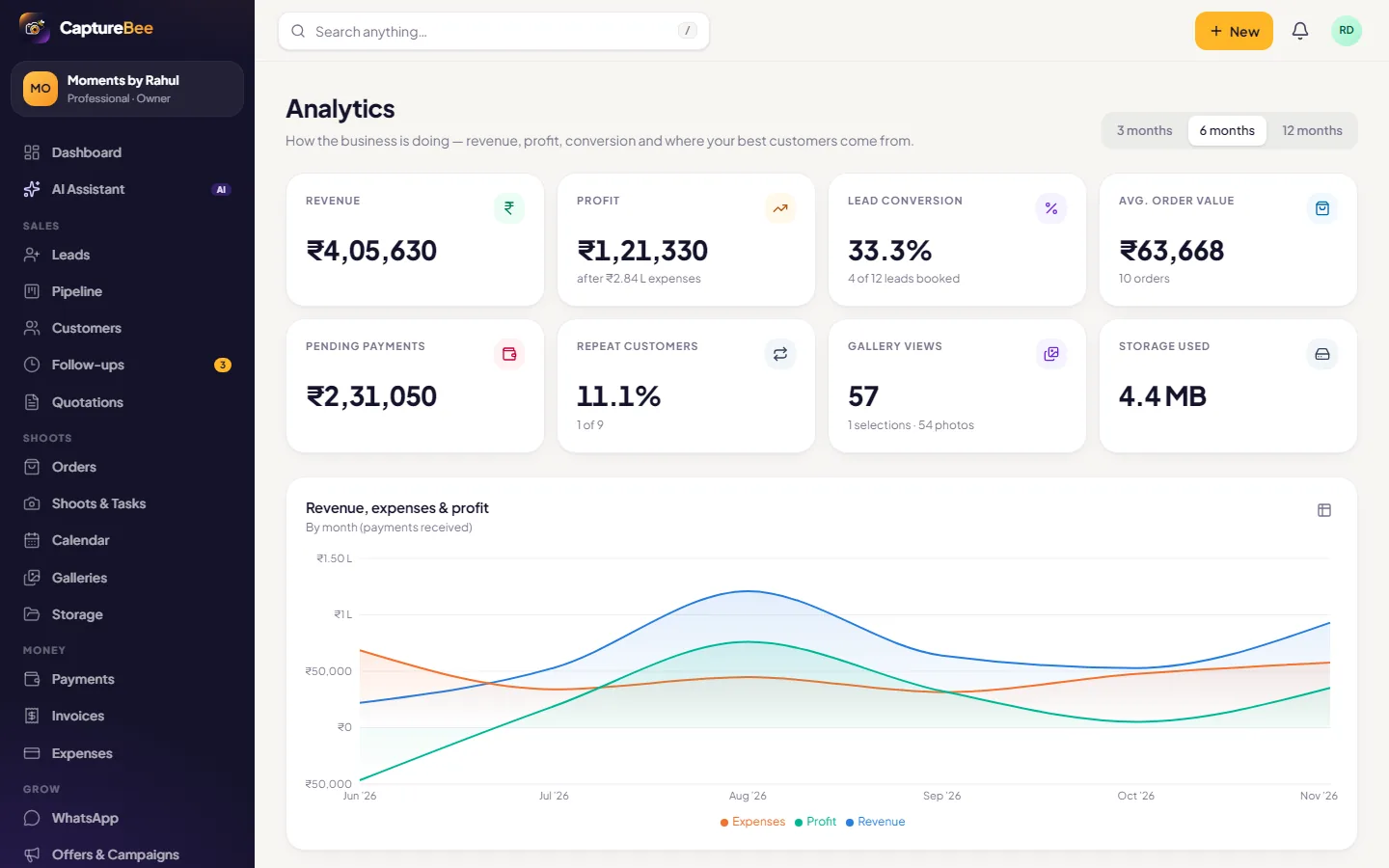
Filter payments by status, method, type and date, or search by customer, receipt number, order or UTR. And because payments are recorded with dates, analytics can show revenue by month and compare it with your expenses.
A worked example: payments on a five-function wedding
Here's how one large booking looks from the payments side, from booking to delivery.
Rahul & Priya book a five-function wedding — engagement, mehendi, haldi, wedding and reception — for ₹3,13,880 including GST. The studio's terms: 30% to confirm, a second instalment before the wedding, and the balance before delivery.
| Date | What happens | Amount | Method | Balance after |
|---|---|---|---|---|
| 14 Aug | Advance to confirm (accepted online, paid by UPI) | ₹60,000 | UPI | ₹2,53,880 |
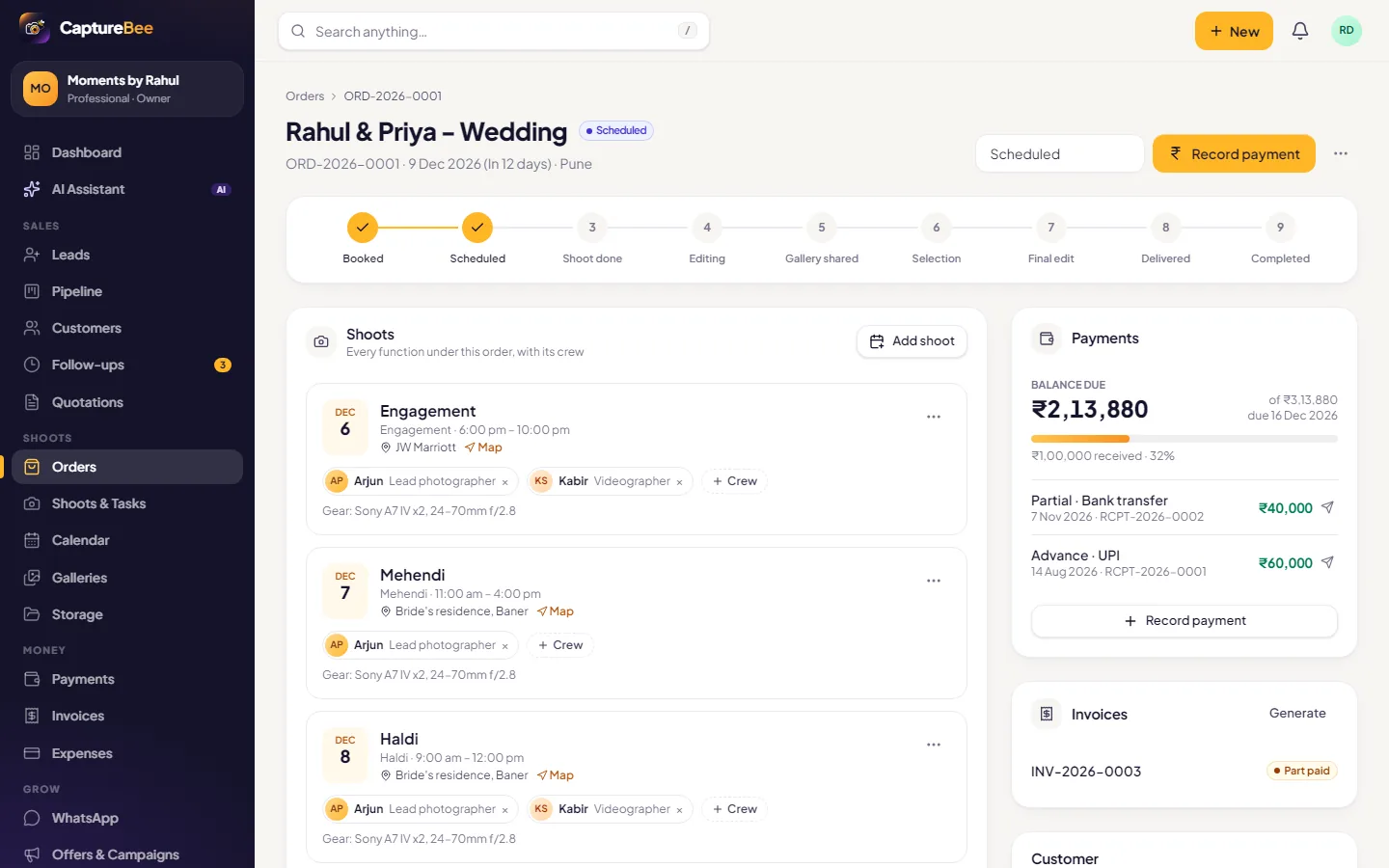
| 7 Nov | Second instalment, paid by the bride's father | ₹40,000 | Bank transfer | ₹2,13,880 |
| 9 Dec | Cash handed over at the reception | ₹50,000 | Cash | ₹1,63,880 |
| 18 Jan | Balance, after the album design is approved | ₹1,63,880 | Bank transfer | ₹0 |
Three things make this go smoothly:
- Each payment is recorded the day it arrives, against the order, with its method and reference. The cash at the reception is recorded from a phone before the team leaves the venue.
- Each payment gets a receipt — so the bride's father has proof of his transfer, and nobody argues later about what was paid.
- The balance due date is set on the order, so the reminder arrives two days before and the calendar shows the date next to the shoots.
The order page always shows the total, the amount paid, the balance due and the due date, with every payment listed underneath. The dashboard's Who owes money card shows the ₹1,63,880 until it's paid.
Money conversations: what to say
Most awkwardness around payments comes from not knowing what to say. These scripts keep things warm and clear.
Asking for the advance
Thank you so much for choosing us! 🎉 To block 5 February for you, we need the advance of ₹61,242. You can pay by scanning the UPI QR on your quotation, or by bank transfer — the details are on the same page. Once it's in, I'll send your booking confirmation and receipt.
When the advance is delayed
Hi Kavya, just checking in about the advance — we've had another enquiry for 5 February and I'd love to make sure your date stays with you. Shall I hold it till Friday?
Honest urgency works better than pressure. If it's true that another couple asked for the date, say so.
The second instalment
Hi! With the wedding just four weeks away, the second instalment of ₹40,000 is due this week. Payment details are below. Can't wait for the big day! 😊
When a client asks to pay later
Of course, I understand — weddings bring a lot of expenses at once. Would it help to split the balance into two payments, one now and one before the album? Let's fix the dates so I can plan the album schedule around them.
Agree on new dates in writing, and update the due date on the order so the reminders follow the new plan.
Before delivery
Your photos and film are almost ready! 🎬 As per our terms, the balance of ₹1,63,880 is due before delivery. Once it's in, I'll send the download link the same day.
Because the terms were on the quotation from the start, this message is a reminder, not a negotiation.
Cancellations and postponements
Weddings get postponed and occasionally cancelled. A clear policy, agreed in advance, protects your income and keeps the relationship kind. Common approaches:
| Situation | A common policy |
|---|---|
| Client cancels more than 3 months before | Advance non-refundable, or partly refundable if you rebook the date |
| Client cancels within 3 months | Advance non-refundable; second instalment may be partly refundable |
| Client postpones | Advance moves to the new date, subject to availability; price may be updated for a new season |
| You cancel (illness, emergency) | Full refund, or a trusted replacement photographer agreed with the client |
Whatever you choose, put it in your terms. When a refund does happen, record it as a refund against the order — your revenue and the order's balance stay correct, and CaptureBee won't allow a refund larger than what was paid.
For postponements, simply change the shoot dates and the balance due date on the existing order; the payments already received stay with it.
Corporate clients and payment terms
Corporate clients rarely pay advances the way couples do. Expect:
- Payment on invoice, often 15–30 days after the event — agree the due date before the shoot.
- A purchase order for larger events — ask for the PO number and put it in the invoice notes.
- Tax deducted at source (TDS) by some companies on professional services, so the amount received may be lower than the invoice. Agree how to record it with your accountant, and keep the TDS certificates they send.
- Payment from an accounts team you've never met — so the invoice link, with bank details and UPI, should make their job easy.
For first-time corporate clients, it's reasonable to ask for an advance for large events, especially if you're paying freelancers or travel upfront.
Payment methods compared
Clients pay in many ways. Each has its quirks:
| Method | Good for | Watch out for | Tip |
|---|---|---|---|
| UPI | Advances and most payments; instant | Per-transaction limits on large amounts; payer names that don't match the client | Ask clients to report the payment with the UTR |
| Bank transfer (NEFT/IMPS/RTGS) | Large balances; parents and companies | Can take hours to show; reference often missing | Put the order or invoice number in the reference |
| Cash | Payments at the venue | Easy to forget; no trail | Record it the same day and send a receipt immediately |
| Card | Clients who want to pay by card | Card-machine fees | Price the fee in, or agree who bears it |
| Cheque | Some older clients and companies | Clearing time; bounced cheques | Mark the payment as confirmed only once it clears |
| Online payment | Gateway payments | Gateway fees | Record the gateway reference |
Whatever the method, the rule is the same: record it against the order, with a reference, on the day it arrives.
Cash flow in a seasonal business
Photography income is seasonal: a flood of advances when couples book, balances after the wedding season, and quiet months in between. A few habits smooth it out:
- Know what's coming. The pending balance across active orders tells you what money is still due over the next few months.
- Set balance due dates deliberately. Spread them across the off-season rather than all in one month.
- Keep advances working. Advances arrive months before the work; treat them as commitments, not spare cash.
- Track expenses as they happen. Freelancers and album costs land in the busiest months. See know your numbers.
Step by step in CaptureBee
- Set up once: Settings → Tax & payments: UPI ID and bank details. Settings → Quotations & invoices: default advance % and terms.
- Quote with the advance: each quotation shows the advance to confirm and the balance.
- Client accepts and pays: they tap Accept & book, scan the UPI QR and report the payment.
- Confirm: the payment appears under To confirm. Check your bank and confirm it.
- Send the receipt: one tap on WhatsApp.
- Set the balance due date on the order.
- Get reminded two days before it is due, and send the reminder from WhatsApp.
- Record the balance when it arrives, and send the final receipt.
Mistakes to avoid
- Blocking dates without an advance. A verbal yes is not a booking.
- No written terms. Balance timing should never be a surprise.
- Cash not recorded on the day. It is the easiest payment to lose track of.
- No receipts. Clients feel unsure; disputes become your word against theirs.
- Reminding only after the work is done. Remind before the due date, politely.
- Mixing up whose order a payment belongs to. Always record against an order, with the UTR.
When something goes wrong with a payment
Most payments are uneventful. A few aren't. How to handle the common problems:
A client says they paid, but you can't see it. Ask for the UTR or transaction reference, check your bank statement for that reference and date, and remember that bank transfers can take a few hours. If it was reported through the invoice or quotation, it waits under To confirm until you've checked — don't confirm it until the money is actually in your account.
The payment was from someone else. Parents, siblings and companies often pay on a client's behalf. Record the payment against the client's order anyway, and note who paid in the payment notes.
A cheque bounces. Don't record a cheque as received until it clears. If it bounces after you've recorded it, record the correction, tell the client calmly, and ask for payment by UPI or transfer instead.
The amount doesn't match. Clients sometimes round down, or pay the advance from the wrong quotation version. Record what actually arrived, so the balance stays true, and send a friendly note about the difference.
The client disputes the balance. Open the order: the accepted quotation, any changes, and every payment with its receipt are all there. Walk through it with them — most disputes end when both sides see the same record.
You recorded a payment twice by mistake. Correct it straight away so the balance and your revenue are right. Receipts are numbered, so a duplicate is easy to spot.
When families pay together
In Indian weddings, payments often come from several people — the couple, both sets of parents, sometimes an uncle who insists on paying for the album. Keep it simple:
- One order, many payments. Record each payment against the same order, noting who paid in the payment notes.
- A receipt for each payer, sent to the person who paid. It avoids confusion about who has contributed what.
- One balance everyone can see. When anyone asks "how much is left?", the order and the latest receipt show the same number.
- One decision-maker for terms. Agree the payment schedule with one person, even if several pay.
Quick checklist
- Your payment terms are on every quotation and invoice
- Your UPI ID and bank details are set up once and shown everywhere
- Dates are blocked only after the advance is received
- Every payment is recorded against an order, with a reference, on the day
- A receipt goes out for every payment
- Every order with a balance has a due date
- Reminders go out two days before the due date
- The overdue list is checked every week
Frequently asked questions
How much advance should a photographer take?
Most photographers take 25–50% to confirm a booking, with the balance before delivery. For small shoots, 50% or even full payment upfront is common.
Can clients pay online through CaptureBee?
Clients pay you directly by UPI or bank transfer using the QR code and details on your quotation or invoice, then report the payment so you can confirm it. An online payment gateway for clients is coming soon.
How do I know which order a UPI payment was for?
When the client reports the payment from the quotation or invoice, it arrives already linked to the right order, with the amount and UTR. You only need to confirm it.
Can I record cash payments?
Yes. Record a payment with the method set to cash, and a receipt is created like any other payment.
What if a client pays more than the balance?
CaptureBee won't record a payment larger than the amount due on the order, so balances stay correct. If they genuinely paid extra, record what is due and handle the extra as a refund or a credit you agree on.
Can I send payment reminders automatically?
The default automation creates a reminder task two days before a balance is due, with the message ready. You send it from your own WhatsApp in one tap.
Get paid on time, without the awkward conversations
Getting paid well is mostly about what happens before money is due: clear terms on the quotation, UPI details on every document, a record against every order, and a friendly reminder two days early. Do that, and the awkward conversation after the album is ready simply stops happening.
Start a free CaptureBee trial and set up your UPI details and payment terms in five minutes. Then read invoices and receipts for photographers and know your numbers.