Every enquiry, one list
Photography enquiries arrive everywhere — a WhatsApp message at midnight, an Instagram DM, a call between two functions, a referral from last season's bride. CaptureBee gives each one a home. Add a lead in seconds with only a name, or paste the customer's message and let the AI assistant pick out the name, date, venue and budget for you.
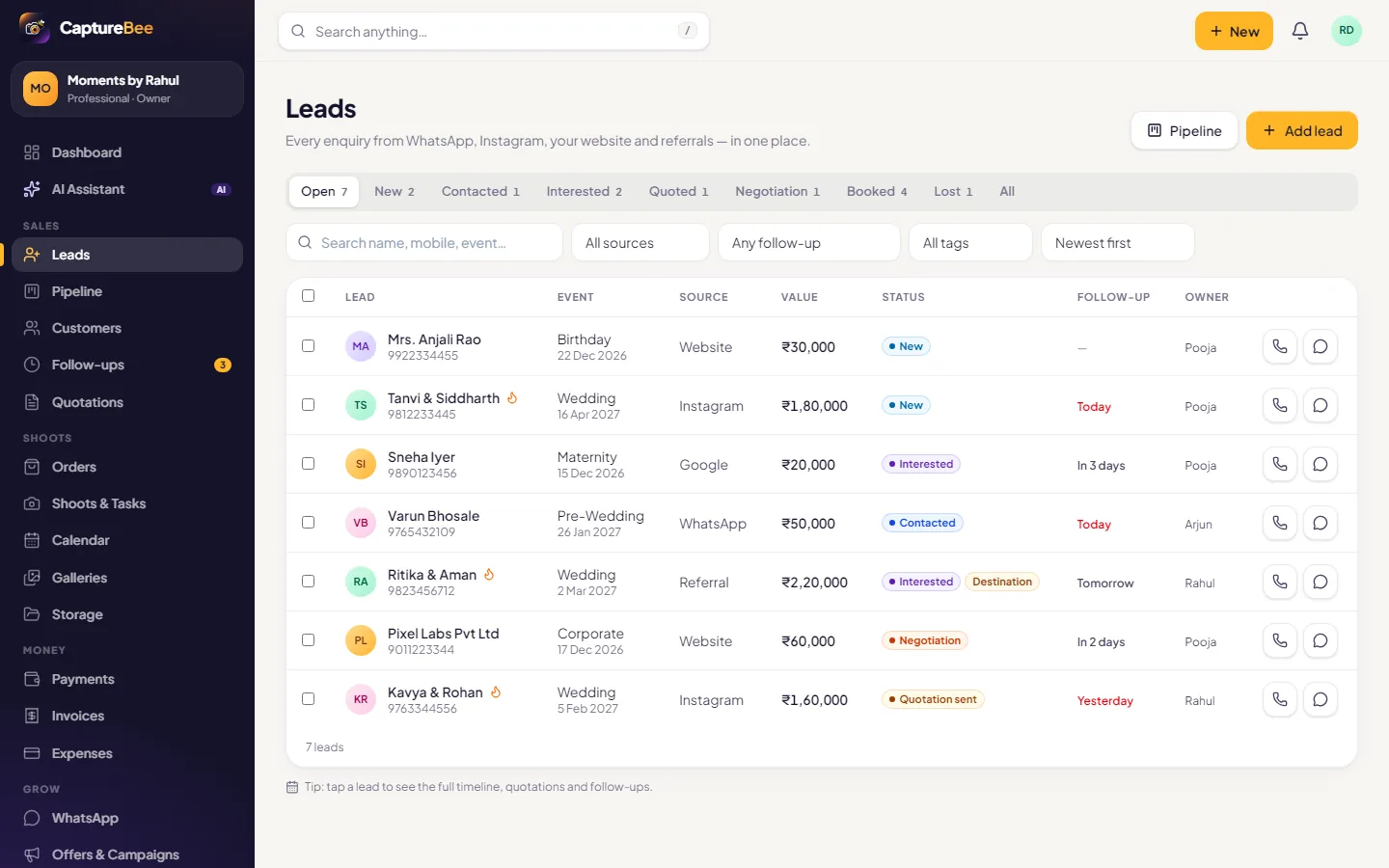
Each lead records the source (WhatsApp, Instagram, Facebook, website, Google, referral, phone, walk-in or your public profile), the event type and date, location, budget, priority, tags and who on your team owns it. Filters for status, source, owner, tag and follow-up date make it easy to answer questions like "which Instagram leads haven't heard from us this week?"
A pipeline built for photography
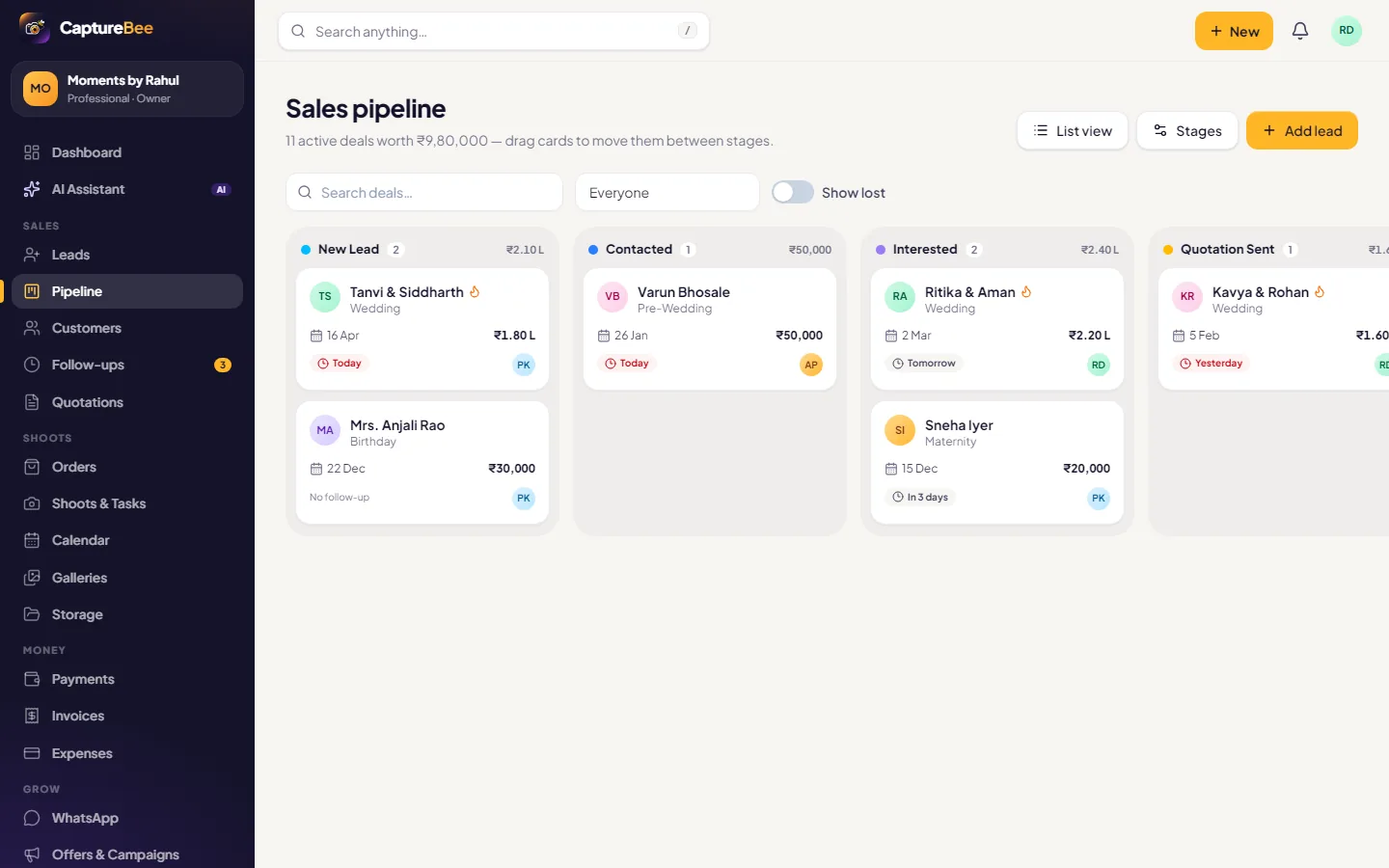
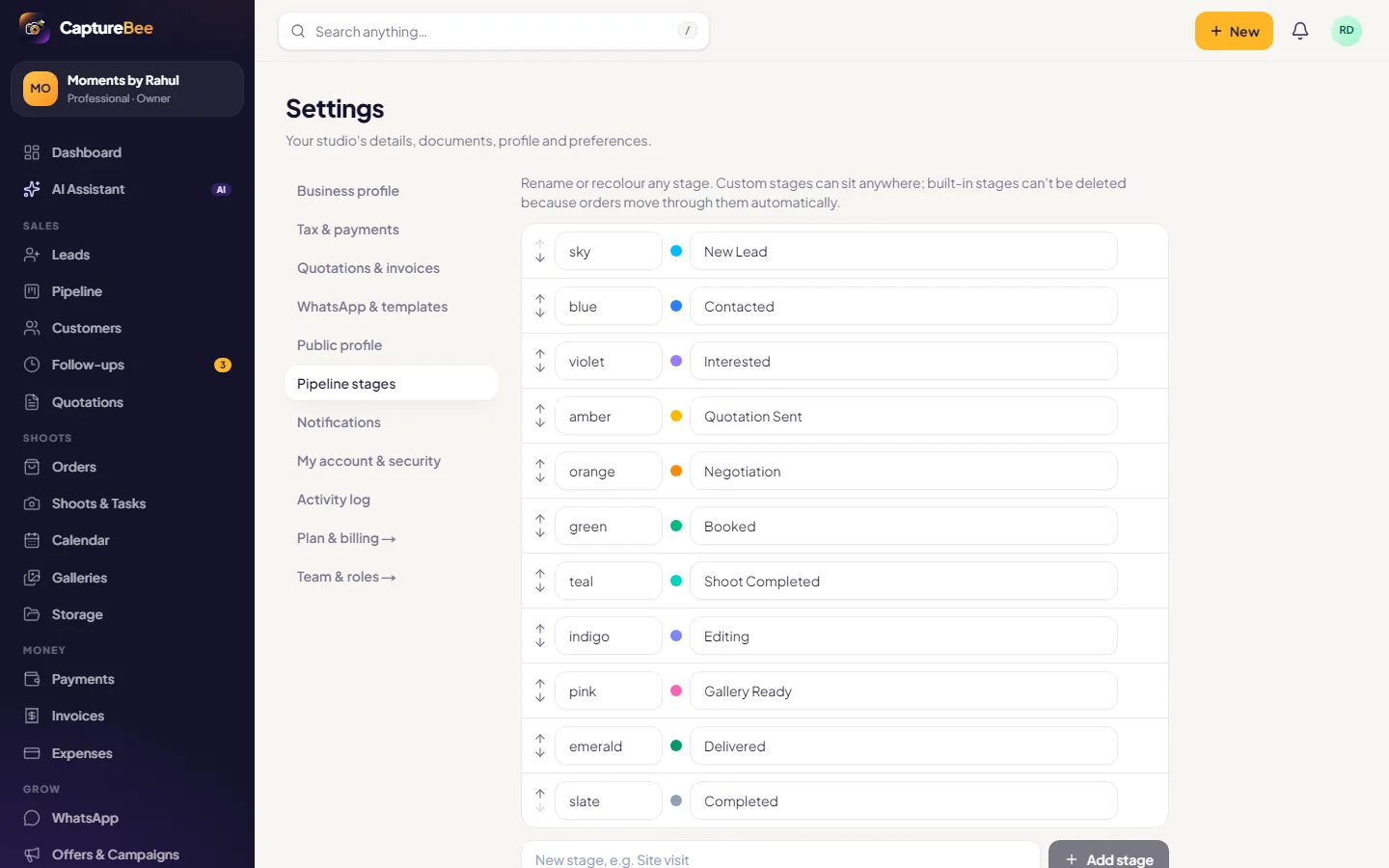
The pipeline board comes with the stages a photography business actually goes through: New Lead → Contacted → Interested → Quotation Sent → Negotiation → Booked → Shoot Completed → Editing → Gallery Ready → Delivered → Completed. Rename them, recolour them or add your own (for example "Site visit").
Drag a card to move it. From Booked onwards the card follows the order automatically: when photos are uploaded it moves to Editing, when the gallery is shared it moves to Gallery Ready, and when the final files are delivered it moves to Delivered. One board shows your whole business, not just sales.
Follow-ups that don't get forgotten
Most lost bookings are not lost to a cheaper photographer — they are lost to silence. Every lead can have a next follow-up date, and the Follow-ups page shows what is due today, what is overdue and what is coming up. Call or WhatsApp straight from the list and log the outcome.
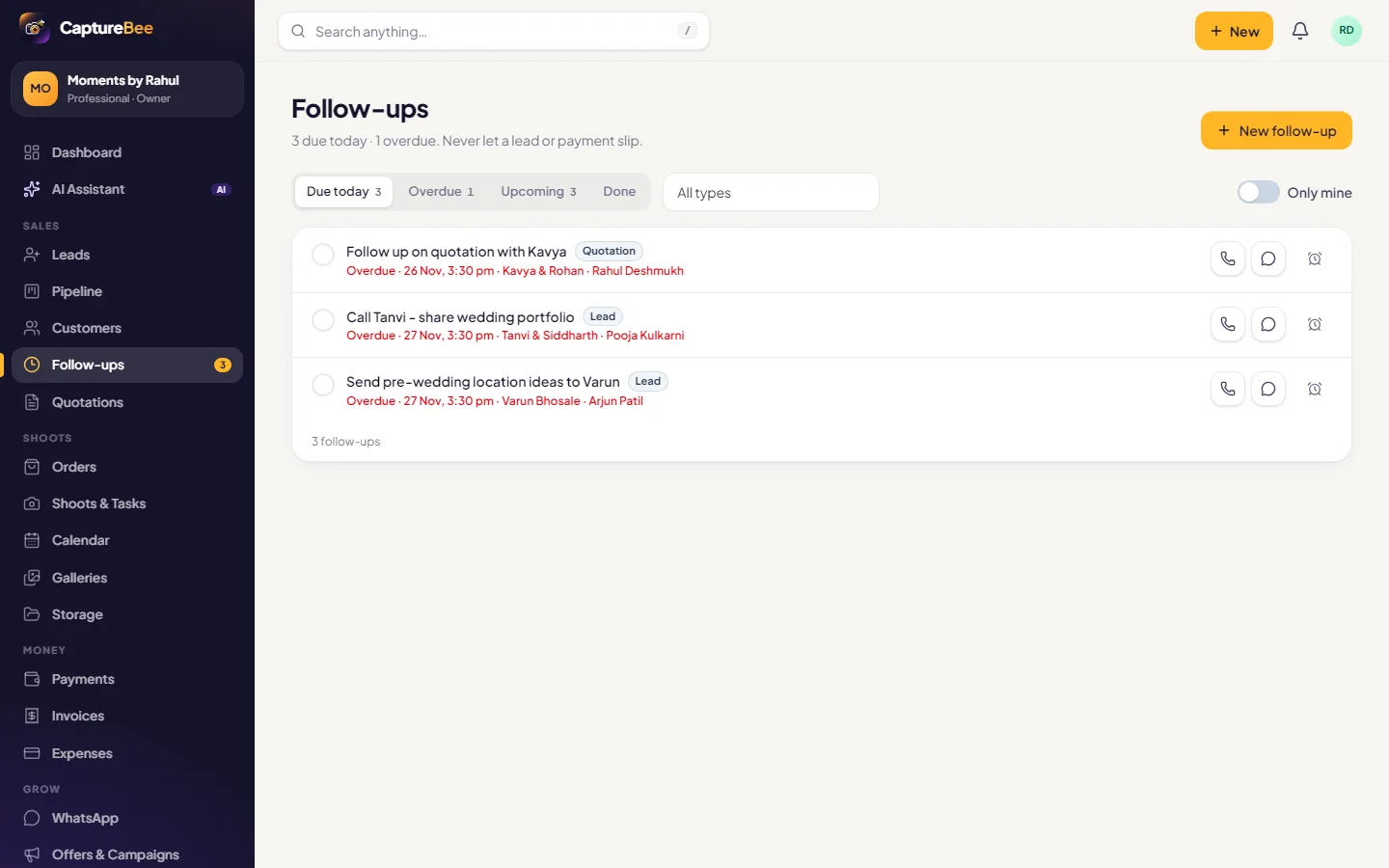
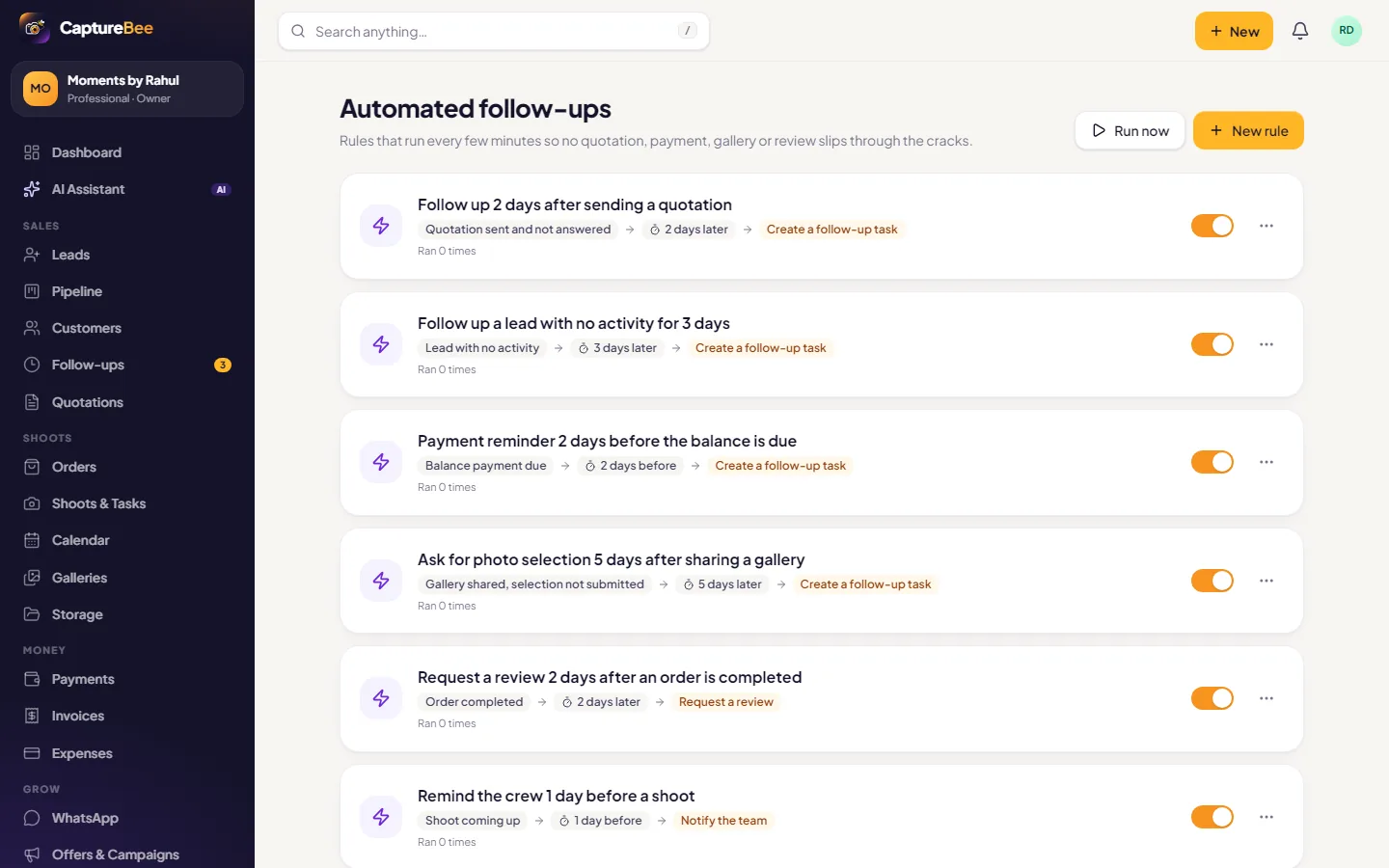
Turn on automated follow-ups and CaptureBee creates these tasks for you: two days after a quotation goes unanswered, or three days after a lead goes quiet.
The full story of every lead
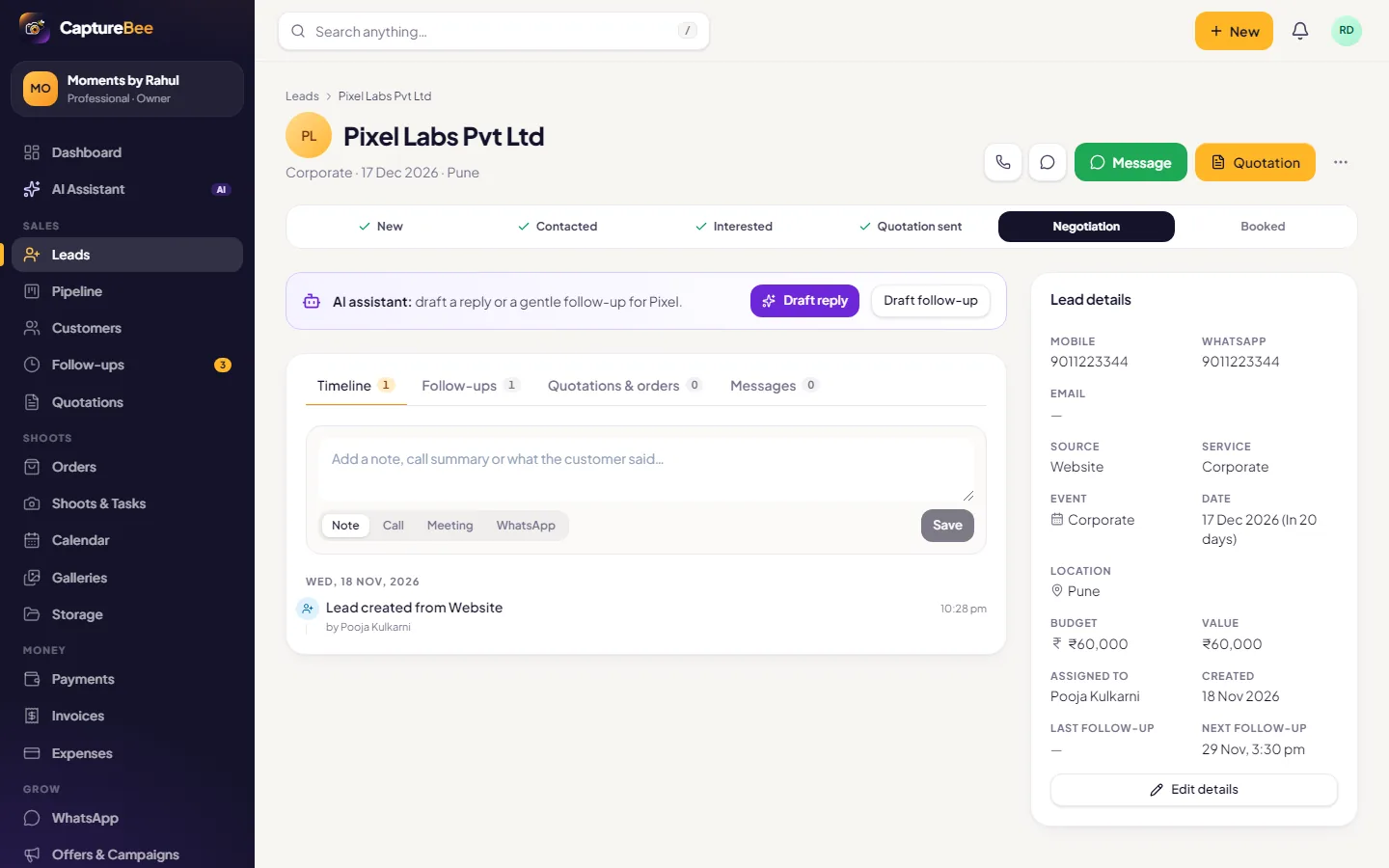
Open a lead to see everything in one place: details, a timeline of notes, calls and WhatsApp messages, follow-ups, and the quotations and orders that came from it. When the couple books, the lead becomes a customer and the history comes with them — no retyping.
Frequently asked questions
Can I import leads I already have?
You can add leads one by one or paste a customer's message to fill the form. Most studios start by adding the enquiries that are still open and let new ones come in from day one.
Does CaptureBee read my WhatsApp automatically?
No. CaptureBee doesn't connect to your personal WhatsApp. You add leads yourself (or paste a message for the AI to read), and you send messages from your own WhatsApp with the text already filled in.
Can my team see only their own leads?
Yes. Roles control this: an assistant can manage all leads, while a photographer sees only the shoots they are crew on. See team roles and permissions.
What happens to lost leads?
Mark a lead as lost with a reason. Lost leads stay searchable, and you can include them in a later offer campaign.