
If you run a photography business in India, you already know the job is only half photography. The other half is WhatsApp messages at 11 pm, quotations typed again and again, advance payments you have to chase, a calendar that lives in three places, pen drives for photo selection and a notebook of who still owes you money.
None of that work is creative, and none of it is optional. Miss a follow-up and the couple books someone else. Forget a balance and it quietly becomes a discount. Double-book your best second shooter and a function goes uncovered. The photographers who grow are not always the most talented — they are the ones who have a system for everything that happens around the camera.
This guide walks through that system end to end: how a booking moves from the first enquiry to the final album, what has to happen at each step, where small studios usually lose time and money, and how a photography CRM like CaptureBee keeps it all in one place. Each section links to a detailed article, so treat this page as the map and the other guides as the turn-by-turn directions.
The life of a photography booking
Whether you shoot weddings, pre-weddings, birthdays, maternity, newborns, products or corporate events, almost every booking follows the same path. The names change, the order rarely does:
| Step | What happens | What usually goes wrong |
|---|---|---|
| 1. Enquiry | A couple messages you on WhatsApp or Instagram, calls, or fills a form | The message gets buried; nobody replies for a day |
| 2. Conversation | You ask for dates, venue, functions and budget | Details are scattered across chats and calls |
| 3. Quotation | You send packages and prices | Quotes are typed from scratch, totals are wrong, nobody follows up |
| 4. Booking | The client says yes and pays an advance | "Yes" on WhatsApp but no written confirmation; advance not recorded |
| 5. Planning | Functions, timings, venues and crew are fixed | Crew double-booked, timings change, the venue address is lost |
| 6. Shoot | You cover each function | Gear and contacts for the day are in someone's head |
| 7. Editing | Photos are culled and edited | No one knows which order is waiting on what |
| 8. Selection | The client picks photos for the album | Pen drives, screenshots, "photo number 2344" messages |
| 9. Delivery | Final photos, videos and album | Big files, broken links, "can you send it again?" |
| 10. After | Balance, review, referrals, repeat bookings | Balances forgotten, no review asked, past clients never contacted again |
Look at the right-hand column. Not one of those problems is about photography. They are about information getting lost between steps. The fix is to keep each booking in one place from the first message to the last download, so every step starts with everything the previous step knew.
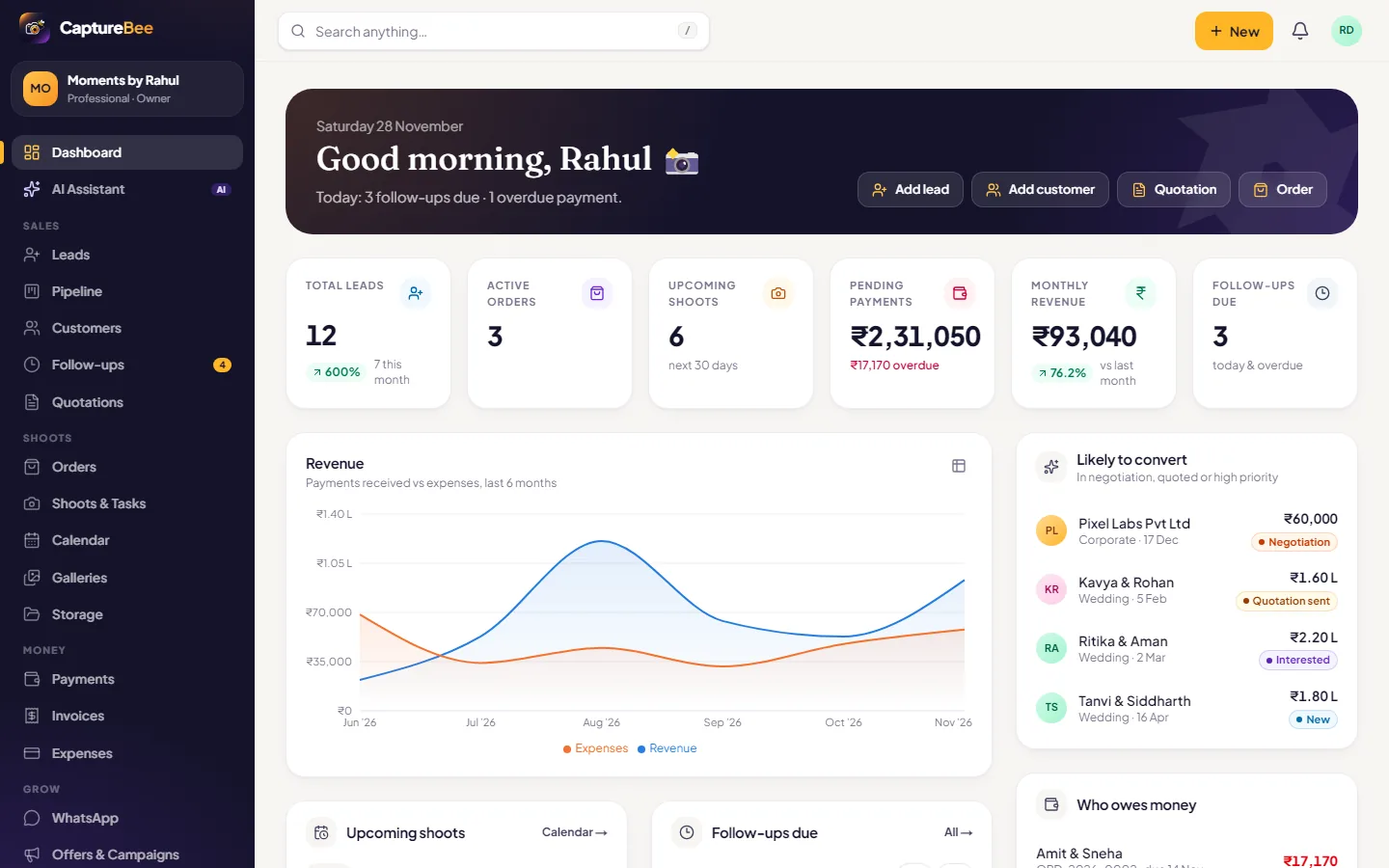
What a photography CRM actually is
"CRM" stands for customer relationship management, and generic CRMs are built for sales teams: contacts, deals, calls. A photography business needs more than that, because the work does not end when the deal is won — that is when most of the work starts.
A photography CRM (sometimes called studio management software) follows the booking all the way through:
- Before the booking: leads, a sales pipeline, follow-ups, packages and quotations.
- During the booking: orders, payments and receipts, invoices, shoots, crew and a calendar.
- After the shoot: client galleries, photo selection, file storage and final delivery.
- Around all of it: WhatsApp messages, automated reminders, reviews, offers and numbers.
The test of a good system is simple: can you open one screen and see everything about a client — what they asked for, what you quoted, what they paid, when the shoots are, who is on the crew, whether they have picked their photos, and what you have sent them? If the answer is "I'd have to check WhatsApp, Excel and my notebook", you do not have a system yet.
Note: You don't need a big studio to need a system. Solo photographers often need it more, because there is nobody else to remember things for them.
Step 1: Capture every enquiry
Every booking starts as a message, and the first rule is that no enquiry is ever kept only in a chat. Chats scroll away. Within a week, the couple who asked about a February wedding is forty conversations down, and you will never think of them again.
Give every enquiry a record — a lead — with the basics: name, phone, event type, date, location, budget, where they found you and who on your team is handling it. It takes fifteen seconds and it is the most valuable fifteen seconds of your sales process.
In CaptureBee you add a lead with only a name, or paste the client's message and let the AI pick out the details. Every lead remembers its source — WhatsApp, Instagram, Facebook, website, Google, referral, phone, walk-in or your public profile — which later tells you which channels actually bring bookings.
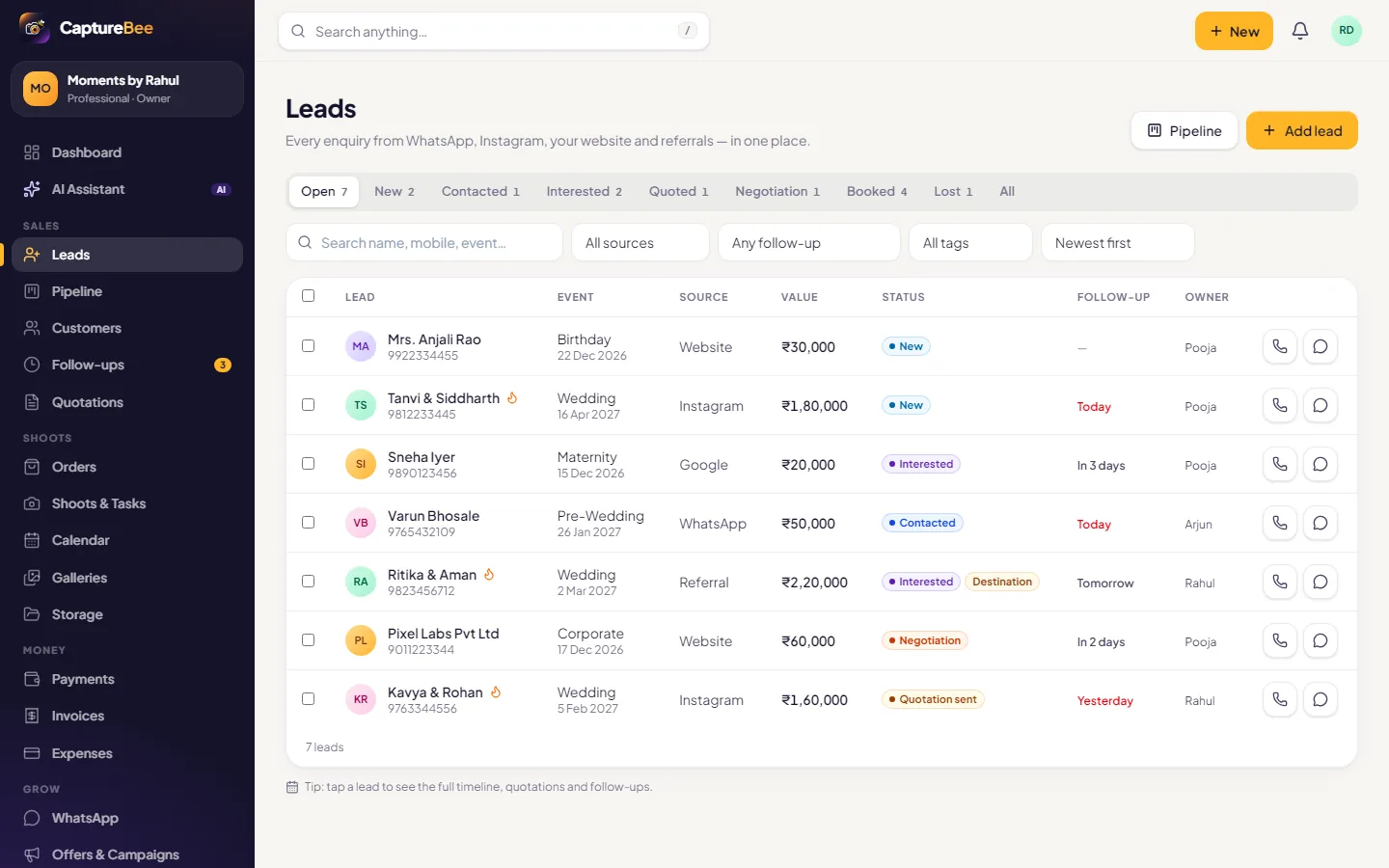
The second rule is that every lead has a next step with a date. "Call Tanvi on Thursday about the venue." "Send Varun pre-wedding location ideas." A lead without a next step is a lead you have already started to lose.
Read the detailed guide: How to manage photography enquiries so no lead slips through.
Step 2: Move leads through a pipeline
A pipeline is just a set of columns that show where each enquiry stands. For a photography business the stages are fairly universal: New Lead → Contacted → Interested → Quotation Sent → Negotiation → Booked. After booking the work continues: Shoot Completed → Editing → Gallery Ready → Delivered → Completed.
Seeing your enquiries as columns changes how you work. You stop asking "who did I forget?" and start asking "why are five couples stuck in Quotation Sent?" — which is a question you can actually do something about.
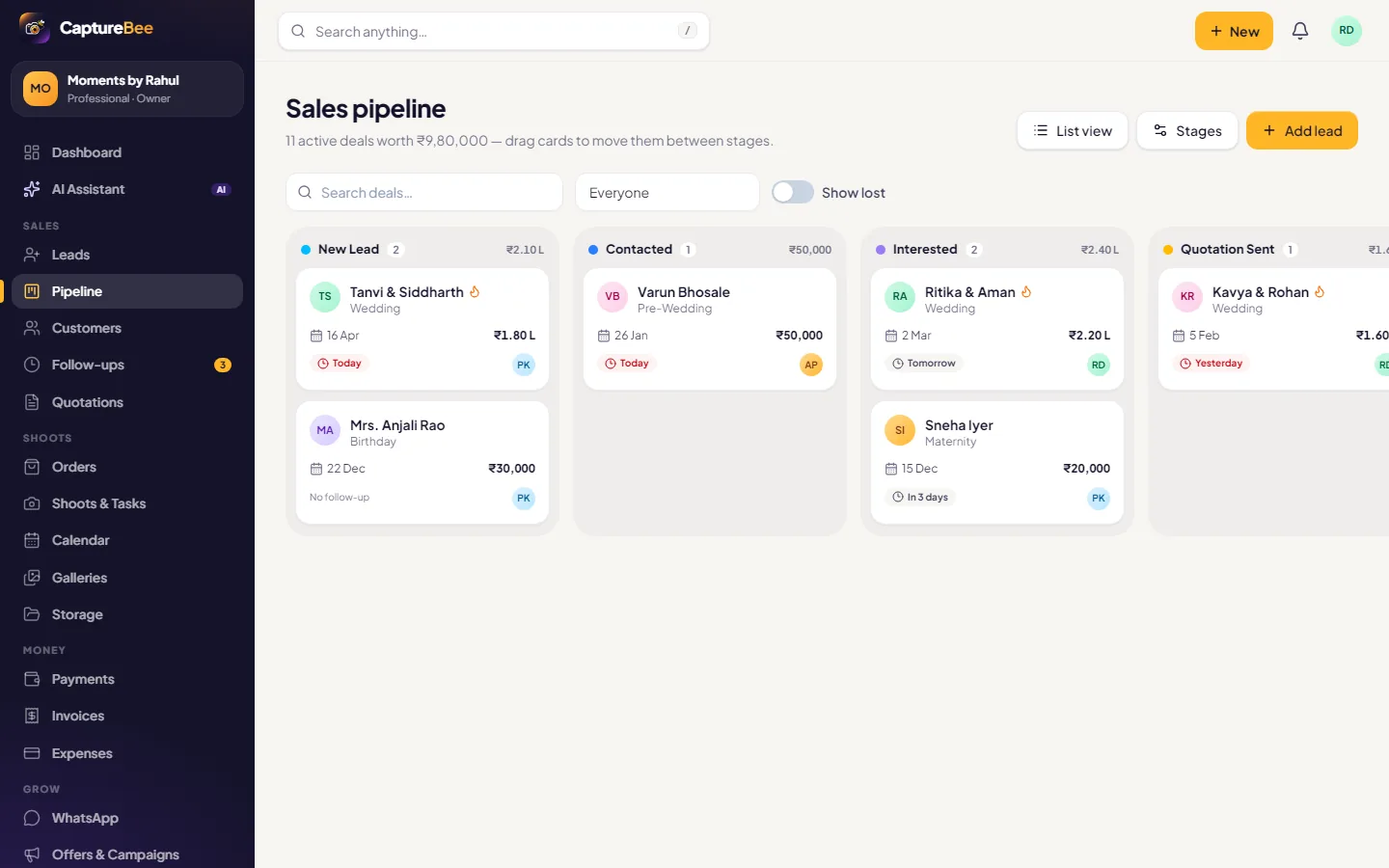
In CaptureBee the board covers the whole lifecycle. You drag cards through the sales stages yourself, and once a lead is booked its card follows the order automatically: upload photos and it moves to Editing, share the gallery and it moves to Gallery Ready, deliver the final files and it moves to Delivered. One board shows your entire business. See lead management and pipeline.
Step 3: Send quotations that are easy to say yes to
The quotation is where most bookings are won or lost, and most photographers still make it in a notes app, a Word file or a WhatsApp message with prices typed by hand. That costs you in three ways: it takes long, it looks less professional than it should, and there is no record of what was sent, opened or accepted.
A good quotation has a clear title, the client's name and event, the package with what is included, individual items with quantities and rates, any discount, tax, the total, the advance needed to confirm, the balance, validity and your terms. It should take a minute to make because it is built from packages you have already defined.
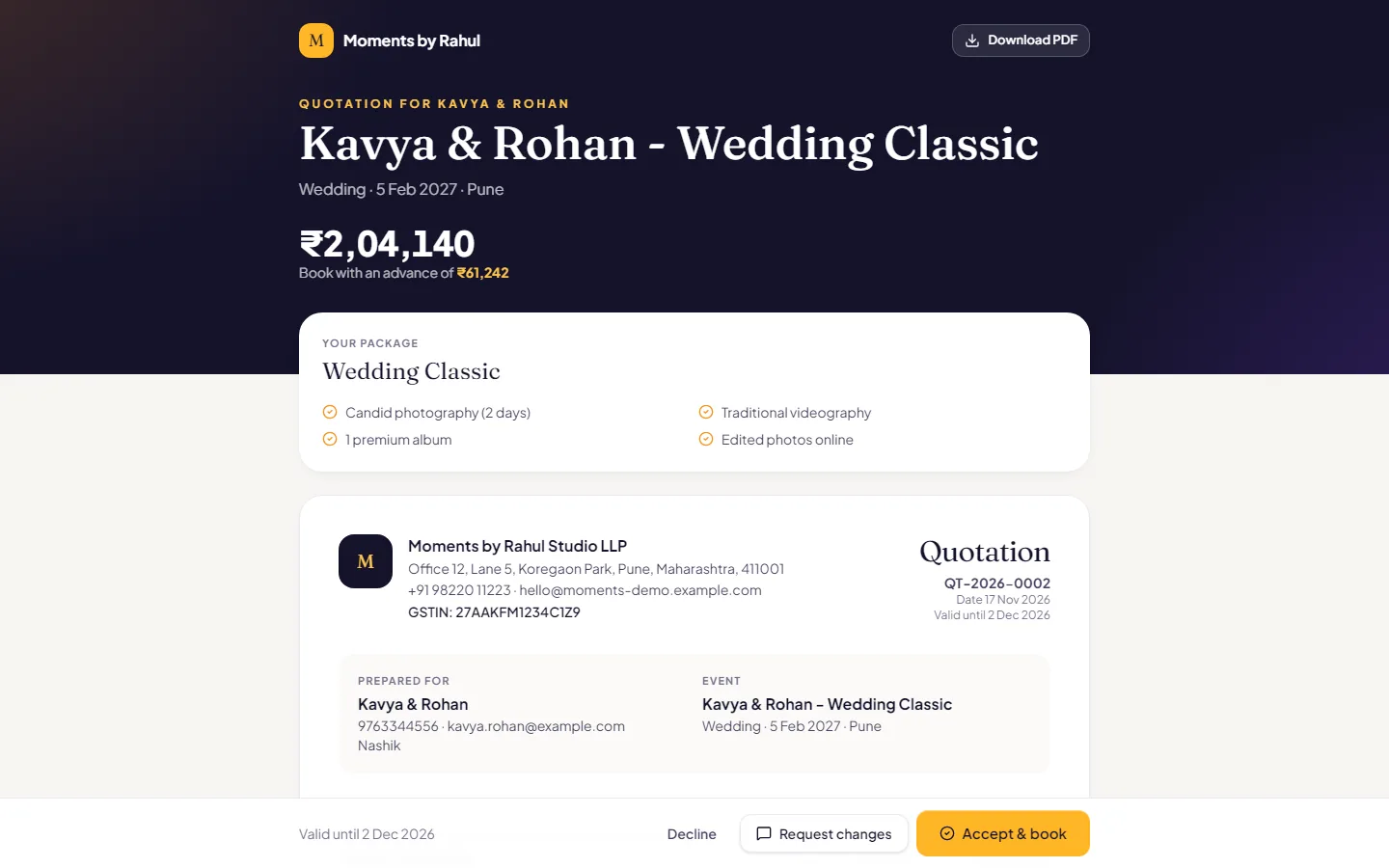
The real upgrade is online acceptance. Instead of a PDF that disappears into a chat, the client gets a link. They open it, see everything, and tap Accept & book — or Request changes with a note. You see when they viewed it and how many times. When they accept, the order is created automatically and the lead moves to Booked.
Read more: Wedding photography quotations clients accept online and How to build photography packages and pricing that sell.
Step 4: Lock the booking with an advance
A date is not booked until the advance is in. Most studios ask for 25–50% to confirm, and the rest before delivery. The trouble is not asking for the money — it is tracking it: which advance came in, on which order, by which method, with which UTR, and what is left.
Put the payment details where the client already is. Every quotation and invoice in CaptureBee carries your UPI ID as a QR code and your bank details. When the client pays, they tap I've paid and enter the amount and reference. You get a payment to confirm; one tap and it is recorded against the order, the balance updates, and a receipt is ready to send.
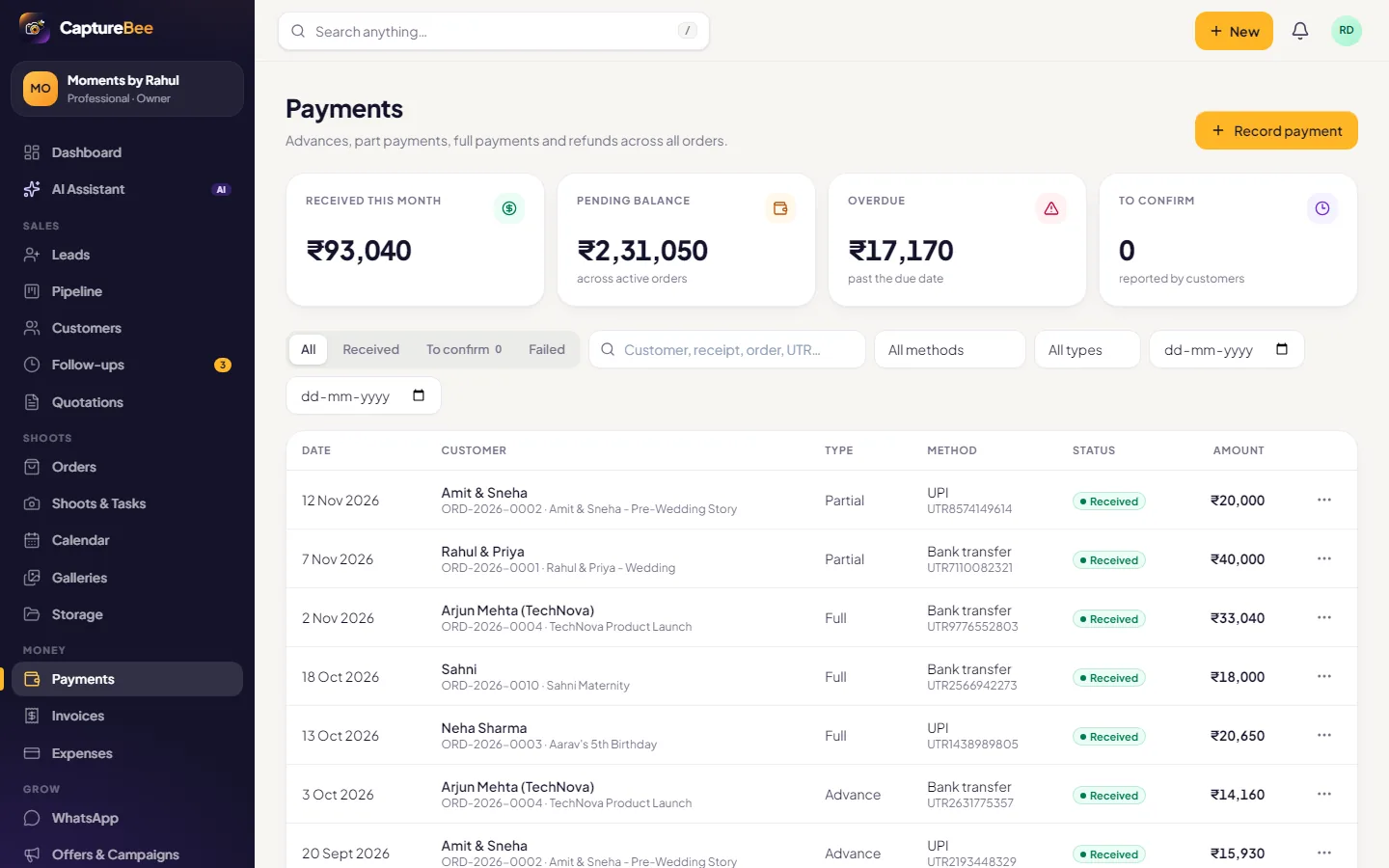
For every order you always know three numbers — total, paid and balance — plus the date the balance is due. An automation can remind you two days before that date, so you are never the photographer awkwardly asking for money after the album is delivered.
Read more: Collecting advances and tracking dues on photography bookings and Invoices and receipts for photographers.
Step 5: Plan every function, every crew member
A single Indian wedding can be five shoots across three days and three venues: engagement at a hotel, mehendi and haldi at home, the wedding at a banquet, and the reception the same night. Each needs its own time, address, crew and gear — and each crew member is often working other weddings that same week.
Plan shoots inside the order, not in a separate chat. In CaptureBee every function has its date, start and end time, venue, address, Google Maps link, gear list and notes. You assign crew with a role — lead photographer, second photographer, videographer, drone operator, editor or assistant — and if someone is already booked at that time, you are warned before you double-book them.
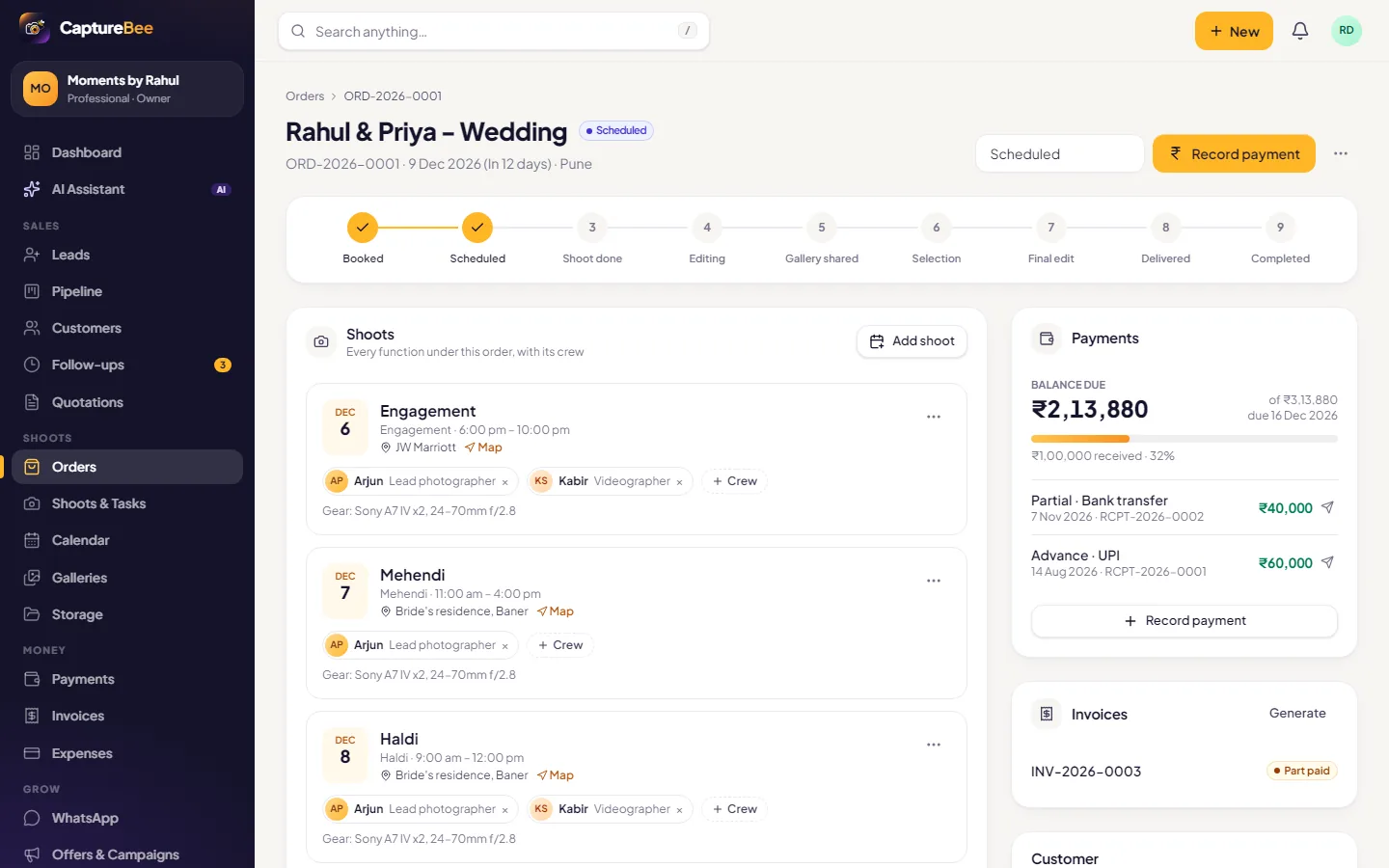
The calendar then shows everything with a date — shoots, follow-ups, payment due dates, gallery expiry and tasks — so you can check availability before you promise a date to the next couple.
Read more: Planning multi-day wedding shoots: events, crew and calendar and Managing a photography team.
Step 6: Share galleries and collect the album selection
After the shoot comes the part clients remember most — and the part that is still the messiest in many studios. Photos go on a pen drive or a shared drive folder. The client sends screenshots, or a list of file numbers on WhatsApp, or 300 hearts on Google Photos when the album holds 80. Someone has to turn that into a clean list for editing.
A client gallery with photo selection solves this. You upload the photos once. The client opens a private, beautiful gallery on their phone, taps to favourite and select, sees "Selected: 62 / 80" as they go, and submits when they are done. You review the selection, approve and lock it, and copy the file names straight into Lightroom.
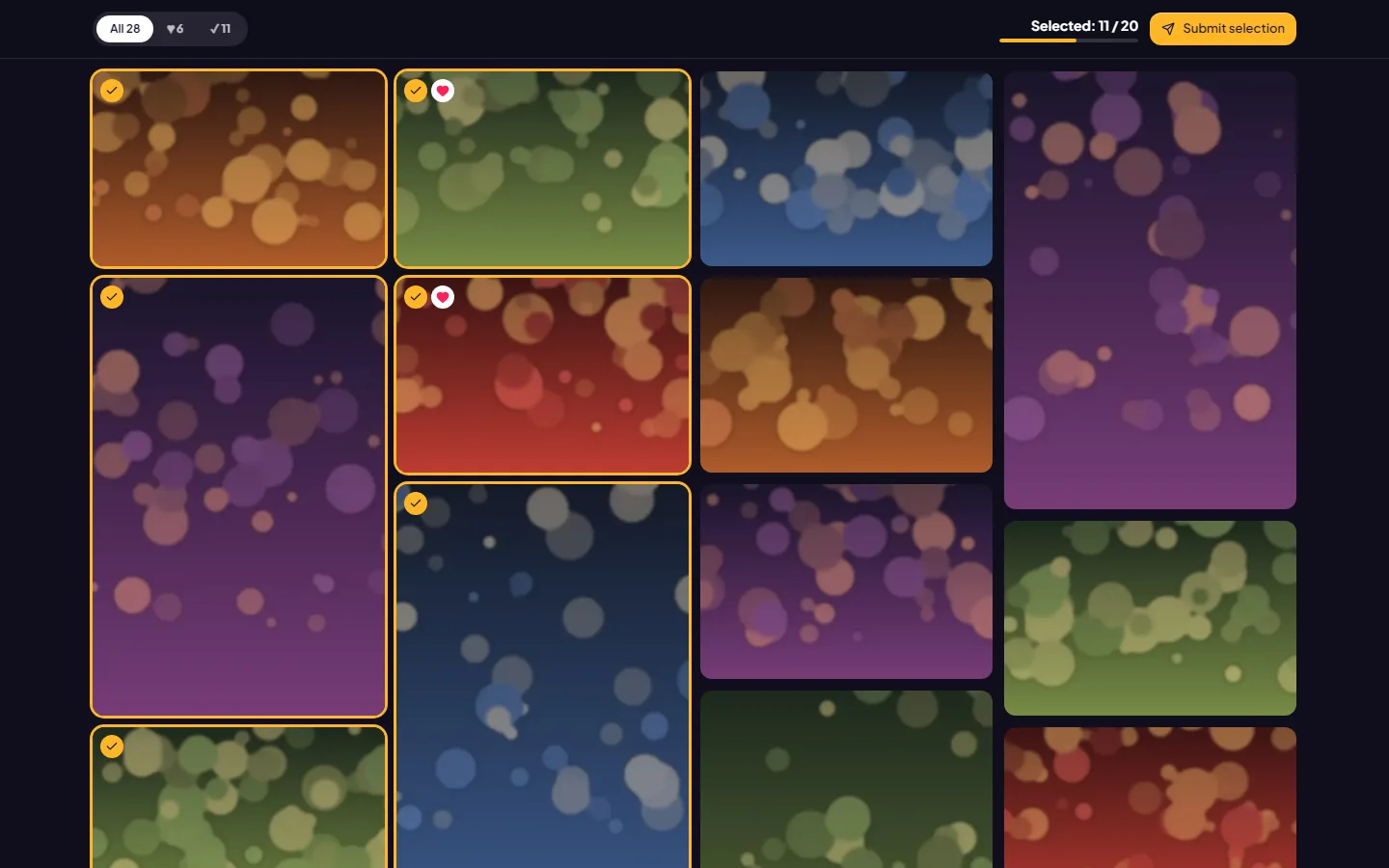
Read more: Online photo selection: how clients pick album photos without the chaos.
Step 7: Deliver the final work properly
Final delivery is the last impression you leave, and it is often a rushed one: a drive link with odd file names, an expired WeTransfer, or "please send a pen drive". Big video files make it worse.
Keep every order's files in one place — RAW, edited, video, album designs and final delivery — filed by customer, order and function. When the work is done, create one final-delivery link with a short message. The client downloads everything, individually or as a zip, and you can see that they opened it. Links are private and expire, so a forwarded link does not live forever.
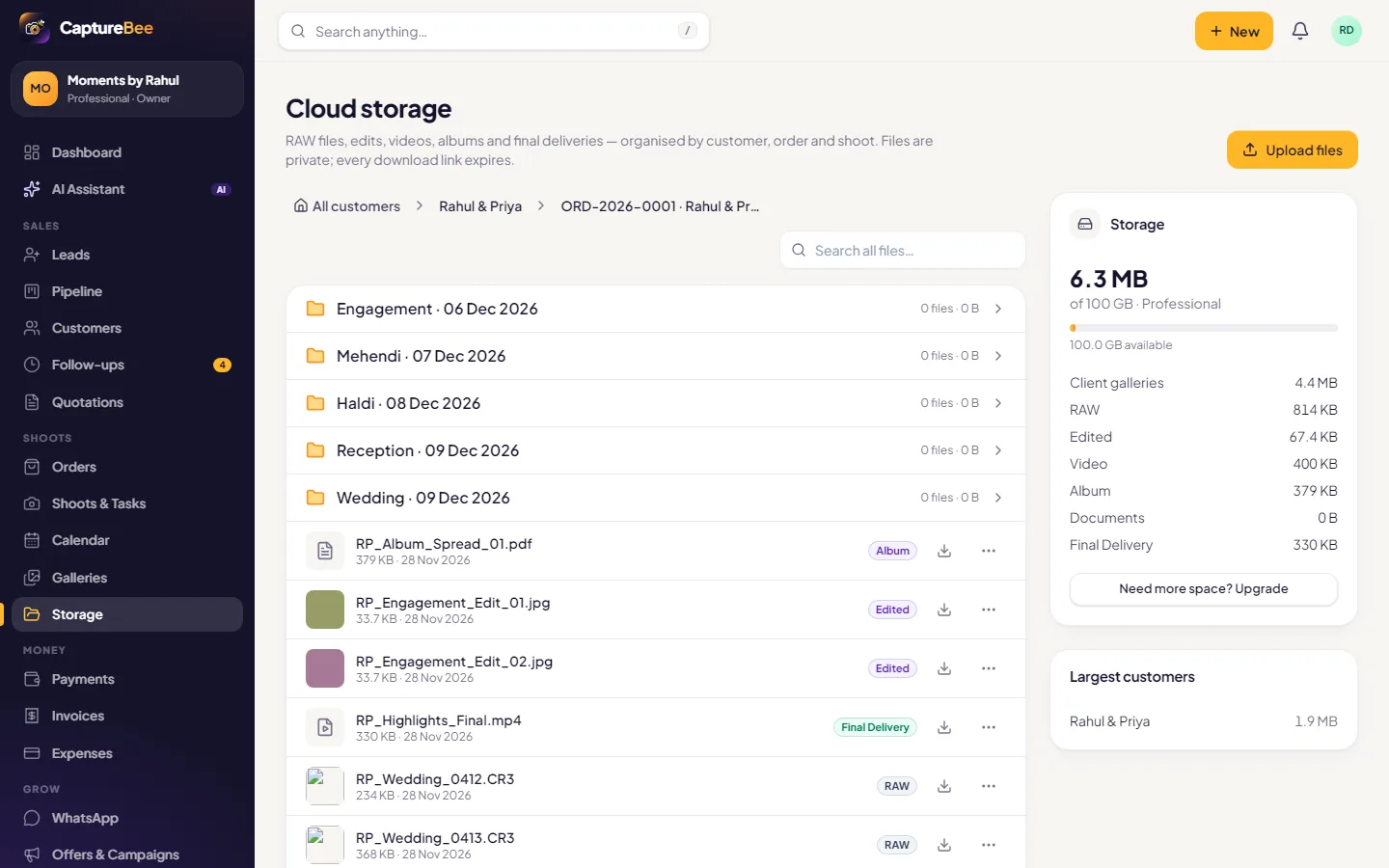
Read more: How to deliver photos to clients securely.
Step 8: Communicate on WhatsApp — without typing the same message fifty times
Your clients live on WhatsApp, so your business does too. The waste is not in using WhatsApp — it is in typing the same twelve messages over and over: thanks for your enquiry, here is your quotation, booking confirmed, payment received, a gentle reminder about the balance, your photos are ready, please pick your favourites, your final photos are ready, would you leave a review?
Turn those into templates with the client's name, date, amounts and links filled in automatically. In CaptureBee you press Message on a lead, order, quotation or gallery, the right template opens with everything filled in, and Open in WhatsApp puts the message in your own WhatsApp ready to send. Every message is logged in the client's history.
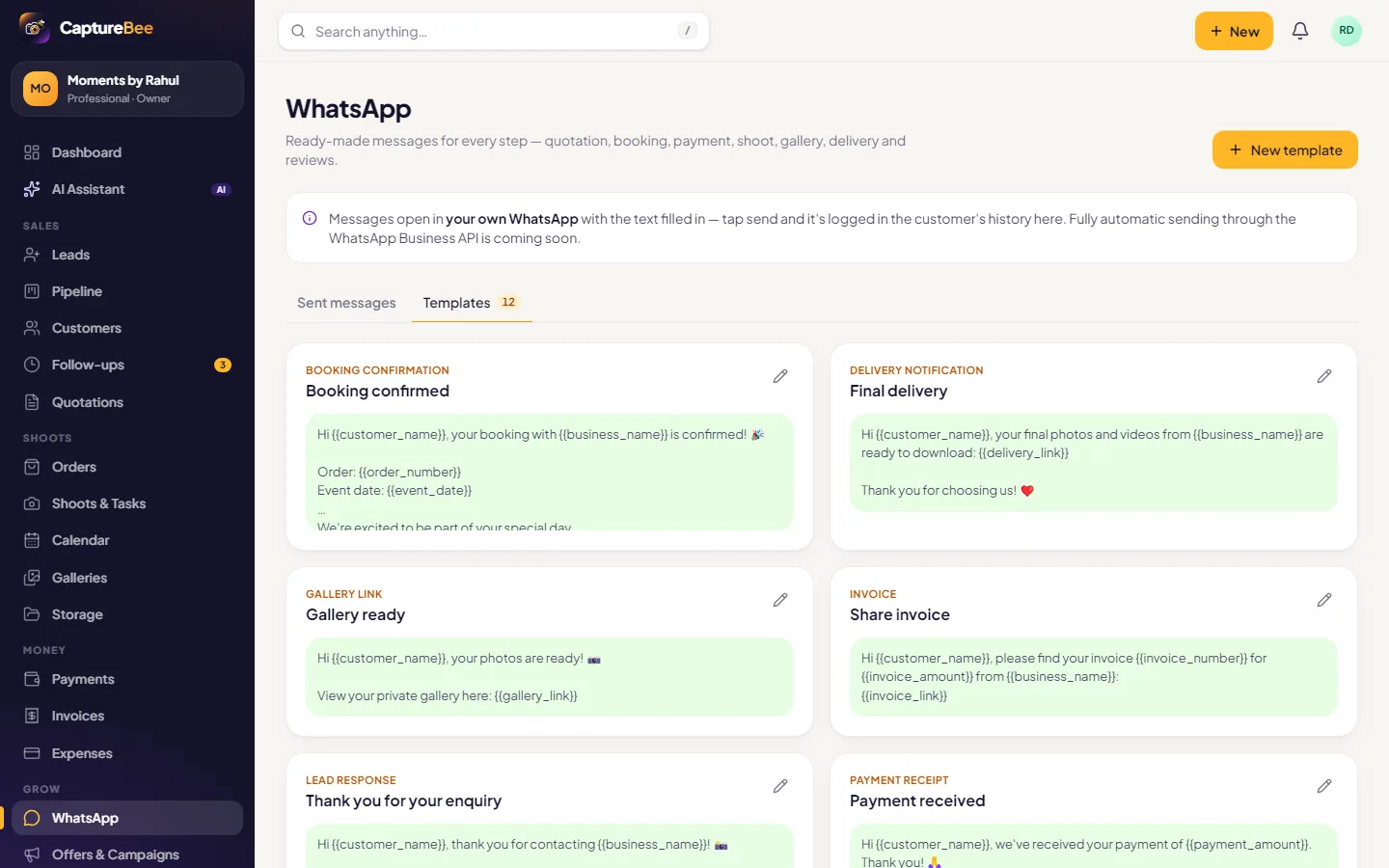
Then switch on automations so the reminders remember themselves: a follow-up two days after an unanswered quotation, a nudge three days after a lead goes quiet, a payment reminder two days before a balance is due, a selection reminder five days after a gallery is shared, a review request after an order is completed, and a crew reminder the day before a shoot.
Read more: WhatsApp templates for photographers and Automations every photography studio should switch on.
Step 9: Turn happy clients into reviews and referrals
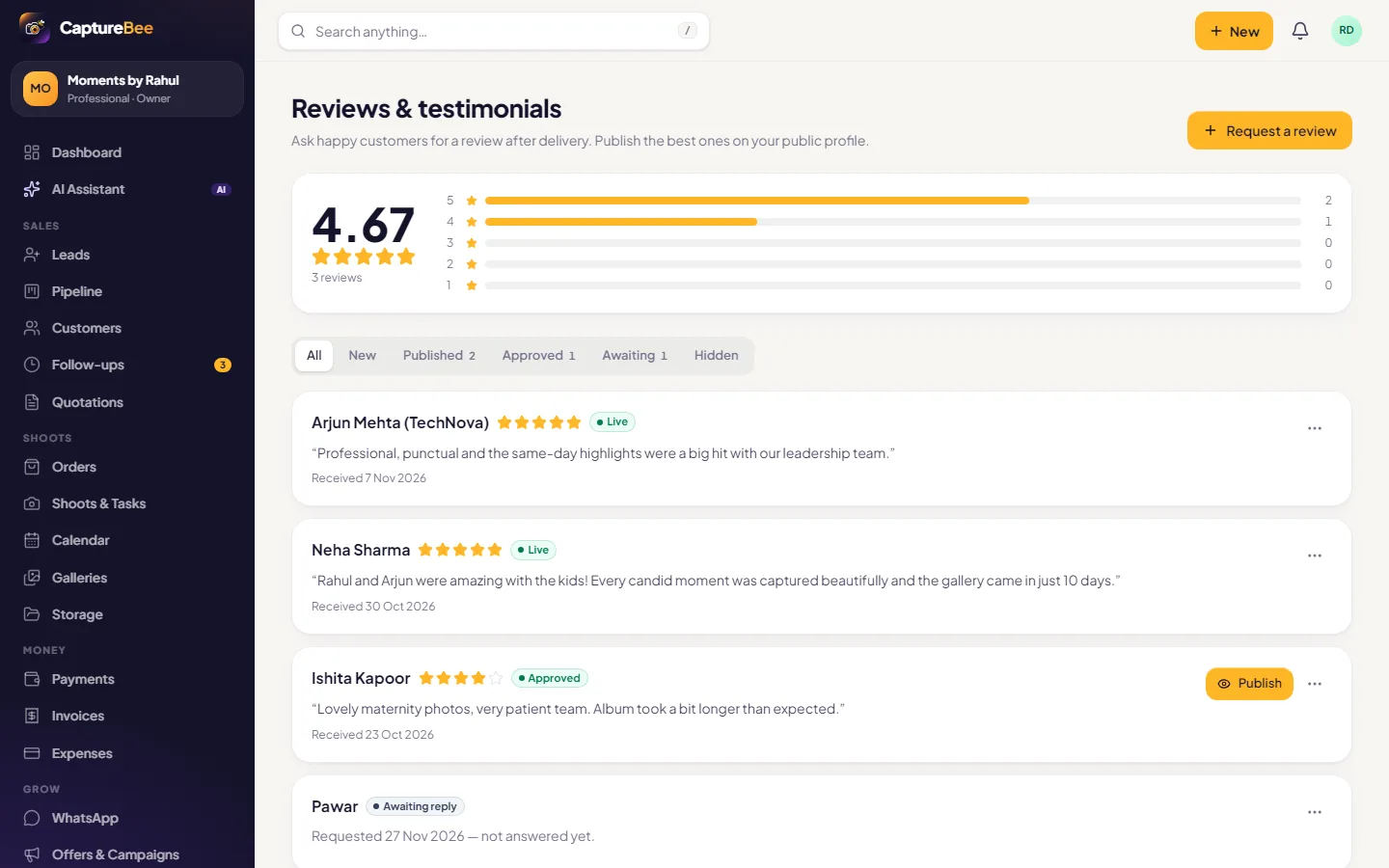
Photography is a referral business. A couple who loved their photos will tell their cousins — if you give them a reason and a moment. The best moment to ask for a review is a couple of days after delivery, when the photos are fresh and the excitement is high.
Ask with one link to a short review page. Publish the best reviews on a public profile that also shows your services and packages and has an enquiry form — and make sure those enquiries arrive as leads, not as yet another inbox. Then, a few months later, bring past clients back with an offer: a maternity shoot for last year's brides, a birthday package for families you shot before.
Read more: How photographers get more reviews (and turn them into bookings).
Step 10: Know your numbers
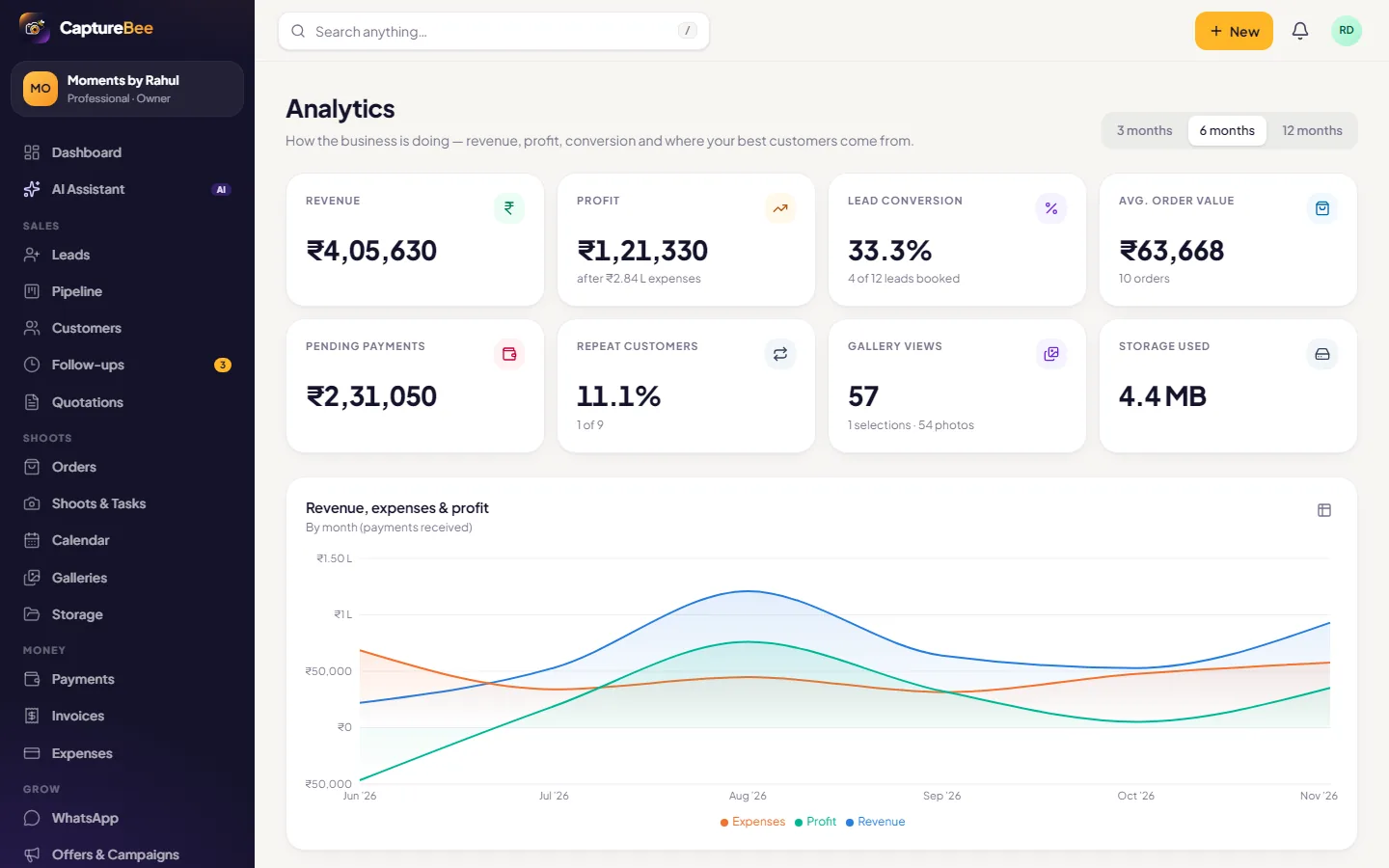
Many photographers know exactly how busy they were last season and have no idea how much they actually made. Revenue is not profit, and a full calendar is not a healthy business if half the balances are unpaid and the freelancer bills ate the margin.
A handful of numbers tells you almost everything: revenue, expenses, profit, lead conversion, average order value, pending payments and repeat customers. Add which lead sources actually book and which packages sell, and you can make real decisions — raise a price, drop a package, spend more on Instagram or less.
CaptureBee also includes an AI assistant that only uses your studio's own data: it turns a WhatsApp message into a lead, drafts replies and quotations, and answers questions like "Who still owes us money?".
Read more: Know your numbers: revenue, expenses and profit for photographers and An AI assistant for your photography studio.
One booking, start to finish
Principles are easier to follow with an example. Here is one wedding — Kavya & Rohan, a two-day wedding in Pune — followed through the whole system, the way it actually happens in a studio using CaptureBee.
Monday, 10:40 pm — the enquiry. Kavya messages on Instagram: they're getting married on 5 February, they loved a reel of yours, could you share prices for candid photography and a video? You're editing, so you don't reply properly — but you paste her message into Add lead → Paste a message instead. The lead is created with her name, the event, the date, Pune and "Instagram" as the source. A follow-up is set for tomorrow morning.
Tuesday, 9:15 am — the first reply. Your follow-up list shows Kavya at the top. You press Message, the enquiry template opens with her name and event filled in, and you add one line about the reel she liked. Open in WhatsApp, send. The lead moves to Contacted on its own.
Tuesday, 6 pm — the details. Kavya replies: two days (wedding and reception), about 400 guests, candid photography both days, a cinematic film, one album. You note it on the lead's timeline and move the card to Interested.
Wednesday — the quotation. From the lead you press Quotation. You pick the Wedding Classic package, set candid photography to two days, keep the cinematic videography and the 40-sheet album. GST at 18% and a 30% advance are filled in from your settings. Total: ₹2,04,140; advance to confirm: ₹61,242. You send the link with the quotation template. The lead moves to Quotation Sent.
Thursday and Friday — the silence. Nothing from Kavya. But the quotation list shows it was viewed six times — the family is discussing it. On Friday morning, the automation that watches unanswered quotations creates a follow-up for you. You send a friendly note with a link to a similar wedding's highlight film.
Saturday — the yes. Kavya opens the quotation again and taps Accept & book, typing "Kavya & Rohan" as confirmation. CaptureBee creates the order, moves the card to Booked and notifies you. She scans the UPI QR on the quotation, pays the advance, and fills in I've paid with the UTR. You confirm the payment from your phone between two shoots, and send the receipt and the booking confirmation on WhatsApp.
Two weeks before the wedding — planning. You open the order and add two shoots — the wedding on 5 February at the venue in Koregaon Park, 10 am to 4 pm, and the reception that evening. You assign yourself as lead photographer, a second photographer and your videographer. One of them is already booked for a mehendi that afternoon; CaptureBee warns you, and you swap in someone else. You set the balance due date to 20 February, before delivery, as your terms say.
The day before. Your crew gets the automatic reminder. You send Kavya the shoot reminder, and she replies that the reception has moved to 7:30 pm. You update the shoot — everyone sees the new time.
The wedding. Everyone has the venue, the map link and the gear list on their phone. After the reception, you mark both shoots complete. The order moves to Shoot Completed; so does the card.
Week 2 — the gallery. You upload 600 culled, lightly edited photos to a gallery with a password, a selection limit of 80, downloads off and a 6-week expiry. Sharing it moves the order to Gallery Shared. Kavya and her family spend a weekend favouriting and selecting.
Week 3 — the reminder. Five days in, the selection isn't submitted, so a follow-up appears. One tap sends the selection reminder. Kavya submits 80 photos two days later with three comments ("can this one be black and white?"). You approve and lock the selection; the order moves to Editing Final. You copy the file names into Lightroom and create a task for your editor with a due date.
Week 6 — the balance. Two days before 20 February, the payment reminder appears. You send it with the UPI details filled in. The balance arrives; you confirm it and send the final receipt.
Week 7 — delivery. Final photos and the cinematic film go into the order's Final Delivery folder. You create the delivery link with a short note and send it. The order moves to Delivered.
Two days later — the review. The review request goes out automatically by email and as a follow-up for WhatsApp. Kavya leaves five stars and a line about how calm your team was when the reception timing changed. You publish it on your profile.
Six months later — the next booking. Kavya's cousin finds your profile through her review and sends an enquiry from the form. It arrives as a lead with the source Profile. The cycle starts again.
Nothing in that story is unusual. What's different is that at every step, the next person — you, your crew, your editor, the client — had everything they needed, and nothing depended on anyone's memory.
Solo photographer or growing studio: the system scales
The same system works at every size; what changes is who does each step.
Solo photographers do everything themselves, so the system's main job is remembering: follow-ups, balances, reminders, selections. Automations and the dashboard matter most. Start with leads, quotations, payments and galleries; add the rest as you need it.
Two- to five-person teams add second shooters, an editor and maybe an assistant. Now the system's main job is sharing: everyone working from the same shoot details, the same selection list, the same follow-up list. Roles matter — each person sees only what they need. See managing a photography team.
Studios with several teams run multiple weddings on the same day. Now it's about coordination: the calendar, team availability, double-booking warnings, owners on every lead, and numbers by month to plan staffing and pricing. Managers run the day-to-day while the owner watches the numbers.
How to choose photography business software
Whether or not you choose CaptureBee, here is what to look for. Use it as a checklist when you compare tools:
- Built for photography, not generic sales. Does it understand functions, crew, galleries, photo selection and delivery — or only "deals"?
- The whole lifecycle in one place. Lead to review, without exporting from one tool and importing into another.
- Your clients don't need an account. Quotations, invoices, galleries and delivery links should open on a phone with no sign-up.
- Made for India. Rupee pricing, lakh formatting, GST on documents, UPI QR codes and WhatsApp everywhere.
- Works on your phone. You are at a venue more often than at a desk.
- Roles for your team. A second shooter should not see your payments; your accountant does not need the galleries.
- Private files. Photos and videos should not sit on public links forever.
- Honest pricing with a trial. You should be able to try it with real bookings before you pay.
Tip: Try any tool with one real booking from enquiry to delivery. Half an hour with a real couple's details tells you more than any feature list.
A 7-day plan to set up your system
You do not need to move everything at once. Here is a realistic first week:
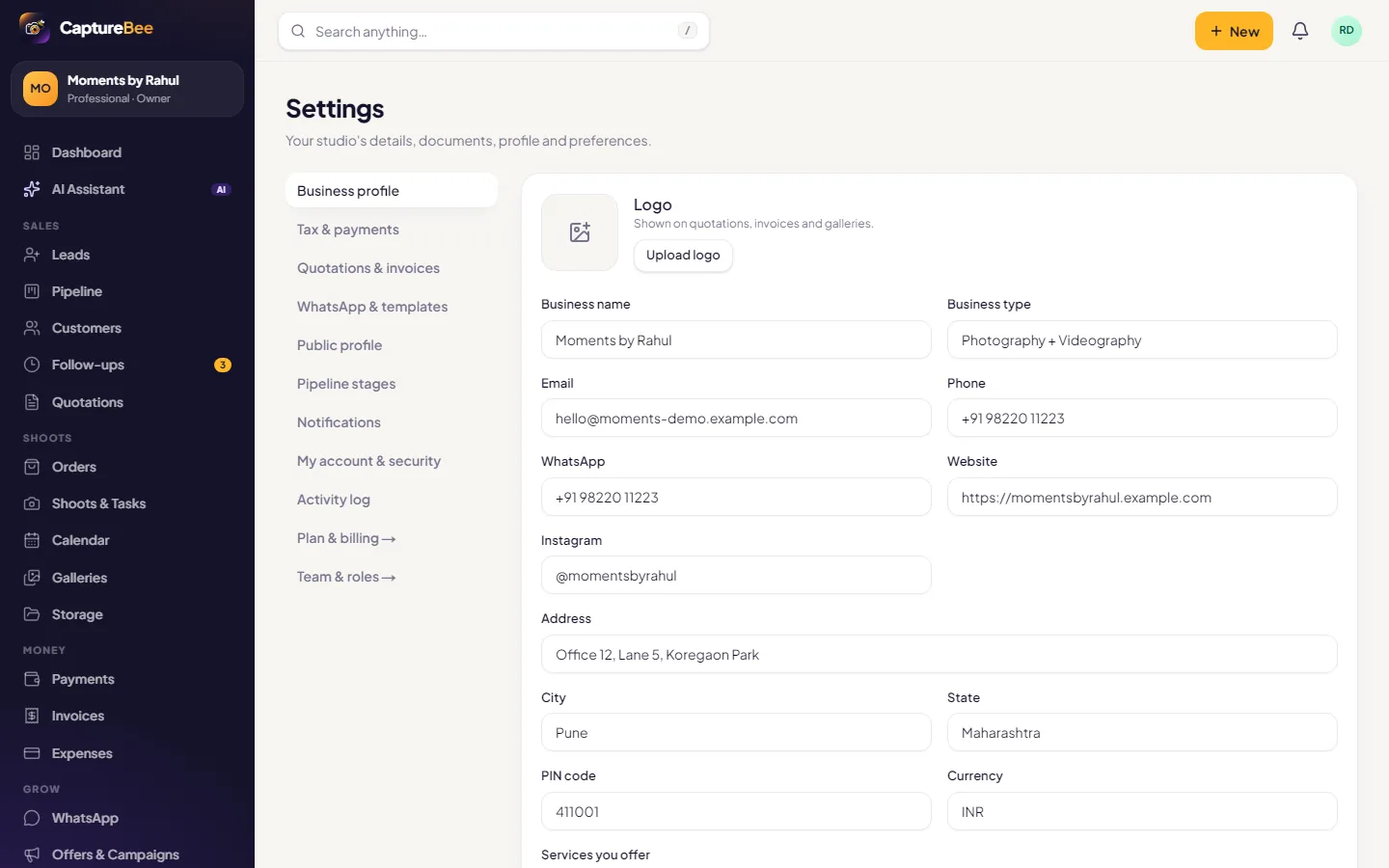
Day 1 — Set up your studio. Add your business name, type, services, city, currency, GST details and logo. In CaptureBee this is an 8-step onboarding that takes about ten minutes, and you start with a 14-day free trial.
Day 2 — Packages and prices. Add your three to six main packages and your service price list. This is what every quotation will be built from.
Day 3 — Open enquiries. Add every enquiry that is still alive, each with a next follow-up date. Do not import years of history — start with what can still turn into money.
Day 4 — Active bookings. Add your confirmed orders with their functions, crew and the payments already received, so balances are right from day one.
Day 5 — Templates. Read the default WhatsApp templates and adjust the tone to sound like you.
Day 6 — Team. Invite your regular second shooters, editor or assistant with the right roles.
Day 7 — Your first gallery. Upload a recent shoot, set a selection limit and share it with a client. Watch how much easier selection becomes.
Mistakes that cost photographers bookings
- Replying late. The first studio to reply properly often wins. Aim for the same day, ideally within an hour during working hours.
- No follow-up after the quotation. Most couples compare three or four photographers. A polite follow-up two days later is not pushy — it is professional.
- Quoting without an advance policy. State the advance and when the balance is due on every quotation, so the conversation happens before the wedding, not after.
- Keeping crew plans in chats. Timings change; chats don't update themselves.
- Uncontrolled selection. Without a limit and a deadline, selection drags for months and delays your payment.
- Never asking for reviews. Happy clients rarely write one unless you ask.
- Not tracking expenses. You cannot price well if you don't know what a wedding costs you.
Frequently asked questions
What is the best CRM for photographers in India?
The best one is the one that covers your whole workflow — enquiries, quotations, payments, shoots, galleries and delivery — and fits how Indian clients work: WhatsApp, UPI and GST. CaptureBee is built specifically for that. Try it free for 14 days with your real bookings and decide.
Do I need a CRM if I'm a solo photographer?
Yes, arguably more than a studio does. When you are the photographer, editor, salesperson and accountant, the system has to do the remembering for you.
Can I use CaptureBee on my phone?
Yes. CaptureBee runs in your phone's browser, so you can add a lead, message a client, check today's shoots or record a payment between functions.
Do my clients need to download an app or create an account?
No. Quotations, invoices, receipts, galleries, delivery links and review pages open from a link on any phone.
How long does it take to set up?
About ten minutes for the basics and an afternoon to add your packages, open enquiries and active bookings.
Is my clients' data safe?
Every studio's data is kept separate, team members only see what their role allows, and photos and files are private — every view and download uses a link that expires.
The short version
Running a photography business well comes down to one idea: keep each booking in one place from the first message to the final download. Capture every enquiry with a next step. Quote from packages and let clients accept online. Lock dates with an advance and track every rupee. Plan functions and crew where everyone can see them. Let clients select photos in a gallery, deliver with one link, and ask for a review at the right moment. Then look at your numbers once a month.
That is what CaptureBee was built to do. See all features, check pricing, or start your free trial and run your next booking through it.