AI is everywhere in photography now — in culling tools, in editing presets, in background removal. But the most time-consuming part of a photography business isn't editing. It's the business: reading long WhatsApp messages and typing them into your records, writing the same kind of reply forty times a season, drafting quotations, and digging through payments to answer "who still owes us money?".
That's where an AI assistant can genuinely help — if it works with your studio's information, writes like a professional, and never does anything without you checking it first.
This guide explains what an AI assistant for a photography studio can do well, what it shouldn't do, how CaptureBee's AI assistant works with your own data, and how to get good results from it.
What AI is good at in a photography business
AI language models are very good at a specific kind of work:
- Reading messy text and pulling out facts — a long WhatsApp message with a date, a venue, a budget and three services buried inside it.
- Writing short, polite, professional messages — replies, follow-ups, thank-yous.
- Turning a rough description into a structure — "2-day wedding in Pune, candid + video + drone" into a list of quotation items.
- Summarising numbers in plain language — "your top services this half-year were…".
And they are not good at — or should not be trusted with — other things:
- Inventing facts. A model that doesn't know your prices will make them up. It must be given your data.
- Making commitments. Availability, final prices and discounts are your decisions.
- Talking to clients unsupervised. Your tone and judgement are why clients book you.
A good assistant is built around those limits. CaptureBee's is.
How CaptureBee's AI assistant works
Three principles shape everything it does:
- Grounded in your studio's data. Each request includes only what that task needs from your own studio — a lead's details, your services and packages, or a summary of your numbers. It never sees other studios' data.
- Suggestions, not actions. Nothing is created or sent automatically. Every result is a draft you review, edit, and then use.
- Metered and logged. Each plan includes a monthly number of AI requests, shown on the assistant page ("5 / 300 this month").
The assistant has four tools on its own page, plus helpers on each lead.
1. Message → lead
The problem: a client sends a long message on WhatsApp or Instagram. You read it, then type the name, phone, date, venue, services and budget into your records — or, more often, you don't, and the details stay buried in the chat.
What the AI does: paste the message and it picks out the details:
Hi! I got your number from Instagram. My sister Aditi is getting married on 14 February 2027 at Lonavala — mehendi, haldi and the wedding, 2 days. We want candid photos, a cinematic video and drone. Budget around 2.5 lakh. Can you share packages? — Megha, 98765 43210
becomes: Name Megha · Mobile 9876543210 · Event Wedding · Date 14 Feb 2027 · Location Lonavala · Services Photography, Videography, Drone · Budget ₹2,50,000.
Check the details, then press Create this lead. It takes seconds, and the enquiry can never get lost in the chat again.
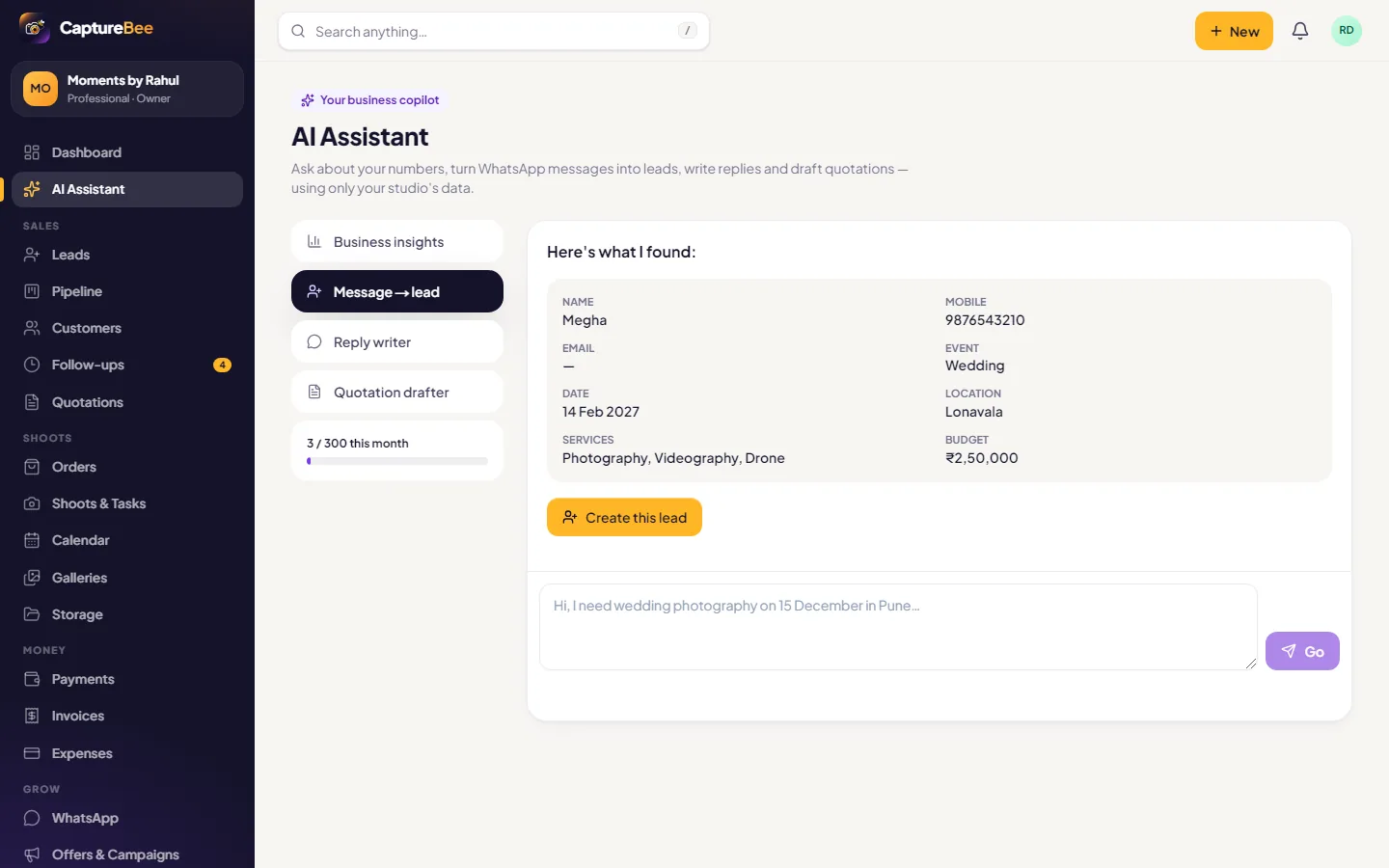
You can do the same from the Add lead form with Paste a message instead. Always check the result — the AI is good at this, but names and dates in messages can be ambiguous. More on capturing every enquiry in managing photography enquiries.
2. Reply writer
The problem: you know what you want to say, but writing a warm, professional reply after a 12-hour shoot day is hard.
What the AI does: paste what the client said (or describe what you want to say), and it writes one ready-to-send WhatsApp reply: warm and professional, short paragraphs, under about 90 words, with at most a couple of tasteful emoji and no placeholders like [Name]. It asks for missing details — date, venue, services — when they're relevant, and it never promises prices or availability you haven't given it.
Copy the reply, adjust it to sound like you, and paste it into WhatsApp.
3. Follow-up writer
On any lead's page, the AI assistant panel offers Draft follow-up for a lead that's gone quiet. It considers what the lead enquired about, their event and date, their stage and how many days it's been, and writes a gentle follow-up of about 70 words — friendly, not pushy, offering help or a call.
There's also Draft reply on the lead, which writes a reply using that lead's details and your services.
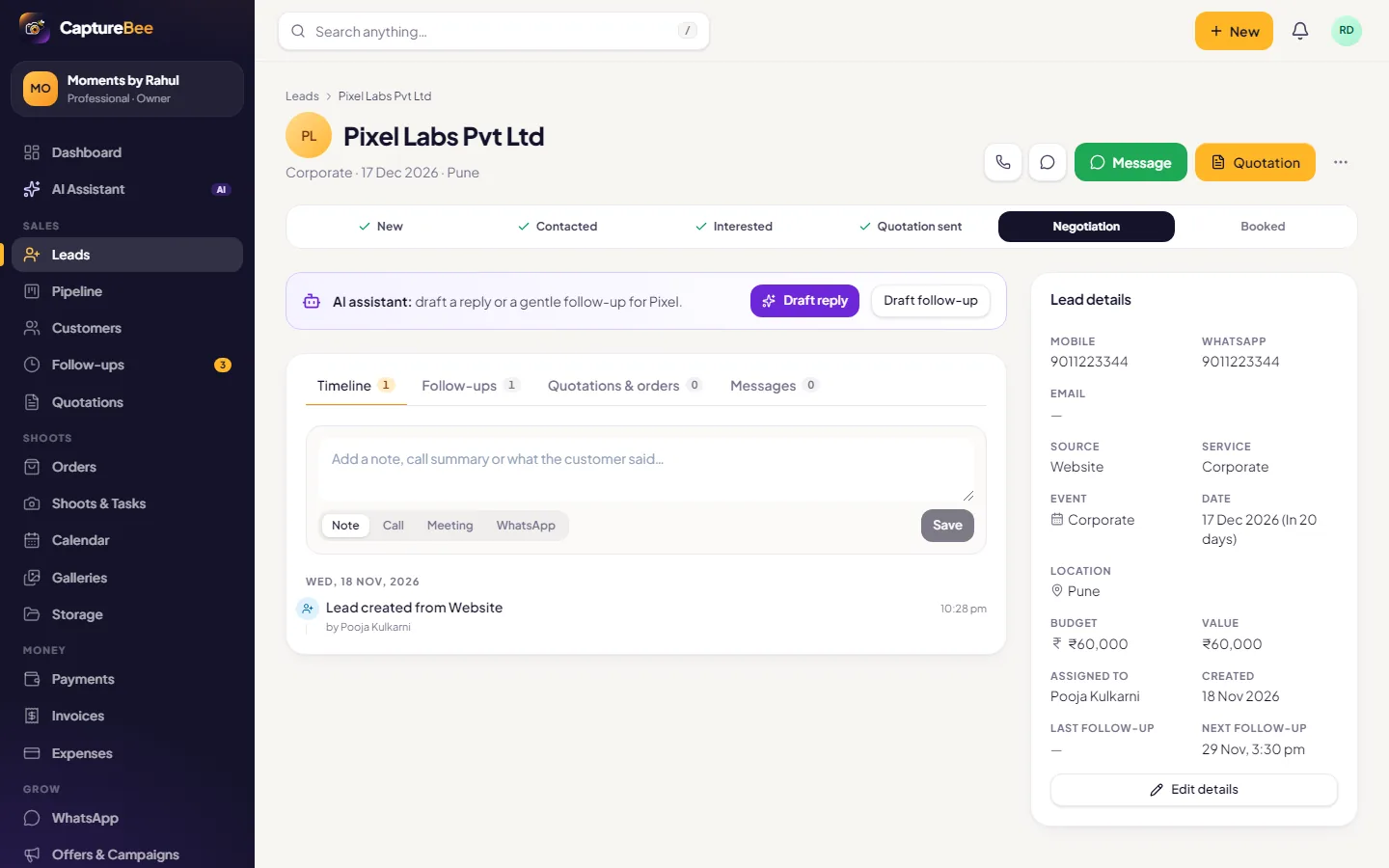
Follow-up timing itself is handled by automations; the AI helps with the words.
4. Quotation drafter
The problem: building a quotation for an unusual request takes time — which services, how many days, what quantities.
What the AI does: describe the event in a sentence — "2-day wedding in Pune, candid + cinematic video + drone, plus a pre-wedding shoot" — and it drafts quotation items using your own services and packages and your prices. It doesn't invent services you don't offer.
From the assistant page, review the draft and open the quotation builder. Inside the quotation builder itself, Draft with AI fills the items straight into the quotation. Either way, you check quantities, rates and discounts before anything is sent.
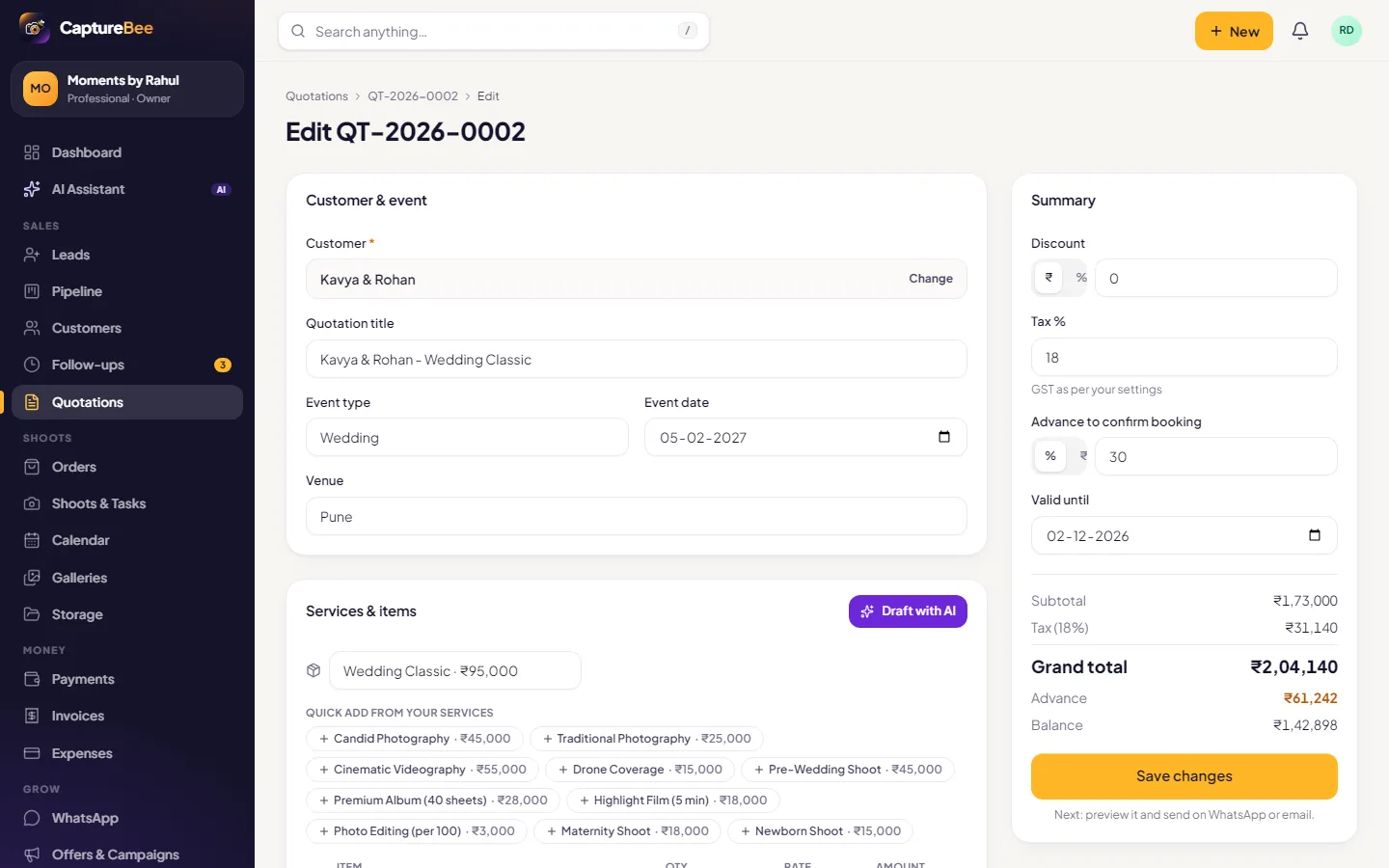
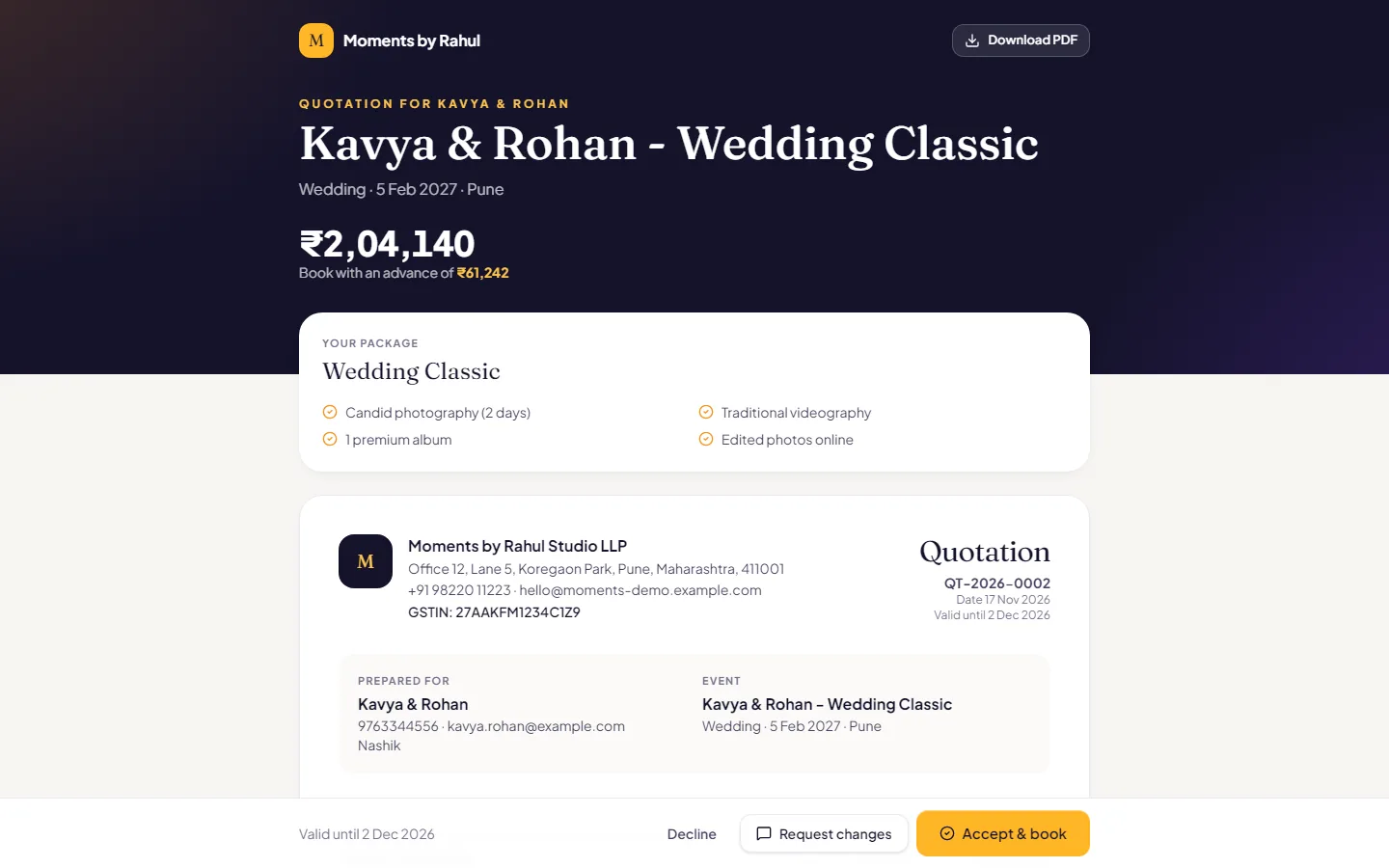
Then send it as an online quotation the couple can accept — see wedding photography quotations clients accept online.
5. Business insights
The problem: you want a quick answer about your business — and the numbers are spread across payments, orders and leads.
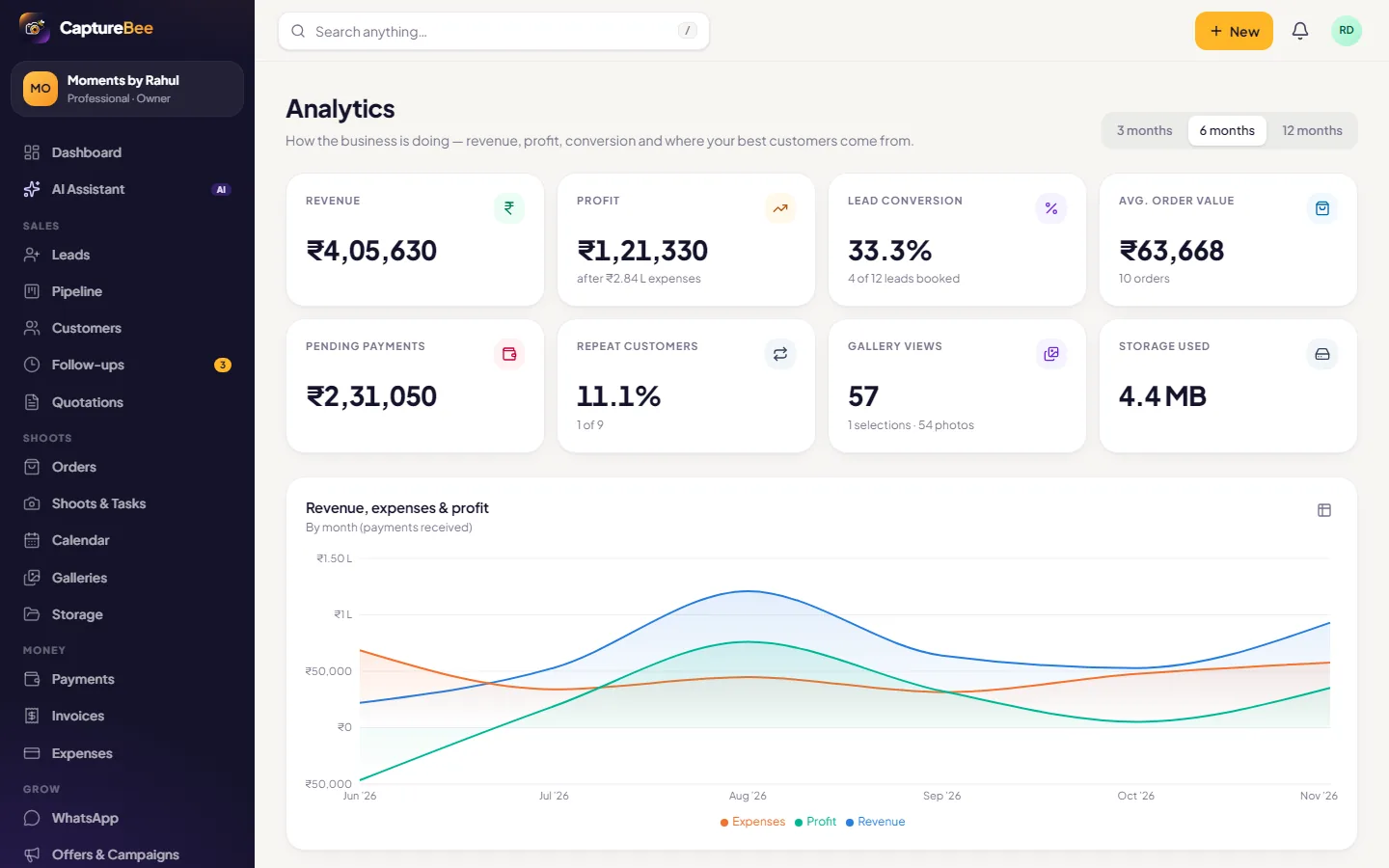
What the AI does: ask a question in plain English. It answers only from a summary of your own studio's data — revenue, top services, orders, pending payments — formats rupees the Indian way, keeps it short, and ends with one practical suggestion. If the data can't answer the question, it says so and suggests what to start tracking.
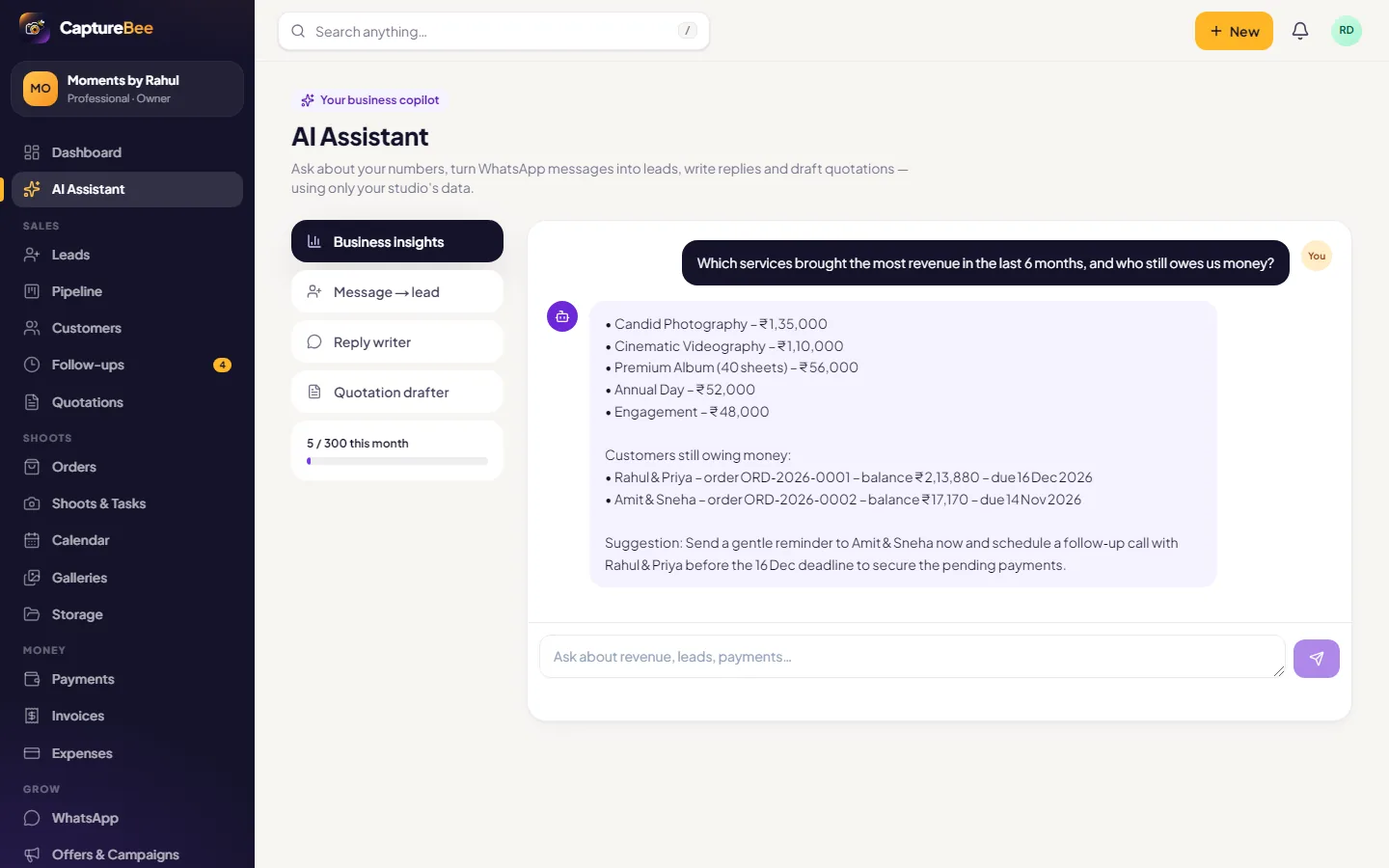
Questions that work well:
- "Which services brought the most revenue in the last six months?"
- "Who still owes us money, and how much?"
- "How many leads did we get this month, and how many booked?"
- "Which lead source converts best?"
- "What was our average order value this year?"
For the full picture, the analytics page shows the same numbers as charts — see know your numbers.
Getting good results
AI output is only as good as what goes in. A few habits help:
- Give it the whole message. For Message → lead, paste the full client message, not a summary.
- Be specific in quotation requests. "2-day wedding, Pune, 400 guests, candid + traditional + video, 1 album" drafts better than "wedding package".
- Keep services and packages up to date. The quotation drafter uses them; outdated prices produce outdated drafts.
- Edit the tone. Treat replies as a strong first draft. Add the one personal line only you can write.
- Check facts every time. Dates, phone numbers and amounts — always.
Privacy and your clients' data
Your clients trust you with personal information and family photos. A few points about how the assistant handles data:
- It only receives the specific data a task needs — a lead's details, your services and packages, or a numbers summary.
- It never receives other studios' data.
- It never sees your photos — the assistant works with text and numbers only.
- Nothing is sent to your clients by the AI. You decide what to use.
What the AI won't do
To be clear about the limits:
- It doesn't send messages to clients — you do, from your own WhatsApp.
- It doesn't confirm bookings, change prices or give discounts.
- It doesn't read your WhatsApp chats — you paste what you want it to read.
- It doesn't edit or cull photos.
What the drafts look like
Here are typical inputs and the kind of drafts the assistant produces. Your results will vary with your own services, prices and the client's words — and you should always edit them to sound like you.
A reply to a price-only enquiry
Client's message: "Hi, what are your charges for wedding photography? Wedding is in Nashik in March."
A draft reply:
Hi! Thank you for reaching out, and congratulations on the wedding! 🎉 We'd love to hear more so we can share the right options. Could you tell us the exact date in March, which functions you'd like covered, and whether you're looking for photography only or video too? We'll send you a personalised quotation right away.
Notice what it does: it doesn't invent a price, it asks for the three things you need, and it's short enough to read on a phone.
A follow-up for a lead gone quiet
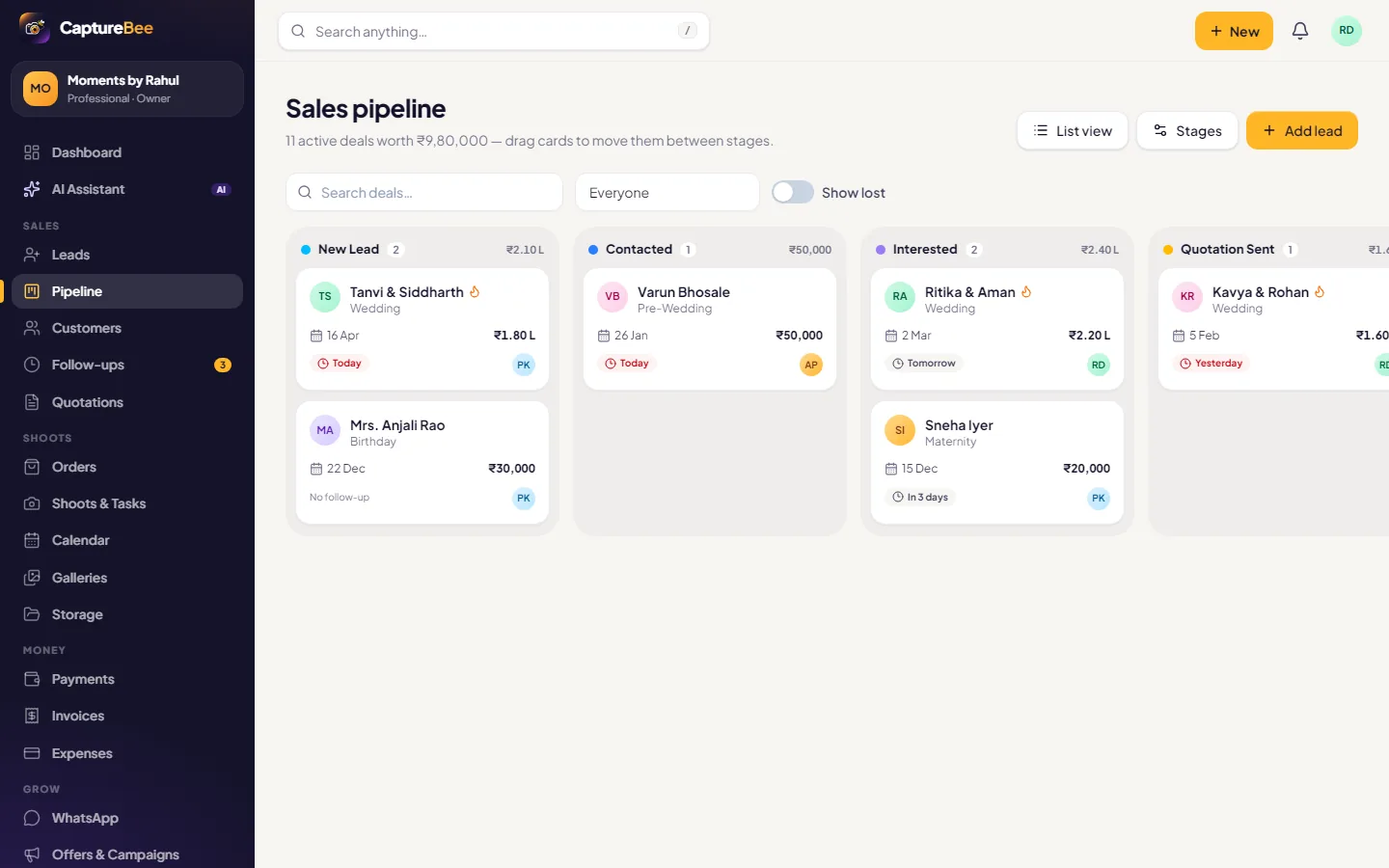
Lead: Tanvi & Siddharth, wedding on 16 April, quotation sent, no response for 5 days.
A draft follow-up:
Hi Tanvi, hope the wedding planning is going well! Just checking whether you had a chance to look at the quotation for 16 April. Happy to adjust anything or hop on a quick call if that's easier. 😊
A quotation draft
Description: "Pre-wedding shoot in Lonavala, half day, two outfits, with a 1-minute reel."
A draft (from the studio's own services):
| Item | Qty | Rate |
|---|---|---|
| Pre-wedding shoot | 1 | ₹45,000 |
| Highlight film / reel | 1 | ₹18,000 |
You'd then decide whether the full highlight-film rate is right for a 1-minute reel, adjust it, and add travel per your terms. The draft saves the typing; the pricing decision stays yours.
A business question
Question: "How many leads did we get this month and how many booked?"
A typical answer: a short summary with the number of leads, the number booked, the conversion rate, the top source — and one suggestion, such as following up with the leads still in Quotation Sent.
A week with the AI assistant
Here's how a photographer might use the assistant across a normal week — a few minutes at a time.
Monday: Three enquiries came in over the weekend on Instagram and WhatsApp. Each message goes through Message → lead: three leads created in two minutes, with dates and budgets filled in.
Tuesday: One couple asked a long question about destination coverage. The reply writer drafts a clear answer; the photographer adds a line about a Goa wedding they shot last year.
Wednesday: A corporate client wants a quote for a two-day conference. The quotation drafter turns a one-line description into items from the studio's corporate services; the photographer adjusts quantities and sends it.
Thursday: Two leads have gone quiet. On each lead's page, Draft follow-up writes a gentle note.
Friday: Before planning the next month, the photographer asks: "Which services brought the most revenue in the last six months, and who still owes us money?" — and sends two payment reminders straight away.
Total time with the assistant: maybe 20 minutes. Time saved: a couple of hours of typing and digging.
Prompts that work
The assistant is designed for photography studios, so you don't need special prompt tricks. But clear inputs get better drafts.
For Message → lead
- Paste the client's whole message, including their signature line with the phone number.
- If the message is split across several chat bubbles, paste them together.
For the reply writer
- Paste what the client said, then add your goal on a new line: "Goal: ask for the venue and suggest a call."
- If there's something the reply must include, say it: "Mention that we're free on the 14th."
For the quotation drafter
- Include the event type, number of days or hours, the city, and every service: "2-day wedding in Pune, 400 guests, candid + traditional photography both days, cinematic film, drone for the wedding, 1 album of 40 sheets."
- Mention anything unusual: "destination — travel at actuals."
For business insights
- Ask one question at a time.
- Name the period: "this month", "last 6 months", "this year".
- Ask for what you'll act on: "Who owes us money?" is more useful than "How are we doing?".
Myths about AI for photographers
"AI will reply to my clients and sound like a robot." Not here. Nothing goes to clients unless you send it, and you edit every draft. The drafts are written to sound warm and short — but your personal line is what makes them yours.
"AI will make up prices." The quotation drafter uses your own services and packages. If you don't offer something, it shouldn't appear — and you check every draft anyway.
"I need to be technical to use it." You paste text and read a draft. That's it.
"It's only for big studios." Solo photographers benefit the most — they're the ones doing every reply, every quote and every follow-up themselves.
"It will replace my creative work." The assistant handles business text and numbers. Your photographs, your edits and your relationships with clients stay entirely yours.
Set up your studio so the drafts get better
The assistant works from your studio's information, so the better that information is, the better the drafts. Ten minutes of setup pays off on every request:
- Business profile — your studio name, city and the services you offer. Replies mention the right studio name and the right kind of work.
- Service price list — every service you offer, with a clear name, price and unit ("per day", "per album"). The quotation drafter picks from these.
- Packages — with descriptions and inclusions. Drafts can start from a package instead of individual items.
- Archive old packages and switch off services you no longer offer, so they don't appear in drafts.
- Lead details — event type, date, location and budget on each lead. Reply and follow-up drafts use them to sound specific.
- Payments and orders recorded properly — business insights can only answer from what's been recorded.
When not to use AI
Some messages should always be written by you, from scratch:
- Condolences or sensitive family situations — a postponement because of a death in the family, an illness.
- Complaints — a client unhappy with the album or the film deserves your own words, ideally a call first.
- Cancellations and refunds — the wording has financial and emotional weight.
- Thank-you notes to close clients — the personal touch is the point.
- Anything involving promises — dates, discounts, delivery commitments.
In these moments, the time saved isn't worth the risk of sounding generic.
A 30-second check before you use a draft
Before any AI draft goes to a client or into your records, check:
- Names — spelled the way the client spells them?
- Dates — the right day, month and year?
- Numbers — phone numbers, amounts and quantities correct?
- Promises — does it promise anything you haven't agreed (availability, discounts, delivery)?
- Tone — does it sound like you? Add one personal line.
It takes half a minute and catches almost every problem.
Using the assistant in a team
The AI assistant is available to anyone whose role includes Use the AI assistant. By default that's owners, admins and managers, plus the Assistant role — the people who handle enquiries and quotations. Crew roles don't have it.
A few practical tips for teams:
- Share one monthly allowance wisely. The assistant page shows the studio's usage for the month. Message → lead and replies are the most valuable uses; save business questions for the owner.
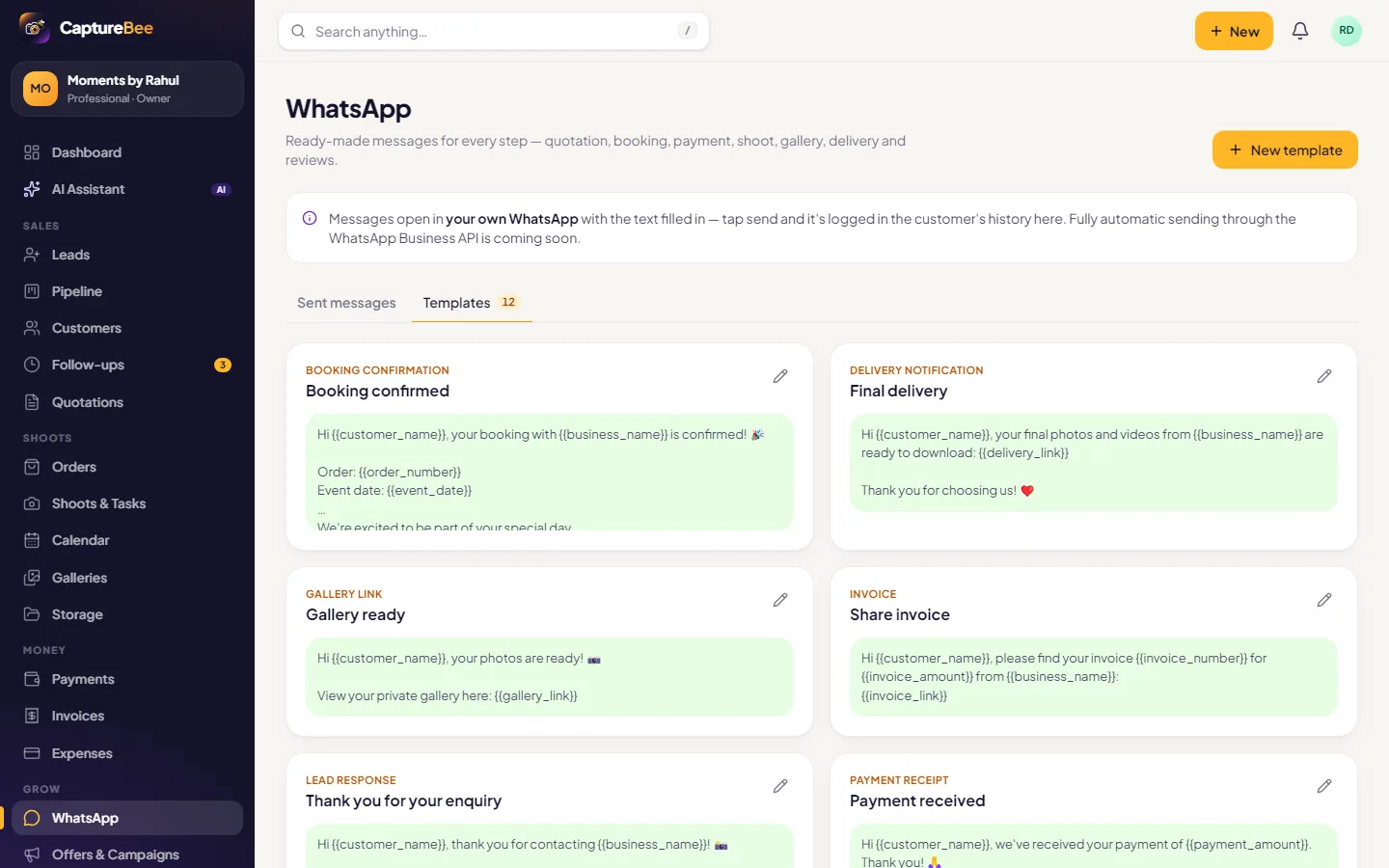
- Agree a house style. Edit drafts to match your studio's tone, and save the best phrasings as templates so everyone uses them.
- Keep the human in charge. Whoever sends a message is responsible for it — the AI only drafts.
Step by step in CaptureBee
- Open AI Assistant from the sidebar.
- Message → lead: paste a client's message, check the details, Create this lead.
- Reply writer: paste what the client said, copy the draft into WhatsApp.
- Quotation drafter: describe the event, review, open the quotation builder.
- Business insights: ask a question about your numbers.
- On a lead's page, use Draft reply or Draft follow-up.
- Watch your monthly allowance on the assistant page.
A real-world example: from Instagram DM to booking
Here's how one enquiry might travel from a late-night message to a booking, with the assistant doing the typing.
11:20 pm. Megha sends a long Instagram message about her sister Aditi's wedding in Lonavala: three functions over two days, candid photos, a cinematic film, drone, a budget of around ₹2.5 lakh, and her phone number at the end.
11:22 pm. The photographer pastes the message into Message → lead. The assistant fills in Megha's name and number, the wedding date, Lonavala, the services and the ₹2,50,000 budget. One check, one tap: the lead is saved, with Instagram as the source.
9:05 am. On the lead's page, Draft reply writes a warm first message asking for the exact functions, the venue and the guest count. The photographer adds a line about a Lonavala wedding they shot last winter and sends it from WhatsApp.
12:30 pm. Megha replies with details. The photographer opens the quotation builder from the lead, and Draft with AI turns "2-day destination wedding in Lonavala, mehendi + haldi + wedding, candid photography both days, cinematic film, drone for the wedding, 1 album" into items from the studio's own services. The photographer adjusts the drone to one day, adds travel at actuals per the studio's terms, checks the total against the budget, and sends the quotation link.
Day 3. No reply yet. Draft follow-up writes a gentle check-in; the photographer sends it.
Day 4. Megha's family accepts the quotation online and pays the advance.
Total time spent typing: a few minutes. Every decision — the price, the drone, the travel terms, the personal line about Lonavala — was still the photographer's.
Is it worth it? A simple check
A quick way to judge whether the assistant earns its place in your week:
- Count your typing. How many enquiries, replies, follow-ups and quotations do you write in a typical week during the season? For many photographers it's 30–60 messages and 5–10 quotations.
- Estimate the time. Reading a long message and entering a lead takes 3–5 minutes by hand; a thoughtful reply 5 minutes; a custom quotation 15–20 minutes.
- Compare with drafts. With the assistant, most of these become a minute of checking and editing.
Even a conservative estimate — saving two minutes per message and ten per quotation — adds up to a couple of hours a week in peak season. That's time for one more edit, one more call with a couple, or one more evening off.
Try it with a week's real enquiries during your free trial and judge from your own numbers.
Quick checklist
- Your business profile, services and packages are up to date
- Long client messages go through Message → lead
- Replies and follow-ups start as drafts, then get your personal line
- Quotation drafts are checked for quantities, rates and travel terms
- Names, dates, numbers and promises are checked before anything is sent
- Sensitive messages — complaints, cancellations, condolences — are written by you
- Business questions are asked one at a time, with a period
- The monthly allowance is used where it saves the most time
Frequently asked questions
Does CaptureBee's AI use my clients' data to train models?
The assistant sends only the specific data a task needs, from your own studio, to generate a suggestion. It doesn't share your data with other studios.
Can the AI reply to my clients automatically?
No. Every result is a draft that you review and send yourself.
Is the AI included in every plan?
The AI assistant and its monthly request allowance depend on your plan. See pricing.
Can the AI write in Hindi or other languages?
The assistant writes in the language you use with it. For client messages in another language, give it the client's message and check the result carefully.
What if the AI gets a detail wrong?
Edit it before saving or sending. Always check names, dates, phone numbers and amounts.
Does the AI see my photos?
No. It works only with text and numbers — never your photos.
A helpful assistant, not a replacement
The best use of AI in a photography business is to take away the typing and the digging, so your time goes to the parts only you can do: the conversation with the couple, the creative decisions, the photographs. Used that way — grounded in your own data, with you checking every draft — it saves hours every week.
Start a free CaptureBee trial and try the AI assistant with your next enquiry. Read next: know your numbers and the complete guide to running a photography business.