Ask a busy photographer why a booking slipped away, a payment came late or a review was never written, and the answer is almost always the same: "I forgot." Not because they don't care — because in wedding season you are shooting four days a week, editing at night and answering WhatsApp in between. Memory is the first thing that breaks.
Automation is not about replacing the personal touch that clients pay you for. It is about making sure the boring, important things — follow-ups, reminders, review requests — happen on time, every time, without you having to remember them.
This guide explains what a photography studio should automate (and what it shouldn't), walks through six simple rules that cover most of the booking lifecycle, shows how to tune them and create your own, and explains how CaptureBee automations run them for you.
What to automate — and what to keep personal
A useful rule of thumb: automate the reminder, keep the relationship.
Good things to automate:
- Remembering to follow up on a quotation
- Noticing that a lead has gone quiet
- Reminding you before a balance payment is due
- Nudging a client who hasn't submitted their photo selection
- Asking for a review after delivery
- Reminding the crew the day before a shoot
- Moving a booking forward when the work moves forward
Things to keep personal:
- The first real conversation with a couple
- Negotiating price or scope
- Anything sensitive — a cancellation, a complaint, a family emergency
- Thanking a family after their wedding
Most CaptureBee automations therefore create a task for you — with the right message ready — rather than messaging the client behind your back. You stay in control of the tone; the system takes care of the timing.
How automation rules work
Every rule has four parts:
| Part | What it means | Example |
|---|---|---|
| Trigger | The situation to watch for | Quotation sent and not answered |
| Wait | How long to wait — or how long before a date | 2 days |
| Action | What to do | Create a follow-up task |
| Template | The message suggested when you act on it | Quotation |
CaptureBee checks your rules every few minutes. When something matches — a quotation sent two days ago with no reply — the action runs once for that quotation. Each rule acts once per item, so nobody gets reminded twice about the same thing, and the rule shows how many times it has run and when it last ran.
The triggers
- Quotation sent and not answered — counts days after sending
- Lead with no activity — counts days since the last activity
- Balance payment due — counts days before the due date
- Gallery shared, selection not submitted — counts days after sharing
- Order completed — counts days after completion
- Shoot coming up — counts days before the shoot
The actions
- Create a follow-up task — appears on your Follow-ups list and calendar, with the suggested template ready when you press Message
- Notify the team — an in-app notification to the people involved
- Email the customer — sends the template by email (if the customer has no email, it creates a follow-up instead)
- Request a review — creates the client's review link, emails it to them, and adds a follow-up so you can also send it on WhatsApp
The six rules every studio should switch on
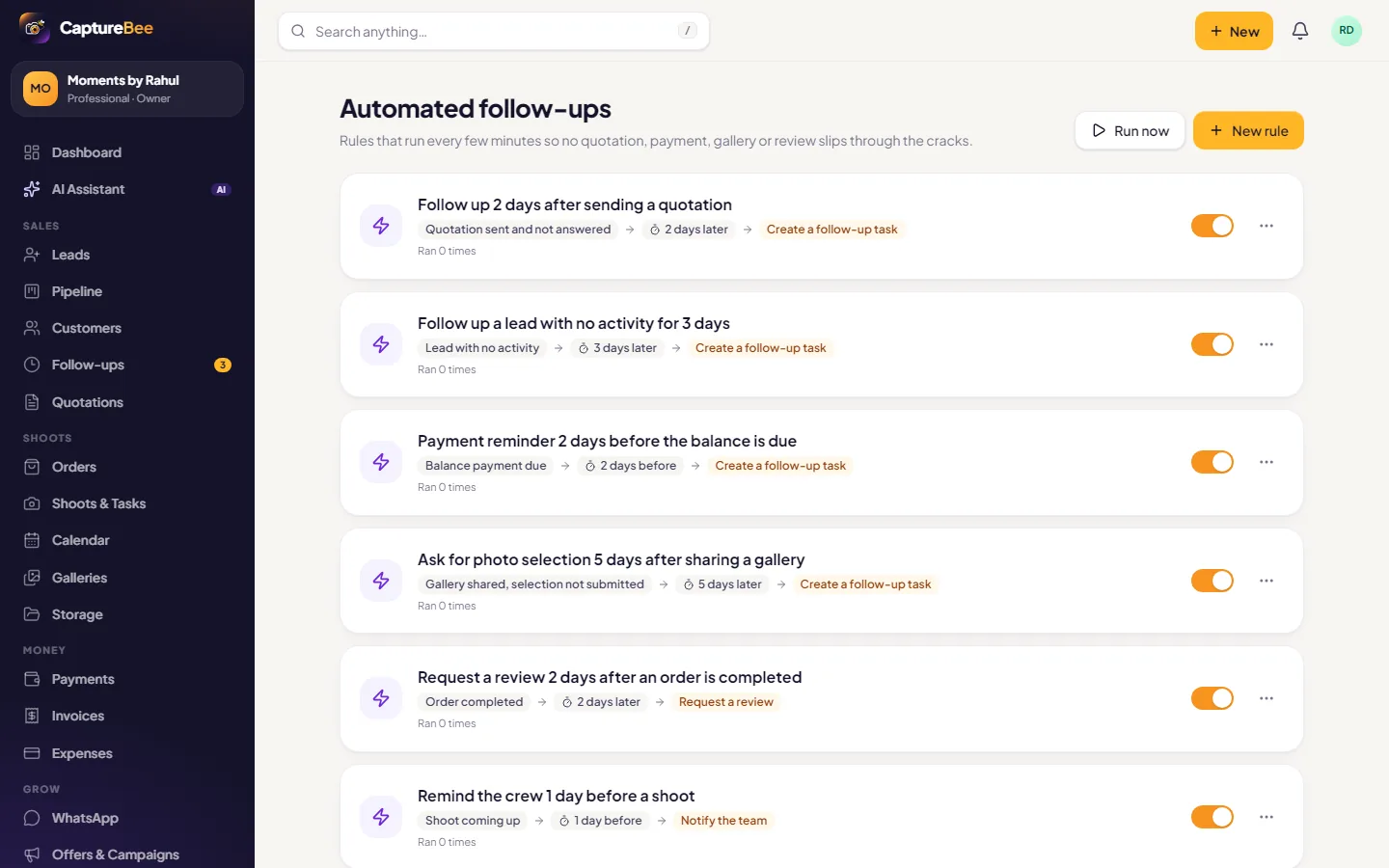
These six are switched on for every new CaptureBee studio. Here's why each one matters and how to tune it.
1. Follow up 2 days after sending a quotation
Trigger: quotation sent and not answered · Wait: 2 days · Action: follow-up task · Template: quotation
Couples compare. A polite follow-up two days after the quotation catches them while they're still deciding — and very often gets the booking. Two days is long enough not to feel pushy, short enough that they haven't booked someone else yet.
Tune it: for corporate clients who take longer, 4–5 days may suit better. For peak-season weddings, keep it at 2.
2. Follow up a lead with no activity for 3 days
Trigger: lead with no activity · Wait: 3 days · Action: follow-up task · Template: enquiry reply
The lead that goes silent after your first reply is the one most often lost. This rule notices silence for you. When it fires, call or message — ask one easy question ("Have you fixed the date yet?") rather than repeating your pitch. More in managing photography enquiries.
3. Payment reminder 2 days before the balance is due
Trigger: balance payment due · Wait: 2 days before · Action: follow-up task · Template: payment reminder
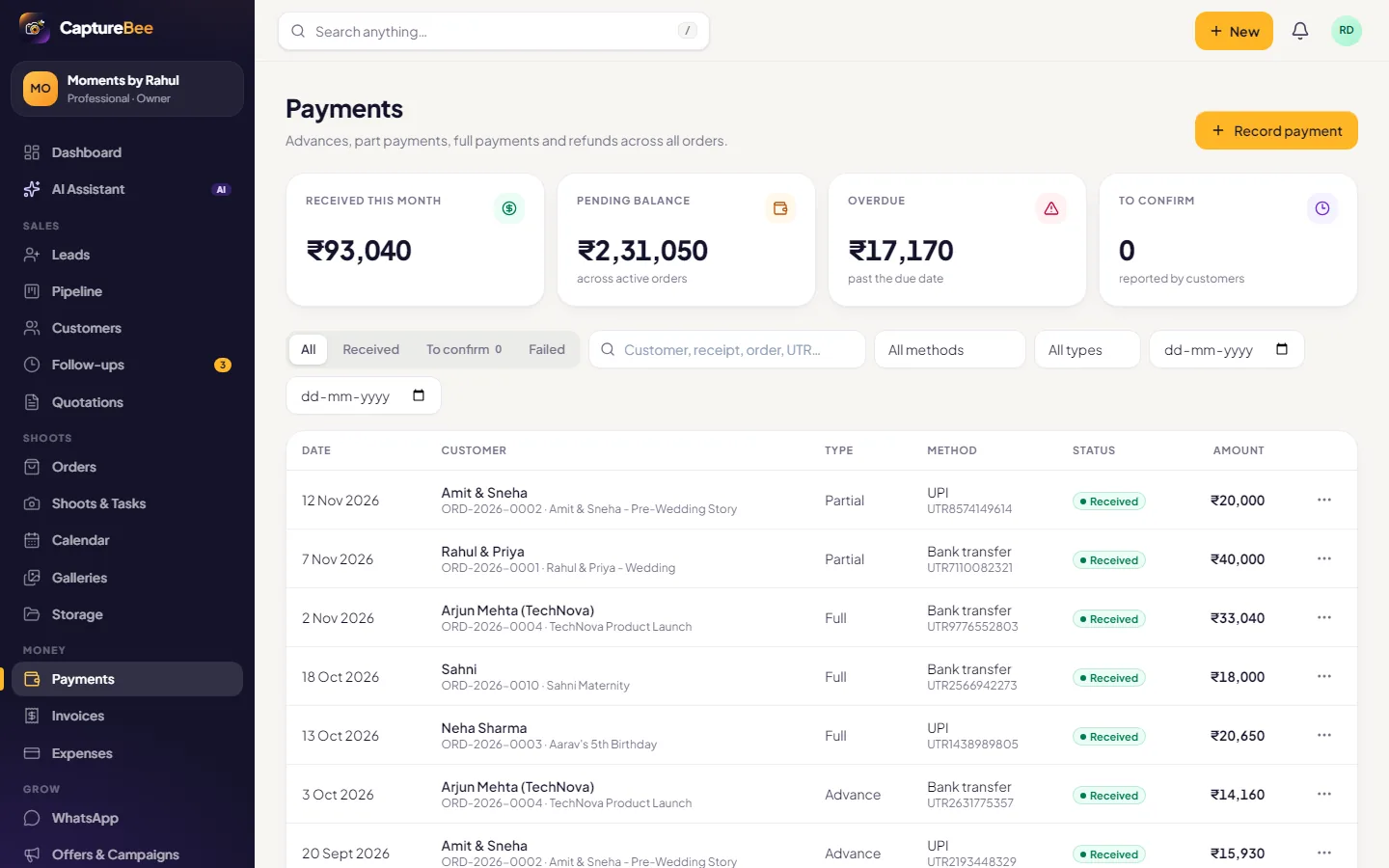
A reminder before the due date feels helpful; a reminder after feels like chasing. The payment reminder template includes the balance, the order number and your UPI and bank details. See collecting advances and tracking dues.
Tune it: for large balances, add a second rule at 7 days before.
4. Ask for photo selection 5 days after sharing a gallery
Trigger: gallery shared, selection not submitted · Wait: 5 days · Action: follow-up task · Template: selection reminder
Selection is where weeks disappear. Five days gives the family time to look through the photos; after that, a friendly nudge with the gallery link and the selection limit keeps the album on schedule. See online photo selection.
5. Request a review 2 days after an order is completed
Trigger: order completed · Wait: 2 days · Action: request a review · Template: review request
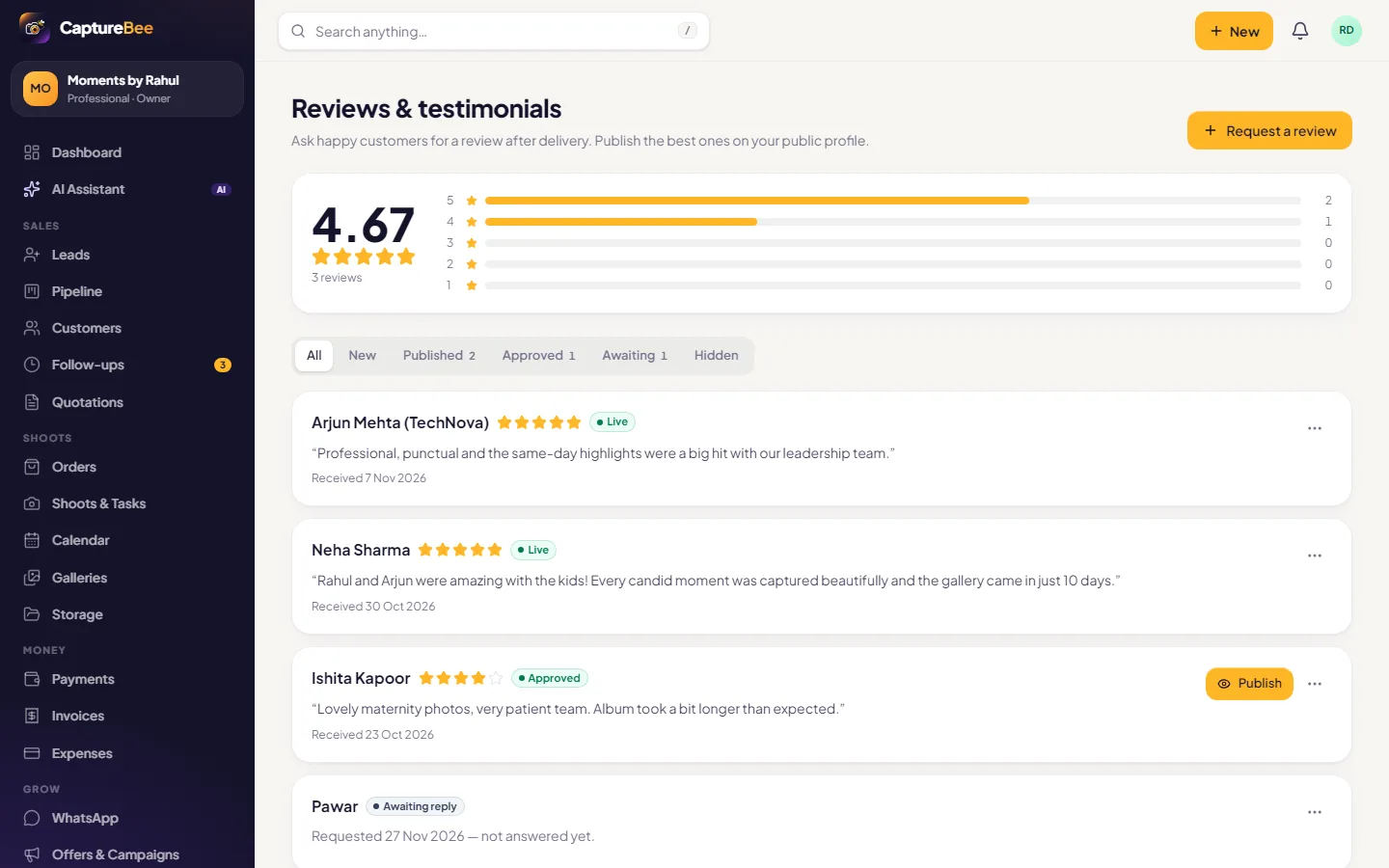
Two days after completion the photos are fresh and the excitement is high — the best time to ask. This rule creates the review link, emails it to the client, and gives you a follow-up to send it on WhatsApp too. See how photographers get more reviews.
6. Remind the crew 1 day before a shoot
Trigger: shoot coming up · Wait: 1 day before · Action: notify the team · Template: shoot reminder
Everyone assigned to the shoot gets a notification the day before. They open the shoot and see the time, venue, map link, crew and gear. It's a good moment for you to send the client the shoot reminder too. See planning multi-day wedding shoots.
Create your own rules
The defaults cover the essentials. Add your own for the way you work. Some ideas:
| Rule | Trigger | Wait | Action |
|---|---|---|---|
| Second quotation follow-up | Quotation not answered | 6 days | Follow-up task |
| Early payment reminder | Balance payment due | 7 days before | Email the customer |
| Last-chance selection nudge | Selection not submitted | 12 days | Follow-up task |
| Client shoot reminder by email | Shoot coming up | 1 day before | Email the customer |
| Long-quiet lead | Lead with no activity | 10 days | Follow-up task |
Each rule can be switched on or off at any time, edited, or deleted. Run now checks all rules immediately — useful after you've changed something.
Tip: Start with the six defaults for a month before adding more. Too many reminders become noise, and noise gets ignored.
Automation without rules: the booking moves itself
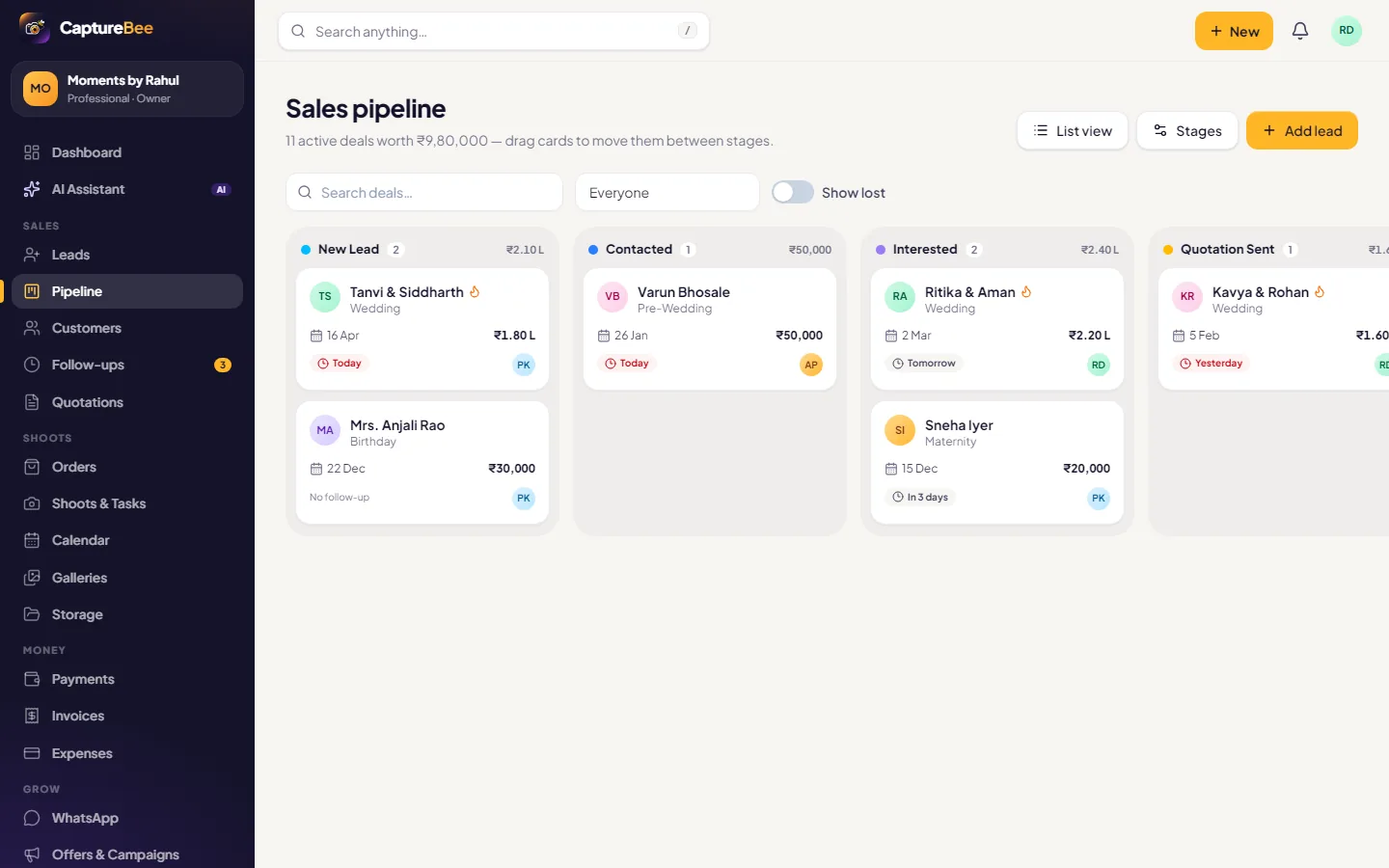
Some of the most useful automation in CaptureBee doesn't need rules at all. As work happens, the order — and its card on your pipeline — moves forward automatically:
| You do this | The order moves to |
|---|---|
| Client accepts the quotation online | Booked (and the lead to Booked) |
| Add the first shoot | Scheduled |
| Complete a shoot | Shoot Completed |
| Upload photos to a gallery | Gallery Pending |
| Share the gallery | Gallery Shared |
| Client submits the selection | Selection Pending |
| Approve the selection | Editing Final |
| Send the final delivery | Delivered |
Orders only ever move forward automatically. If you skip a step — say you share the gallery before marking the shoot complete — the order jumps to where it really is. No more updating statuses by hand, and the pipeline board always shows the truth.
Notifications: what CaptureBee tells you
Alongside rules, CaptureBee notifies you about the moments that need attention — in the app, and by email for the important ones:
- New lead or new enquiry from your public profile
- Quotation viewed, accepted, declined or changes requested
- Payment received, or reported by a client and waiting for confirmation
- Shoot assigned or coming up
- Follow-up due
- Photos uploaded, selection submitted, gallery about to expire
- New review
- Storage nearly full, subscription about to expire
Seasonal campaigns
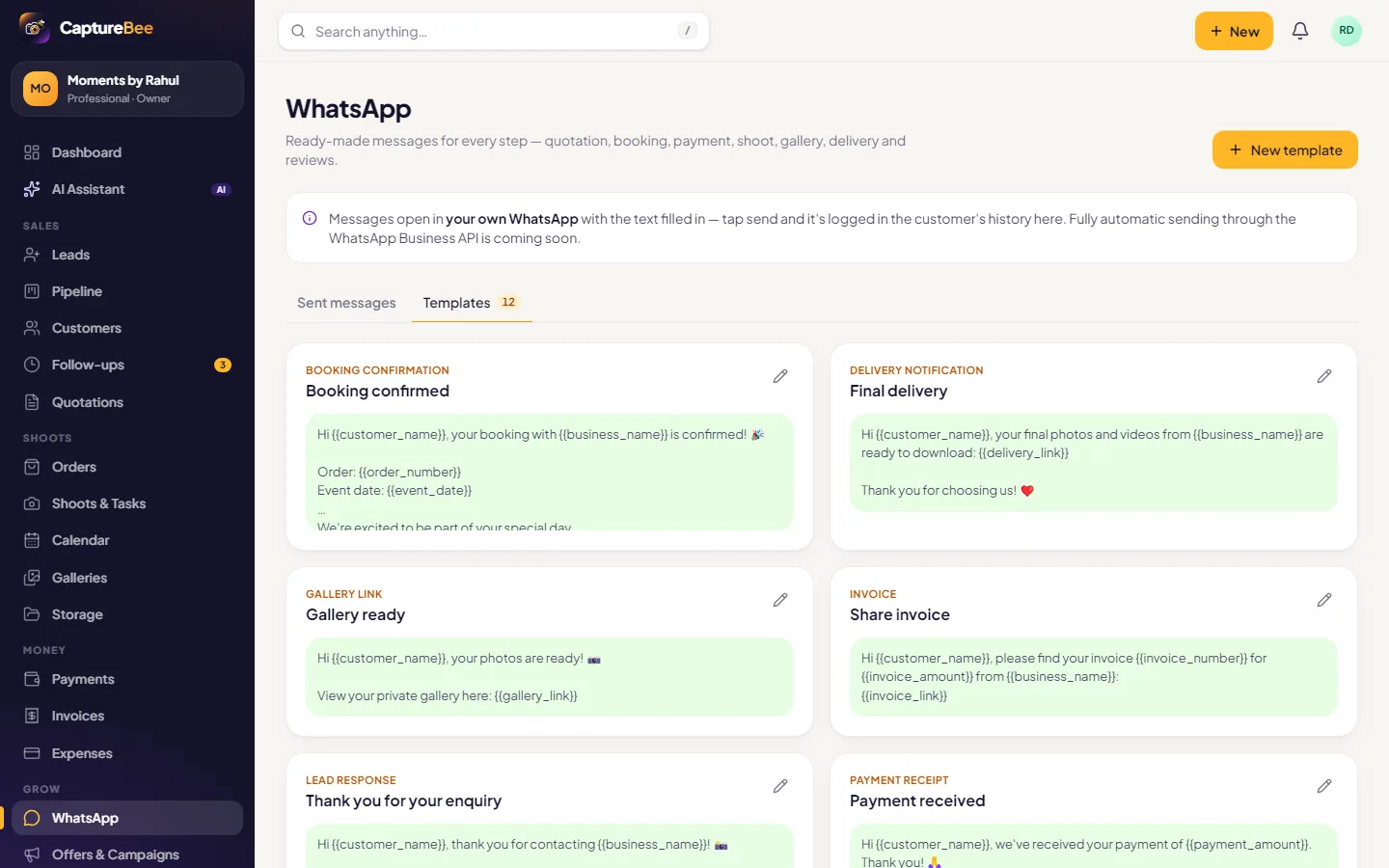
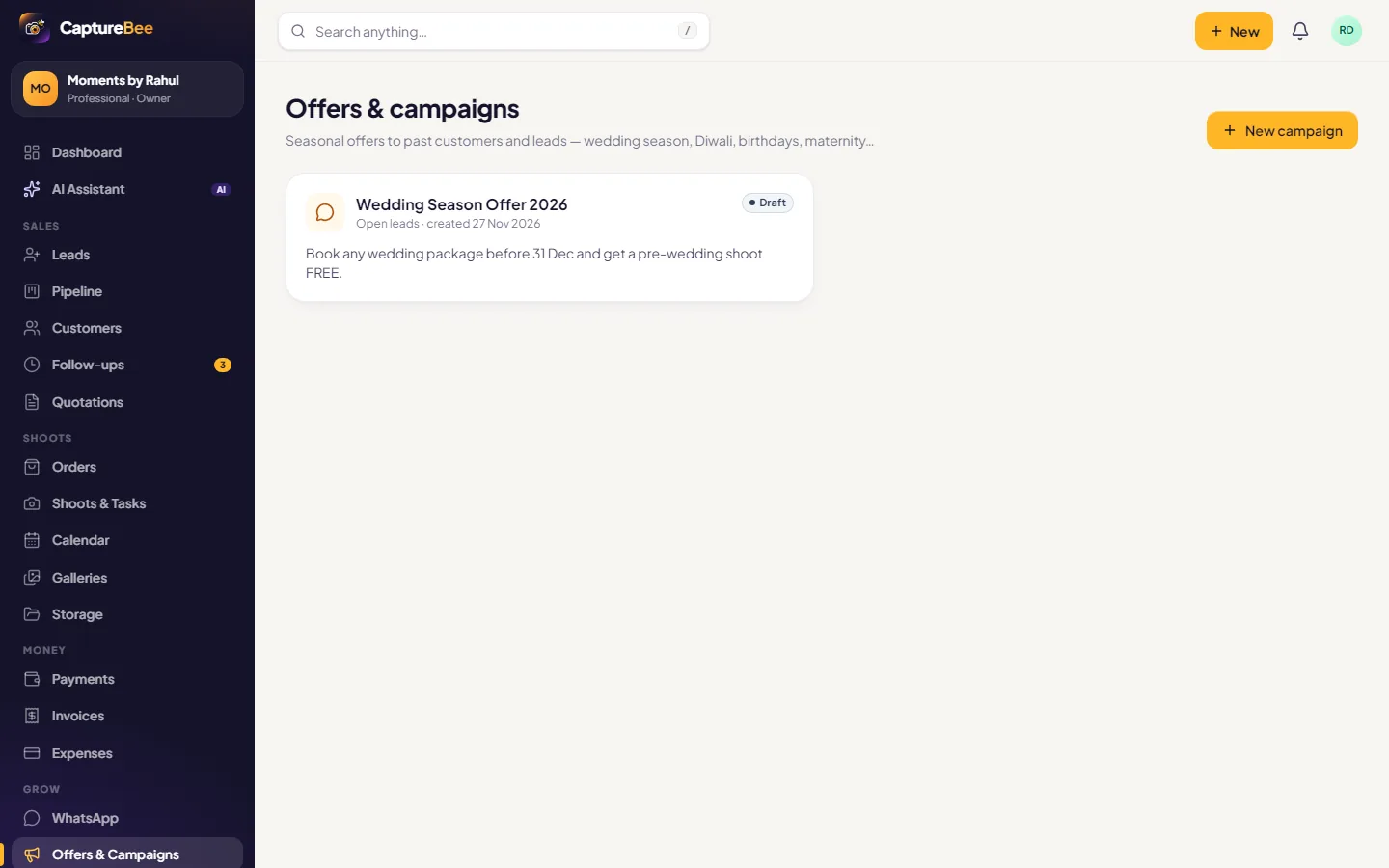
Not everything should be triggered by a single booking. Some messages go to many clients at a planned time: a wedding-season offer, a Diwali greeting with a family-shoot discount, a maternity offer for last year's couples. These are campaigns: choose an audience, write the offer, and schedule an email campaign or work through a WhatsApp list. More in WhatsApp templates for photographers.
A day with automation
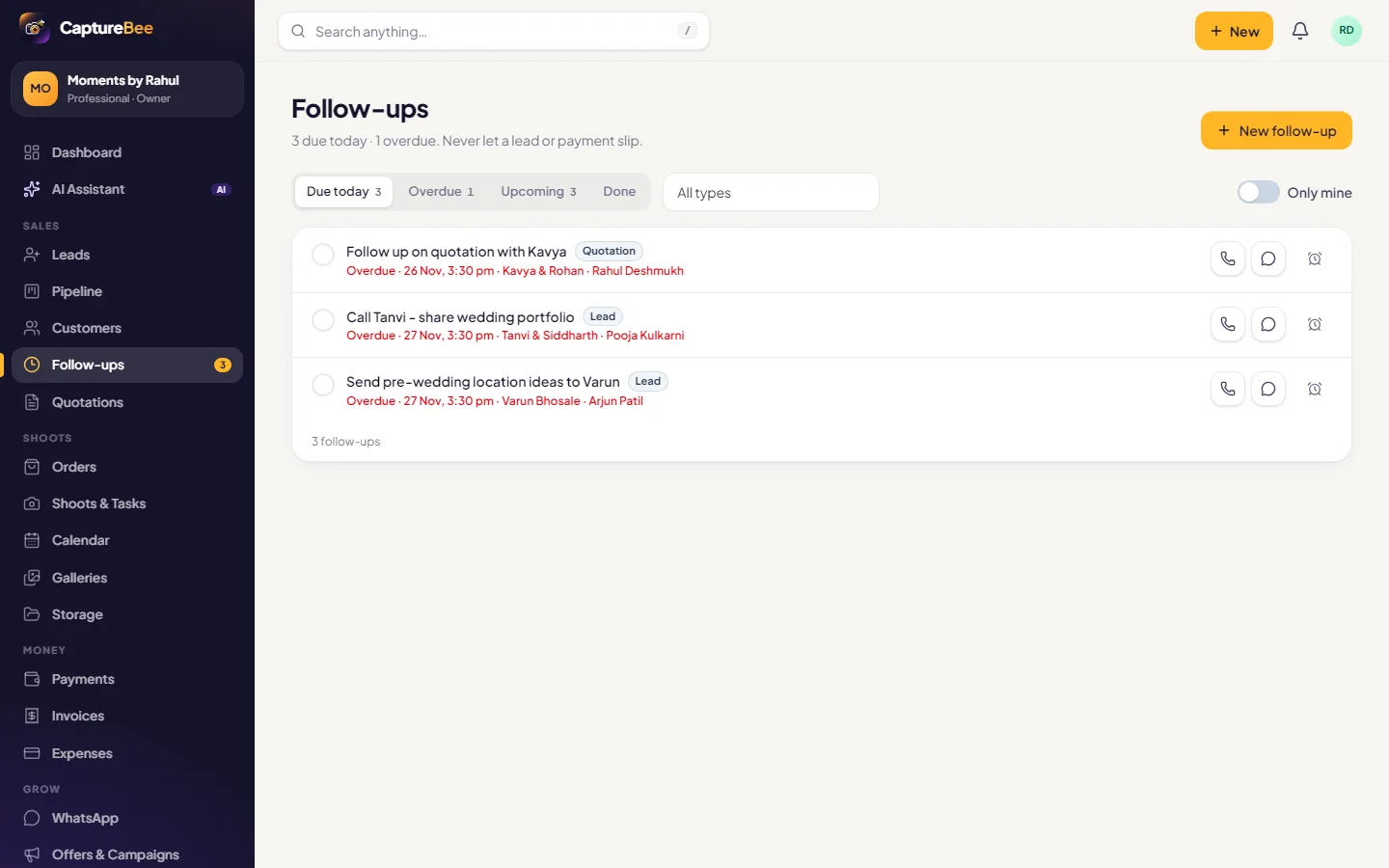
Here's what a Monday looks like once rules are running:
- You open the dashboard: 3 follow-ups due, 1 overdue payment.
- Follow-up 1: Kavya & Rohan's quotation — sent two days ago, viewed six times. You press Message, the quotation follow-up is ready, you add a personal line and send.
- Follow-up 2: Amit & Sneha haven't submitted their selection. One tap sends the selection reminder with the gallery link.
- Follow-up 3: Tanvi's lead has been quiet for three days. You call instead.
- The overdue payment shows in Who owes money. You send the payment reminder with UPI details.
- Your crew already got Tuesday's shoot reminder last night.
Ten minutes, nothing forgotten.
Automation recipes for different studios
The right set of rules depends on the kind of work you do. Here are starting points for four common types of photography business.
The solo wedding photographer
You do everything yourself, so reminders are your assistant.
| Rule | Trigger | Wait | Action |
|---|---|---|---|
| Quotation follow-up | Quotation not answered | 2 days | Follow-up task |
| Second quotation follow-up | Quotation not answered | 7 days | Follow-up task |
| Quiet lead | Lead with no activity | 3 days | Follow-up task |
| Early balance reminder | Balance payment due | 7 days before | Follow-up task |
| Balance reminder | Balance payment due | 2 days before | Follow-up task |
| Selection nudge | Selection not submitted | 5 days | Follow-up task |
| Review request | Order completed | 2 days | Request a review |
Skip the crew reminder if you shoot alone — or keep it as a reminder for yourself.
The wedding studio with a team
You have crew, an assistant and many weddings at once. The focus is on keeping everyone informed.
- All six defaults, plus:
- Crew reminder 2 days before a shoot (in addition to 1 day before) for large weddings
- Email the customer 1 day before a shoot, using the shoot reminder template, for clients with an email address
- A last-chance selection nudge at 12 days
Make sure leads have owners, so the follow-ups that automations create land with the right person.
The portrait, maternity and newborn studio
Bookings are smaller, faster and more frequent; repeat business is everything.
- Quiet lead after 2 days — portrait clients decide quickly
- Email the customer 1 day before the session with what to wear and bring (a custom template)
- Selection nudge after 3 days — small galleries need less time
- Review request 1 day after completion
- And a regular campaign to past clients: maternity → newborn → first birthday → family portraits
The corporate photographer
Clients are companies; speed and paperwork matter.
- Quotation follow-up after 4 days — corporate approvals take longer
- Payment reminder 3 days before the invoice due date, by email
- Review request after delivery — a LinkedIn-worthy testimonial from the client's marketing team is valuable
What the couple experiences
Automations work behind the scenes, but the client feels the result. Here's a booking from the couple's side, with the rules running quietly in the background:
| When | What the couple receives | What triggered it |
|---|---|---|
| Day 0 | Your reply to their enquiry, within the hour | You, from a follow-up |
| Day 2 | The quotation link | You |
| Day 4 | A friendly check-in about the quotation | Quotation follow-up rule created the task |
| Day 6 | Booking confirmation and receipt | Online acceptance + your one tap |
| 2 days before balance due | A gentle payment reminder with UPI details | Payment reminder rule |
| Day before each function | A shoot reminder with date and venue | You — while the crew gets their reminder automatically |
| After the wedding | Their gallery link | You, when you share the gallery |
| 5 days later | A reminder to pick their photos | Selection reminder rule |
| After delivery + 2 days | A review request by email, then WhatsApp | Review request rule |
To the couple, it feels like a photographer who is organised, attentive and never forgets — which is exactly the impression you want. None of it feels automated, because every WhatsApp message is still sent by you.
When rules meet real life
Bookings rarely go exactly to plan. Here's how rules behave in the situations photographers ask about most.
The client accepted the quotation before the follow-up was due. The quotation is no longer waiting for an answer, so the follow-up rule doesn't fire for it.
The client paid the balance early. Payment reminders are for balances that are still due. Once the order is fully paid, there's nothing to remind about.
The lead was marked lost — or already has a follow-up. A lost lead isn't waiting for a reply, so the quiet lead rule leaves it alone; so does a lead that already has a pending follow-up. Lost leads can still be reached later through a campaign.
The gallery was shared again after changes. Each rule acts once per gallery, so the client isn't nudged twice for the same gallery. If you need another reminder, send it yourself from the gallery — the template is one tap away.
The wedding date moved. Update the shoot dates and the balance due date on the order. Rules that count days before a date — shoot reminders, payment reminders — use the dates as they are when the rule checks, so a reminder that hasn't gone out yet follows the new date. If a reminder already went out for the old date, send the next one yourself.
A follow-up was created but you'd already called. Mark the follow-up done and note the outcome. It keeps the lead's timeline accurate for anyone else on the team.
You don't want a rule for one particular client. Rules apply to all bookings, so for an unusual client, simply mark the follow-up done without sending — or handle them personally from the start.
Is it working? How to tell
Automations are only useful if they change results. Every month, look at a few signals:
- Run counts. Each rule shows how many times it has run. A rule that never runs may have the wrong trigger or wait; one that runs constantly may be too aggressive.
- Your follow-up list. If overdue follow-ups pile up, you have more rules than time — cut back, or assign leads to a teammate.
- Quotation acceptance. Are more quotations being accepted, and faster, since you switched on quotation follow-ups?
- Overdue payments. Is the overdue amount on the payments page smaller than before payment reminders?
- Selection time. Are galleries being submitted sooner?
- Reviews. Are more reviews coming in each month?
Adjust one rule at a time and watch for a few weeks — so you know which change made the difference.
Your first week with automations
- Day 1 — Read the six default rules. They're already on. Check that the waits suit your clients.
- Day 2 — Read the templates they suggest. Edit the quotation, payment reminder and selection reminder templates to sound like you. See WhatsApp templates for photographers.
- Day 3 — Add owners. Make sure every open lead has an owner, so follow-ups land with the right person.
- Day 4 — Set balance due dates on every active order. Payment reminders can't fire without them.
- Day 5 — Add shoots and crew for upcoming bookings, so crew reminders work.
- Day 6 — Work the follow-up list. Notice which tasks are useful and which feel like noise.
- Day 7 — Adjust. Change a wait, switch off a rule you don't need, or add one you wish you had.
After a week, the rhythm is simple: open the dashboard, work through today's follow-ups, and let the rules worry about tomorrow's.
Step by step in CaptureBee
- Open Automations. The six default rules are already on.
- Review each rule's wait and change it to suit your clients.
- Pick the template each rule suggests.
- Add your own rules with New rule.
- Turn rules off you don't need.
- Work your Follow-ups list daily — that's where most rules send their tasks.
Mistakes to avoid
- Automating the relationship. Automate reminders, not conversations.
- Too many rules. Start with six; add only what you'll act on.
- Ignoring the follow-ups list. A task nobody opens is just a notification.
- Reminding after the fact. Payment and shoot reminders work best before the date.
- Updating statuses by hand. Let the order move itself as the work happens.
Writing reminders that don't annoy
Automations decide when a reminder happens. The words decide whether the client feels helped or chased. A few rules for each kind:
Quotation follow-ups should add something — an answer, a sample, a date. "Did you get a chance to look?" works once; the second follow-up should share a relevant highlight film or mention that the date is filling up.
Quiet-lead follow-ups should ask one easy question. "Have you fixed the venue yet?" is easier to answer than "Are you still interested?".
Payment reminders should be specific and friendly, and include how to pay. Mention the amount, the order and the due date, and let {{payment_details}} add your UPI ID and bank details. Never mention delivery being held in the first reminder.
Selection reminders should feel like an invitation, not a chore. "Your photos are waiting for you!" and the selection limit, with the gallery link.
Review requests should be grateful and personal — one specific memory from their event, one link.
Shoot reminders should be reassuring and practical: date, time, venue, and "our team will be there on time".
A good test: read the message as if you were the client, on a busy day, on your phone. Would you feel helped? If not, rewrite it — once — and the automation will send that better version for every booking after.
Automations in the off-season
Quiet months are a good time to let the system work on next season:
- Keep the quiet-lead rule on. Off-season enquiries are often for next winter's weddings; a timely follow-up wins them before peak dates fill.
- Use a longer quotation follow-up (6–7 days) — couples booking far ahead decide more slowly.
- Plan a campaign to past clients and lost leads with an off-season offer — pre-wedding shoots, family portraits, anniversaries.
- Review your rules and templates while you have time: what fired too often, what nobody acted on, what wording could be warmer.
Quick checklist
- The six default rules are on, with waits that suit your clients
- The templates each rule suggests are written in your voice
- Every open lead has an owner and a next follow-up
- Every active order has a balance due date
- Every booking's functions are added as shoots with crew
- You work the follow-ups list every day
- You check run counts and results once a month
- You add new rules one at a time, and only ones you'll act on
Frequently asked questions
Do automations send WhatsApp messages by themselves?
No. Rules create follow-up tasks with the right WhatsApp message ready, notify your team, or email the customer. You send WhatsApp messages yourself in one tap. Automatic WhatsApp sending through the Business API is coming soon.
Will a client get the same reminder twice?
No. Each rule acts once per quotation, lead, order or gallery.
How often do rules run?
Every few minutes, automatically. You can also press Run now.
Can I change the default rules?
Yes. Change the wait, the action or the template, switch any rule off, or delete it and add your own.
Are automations included in every plan?
Automated follow-ups depend on your plan. See pricing.
What's the difference between automations and campaigns?
Automations react to one booking at a time (a quotation, a payment, a gallery). Campaigns send one offer to many people at a time you choose.
Let the system remember
The best photographers aren't the ones with the best memory — they're the ones with a system that remembers for them. Switch on six simple rules, work your follow-ups list for ten minutes a day, and let bookings move forward on their own as the work happens.
Start a free CaptureBee trial — the six rules are on from your first day. Read next: WhatsApp templates for photographers.