Photography is bought on trust. A couple choosing a wedding photographer is trusting a stranger with a day that happens once — and they look for proof that others trusted you and were glad they did. Your portfolio shows you can take beautiful photos. Reviews show you're a good person to work with: on time, calm under pressure, honest about money, and someone who actually delivers the album.
Most photographers have dozens of happy clients and only a handful of written reviews. Not because clients are unhappy — because nobody asked at the right moment, in the right way, with an easy way to say yes.
This guide covers when and how to ask for reviews, what makes a testimonial persuasive, how to handle the occasional critical review, and how to turn reviews into bookings by showing them on a public profile that collects enquiries — with CaptureBee reviews and profile.
Why reviews matter so much for photographers
- Couples compare. When they've shortlisted three photographers with similar portfolios, reviews break the tie.
- Reviews answer the real worries. Will they reach on time? Will the album take a year? Were they good with family? Portfolios can't answer these; reviews can.
- Referrals start with them. Families forward reviews and profile links to the cousin getting married next year.
- They reflect on you. Reading what clients loved — and what they didn't — tells you what to keep doing.
When to ask: timing is everything
The best moment to ask for a review is when the client feels the most gratitude and the least effort:
| Moment | Why it works |
|---|---|
| 2 days after final delivery | They've just seen the finished photos and films — excitement is highest |
| After the album arrives | The physical album is a second emotional peak |
| When they send a thank-you message | They're already saying it — ask them to say it publicly |
| After a corporate event's photos go live | The client's team has just used them |
The worst moment: months later, when the excitement has faded and they have to dig to remember how it felt.
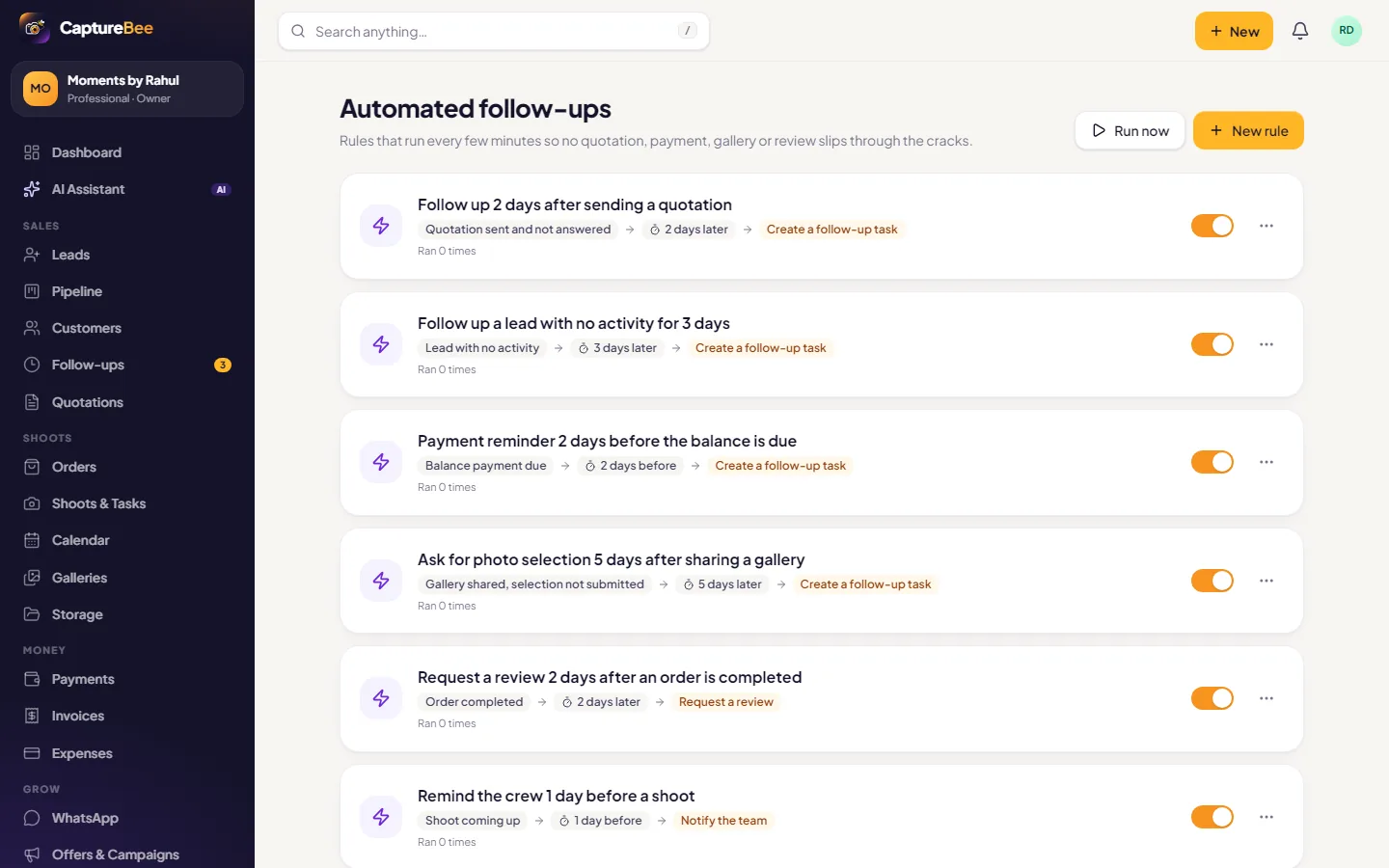
CaptureBee's default automation requests a review two days after an order is completed. It creates the client's review link, emails it, and adds a follow-up so you can send it on WhatsApp too — see automations every photography studio should switch on.
How to ask
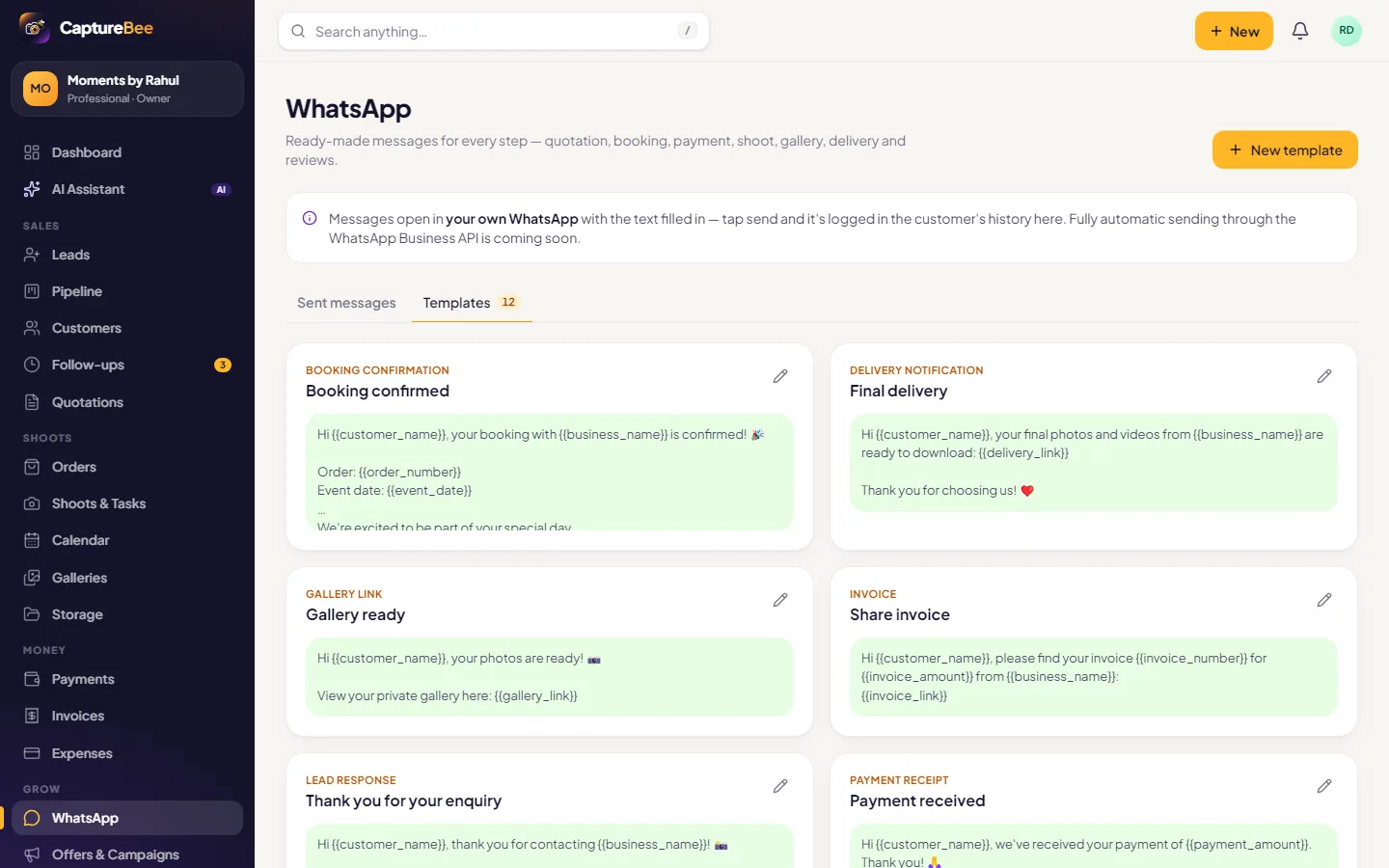
Keep the request short, grateful and personal, with one link and nothing else to do. The default review request:
Hi {{customer_name}}, it was a pleasure working with you! Would you take a minute to share your experience with {{business_name}}? {{review_link}}
A few things that raise the response rate:
- Personalise one line. "It was a pleasure working with you — and your dad's dance at the sangeet is still our favourite shot!"
- Make it easy. One link that opens on a phone, stars and a few words. No account, no login.
- Ask once, remind once. A gentle second nudge a week later is fine. A third is too many.
- Ask the right person. For weddings, often the bride or groom; sometimes the parent who managed everything.
A review page clients actually complete
When the client opens the link, they see a short, friendly page with your logo: How was your experience? — five stars, a box for a few words, their name (already filled in), and an optional favourite photo. That's it. It takes under a minute.
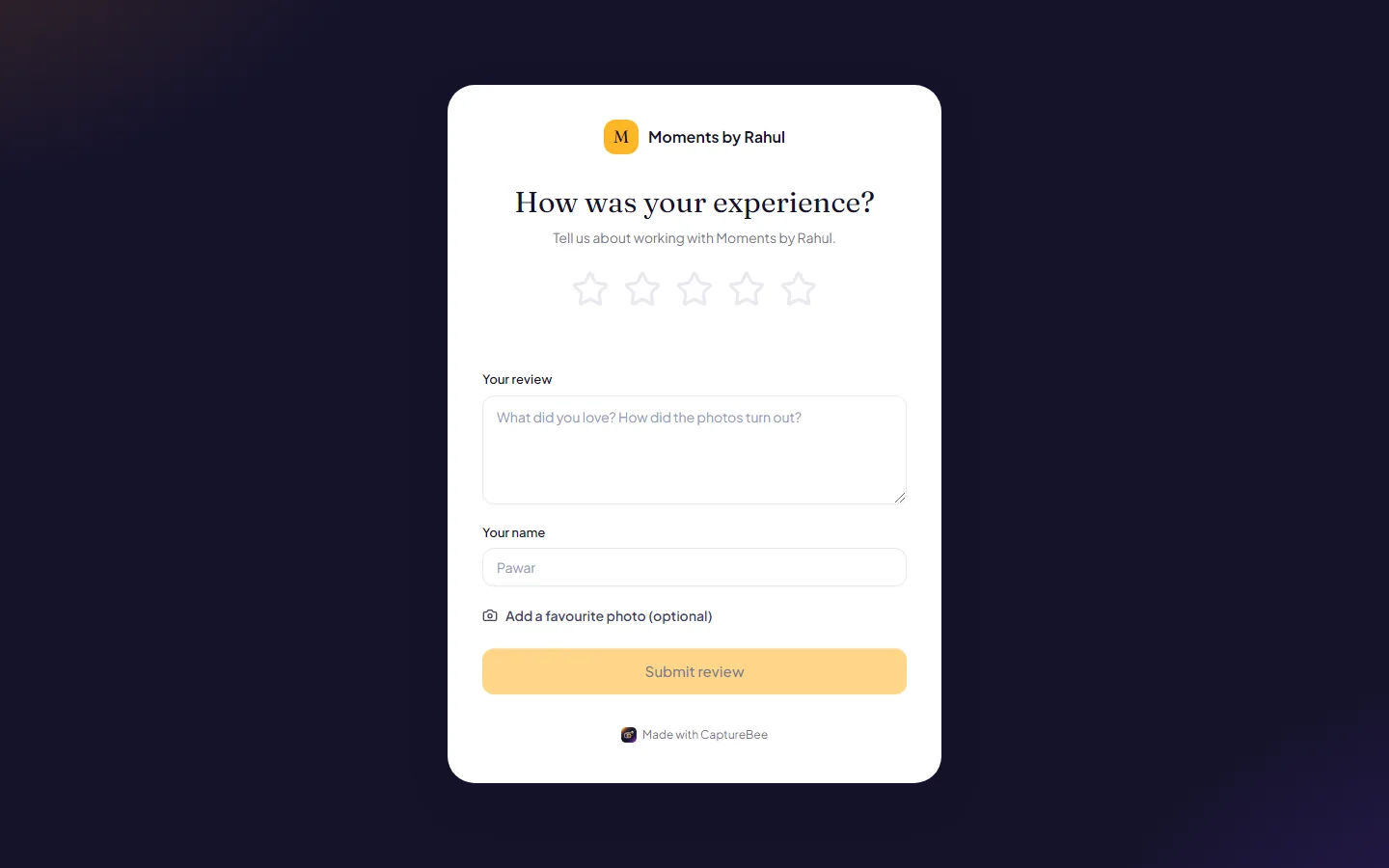
After they submit, they see a warm thank-you — and you get a notification (and an email) about the new review.
Tip: Clients often don't know what to write. In your WhatsApp message, suggest a prompt: "A line about the day, the team or the photos would mean a lot to us."
What makes a testimonial persuasive
Not all reviews are equal. The ones that convince future clients have something specific in them:
- Specific moments. "They captured my grandmother's reaction during the pheras" beats "great photos".
- The fears they overcame. "We were worried about the rain at the haldi — they handled it perfectly."
- The process. "Same-day highlights", "the album came in four weeks", "they were patient with our big family".
- Who's speaking. A name and the event type — "Neha Sharma, birthday" — make it real.
- A photo. A favourite photo next to the review shows the work and the person.
You can't write reviews for clients, but you can make specific reviews more likely by asking a specific question.
Managing reviews
All reviews arrive in Reviews & testimonials, with your average rating, the number of reviews and the spread of stars at the top.
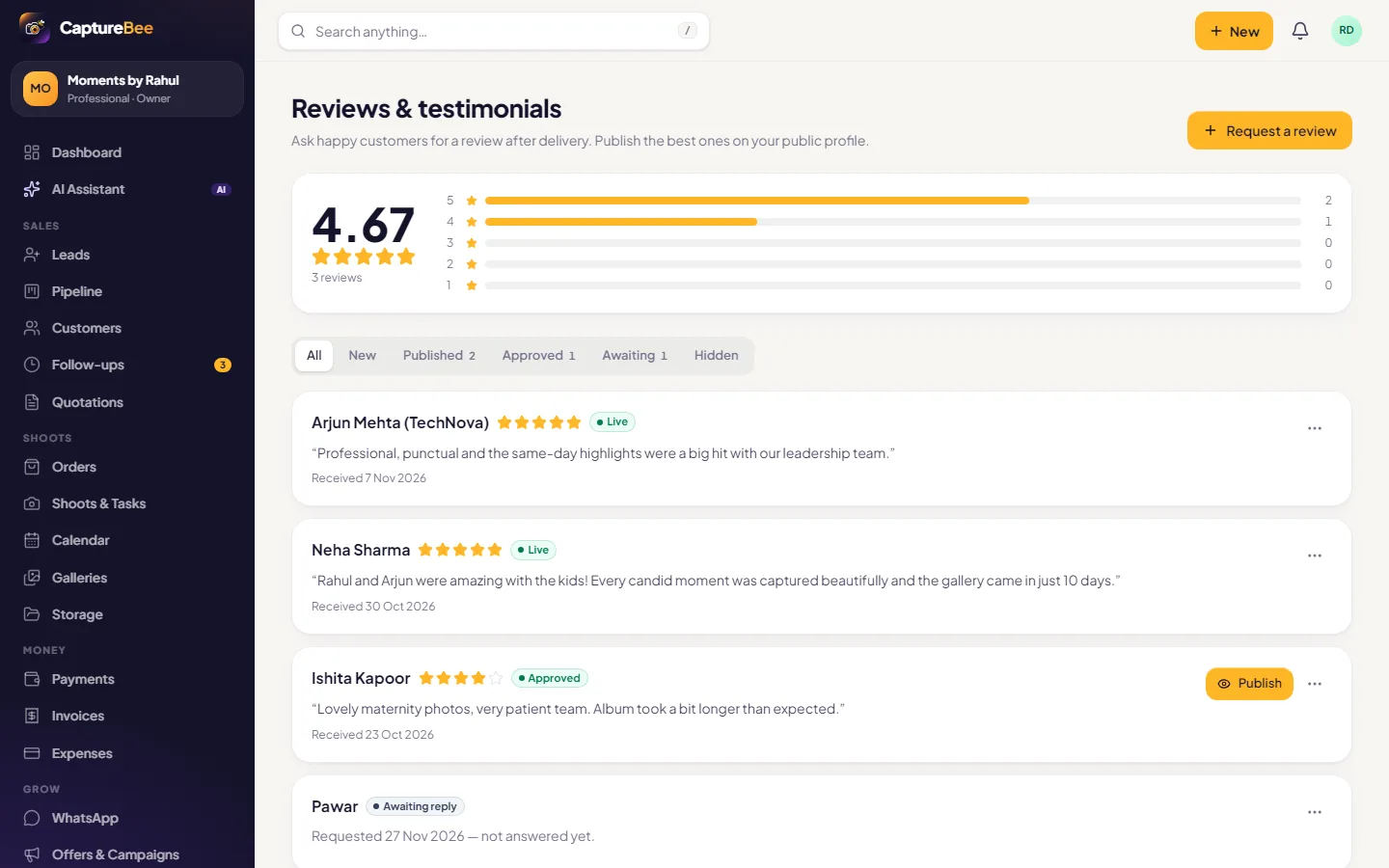
For each review you can:
- Publish it, so it appears on your public profile
- Approve it to keep for later
- Hide it
- Reply to it — a short thank-you or a response to feedback
- Delete it if it's spam
Filter by new, published, approved, awaiting response or hidden to keep on top of them.
Handling a critical review
Sooner or later you'll get a three-star review: the album took longer than promised, or a family member missed a photo with the grandparents. How you respond matters more than the review itself.
- Don't respond in anger. Wait a day.
- Call the client first. Many complaints are resolved with a conversation — and an extra edit or an apology.
- Reply briefly and professionally if you reply in writing: thank them, acknowledge the issue, say what you've changed.
- Fix the cause. If albums are late, the problem is your process, not the review.
You choose which reviews to publish on your profile — but future clients trust a profile with a few honest 4-star reviews more than one with only perfect 5s.
Turn reviews into bookings: your public profile
Reviews are most powerful where future clients are deciding — and that's your public profile: your own page with your story, services, packages and published reviews, plus an enquiry form that sends every enquiry straight into your leads.
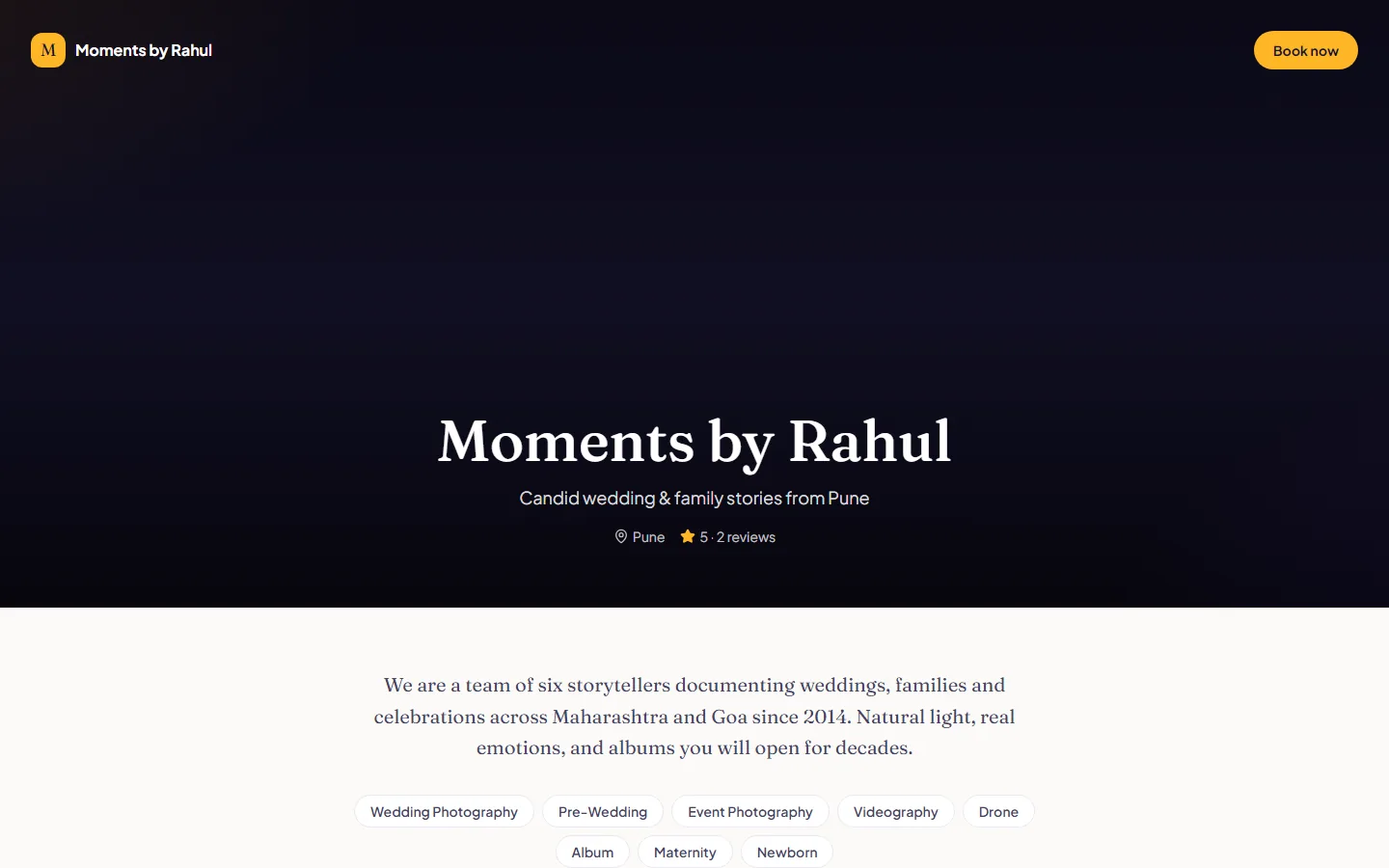
What's on it:
- Cover image, studio name and tagline — "Candid wedding & family stories from Pune"
- Location and rating — with the number of reviews
- About — your story in a few lines
- Services you offer
- Packages — with or without prices — each with an Enquire about this button
- Published reviews — name, stars and their words
- Contact buttons — phone, WhatsApp and Instagram
- An enquiry form — name, mobile, email, event, date, city, package and a message
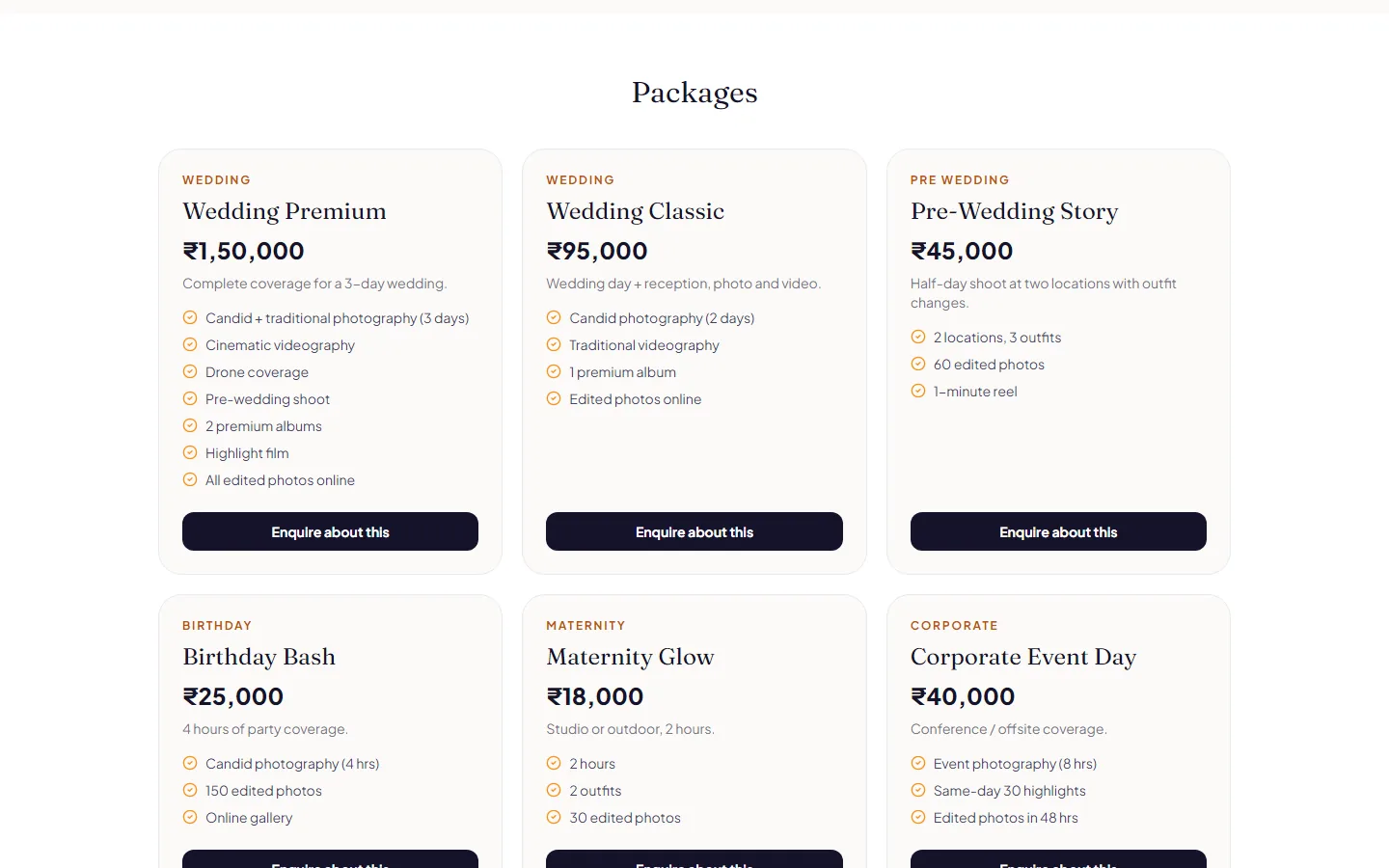
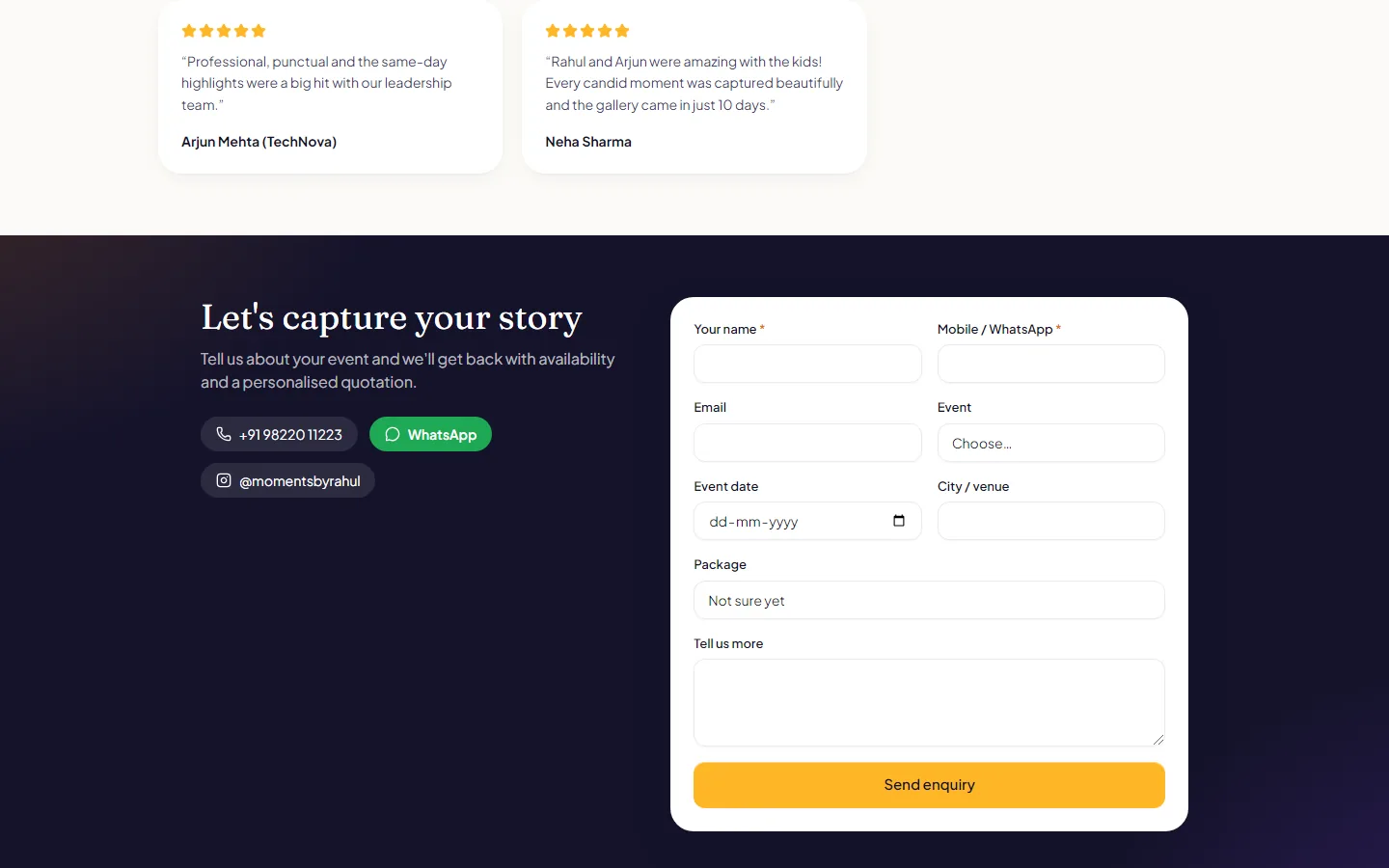
Every enquiry from the form arrives as a lead with the source Profile, and you're notified straight away. Reply fast — they came to you already convinced. See managing photography enquiries.
Setting up your profile
In Settings → Public profile:
- Switch the profile live — your address is shown there
- Write a tagline and an about section
- Choose whether to show package prices
- Upload a cover photo
- Mark which packages appear on the profile (on each package)
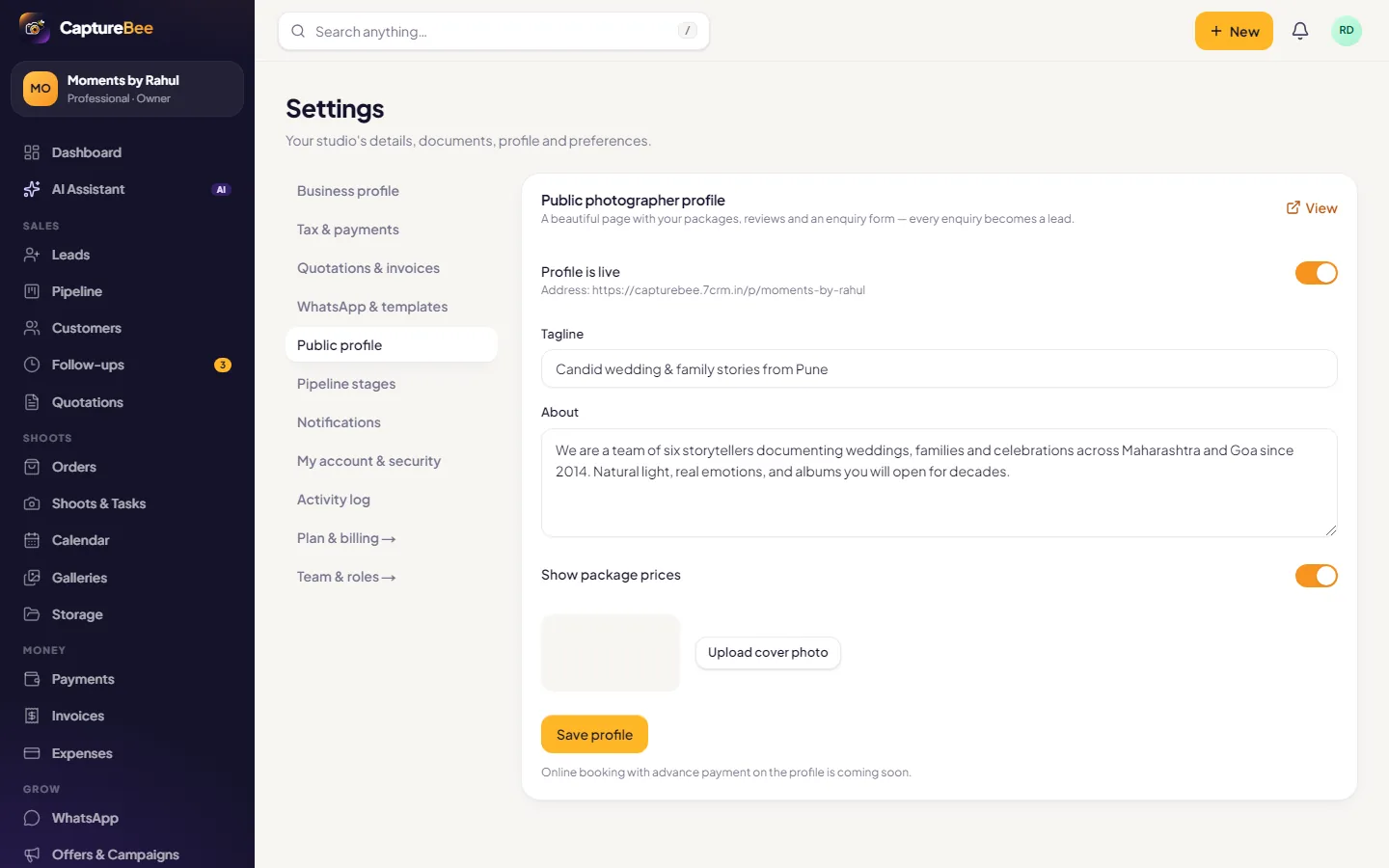
Share your profile link everywhere clients look for you: your Instagram bio, WhatsApp Business profile, Google Business Profile website field and email signature.
Google reviews too
Many couples also check Google before booking. CaptureBee collects reviews on its own page and publishes them on your profile; if you also want Google reviews, add your Google review link to the review request template — "…and if you have a moment, a Google review helps us a lot: [your link]". Ask for one platform at a time to keep the request simple.
From one happy client to the next booking
A review is the start of the next booking, not the end of the last one:
- Ask for referrals in your thank-you: "If anyone in the family is getting married, we'd love to meet them."
- Stay in touch. A maternity, newborn or anniversary shoot is a natural next booking. Run an occasional campaign for past clients.
- Tag customers — "VIP", "repeat", "referral source" — so you can thank and reach them later.
- Watch repeat customers in analytics.
Review requests for different situations
One template works for most clients, but a few situations deserve their own words. Save them as custom templates.
After a wedding
Hi Kavya & Rohan, it was such a joy to be part of your wedding — the moment your dad started dancing at the sangeet is still our team's favourite! 💛 If you have a minute, we'd love a few words about your experience: {{review_link}}
After a corporate event
Hi Arjun, thank you for having us at the TechNova launch. If the photos were useful to your team, a short review would help us a lot: {{review_link}}. We'd also be glad to be quoted on LinkedIn if that's easier!
After a family or birthday shoot
Hi Neha, thank you for letting us capture Aarav's 5th birthday! 🎈 We hope the photos bring a smile every time. Would you share a line about your experience? {{review_link}}
After a problem you resolved
Hi Ishita, thank you for your patience with the album timeline — we're so glad you love how it turned out. If you'd like to share your experience, here's the link: {{review_link}}. Your honest feedback helps us improve.
Clients who had a problem that was handled well often write the most convincing reviews of all — because they describe how you behaved when things went wrong.
Using reviews in your marketing
A review on your profile is good. A review in front of a couple at the moment they're deciding is better.
- On your profile, next to your packages and enquiry form — where visitors decide.
- In your quotations. A short line of a recent review in the quotation's notes — "‘Calm, punctual and the album came in four weeks' — Neha S." — reassures couples comparing you with others.
- On Instagram. A story highlight of reviews paired with a photo from each wedding. Ask the couple first.
- In your first reply. After answering an enquiry, add: "Here's what our recent couples said:" and your profile link.
- In follow-ups. A quotation follow-up with a relevant review — another destination wedding, another big family — answers worries the couple hasn't said aloud.
- In your WhatsApp Business profile — link to your public profile.
Always use the client's words exactly, with their first name and event — and only with their permission for anything outside your profile.
A profile that turns visitors into enquiries
Your public profile is often the first thing a referred couple sees. Use this checklist:
- A strong cover photo — your best, most representative image, not a collage.
- A clear tagline that says what you do and where: "Candid wedding & family stories from Pune".
- A short, human 'about' — who you are, how long you've been shooting, what you love about the work. Three or four sentences.
- Your services, so visitors know you do what they need.
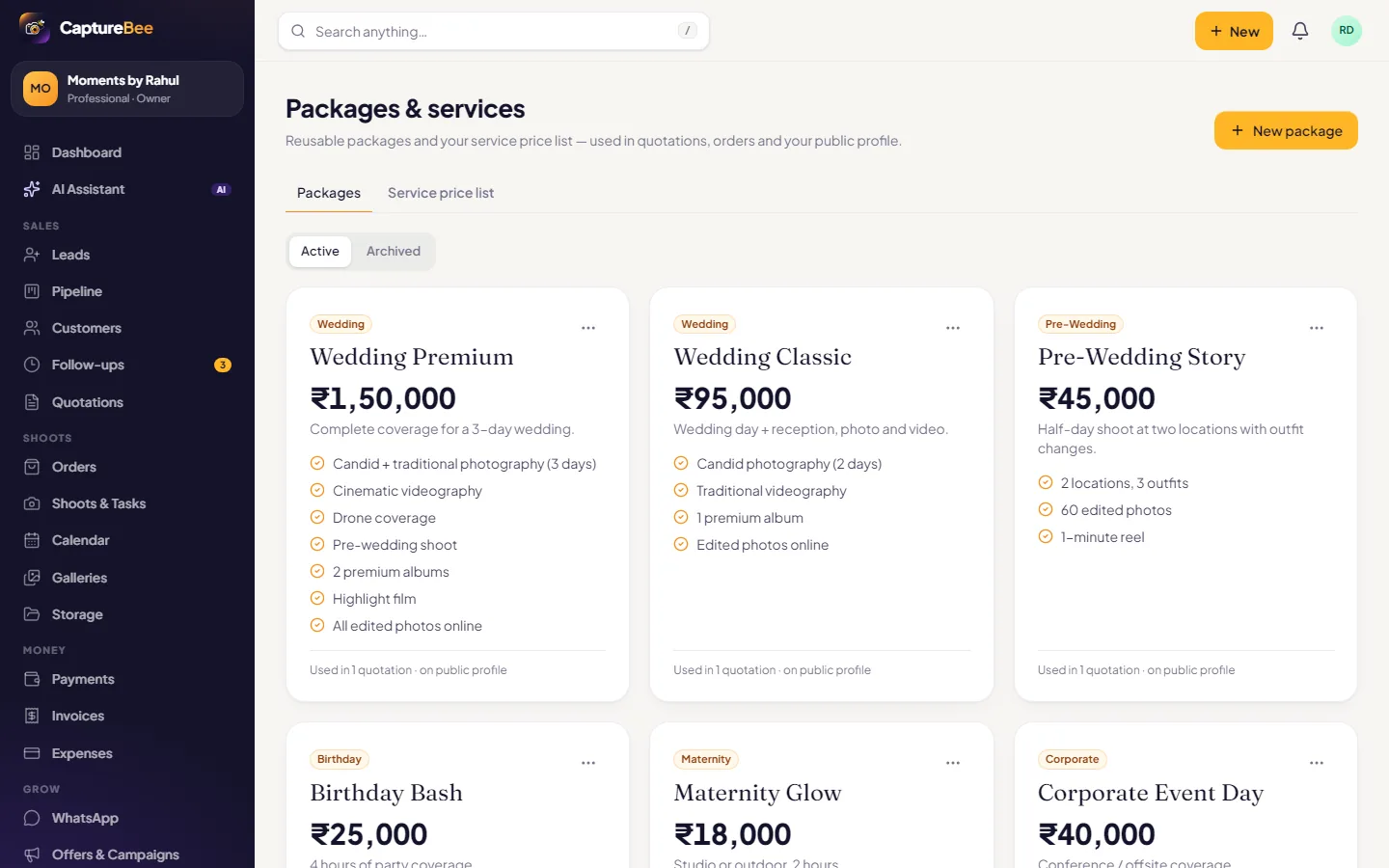
- Three to six packages, with prices if you're comfortable showing them, and clear inclusions.
- At least five published reviews, mixing weddings and other events.
- All contact routes — phone, WhatsApp and Instagram.
- A fast reply to every enquiry that comes from the form.
Then put the link everywhere: Instagram bio, WhatsApp Business profile, Google Business Profile, email signature, the footer of your quotations and the thank-you card in the album box.
Referral ideas that feel natural
Happy clients are your best salespeople, but most won't refer you unless you make it easy and pleasant. A few ideas that work for photographers:
- Ask at the right moment. When a client sends a glowing message, reply with thanks and: "If anyone in your family or friends is planning a wedding, we'd love to meet them."
- Make it easy to share. Send your profile link so they can forward it in one tap.
- Say thank you properly. When a referral books, thank the person who referred them — a framed print, a free mini-session, or a discount on their next shoot.
- Track it. Use the Referral lead source and a tag with the referrer's name, so you know who sends you clients.
- Offer something for both. "Refer a friend and you both get a free 30-minute portrait session" — simple, generous and photographic.
- Stay in touch. An anniversary message and an occasional offer keep you in mind when a friend asks "do you know a good photographer?".
Analytics shows how many leads come from referrals and how well they convert — usually better than any other source. See know your numbers.
Starting from zero reviews
New photographers — or photographers who've never asked — often feel stuck: no reviews, so fewer bookings, so fewer reviews. You can break the loop faster than you think.
- Ask your past clients now. Go through the last year's bookings and send each a personal message with a review link. Even clients from a year ago will usually help — mention a moment from their shoot so they remember.
- Ask friends and family you've photographed — honestly, as clients, not as favours. Their reviews should describe a real shoot.
- Do a few smaller shoots well. A family portrait, a birthday, a maternity session — quick to deliver, quick to review.
- Ask second shooters' clients — if you've assisted on weddings, ask the lead photographer whether you can mention it in your profile.
- Make every new booking count. Switch on the review automation from your first order.
Five honest reviews on your profile make a visible difference. Never write fake reviews or pay for them — couples can tell, and it damages trust for good.
Reviews from corporate clients
Corporate clients review differently. They rarely write emotional paragraphs, but a short, specific review from a company carries weight with other companies:
- Ask the person who hired you, usually from marketing or HR.
- Suggest specific points: punctuality, speed of delivery, how the photos were used — "We had 30 photos for social media the same evening."
- Offer to make it easy: some will prefer to approve a quote you draft from their email, and then submit it themselves through the link.
- Ask for a LinkedIn recommendation too, if you want more corporate work.
- Get permission before showing a company's name or logo in your marketing.
Turn one review into a story
A great review is also great content. With the client's permission:
- Pair it with photos from the same event in an Instagram post or carousel — the review as the caption.
- Write a short story for your profile or Instagram: the couple, the venue, one moment from the day, and their words.
- Use one sentence in your quotation notes or first replies to similar enquiries — another destination wedding, another big family.
- Show the before and after for corporate clients — the event, the photos delivered, how they used them.
Real stories with real words convince more than any list of features.
Step by step in CaptureBee
- Keep the default automation Request a review 2 days after an order is completed switched on.
- Or press Request a review for any order.
- Send the WhatsApp follow-up with the review link.
- Publish the best reviews, reply to each one.
- Set up your public profile in Settings, and choose which packages to show.
- Share your profile link everywhere.
- Reply quickly to enquiries from the profile — they arrive as leads.
Mistakes to avoid
- Never asking. Happy clients rarely write reviews on their own.
- Asking too late. Months later, the emotion has faded.
- Making it hard. Accounts, logins and long forms kill reviews.
- Asking three times. One request, one reminder.
- Arguing with critical reviews. Call first, reply calmly, fix the cause.
- Hiding your reviews. Put them where clients decide — on your profile, with an enquiry form next to them.
Replying to reviews: examples
A reply shows future clients how you treat people. Keep it short, personal and gracious.
A glowing five-star review
Thank you so much, Neha! Aarav's party was such fun to photograph — the cake moment is still one of our favourites. We'd love to capture the next birthday too! 🎈
A five-star corporate review
Thank you, Arjun — it was a pleasure working with the TechNova team. Glad the same-day highlights were useful for your launch posts!
A four-star review with a note
Thank you for the kind words, Ishita — and for your honest note about the album timeline. You're right that it took longer than we said; we've since changed our printing schedule so albums go out within four weeks. We're so glad you love the photos!
A three-star review
Thank you for your feedback. We're sorry the delivery didn't meet your expectations — I'll call you this week to understand what we could have done better. Your photos and your experience matter to us.
What every good reply has in common:
- The client's name and something specific about their event.
- Thanks first, even when the review is critical.
- No arguments in public. Take details to a call.
- What you've changed, when the feedback was fair.
- An open door — "we'd love to see you again".
Future clients read your replies as carefully as the reviews themselves. A calm, kind reply to a critical review often wins more trust than another five-star review would.
How many reviews do you need?
There's no magic number, but a few milestones make a visible difference:
- 5 reviews — enough that a visitor sees you're real and trusted.
- 10–15 reviews — enough to cover different kinds of events (weddings, pre-weddings, families, corporate) so most visitors find one like theirs.
- 25+ reviews — a clear signal of an established studio; at this point, recent reviews matter more than more reviews.
More important than the total is freshness: a steady flow of new reviews every month tells couples you're busy and consistently good now. A profile with 40 reviews, the newest two years old, raises questions.
That's why asking after every completed order matters more than an occasional push. With the review automation on, every completed booking produces a request — and a steady trickle of reviews follows without extra effort.
Track it on the Reviews page: the total, the average rating, the spread of stars, and how many requests are still waiting for a response. If requests go unanswered, try a more personal WhatsApp follow-up — it's usually the channel clients actually read.
Quick checklist
- The review automation is on: a request two days after every completed order
- Every request is personal — one specific memory from the event
- One reminder at most, on WhatsApp
- The best reviews are published; every review gets a reply
- Critical reviews get a call first, then a calm written reply
- Your public profile is live, with packages, reviews and the enquiry form
- Your profile link is in your Instagram bio, WhatsApp profile and email signature
- Referrals are tracked as a lead source, and referrers are thanked
Frequently asked questions
When should a photographer ask for a review?
About two days after final delivery, when the client has just seen the finished photos. CaptureBee does this automatically two days after an order is completed.
How do I get more reviews from clients?
Ask at the right moment, personally, with one link to a short review page that opens on a phone. Remind once. Suggest what to write about.
Can I choose which reviews to show?
Yes. You publish, approve or hide each review. Only published reviews appear on your profile.
Can I reply to reviews?
Yes. You can reply to any review from the Reviews page.
Does CaptureBee collect Google reviews?
CaptureBee collects reviews on its own review page and shows them on your profile. You can add your Google review link to the request message if you want Google reviews as well.
Can people book directly from my profile?
Visitors send an enquiry from your profile, which arrives as a lead. Online booking with an advance payment on the profile is coming soon.
Let your clients sell for you
You already have the most persuasive marketing a photographer can have: clients who loved working with you. Ask them at the right moment, make it effortless, publish the best words, and put them on a profile that turns visitors into enquiries.
Start a free CaptureBee trial and send your first review request today. Read next: WhatsApp templates for photographers and building packages that sell.