For photographers in India, WhatsApp is not a channel — it is the business. Enquiries arrive there, quotations go out there, payments are confirmed there, galleries are shared there, and the bride's mother calls there at 10 pm to ask about the haldi timing.
The problem isn't WhatsApp. It's typing the same dozen messages again and again — the thank-you for the enquiry, the quotation link, the booking confirmation, the payment reminder, the gallery link, the selection reminder, the delivery message, the review request — each time hunting for the right link, amount and date. Multiply that by forty bookings a season and it is days of typing, with plenty of chances to paste the wrong link to the wrong client.
This guide gives you twelve ready WhatsApp templates for every step of a photography booking, explains when to send each one and what makes it work, and shows how CaptureBee fills in names, dates, amounts and links automatically so sending takes one tap.
What makes a good business WhatsApp message
Before the templates, the principles. Good messages from a photography business are:
- Short. Three to five lines. Clients read on phones, often between other things.
- Personal. Use their name and their event. "Hi Kavya & Rohan" beats "Dear customer".
- One purpose per message. Don't combine a payment reminder with a gallery link.
- Linked. If there is something to see — a quotation, a gallery, a receipt — include the link.
- Clear about the next step. What should they do, and by when?
- Warm, not stiff. You photograph the happiest days of people's lives. Sound like it.
- Light on emoji. One or two that fit (📸 🎉 ❤️) — not ten.
- Well-timed. Business messages between 9 am and 8 pm. Not at midnight, even if that's when you're editing.
The 12 templates
Each template below uses variables in double curly braces — {{customer_name}}, {{event_date}} and so on. In CaptureBee these are filled in automatically from the lead, order, quotation or gallery you're messaging about. If you use templates elsewhere, replace them by hand.
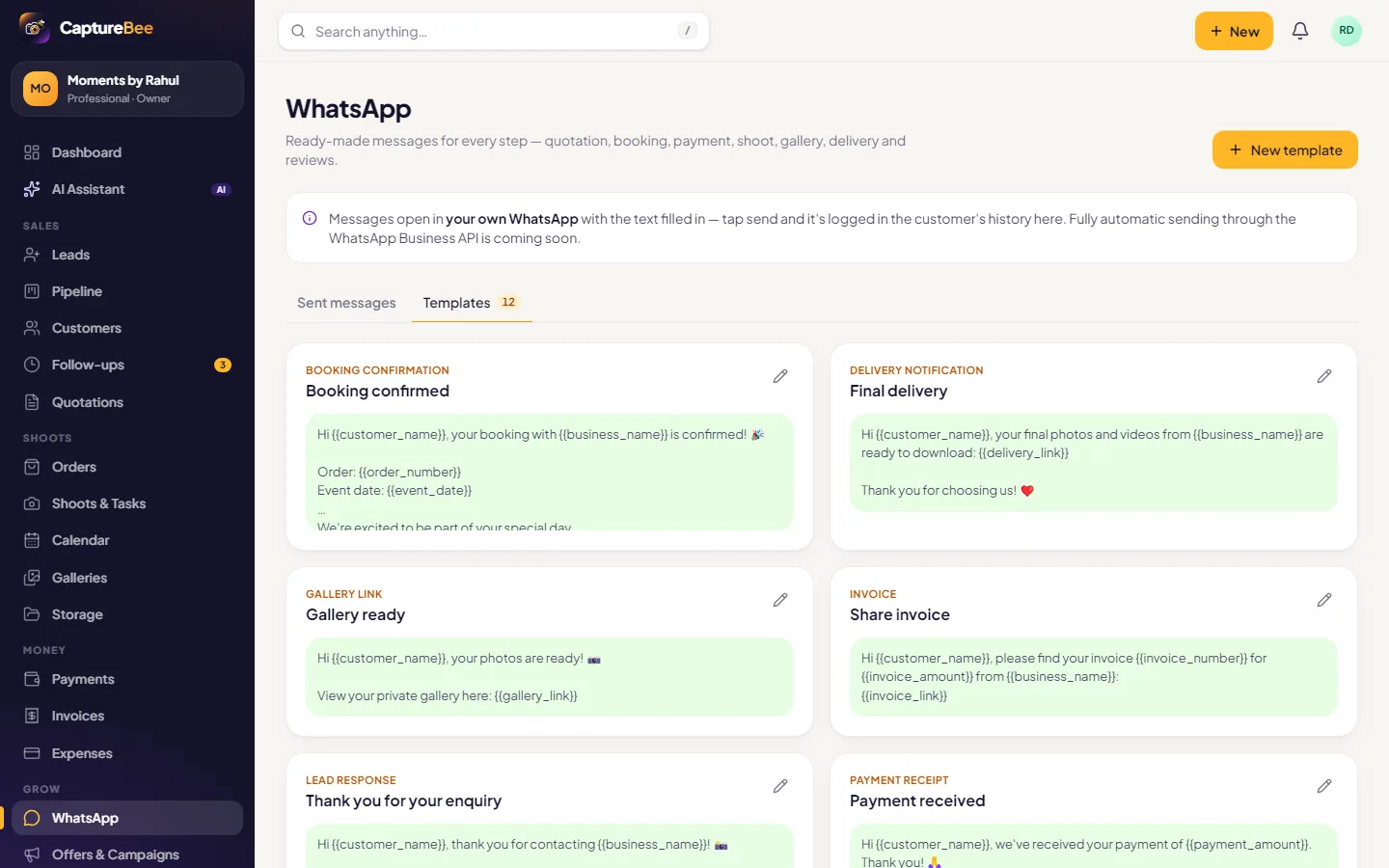
1. Enquiry reply
When: within the hour of a new enquiry, during working hours.
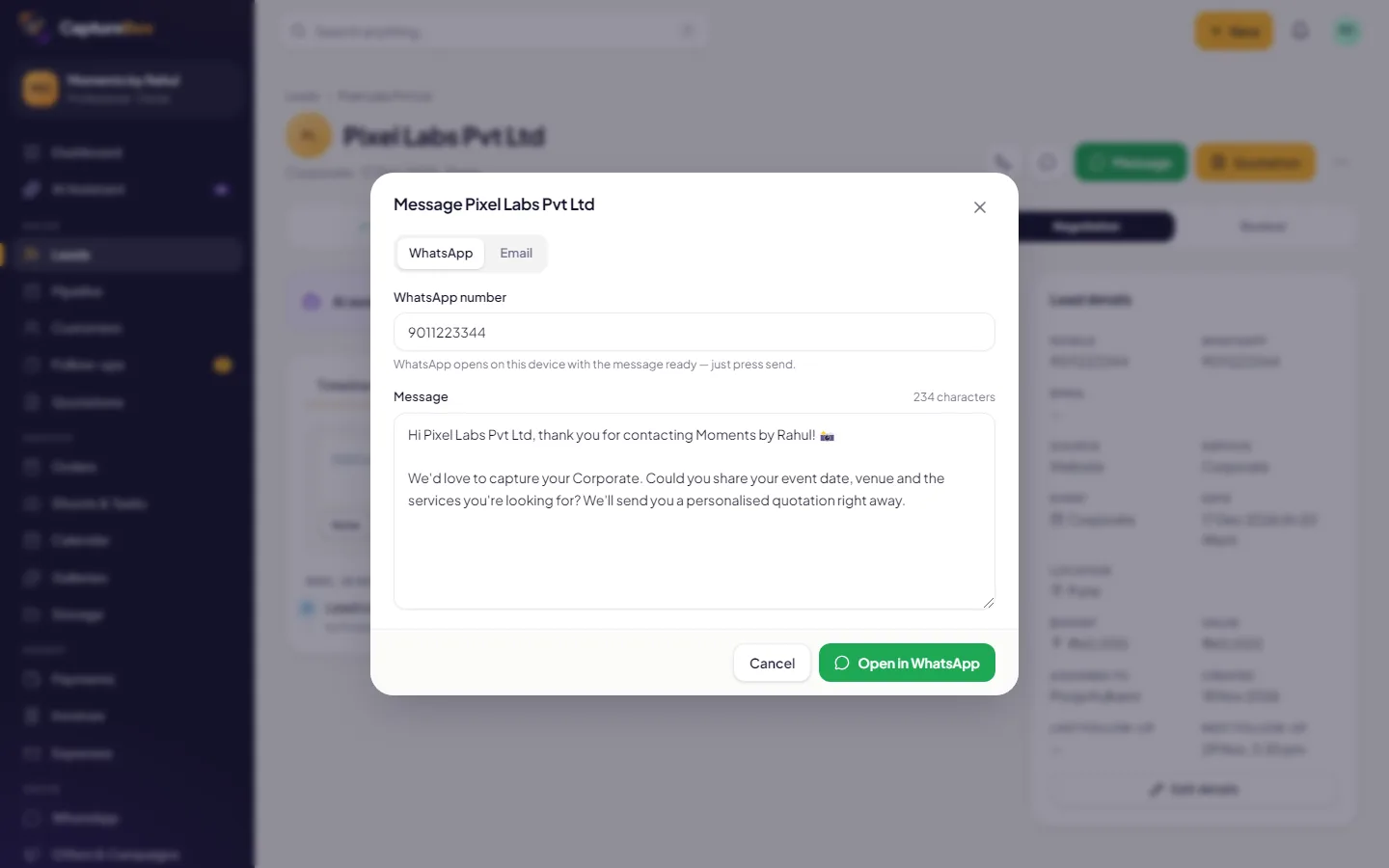
Hi {{customer_name}}, thank you for contacting {{business_name}}! 📸 We'd love to capture your {{event_type}}. Could you share your event date, venue and the services you're looking for? We'll send you a personalised quotation right away.
Why it works: it thanks them, shows interest in their event, and asks for exactly what you need to quote — so the next reply moves the conversation forward. More on first replies in managing photography enquiries.
2. Quotation
When: as soon as the quotation is ready.
Hi {{customer_name}}, here is your quotation from {{business_name}} for {{quotation_amount}}. View the full details and accept it online: {{quotation_link}} Happy to answer any questions!
Why it works: the total is in the message (so they know what they're opening), and the link lets them accept online. See quotations clients accept online.
3. Booking confirmation
When: the moment the quotation is accepted and the advance is in.
Hi {{customer_name}}, your booking with {{business_name}} is confirmed! 🎉 Order: {{order_number}} Event date: {{event_date}} We're excited to be part of your special day.
Why it works: it gives them the order number and date in writing — and starts the relationship on an excited note.
4. Invoice
When: when you raise an invoice.
Hi {{customer_name}}, please find your invoice {{invoice_number}} for {{invoice_amount}} from {{business_name}}: {{invoice_link}}
5. Payment received
When: right after you confirm a payment.
Hi {{customer_name}}, we've received your payment of {{payment_amount}}. Thank you! 🙏 Balance due: {{balance_amount}} Receipt: {{receipt_link}}
Why it works: it confirms the amount, shows what's left and gives them a receipt — no "did you get my payment?" messages. More in collecting advances and tracking dues.
6. Payment reminder
When: two days before a balance is due.
Hi {{customer_name}}, a gentle reminder that a balance of {{balance_amount}} is due for your order {{order_number}} with {{business_name}}. {{payment_details}} Thank you!
Why it works: polite, specific, and {{payment_details}} adds your UPI ID and bank details so they can pay right away.
7. Shoot reminder
When: the day before each function.
Hi {{customer_name}}, a quick reminder that your {{event_name}} shoot is on {{event_date}} at {{venue}}. Our team will be there on time. See you soon! — {{business_name}}
Why it works: it reassures the family and often surfaces last-minute changes ("actually, the haldi is at 7 now"). See planning multi-day wedding shoots.
8. Gallery ready
When: when you share the proofing gallery.
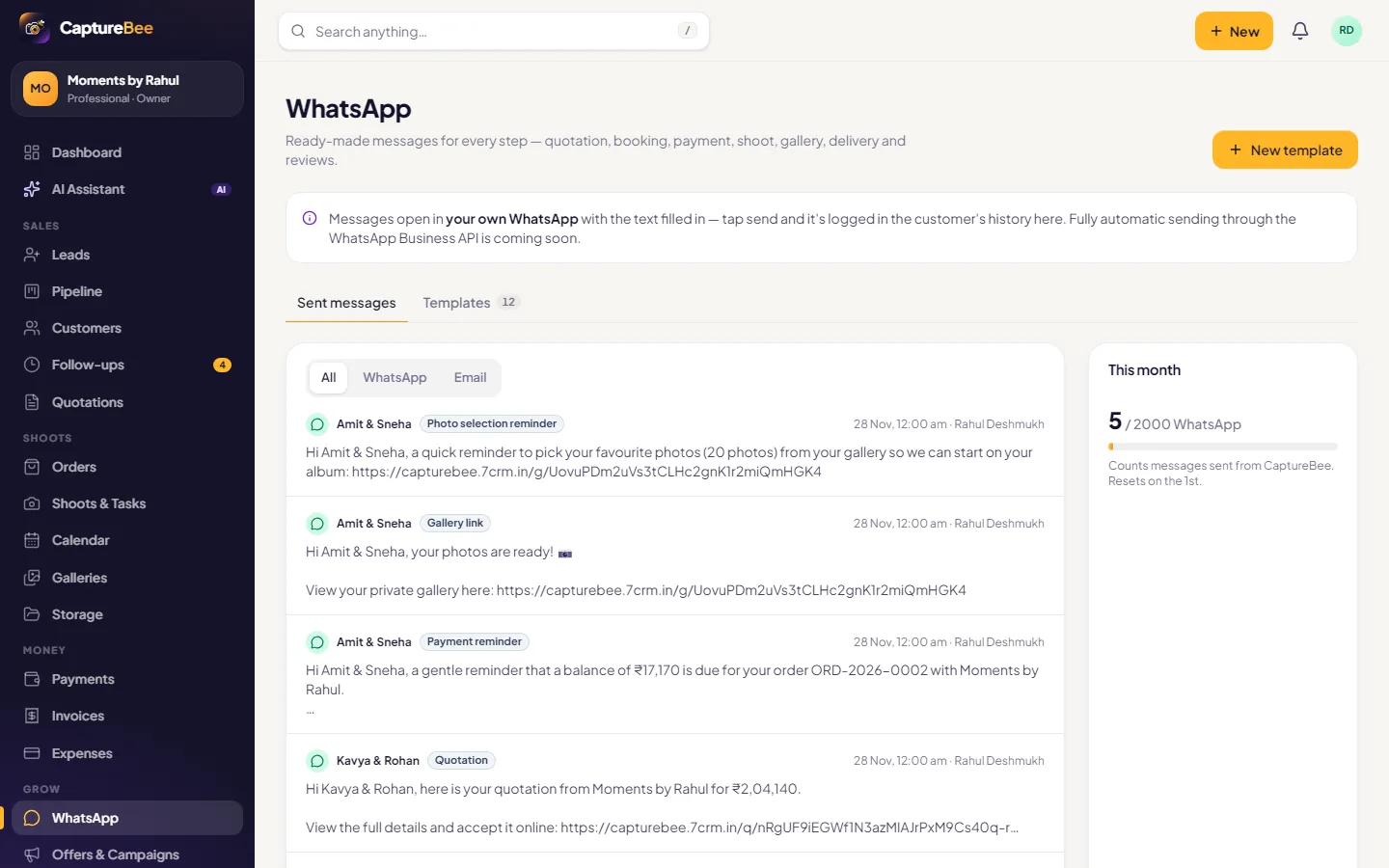
Hi {{customer_name}}, your photos are ready! 📷 View your private gallery here: {{gallery_link}}
9. Photo selection reminder
When: five days after sharing, if the selection isn't in.
Hi {{customer_name}}, a quick reminder to pick your favourite photos ({{selection_limit}}) from your gallery so we can start on your album: {{gallery_link}}
Why it works: it reminds them of the limit and links straight to the gallery. See online photo selection.
10. Final delivery
When: when the final photos and films are ready.
Hi {{customer_name}}, your final photos and videos from {{business_name}} are ready to download: {{delivery_link}} Thank you for choosing us! ❤️
11. Review request
When: two days after delivery.
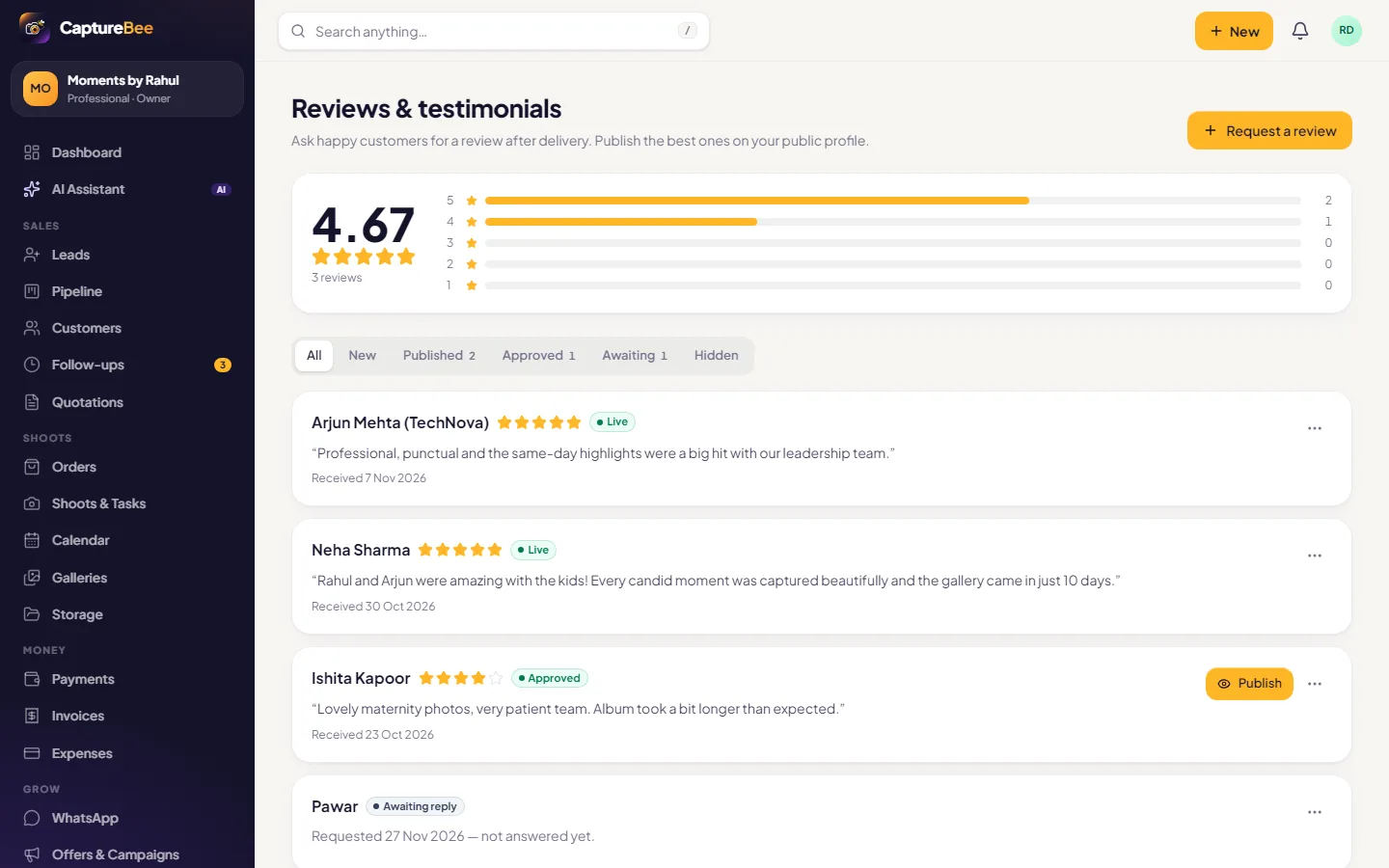
Hi {{customer_name}}, it was a pleasure working with you! Would you take a minute to share your experience with {{business_name}}? {{review_link}}
Why it works: short, grateful, one link. See how photographers get more reviews.
12. Special offer
When: in a campaign to past clients or leads — a wedding-season, Diwali or birthday offer.
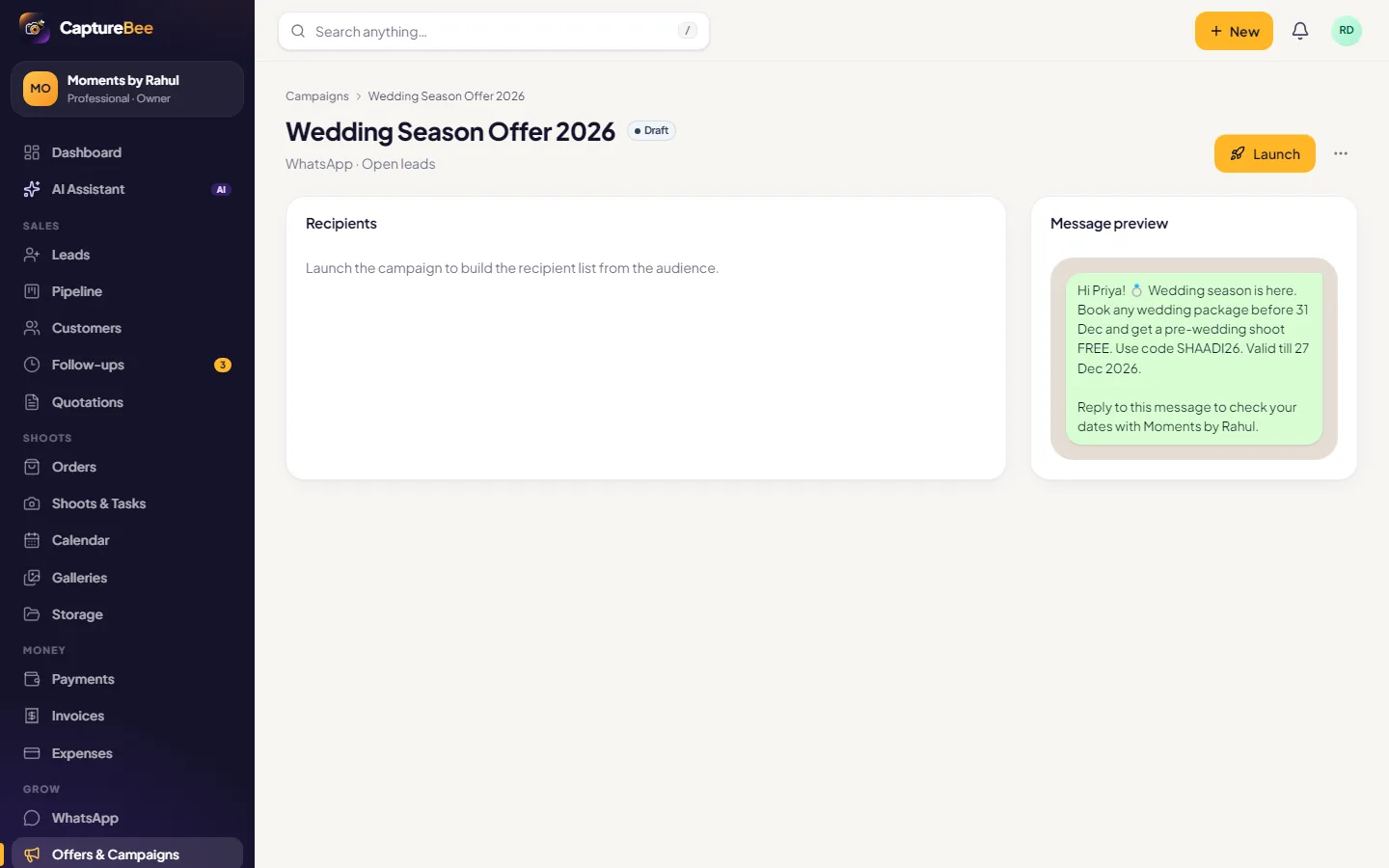
Hi {{customer_name}}, {{offer}} Reply to this message to book your shoot with {{business_name}}! 📸
The variables
Here is every variable available in CaptureBee templates:
| Variable | Fills in |
|---|---|
| {{customer_name}} | Customer's name |
| {{business_name}} | Your business name |
| {{business_phone}} | Your phone number |
| {{event_type}} | Event type (Wedding, Birthday…) |
| {{event_name}} | Event / function name |
| {{event_date}} | Event date |
| {{venue}} | Venue |
| {{quotation_amount}} | Quotation total |
| {{quotation_link}} | Link to the online quotation |
| {{order_number}} | Order number |
| {{invoice_number}} | Invoice number |
| {{invoice_amount}} | Invoice total |
| {{invoice_link}} | Link to the online invoice |
| {{payment_amount}} | Payment amount |
| {{balance_amount}} | Balance due |
| {{receipt_link}} | Link to the payment receipt |
| {{payment_details}} | Your UPI / bank details |
| {{gallery_link}} | Private gallery link |
| {{selection_limit}} | Photos to select |
| {{delivery_link}} | Final delivery link |
| {{review_link}} | Review link |
| {{offer}} | Offer text (campaigns) |
Write templates in your own voice
The defaults are a starting point. Your clients chose you partly for your personality, so your messages should sound like you. A few ideas:
- Language. Many studios write in English with a little Hindi, Marathi or the local language — "Namaste", "Dhanyavaad", "Congratulations to the whole family!". Write what your clients speak.
- Signature. End with your first name, not just the studio: "— Rahul, Moments by Rahul".
- Your style. If your brand is playful, let the messages be playful. If it's elegant and minimal, keep them that way.
- More templates. Create your own for situations you message about often: asking for the function schedule, album design approval, thanking the family after the wedding, a birthday wish to past clients.
In CaptureBee, edit any template or create new ones, each with a purpose (so the right one appears in the right place), a name, an email subject and the message. A preview shows how it will look with real details filled in.
How click-to-send works in CaptureBee
CaptureBee doesn't send WhatsApp messages from a server you don't control. Instead, it puts a perfect message into your own WhatsApp, ready to send:
- Press Message on a lead, customer, order, quotation, invoice, payment, gallery or delivery.
- The right template opens with everything filled in — name, amounts, dates and links.
- Change anything you like.
- Tap Open in WhatsApp. Your WhatsApp opens with the message ready; press send.
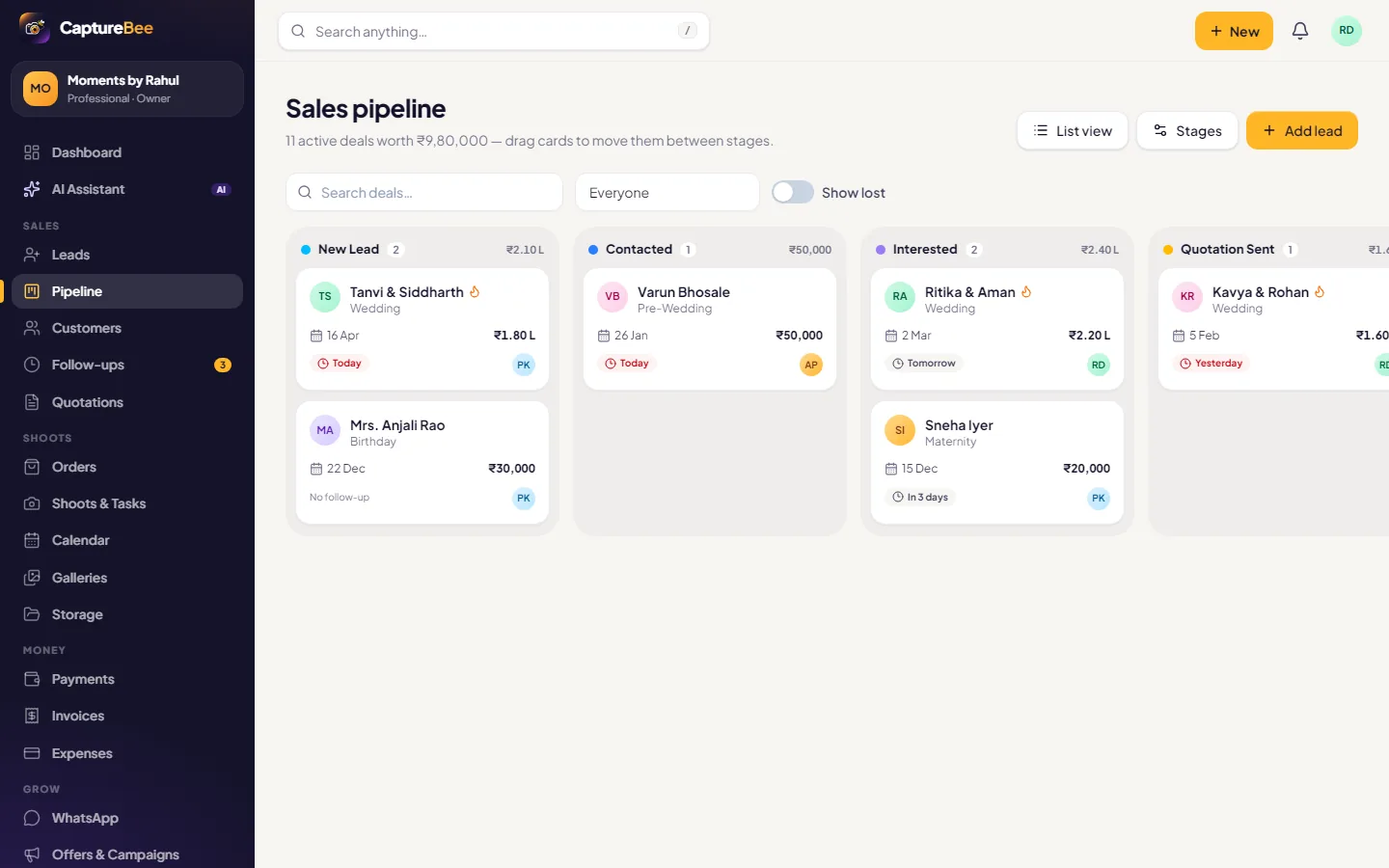
Every message is logged in the customer's history and on the Sent messages tab, so anyone on your team can see what was sent, when and by whom. Messaging a new lead also moves it from New Lead to Contacted automatically.
You can also send the same message by email — useful for corporate clients — and CaptureBee sends that for you.
Why your own WhatsApp?
Clients recognise and save your number, replies come back to you directly, and there's no separate setup or per-message fees. Fully automatic sending through the WhatsApp Business API is coming soon, for studios that want messages to go out without a tap.
Templates + automations = nothing forgotten
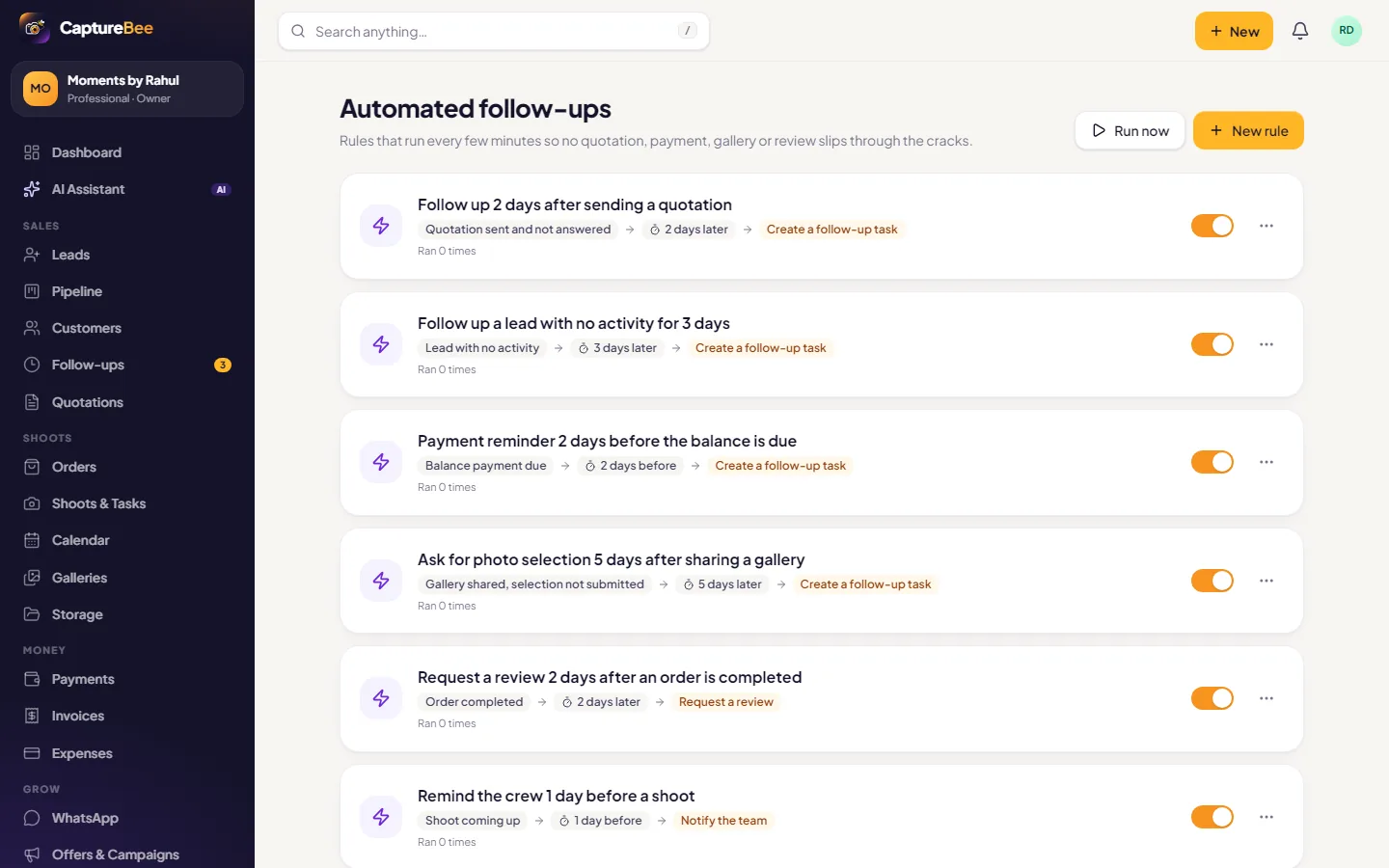
Templates save typing; automations save remembering. Together they cover the whole booking:
| Moment | Automation | Template |
|---|---|---|
| Quotation unanswered for 2 days | Creates a follow-up | Quotation |
| Lead quiet for 3 days | Creates a follow-up | Enquiry reply |
| 2 days before balance due | Creates a follow-up | Payment reminder |
| Gallery shared, no selection after 5 days | Creates a follow-up | Selection reminder |
| Order completed + 2 days | Requests a review | Review request |
| Day before a shoot | Notifies the crew | Shoot reminder |
When the follow-up is due, open it, press Message, and the matching template is ready.
Tips for the WhatsApp Business app
If you use the free WhatsApp Business app on your phone, a few of its own features work well alongside CaptureBee:
- Business profile with your address, hours, website and catalogue.
- Greeting and away messages for when you're shooting.
- Labels like "New enquiry", "Booked", "Payment due" for quick filtering on your phone.
- Quick replies for very short answers ("Thank you! 🙏").
Keep the important things — quotations, payments, galleries, dates — in CaptureBee, where your whole team can see them.
Offers and broadcasts — carefully
Messaging past clients with an offer can bring real bookings — a maternity shoot for last year's couples, a birthday package for families. Do it respectfully:
- Only message people who have been your clients or enquired with you.
- Make the offer genuinely useful and time-bound.
- Don't send more than a few a year.
- Stop immediately if someone asks.
In CaptureBee, a campaign builds the audience (all customers, customers by event type, customers inactive for six months, a tag, open leads or lost leads), the offer and the message. Email campaigns are sent for you; for WhatsApp, you go through the list and tap to open each chat with the message ready.
Six more templates worth creating
The twelve defaults cover the booking journey. These six cover moments that come up all the time. Create them once as custom templates and they'll be one tap away.
Asking for the function schedule
Hi {{customer_name}}, as the big day comes closer, could you share the final schedule for each function — timings, venues and a family contact for each day? It helps our team be in the right place at the right time. Thank you! — {{business_name}}
Thank you after the wedding
Hi {{customer_name}}, thank you for letting us be part of your wedding! 💛 It was a joy to capture every moment with your family. We're now working on your photos — your gallery will be ready soon.
Send this the day after the last function. It costs nothing and sets a warm tone for everything that follows.
Sneak peek
Hi {{customer_name}}, we couldn't wait — here are a few sneak peeks from your {{event_type}}! 📸 The full gallery is coming soon.
Attach three to five favourite photos. Couples share sneak peeks widely — they're some of the best marketing you'll ever get.
Album design ready for approval
Hi {{customer_name}}, your album design is ready! 📖 Please go through the spreads and let us know any changes in one message, so we can send it for printing. We'll be happy to adjust anything you'd like.
Delivery delay (honest update)
Hi {{customer_name}}, a quick update on your film — we're spending a little more time on the colour and music to make it perfect. You'll have it by {{event_date}}. Thank you for your patience! 🙏
(Replace the date placeholder with the new date by hand, or create a template without a variable.)
Anniversary wish
Hi {{customer_name}}, happy anniversary from all of us at {{business_name}}! 🎉 Hope the year has been as beautiful as your wedding day. If you'd ever like a couple or family shoot, we'd love to see you again.
Writing in your clients' language
Many studios write to clients in a mix of English and the local language — it feels personal and natural. Templates are plain text, so you can write them in any language. A few examples:
Hinglish — booking confirmation
Namaste {{customer_name}} ji! 🙏 Aapki booking confirm ho gayi hai. Order: {{order_number}}, date: {{event_date}}. Hum aapke special day ka hissa banne ke liye bahut excited hain! — {{business_name}}
Marathi-English — gallery ready
Namaskar {{customer_name}}! 📷 Tumche photos tayar aahet. Ithe tumchi private gallery bagha: {{gallery_link}}
Hindi — payment received
{{customer_name}} ji, aapka {{payment_amount}} ka payment mil gaya hai. Dhanyavaad! 🙏 Baaki raashi: {{balance_amount}}. Receipt: {{receipt_link}}
Keep one template per purpose in each language you use, named clearly ("Booking confirmed — Hinglish"), so the team picks the right one.
Replies to messages you get every week
Some client messages arrive again and again. Short, ready replies save time and keep your tone consistent.
"When will we get our photos?"
Hi! Your photos are with our editors now. You'll receive your gallery by the 20th — we'll message you the moment it's ready. 😊
"Can you send the raw photos?"
We deliver all your photos fully edited, so every one looks its best. Unedited files aren't part of our packages, but we're happy to include any extra photos you'd like from the gallery!
"Can we get a discount?"
I understand — weddings have many expenses! Let me suggest a package that fits better rather than reducing the quality. Could you tell me which parts matter most to you?
"Can you come an hour early?"
Of course — we'll be there at 8 am. Just to note, coverage beyond the package hours is ₹4,000 per hour; I'll add it to your order.
"The link isn't opening."
Sorry about that! Here's the link again: {{gallery_link}}. If it asks for a password, it's the one we shared separately. Let me know if it still doesn't open.
Save the ones you use most as custom templates, or keep them as WhatsApp Business quick replies for very short answers.
When to send each message
Timing changes how a message lands. A rough guide:
| Message | Best timing | Avoid |
|---|---|---|
| Enquiry reply | Within an hour, during working hours | The next day |
| Quotation | The same or next day after the details call | A week later |
| Quotation follow-up | 2 days after sending, late morning | Late at night |
| Booking confirmation | Right after the advance is confirmed | Days later |
| Payment received | Immediately | Batched at month-end |
| Payment reminder | 2 days before the due date, morning | After the album is ready |
| Shoot reminder | The afternoon before | The morning of the shoot |
| Thank you | The day after the last function | Weeks later |
| Gallery ready | A weekday evening, when families are home together | Late at night |
| Selection reminder | 5 days after sharing | Every other day |
| Final delivery | A weekday evening or weekend morning | Late at night |
| Review request | 2 days after delivery | Months later |
| Offer / campaign | A weekend late morning, a few times a year | Every week |
Building a template library as a team
When several people message clients, templates are how you keep one voice. A few habits:
- One template per purpose and language, named clearly: "Payment reminder — gentle", "Payment reminder — second", "Booking confirmed — Hinglish".
- An owner for templates. One person (usually the owner or manager) edits them, so they don't drift.
- Review them each season. Prices, policies and links change; old wording lingers.
- Retire what nobody uses. A short list is easier to pick from in a hurry.
- Keep personal touches personal. Templates handle the facts; the one line about the couple's sangeet is still written by hand.
Family groups and etiquette
Indian weddings often come with a WhatsApp group: the couple, parents, the planner, sometimes cousins. A few rules keep it professional:
- Keep money and contracts out of groups. Quotations, payments and balances go to the decision-maker privately.
- Use groups for logistics. Timings, venues, who's arriving when.
- One voice. One person from your studio posts in the group, so messages don't contradict.
- Mute, don't leave, until the wedding's over. Then leave politely with a thank-you.
- Never share photos in the group before the couple has seen them. Sneak peeks go to the couple first.
Mistakes to avoid
- Copy-pasting the wrong link. Let the system fill in links per client.
- Long paragraphs. Nobody reads them on a phone.
- "Dear Sir/Madam". Use their names.
- Messaging at midnight. Schedule your sending for working hours.
- Payment reminders that sound like threats. Gentle, specific, with payment details.
- Not logging what was sent. Without history, your team can't pick up where you left off.
Messages for corporate clients
Corporate clients expect a more formal tone, and often prefer email. Keep a separate set of templates for them:
Quotation (email)
Subject: Quotation for photography — {{event_name}}
Dear {{customer_name}}, thank you for considering {{business_name}} for your event. Please find our quotation for {{quotation_amount}} here: {{quotation_link}}. You can review the scope and accept it online. We'd be happy to adjust anything to fit your requirements.
Confirmation
Dear {{customer_name}}, thank you for confirming. We've reserved {{event_date}} for {{event_name}} at {{venue}}. Our team lead will contact your coordinator two days before the event to finalise the schedule.
Same-day highlights
Hi {{customer_name}}, the highlights from today's event are ready for your social media team: {{delivery_link}}. The full set will follow as agreed.
Invoice
Dear {{customer_name}}, please find invoice {{invoice_number}} for {{invoice_amount}}: {{invoice_link}}. Bank details and UPI are on the invoice. Kindly share the payment reference once processed.
Small details matter to companies: the correct company name, the PO number in the invoice notes, and prompt replies during office hours.
Personal number or business number?
Many photographers start with their personal WhatsApp and later wonder whether to separate business. A few considerations:
- A separate business number (on the WhatsApp Business app) keeps client messages away from family chats, lets you set away messages during shoots, and can be handed to an assistant if needed.
- Your personal number feels more personal to clients, and many have saved it for years.
- Either works with CaptureBee, because messages open in whichever WhatsApp you use on that device.
- For a team, a shared business number on one phone or WhatsApp Web, with messages logged in CaptureBee, means anyone can see what was sent.
If you switch numbers, tell existing clients once, clearly, and update the phone and WhatsApp numbers in your business profile so every quotation, invoice and profile page shows the new one.
Quick checklist
- All twelve default templates are edited to sound like you
- Extra templates exist for schedules, thank-yous, sneak peeks and album approval
- Corporate clients have their own, more formal templates
- Templates exist in each language your clients use
- Messages go out at sensible times
- Money and contracts stay out of family groups
- Every message is sent from the lead, order or gallery, so it's logged
- One person owns the template library
Frequently asked questions
Does CaptureBee send WhatsApp messages automatically?
Not yet. CaptureBee fills in the message and opens it in your own WhatsApp — you tap send. Automatic sending through the WhatsApp Business API is coming soon. Emails are sent for you.
Do I need WhatsApp Business?
No. It works with the regular WhatsApp app or the WhatsApp Business app on your phone or computer.
Can I edit the templates?
Yes. Edit any default template or create your own, with variables that fill in automatically.
Is there a limit on WhatsApp messages?
The number of messages logged per month depends on your plan. See pricing.
Can my team send messages too?
Yes, if their role allows sending messages. Every message records who sent it.
Can I write templates in Hindi or other languages?
Yes. Templates are plain text, so you can write them in any language your clients use.
Type less, say it better
Every photography booking needs roughly the same dozen messages. Write them once, in your own voice, with the details filled in automatically — and spend the time you save on photographs.
Start a free CaptureBee trial to use all twelve templates with your own clients today. Read next: automations every photography studio should switch on.