A typical Indian wedding is not one shoot. It is an engagement at a hotel, a mehendi and a haldi at the bride's home, a sangeet with a choreographer who changes the schedule twice, the wedding at a banquet hall across the city and a reception the same evening. Five functions, three venues, two days, six crew members — and that same week, your crew is also working two other weddings.
Plans like this rarely fail on the day because of photography. They fail because the haldi moved from 9 am to 7 am and the second photographer wasn't told, because the venue address was in a voice note, because the drone operator was booked by another studio for the same evening, or because nobody packed the second flash.
This guide is a practical system for planning multi-day wedding shoots: how to collect the details, plan each function, staff the right crew, avoid double-bookings, prepare gear, send reminders and keep everyone on the same calendar. It works on paper, and it works better in a system built for it like CaptureBee's shoot planning.
Start with one order, many functions
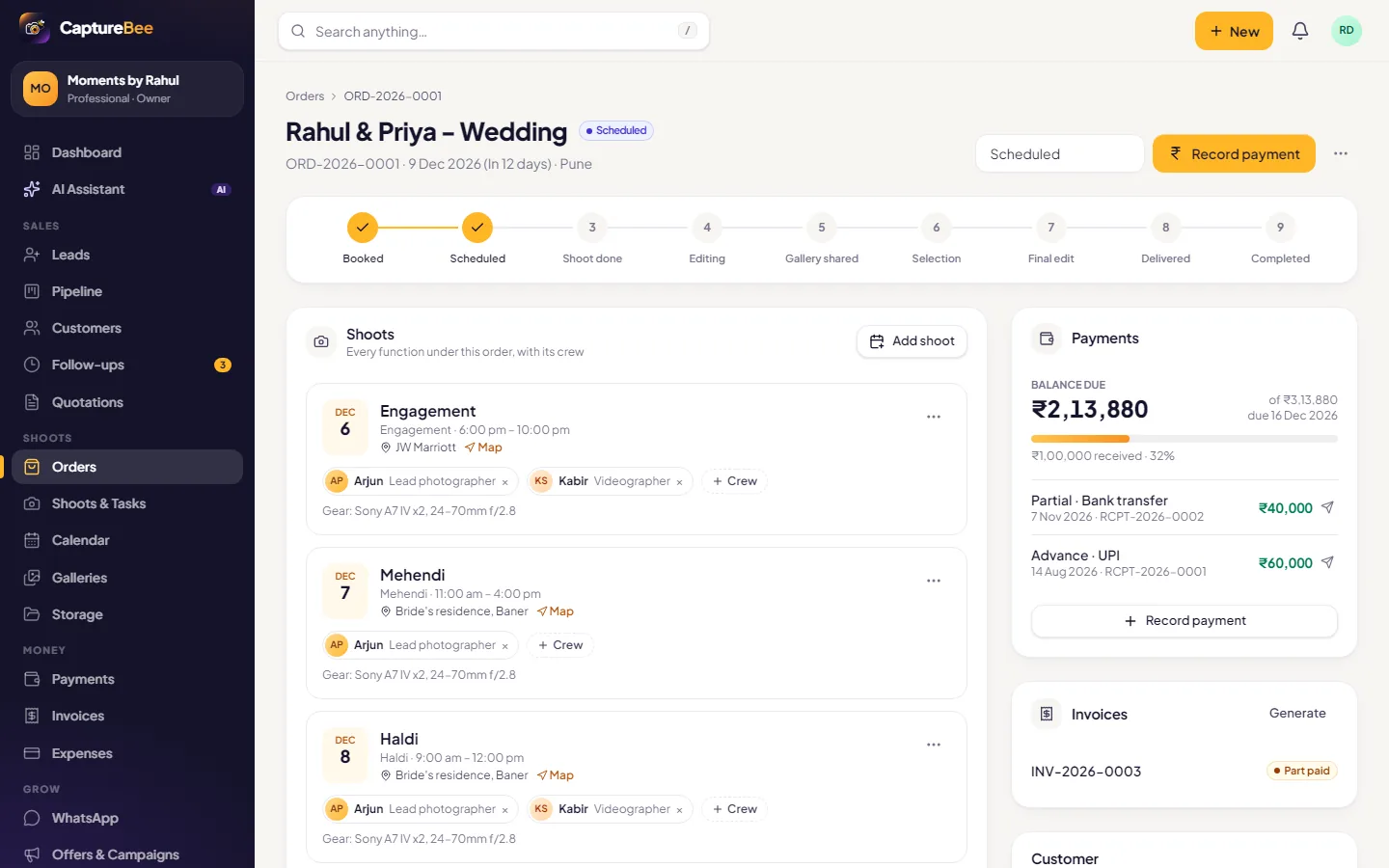
The first principle: a booking is one order, and every function is a shoot inside it. Not five separate bookings, and not one booking with all the details squeezed into a notes field.
Keeping functions inside one order means the payments, the quotation, the crew, the gallery and the delivery all belong together — and when the client calls about "the wedding", everything is on one screen.
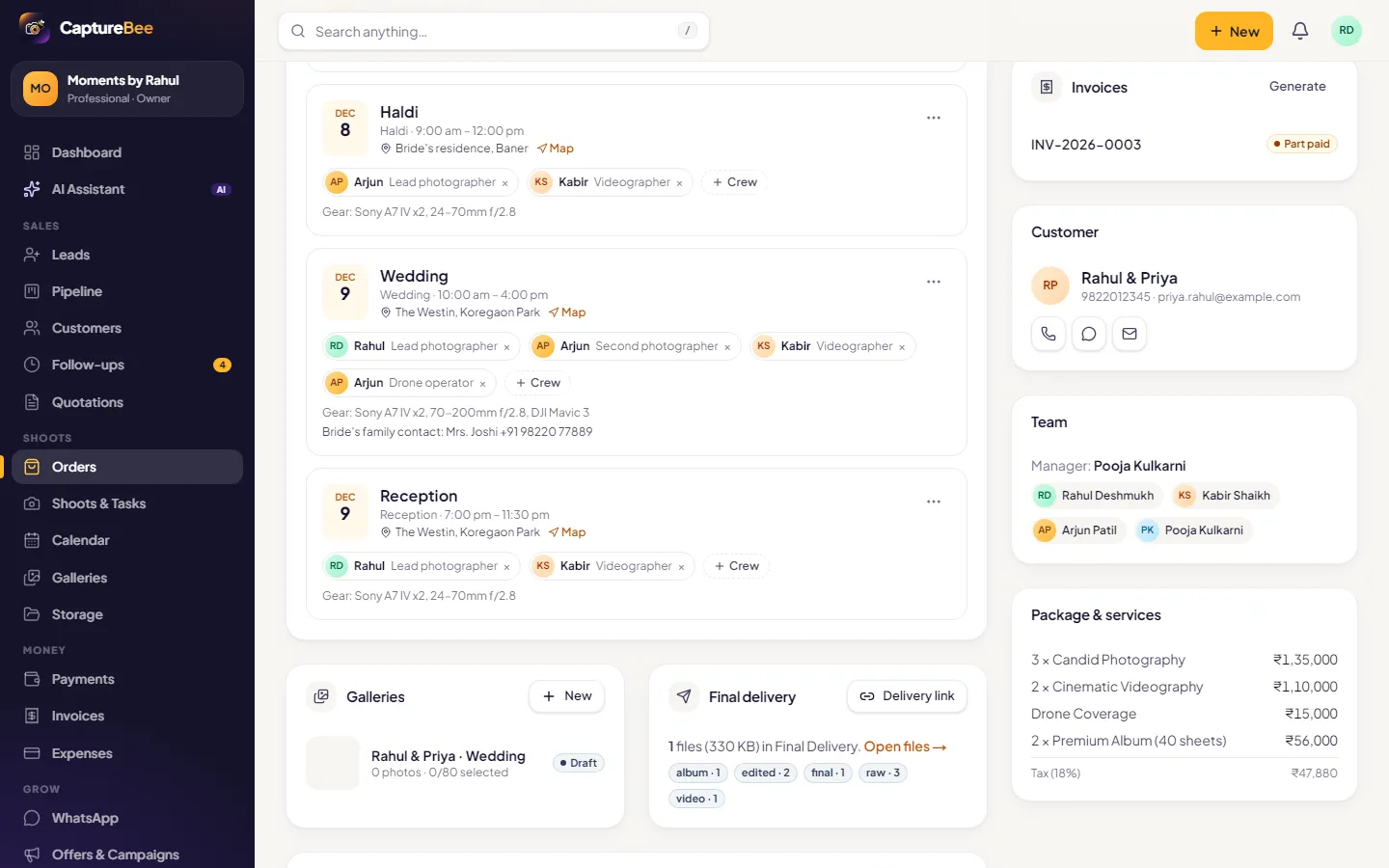
In CaptureBee, an order is created automatically when a client accepts a quotation online. Open the order and add each function as a shoot: engagement, mehendi, haldi, sangeet, wedding, reception. The order page shows a progress tracker across the top — Booked, Scheduled, Shoot done, Editing, Gallery shared, Selection, Final edit, Delivered, Completed — and every function underneath with its crew.
Collect the details early
Two to three weeks before the wedding, sit down with the couple (or the family member who is really running things) and fill in a function sheet. These are the details every crew member will need:
| Detail | Example | Why it matters |
|---|---|---|
| Function | Haldi | Different functions need different coverage |
| Date | 8 December | Obvious — but confirm it in writing |
| Start and end time | 9:00 am – 12:00 pm | Crew call time, overtime, back-to-back functions |
| Venue | Bride's residence, Baner | Where to go |
| Address and Google Maps link | Full address | Nobody should be searching on the day |
| Family contact on the day | Mrs. Joshi, +91 98220 77889 | Who to call when plans change |
| Crew | Lead photographer, videographer | Who is covering it |
| Gear | Sony A7 IV ×2, 24–70mm f/2.8, flash | What to pack |
| Notes | Haldi outdoors — protect gear; family wants group photos | Everything else |
Questions worth asking the family:
- Which functions matter most to you? (Spend crew where it matters.)
- Are there rituals or moments you absolutely want captured?
- Any group photos with specific families?
- Venue rules: drone permissions, entry passes, timings, photography restrictions?
- Who is our contact on each day?
- Any surprises planned — entries, performances, fireworks?
In CaptureBee each shoot has fields for all of this: name, event type, date, start and end time, venue, address, a Google Maps link, equipment, and notes.
How many people for each function?
Crew size depends on the function, the guest count and what you promised in the package. A rough starting point:
| Function | Typical crew |
|---|---|
| Engagement / ring ceremony | Lead photographer + videographer |
| Mehendi / haldi (home, small) | 1 photographer + 1 videographer |
| Sangeet | Lead + second photographer + videographer |
| Wedding ceremony (large) | Lead + second photographer + 1–2 videographers + drone |
| Reception | Lead + second photographer + videographer |
| Pre-wedding shoot | 1 photographer (+ assistant, + videographer for a reel) |
Big weddings with 800+ guests may need a traditional photographer on stage plus candid photographers in the crowd. Write the crew plan into the quotation's deliverables so expectations match from the start.
Crew roles
Give each person a clear role on each shoot, so everyone knows their job on the day:
- Lead photographer — responsible for the key moments and directing portraits
- Second photographer — candids, guests, details, alternate angles
- Videographer — film and highlights
- Drone operator — aerials, where allowed
- Editor — sometimes on site for same-day edits
- Assistant — lights, bags, timelines, coordination
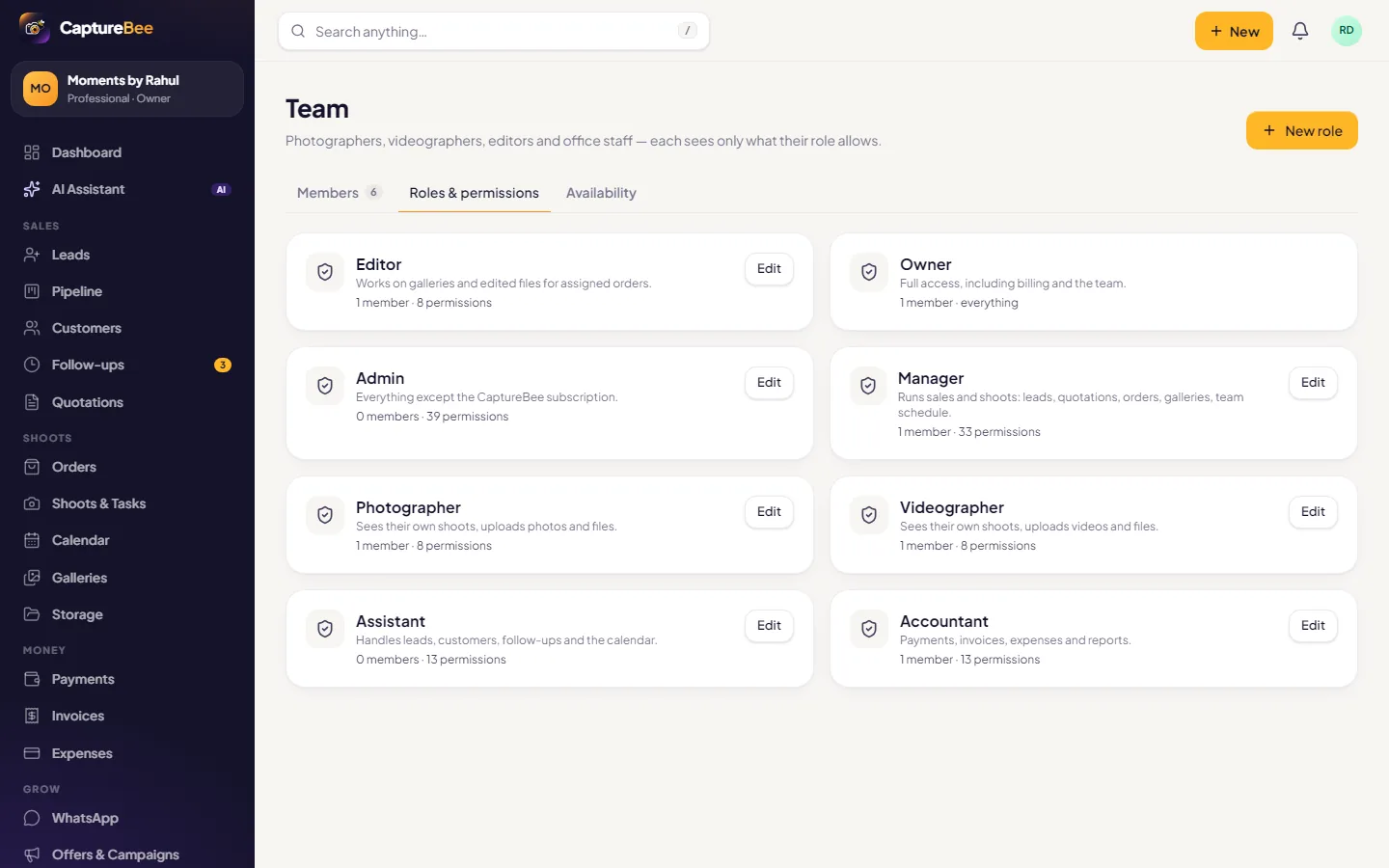
In CaptureBee you assign people to a shoot with one of these crew roles. The same person can be lead photographer on the wedding and second photographer on the sangeet.
Never double-book your crew
Double-booking is the planning mistake that hurts most — it is discovered late, and fixing it on the day is rarely possible. It happens because the crew calendar lives in someone's head or a WhatsApp group.
Two habits prevent it:
- Check availability before you promise a date. Look at your team's calendar for the date and time before you confirm a booking or a second team.
- Assign crew in the system, not in chats. When every assignment is recorded with a date and time, conflicts are visible.
CaptureBee checks this for you. When you assign someone to a shoot and they are already on another shoot at an overlapping time, you get a warning naming the person and the clash before the assignment is saved. Sometimes it is fine — two short functions an hour apart — so you can still go ahead; but you decide knowingly.
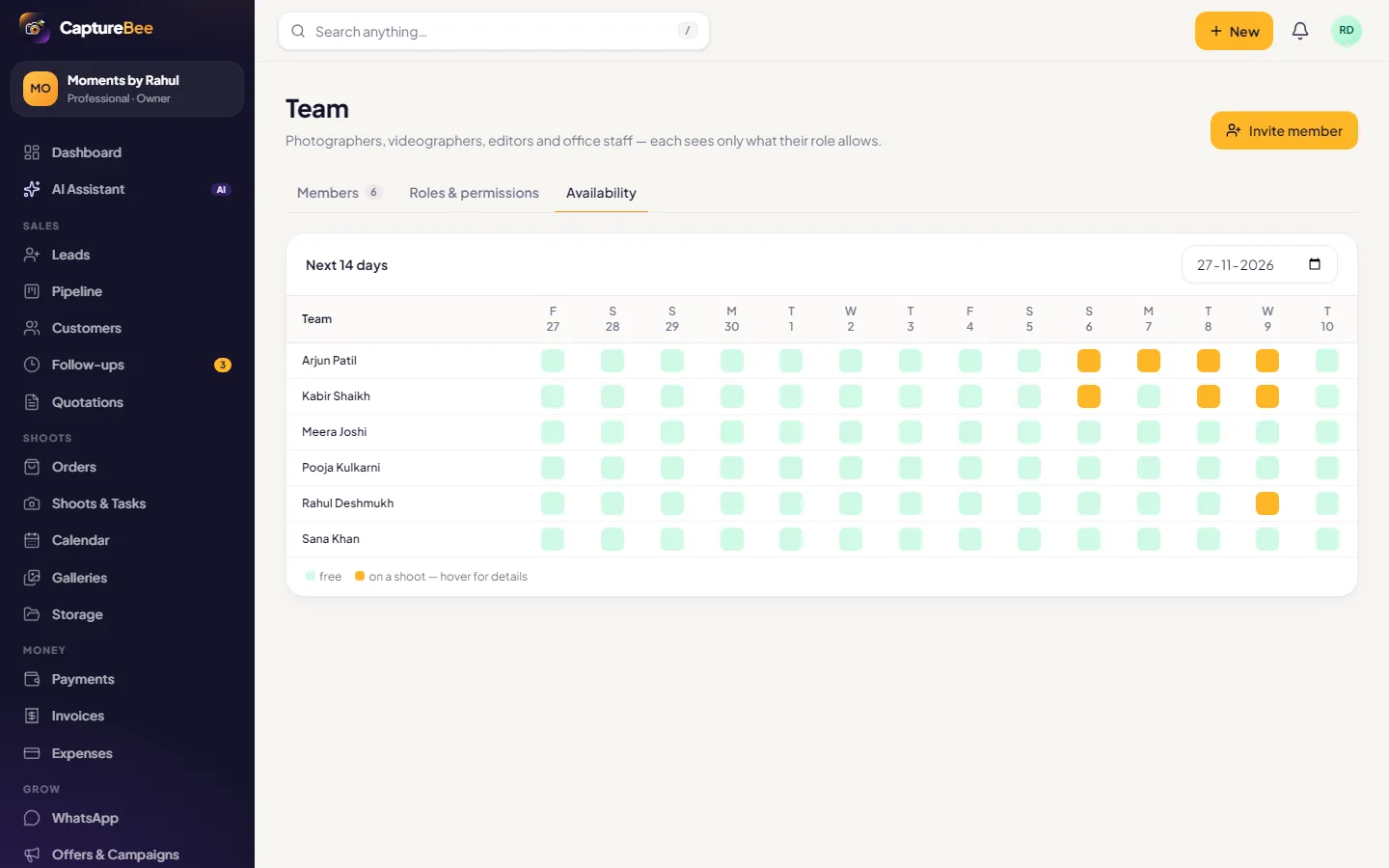
The availability view on the Team page shows the next 14 days for everyone: free days, and days with a shoot — hover to see which.
Gear lists per function
Every function has its own needs. A haldi is wet and messy; a reception is dark; a destination wedding means flights and batteries. Write the gear on each shoot:
- Camera bodies and lenses
- Flashes, triggers and light stands
- Batteries and memory cards (count them)
- Gimbal, tripods, audio for video
- Drone with permissions
- Rain covers, gaffer tape, a small first-aid kit
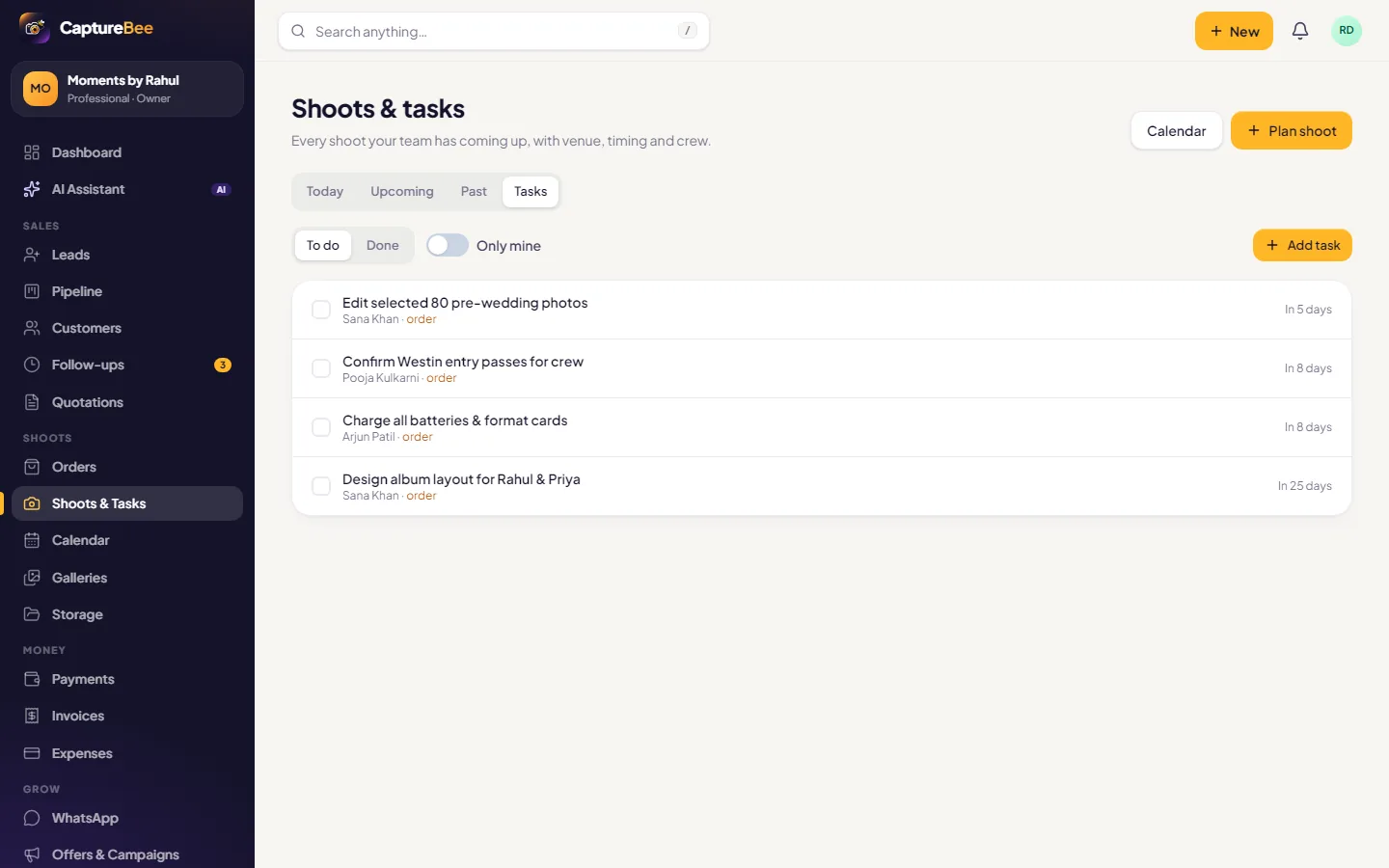
Then turn the night-before routine into tasks: "Charge all batteries and format cards", "Confirm Westin entry passes for crew". Tasks have a due date, a priority and an owner, and can be linked to the order.
Reminders the day before
Two reminders prevent most last-minute problems:
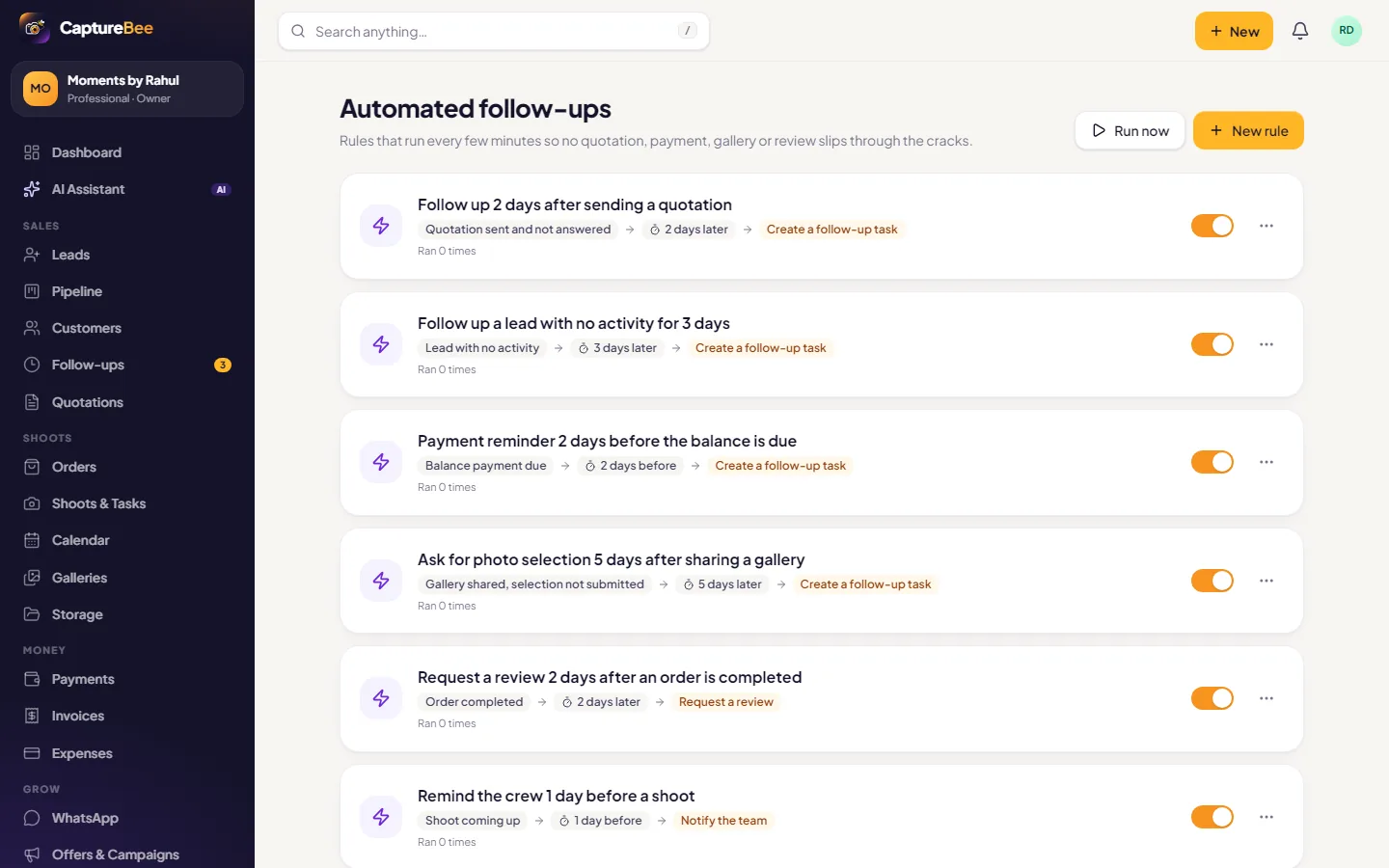
To the crew. The default CaptureBee automation Remind the crew 1 day before a shoot notifies everyone assigned. They open the shoot on their phone and see the time, venue, address with the map link, their role, the rest of the crew and the gear list.
To the client. Send the Shoot reminder template the day before:
Hi {{customer_name}}, a quick reminder that your {{event_name}} shoot is on {{event_date}} at {{venue}}. Our team will be there on time. See you soon! — {{business_name}}
It reassures the family, and it is often when you hear "actually, the haldi has moved to 7 am".
More on reminders in automations every photography studio should switch on.
On the day: everyone sees their own shoots
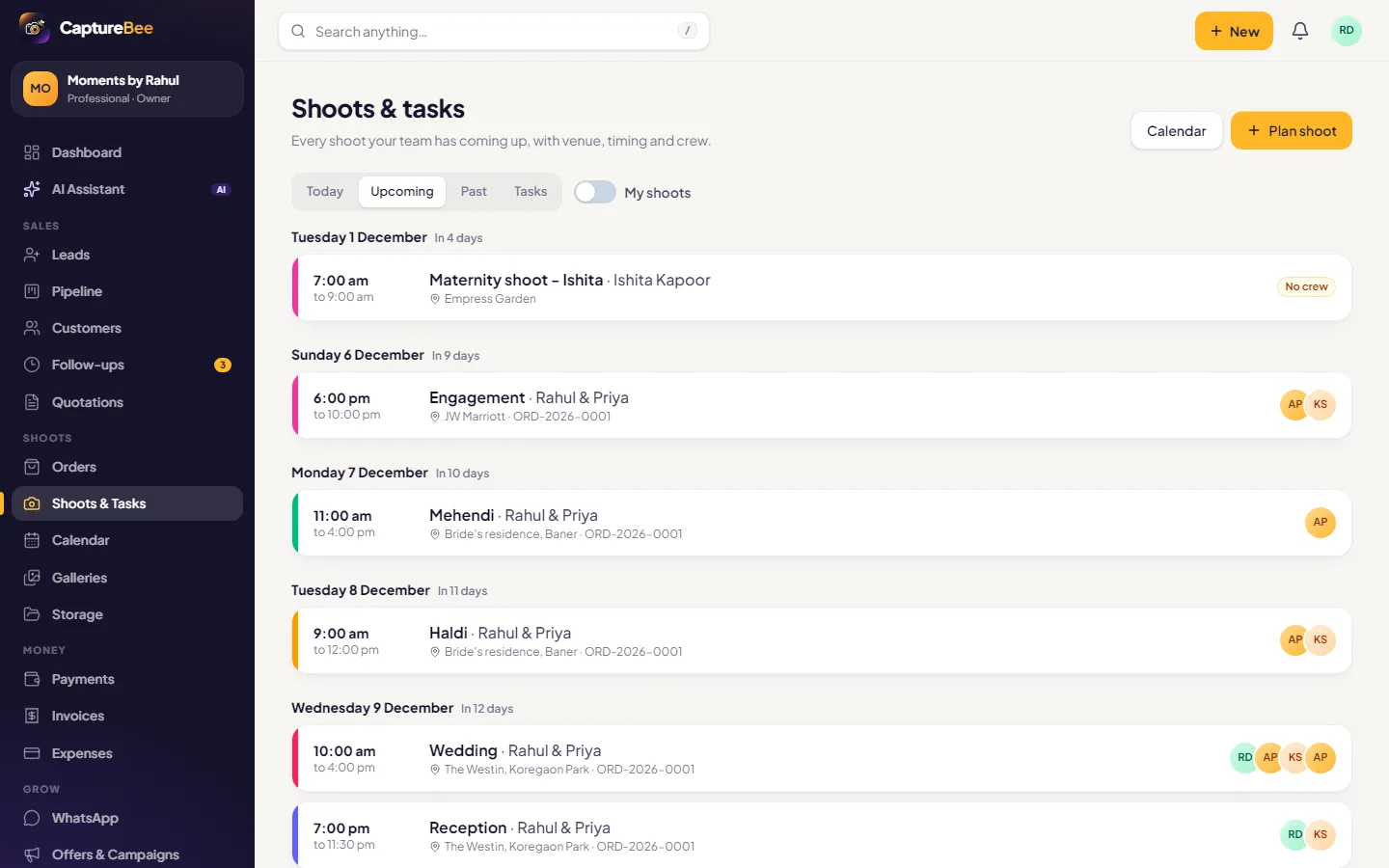
Crew members don't need the whole business — they need their day. When a photographer, videographer or editor logs into CaptureBee, they see only the shoots they are assigned to (and the galleries they work on), not your leads or payments. The Only mine switch on Shoots & tasks and on the calendar narrows any view to your own work.
The Shoots & tasks page lists today's, upcoming and past shoots with the time, venue and crew avatars — the "call sheet" for the week.
One calendar for the whole business
Shoots are not the only things with dates. Follow-ups, balance payment due dates, gallery expiry dates and tasks all compete for the same days. A calendar that only shows shoots hides half the picture.
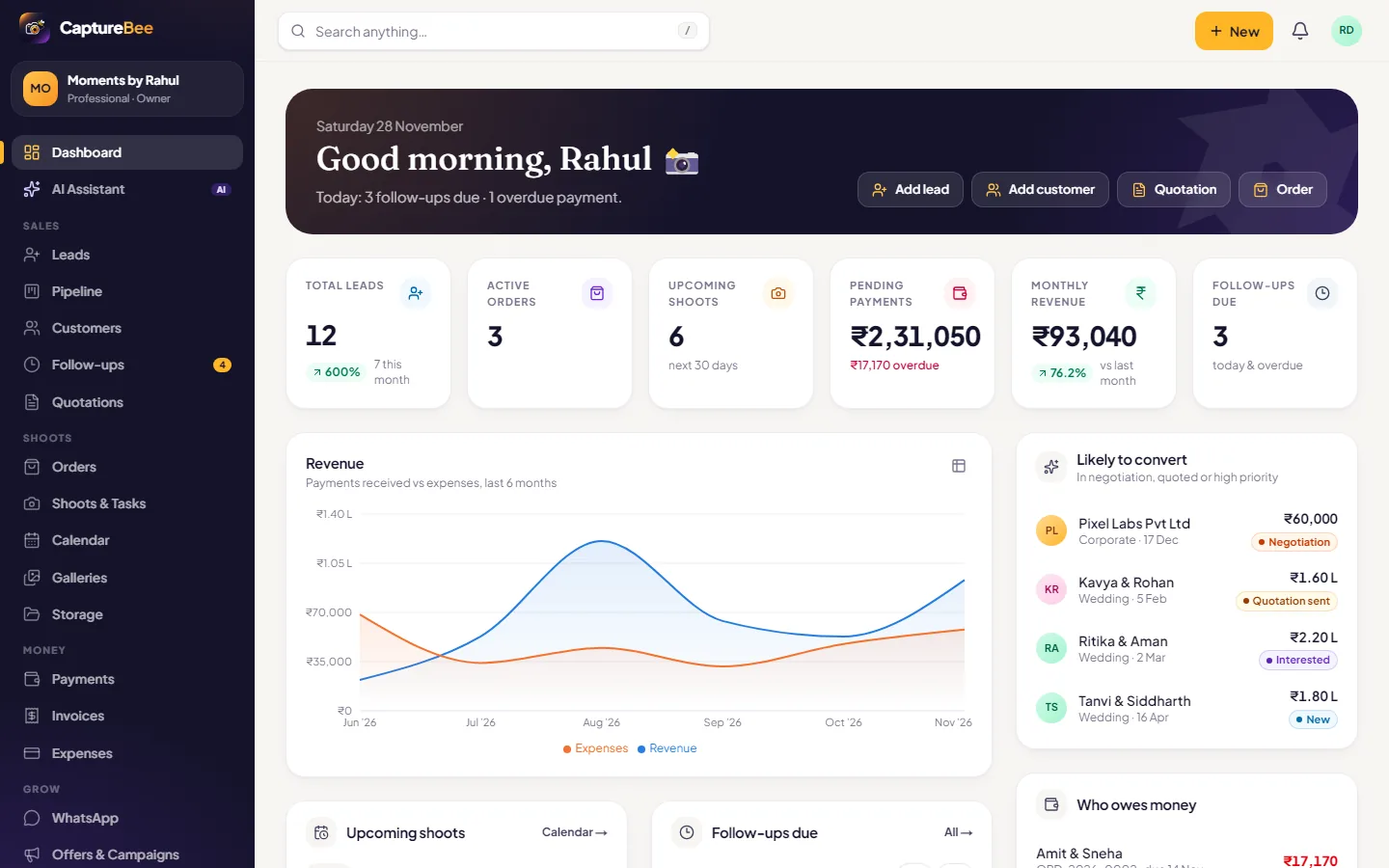
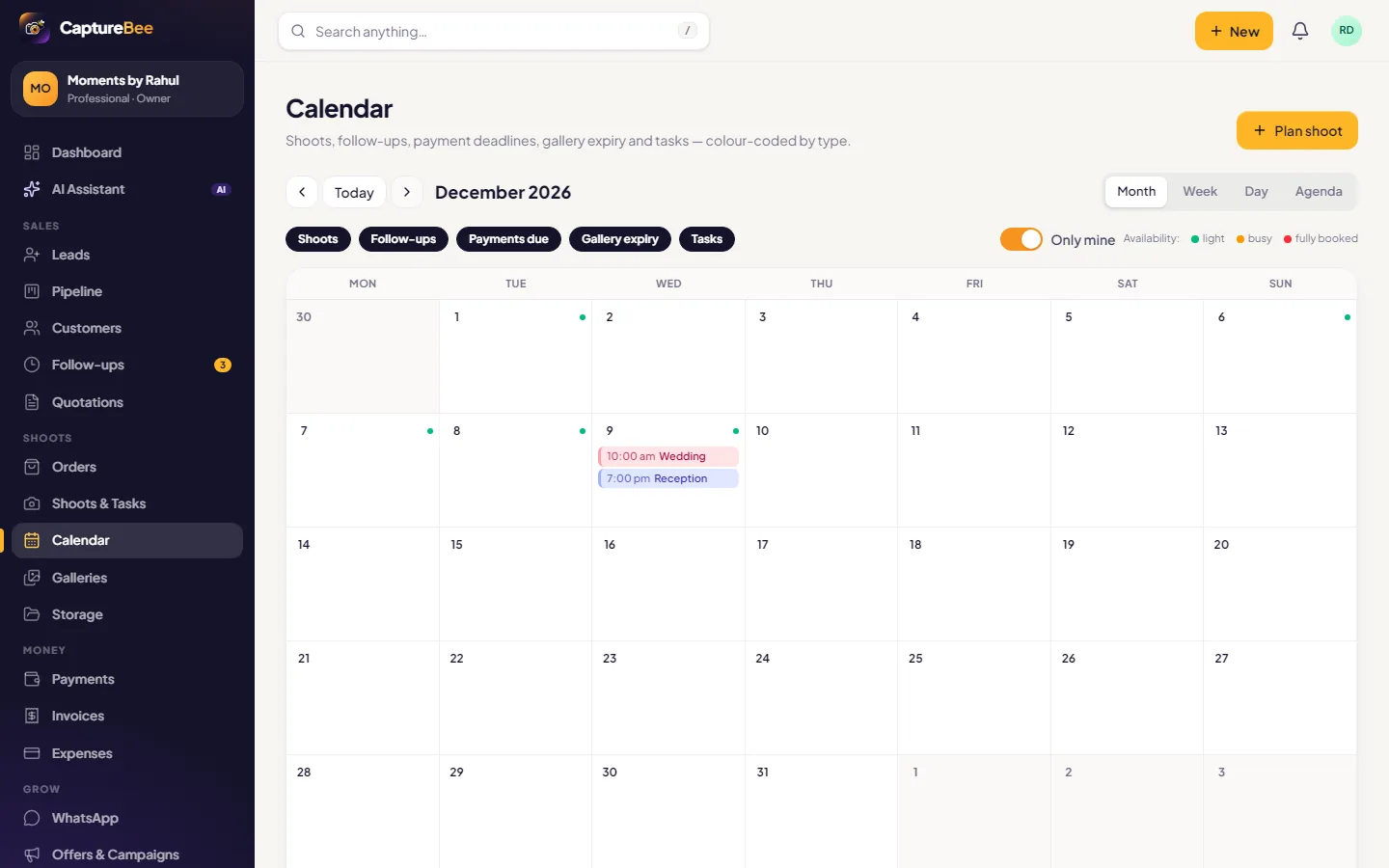
The CaptureBee calendar shows all of them, colour-coded, in month, week, day or agenda view. Filter by type — shoots, follow-ups, payments due, gallery expiry, tasks — or switch to Only mine. Availability dots on each day show light, busy and fully-booked days at a glance, which is exactly what you need when a new couple asks "are you free on the 14th?".
After the shoot
When a function is done, mark the shoot completed. The order moves forward to Shoot Completed on its own, and so does the card on your pipeline. Then:
- Back up the cards — twice, before anything else.
- Upload RAW files to the order's storage, filed under the function (storage and delivery).
- Create the editing tasks — cull, edit, highlight film — with owners and due dates.
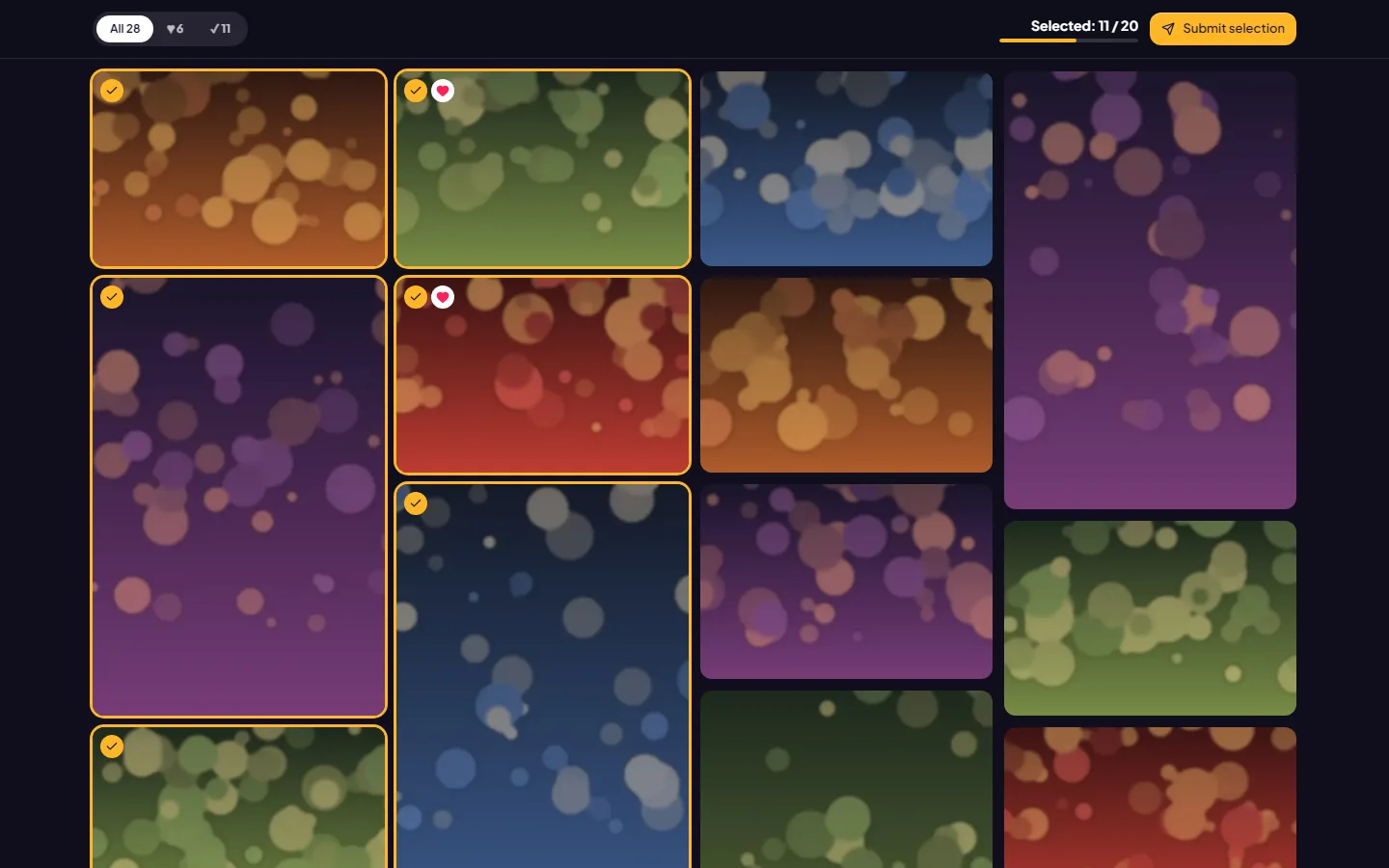
- Upload selects to a gallery for the client's album selection — see online photo selection.
CaptureBee only ever moves an order forward automatically. If you skip a step — say, you share the gallery before marking the editing stage — the order simply jumps ahead to where it really is.
Function by function: what to plan for
Every function has its own rhythm, light and risks. Notes like these belong in each shoot's notes field so the whole crew walks in prepared.
Engagement / ring ceremony
- Usually indoors at a hotel or banquet; mixed light.
- Key moments: the ring exchange, family blessings, the couple's first portraits together.
- Plan a 15-minute portrait slot with the couple — agree it with the family beforehand.
- Crew: lead photographer + videographer is usually enough.
Mehendi
- Daytime, often at home or a lawn; colourful and relaxed.
- Key moments: the bride's mehendi details, family dancing, candid laughter.
- Macro or close-up lens for mehendi details; plenty of candids of guests.
- Crew: one photographer and one videographer for most homes; add a second photographer for large lawns.
Haldi
- Messy and joyful — turmeric gets everywhere, including on lenses.
- Key moments: the first application, splashes, family games.
- Rain covers or plastic for cameras, lens cloths, a spare body in a bag well away from the action.
- Often early in the morning — confirm the time the night before.
Sangeet
- Evening, indoor, stage performances with tricky stage lighting.
- Key moments: the couple's performance, family performances, the dance floor.
- Ask for the performance order so the crew is in position; fast lenses and flash for the dance floor.
- Crew: lead + second photographer + videographer.
Wedding ceremony
- The most important and least repeatable day. Plan the crew around it.
- Key moments differ by community — baraat, jaimala, kanyadaan, pheras, sindoor, vidaai, or the rituals of a South Indian, Bengali, Marathi or Punjabi wedding. Ask the family which moments matter to them.
- Find out where the photographers can stand during the rituals, and whether the priest has any restrictions.
- Crew: lead + second photographer + one or two videographers + drone where permitted.
Reception
- Evening, stage-heavy: long lines of guests going up to the couple.
- Key moments: the couple's entry, the cake or first dance, and group photos with every family on stage.
- A traditional photographer on stage for group photos, with candid photographers in the crowd.
- Plan a short couple-portrait session before guests arrive, while the décor is fresh.
Destination and out-station weddings
Out-station weddings add travel, stay and very long days. Plan them like a small production:
- Travel: book tickets early for the whole crew; count extra baggage for gear. Note travel days in the shoots so the crew isn't booked elsewhere.
- Stay: confirm whether the family arranges rooms for the team. Put the hotel name in the shoot notes.
- Permissions: drones need permission at many venues and some heritage locations. Ask the planner early.
- Power: extra batteries and chargers — resorts don't always have sockets where you need them.
- Backups on site: carry a laptop and drives to back up cards every night. A destination wedding can't be reshot.
- Local contacts: the planner, the venue manager and a family member for each day.
- Costs: travel and stay at actuals, per your terms, plus any per-day rate for travel days.
Record the extra costs — tickets, excess baggage, local transport — as expenses linked to the order, so you know what the destination wedding really cost.
A wedding-day timeline that works
Families often share a schedule that is more hope than plan. A crew timeline built around it keeps the day calm. Here's an example for a wedding day with a reception the same evening:
| Time | Crew | What happens |
|---|---|---|
| 8:00 am | Lead + second | Arrive, back up yesterday's cards, check gear |
| 8:30 am | Second | Groom getting ready, details |
| 8:30 am | Lead + videographer | Bride getting ready, jewellery, mehendi details |
| 10:00 am | All | Baraat arrival |
| 11:00 am | All | Ceremony and rituals; drone overhead if permitted |
| 1:30 pm | Lead | Family portraits |
| 2:00 pm | All | Lunch break in shifts — never all at once |
| 3:00 pm | Lead + videographer | Couple portraits |
| 4:00 pm | — | Travel to the reception venue; change cards and batteries |
| 6:30 pm | All | Décor and detail shots before guests arrive |
| 7:30 pm | All | Couple entry; stage photos with families |
| 10:30 pm | Lead | Wrap; back up all cards before leaving |
Put the timeline in the shoot notes, and share it with the crew the day before alongside the automatic reminder.
A gear checklist for wedding days
Copy this into the equipment field of each shoot, trimmed to what that function needs:
| Category | Items |
|---|---|
| Cameras | Main body, backup body, charged batteries (at least 3 per body) |
| Lenses | Wide (16–35mm), standard zoom (24–70mm), portrait (85mm), telephoto (70–200mm), macro for details |
| Cards | Enough for the whole day plus spares; dual-slot recording on |
| Flash | Speedlights, triggers, spare AA batteries, a small softbox or bounce card |
| Video | Gimbal, mics, audio recorder, ND filters, tripods |
| Drone | Drone, batteries, controller, permissions printed or on phone |
| Backup | Laptop, two external drives, card reader |
| Protection | Rain covers, lens cloths, plastic for haldi, gaffer tape |
| Personal | Water, snacks, phone charger, power bank, a change of clothes for haldi |
A shared checklist means the second shooter knows what they must bring, and the night-before packing takes ten minutes instead of an hour.
When plans change on the day
They will. Functions start late, venues change rooms, a family member decides there must be a group photo with 60 people right now. A few habits keep the crew calm:
Timing slips. Indian functions often start later than planned. Keep the crew together until the key ritual starts rather than splitting them early. Update the shoot's time in CaptureBee so the next function's crew knows.
Two moments at once. The bride and groom getting ready in different places, or a ritual on stage while guests dance outside. Decide in advance who covers what — the lead stays with the couple, the second shooter covers family and guests.
A crew member is unwell or stuck. Check team availability for a replacement, update the crew on the shoot, and call the family contact so they know who to expect. The new person sees the whole brief as soon as they're assigned.
Weather. Have a plan B for outdoor haldis and mehendis — a veranda, a tent, umbrellas for portraits — and agree it with the family beforehand.
The venue says no to the drone. Ask early; if it's still no on the day, switch the drone operator to a second video angle and note it on the order, so the client isn't surprised by missing aerials.
The family adds a function. A surprise extra ceremony or a late-night after-party: agree on the spot whether it's covered, and add it as a shoot (and to the order if it's extra), so it's billed and remembered.
Step by step in CaptureBee
- Client accepts the quotation → the order is created.
- Open the order → Add shoot for each function: name, type, date, start and end time, venue, address, Maps link, gear, notes.
- Add crew to each shoot with a role. Heed double-booking warnings.
- Add tasks for preparation and post-production, with owners and dates.
- Check the calendar and team availability before confirming new bookings for the same dates.
- The day before: crew are reminded automatically; send the client the shoot reminder.
- After each function: mark it completed, upload files, start the gallery.
Mistakes to avoid
- Functions in a notes field. Each function needs its own time, venue and crew.
- Addresses in voice notes. Put the full address and a Maps link on the shoot.
- Crew confirmed on WhatsApp only. Record assignments so clashes are visible.
- No family contact for the day. Someone has to tell you the timing changed.
- No reminder the day before. It is the cheapest insurance you have.
- Forgetting buffer time. Back-to-back functions across the city need travel time.
- One calendar for shoots, another for everything else. Payments and follow-ups need days too.
Planning a pre-wedding shoot
Pre-wedding shoots are smaller, but they're where a couple first experiences working with you — and often where your relationship with them is decided. Plan them as carefully as the wedding:
- Locations. Two or three locations close to each other, so time goes to shooting, not driving. Check permission and fees for monuments, forts, gardens and private properties.
- Light. Plan around golden hour. A 4 pm start for a 6 pm sunset is a common rhythm; sunrise shoots avoid crowds at popular spots.
- Outfits. Two or three changes is plenty. Plan where they'll change — a car, a hotel room, a café restroom.
- Concept. A mood board shared beforehand saves time on the day and gives the couple confidence.
- Crew. One photographer, an assistant for reflectors and outfits, and a videographer if a reel is included.
- Backup date. Monsoons and dust storms happen. Agree a rain date in advance.
Add the pre-wedding as a shoot on the same order as the wedding — with its own date, locations, crew and notes — so it shows on the calendar and its photos and files sit with the rest of the booking. Its gallery can be used for a save-the-date, an invitation or a slideshow at the reception.
Sharing the plan with the family
The family's plan and your plan should be the same plan. A week before the wedding, send the couple (or the family member running things) a short summary for each function — time, venue, who from your team will be there, and when you'll arrive. Ask them to confirm or correct it.
It catches mistakes early ("the reception moved to the lawn"), reassures the family that you're organised, and gives them a name to look for on the day. Keep the summary in the order's notes so the whole crew sees the same version.
Quick checklist
- One order per booking, one shoot per function
- Every shoot has a time, venue, address, map link, family contact, gear and notes
- Crew are assigned with roles; double-booking warnings are heeded
- Preparation and editing are tasks with owners and due dates
- The family confirms the function summary a week before
- Crew reminders go out the day before; the client gets a shoot reminder
- Cards are backed up twice before they're formatted
- Shoots are marked complete so the order moves forward
Frequently asked questions
How do I plan a multi-day wedding shoot?
Create one order for the booking, add each function as its own shoot with date, time, venue, address and gear, assign crew with roles, add preparation tasks, and send reminders the day before. Keep it all in one place so changes reach everyone.
How do I avoid double-booking photographers?
Record every crew assignment with its date and time in one system, check availability before confirming new bookings, and use a tool that warns you about overlaps. CaptureBee warns you before saving an assignment that clashes.
Can freelancers see their shoot details?
Yes. Invite them with the Photographer or Videographer role. They see only the shoots they're assigned to, with the venue, map link, crew and gear.
Will the crew get a reminder?
Yes. The default automation notifies everyone on a shoot one day before. Crew members are also notified when they're assigned.
Can I see payments due on the calendar?
Yes. The calendar shows balance due dates along with shoots, follow-ups, gallery expiry and tasks.
Does the order update itself after the shoot?
Yes. Completing a shoot, uploading photos, sharing a gallery, approving a selection and sending the final delivery each move the order forward automatically.
Plan once, shoot calm
Great wedding coverage starts days before the first function: every function written down with its time, place and crew, gear packed from a list, nobody double-booked, and a reminder the day before. Do that and the day itself is about photography again.
Start a free CaptureBee trial and plan your next wedding's functions and crew in one order. Read next: managing a photography team and online photo selection for clients.